How Can We Help?
Voucher and E-Stamp Feature Enhancement
Introduction
The Voucher and E-stamp have been updated and modified for extra functionality in Loyalty Phase 4.
Voucher Expired Date
A new voucher option has been added to the web admin. The user can select and set 1 of 2 types of expiration dates ;
- Fixed Expiration Date : Select specific date
- Expiration after : Select one of the options given
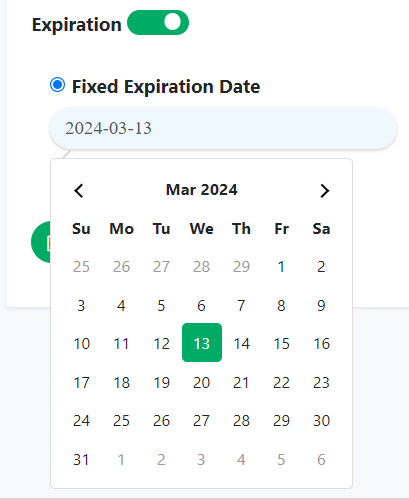
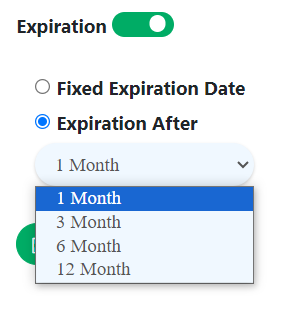
Note : Expired date can be same as end date but cannot be earlier than end date.
B Reward voucher display (new)
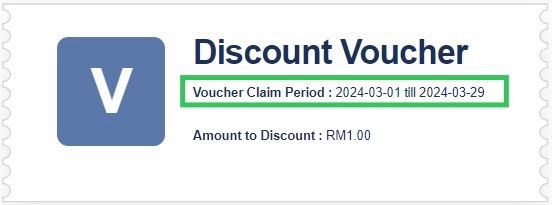
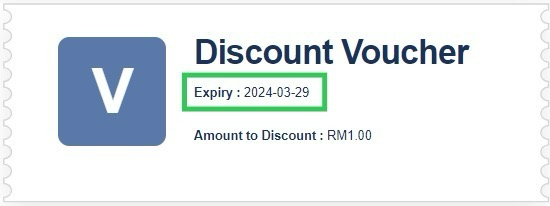
An example of a newly displayed voucher in B Reward following the date of enable expiration.
- Before claim : show Voucher Claim Period
- After claim : show Expiry Date
Multiple E-stamp activation
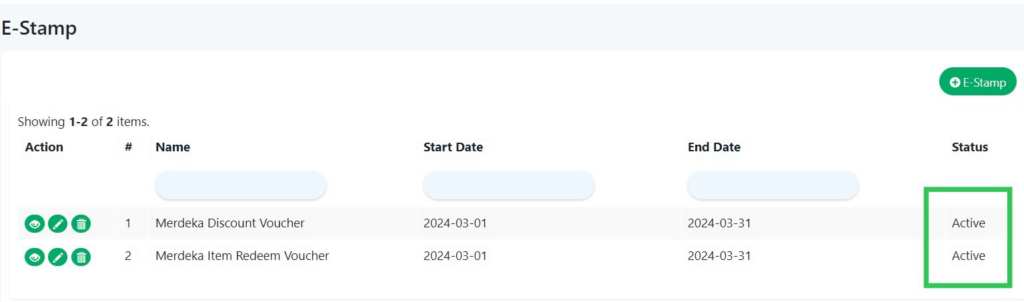
The current E-stamp system only allows activation of one E-stamp at a time. New changes able to activate multiple E-stamps simultaneously, as shown in the example below :
Type of stamp
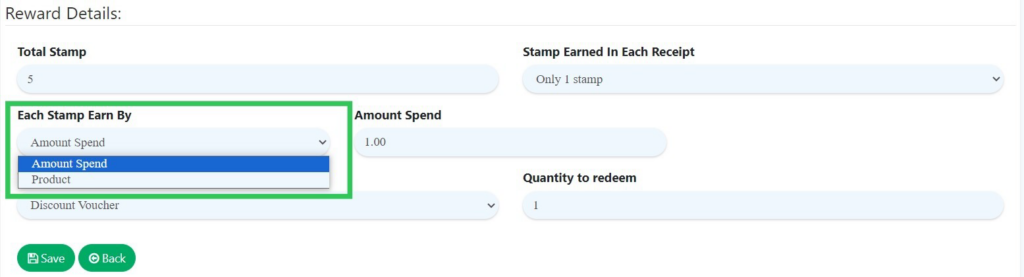
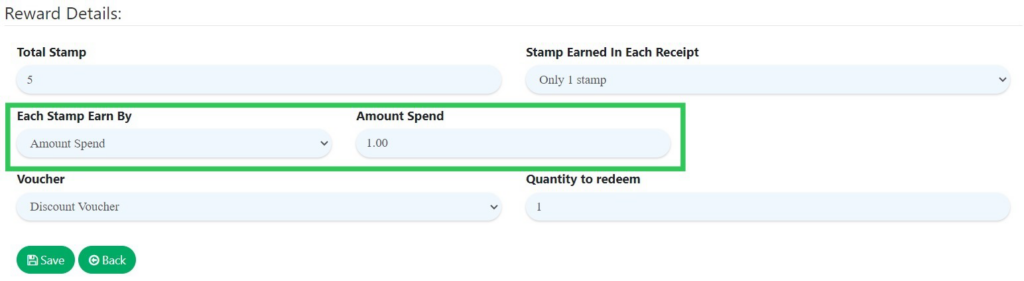
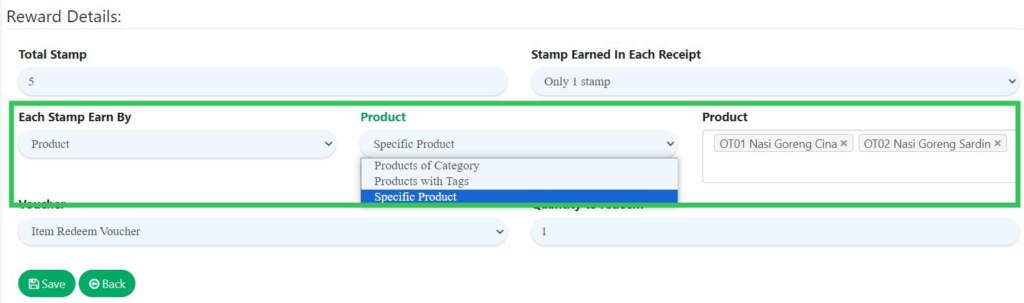
Users now have the updated option to earn stamps for their collection based on either the amount they spend or the 3 types of product they purchase, as per the system’s recent enhancement.
- Amount Spend (previous flow) : spending over amount (RM)
- Product (new) : spending over product
- Products of Category , Products with Tags , Specific Product