How Can We Help?
Vertical Layout Display for Pro Apps
Introduction
The Vertical Layout Display feature allows Android BIGPOS Pro to automatically adjust its UI based on the device screen orientation.
The system detects whether the device is in mobile or tablet view and switches between vertical or horizontal layout accordingly. All system functions remain unchanged and only the display direction is adjusted to better fit the screen.
Changes added/hide to support vertical display
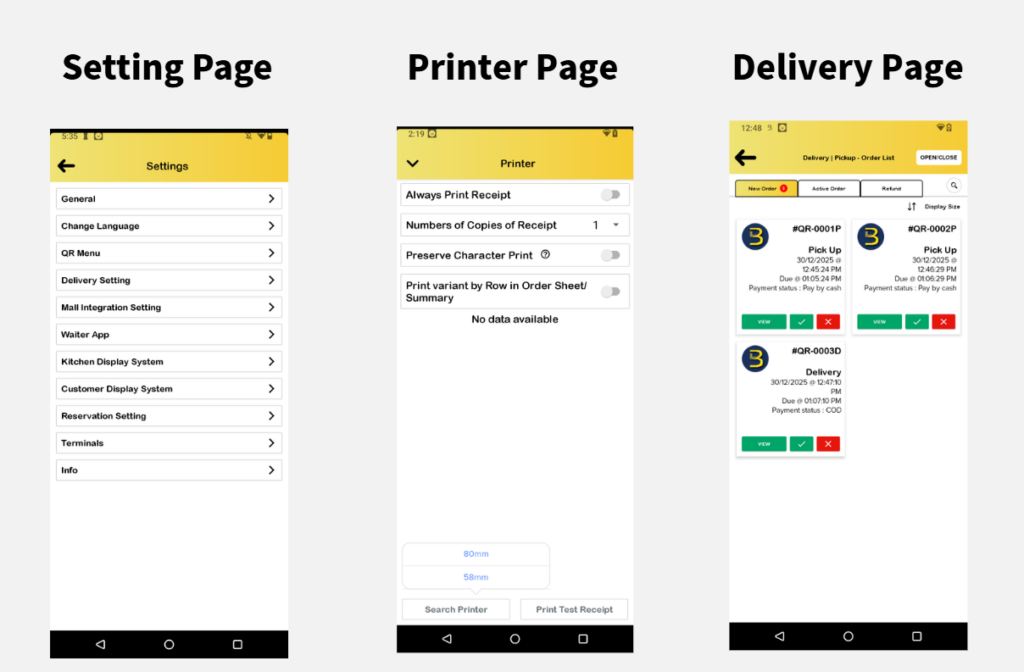
- Added Bluetooth Printer Size Selection (58mm) – Customers can choose a 58mm Bluetooth printer directly in the settings.
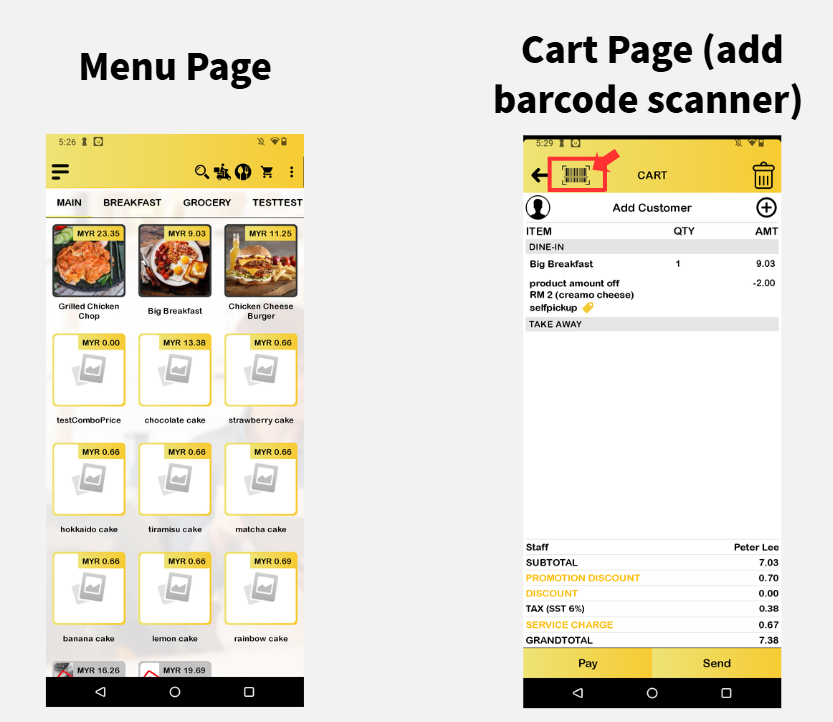
- Added Barcode Scanner in Cart Page (iMin Devices Only) – Scanning items in the cart is now supported for iMin devices.
- Sport Account Main Page UI – Updated the main page UI for Sport accounts to better fit vertical display.
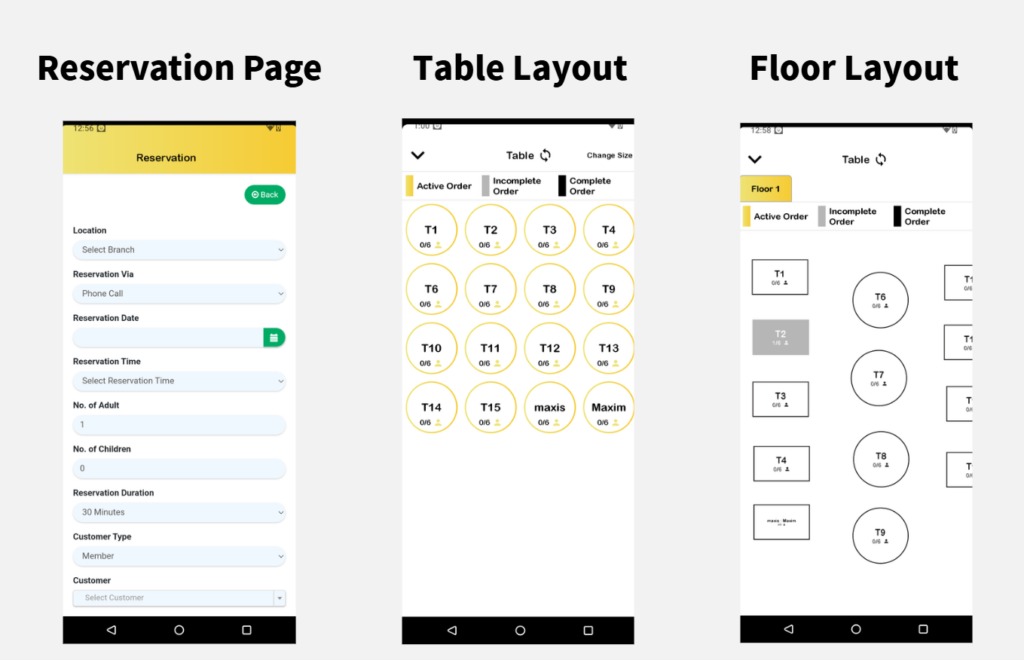
- Hide B Layout – B Layout will be hidden if Pro apps display in vertical layout. Vertical layout fully supported S layout only.
Vertical Image Display
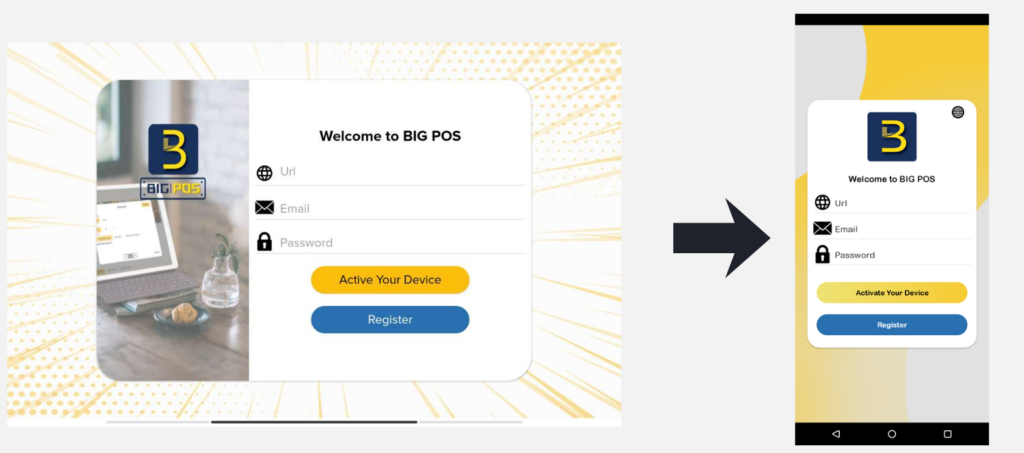
Login Page from Horizontal to Vertical Layout
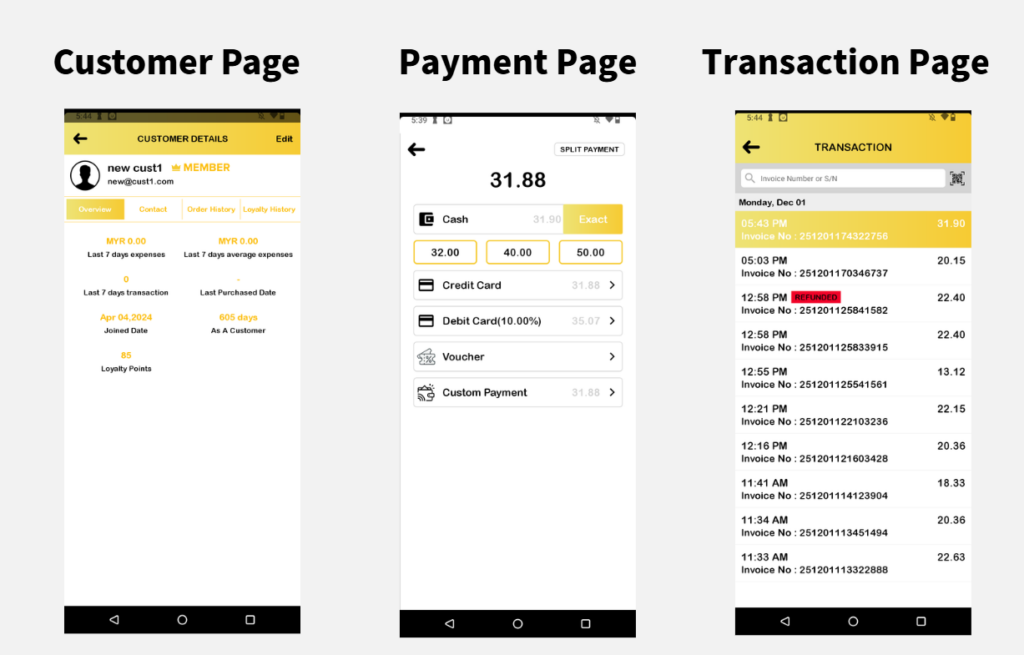
Available Devices Support for Vertical Layout
The vertical layout is supported on the following devices:
- iMin Swift
- iMin M2 Max
- Android Phone