How Can We Help?
Urgent Stock Warning Function
Introduction
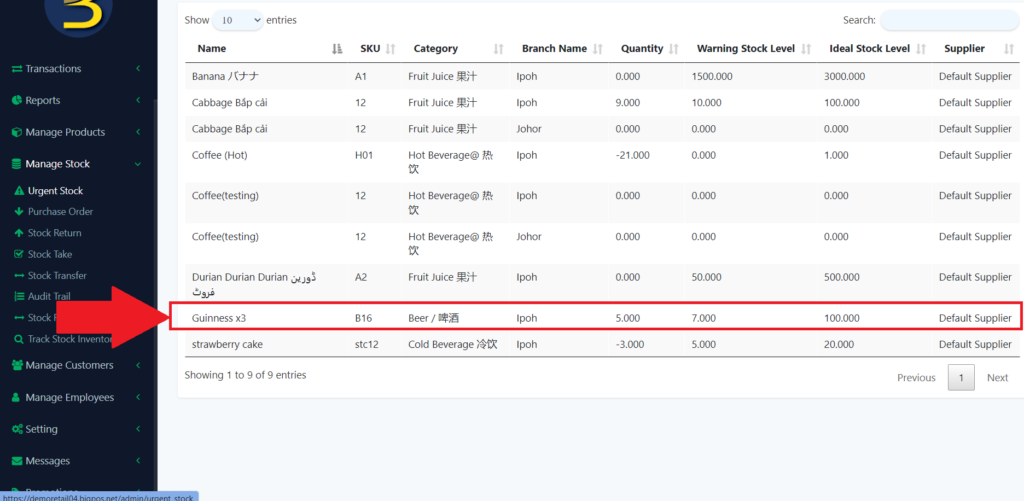
Urgent Stock is used to inform you of the warning level of the stock so that you increase the stock. It is closely related to the product so when the product’s stock is dropped to the warning level it will produce a list to inform the user.
How to view/ trigger the urgent stock warning function?
- First, you need to enable the inventory value of the product.
- Then, when the product’s stock is dropped till the warning level.
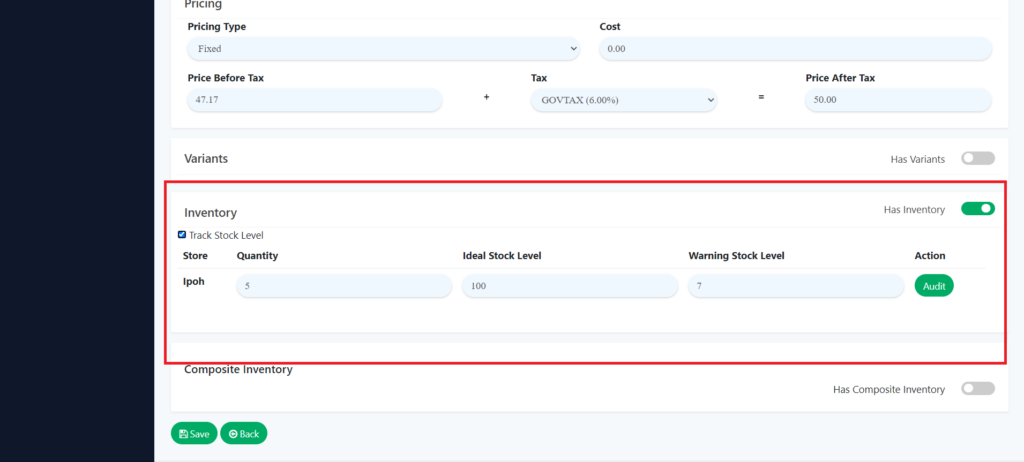
3. When the quantity is dropped more than the warning stock level it will inform you of urgent stock.
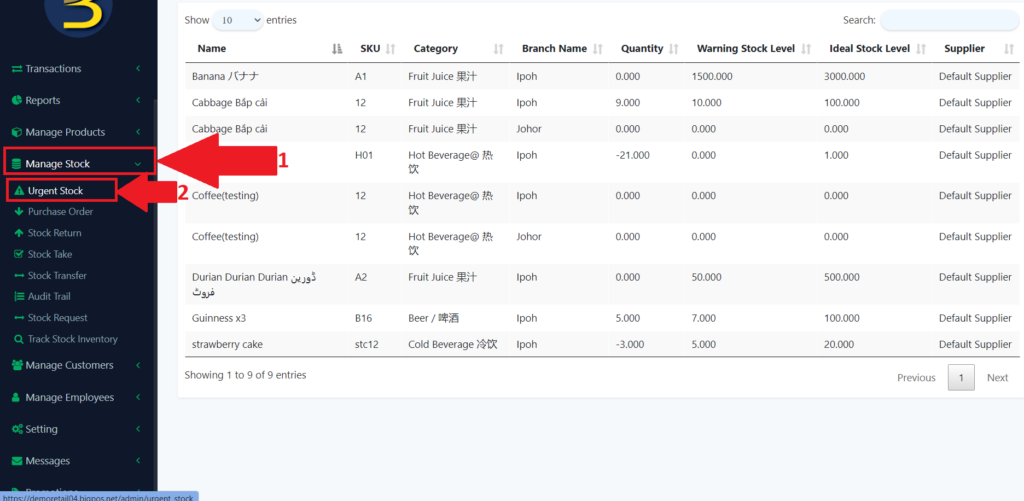
4. To look at the urgent stock, first look for the “Manage Stock” in the left panel to expand the subcategory.
5. Then look for the “Urgent Stock” to redirect to the urgent stock level.
6. Then, the product is in there.