Unit management – How to create/update/delete units in web admin?
Introduction
Unit usually use to measure weight, lenght and etc. Unit price able to have up to 3 decimal places. Example 2.235kg. This post will guide you on how to create/update or delete units in web admin. Customer able to customize their own units (cm, kg, gram and etc).
How to create/update/delete units?
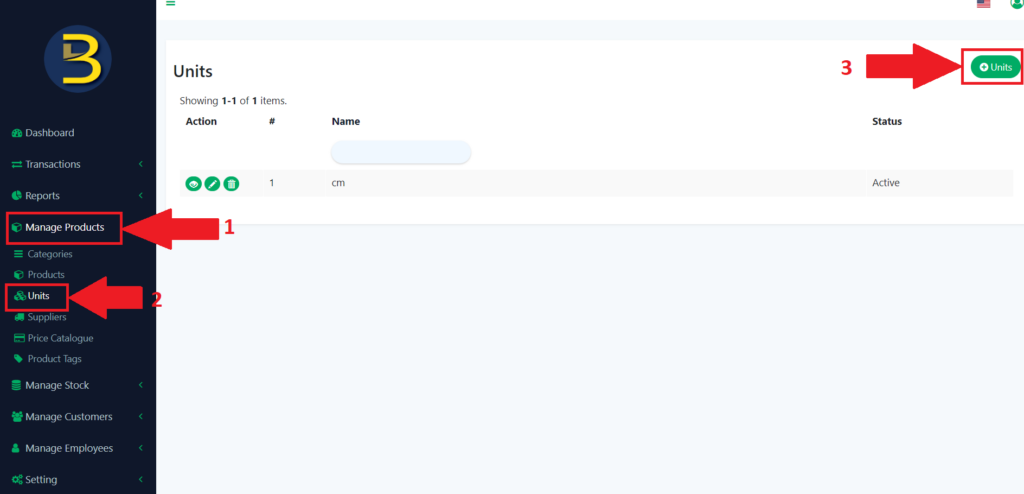
- Go to the left side panel look for “Manage Products” and expand the subcategory.
- Then look for “Units” and click, it will redirect you to the units page.
- Click the “Units” icon to add units.
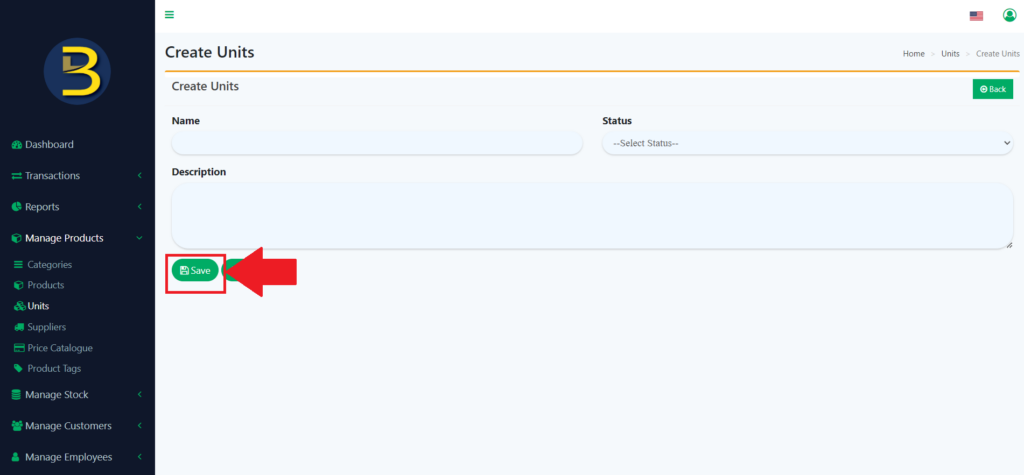
4. Fill in the details of the units and then click the “Save” button to save the units.
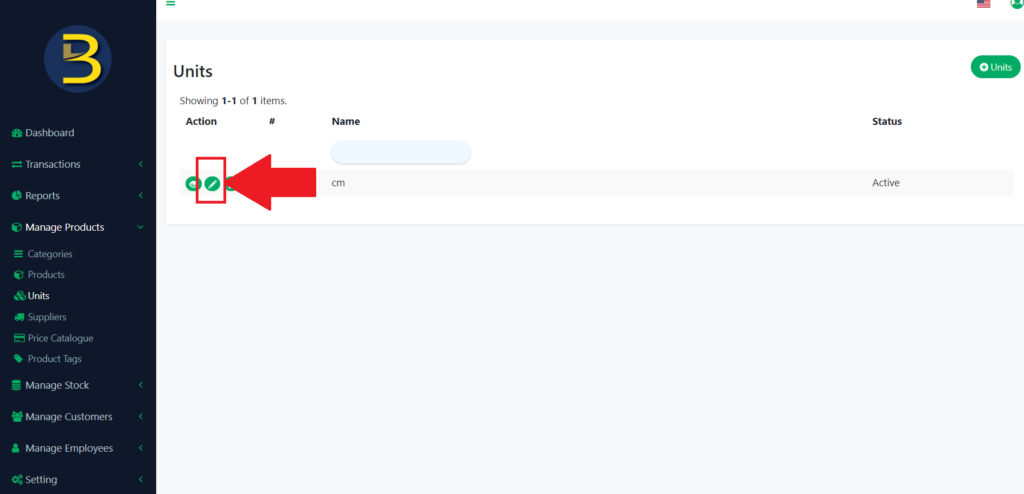
Update the details of the units.
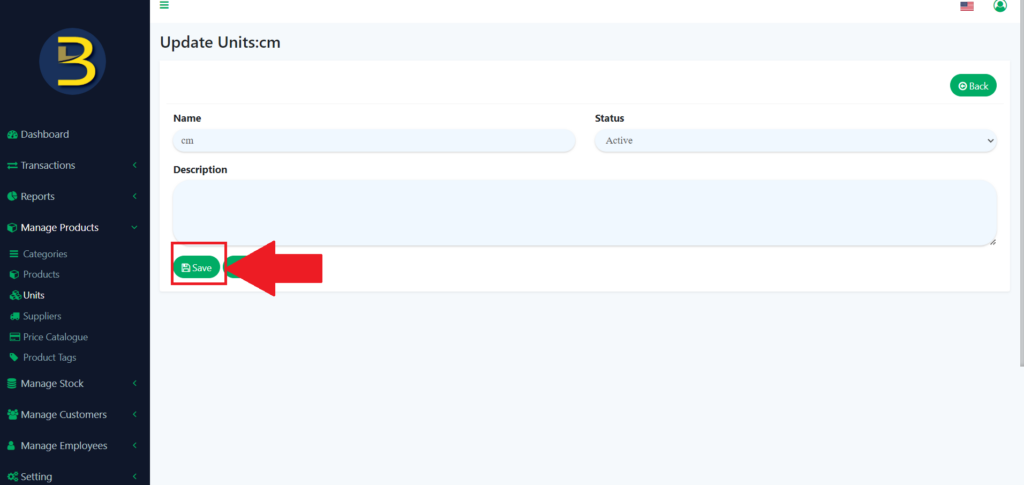
5. To update the details of the units, you need to click on the pencil icon to redirect to the details of the unit.
6. Then you edit the details that you want to change or update and click the “Save” button again.
Delete the existing units.
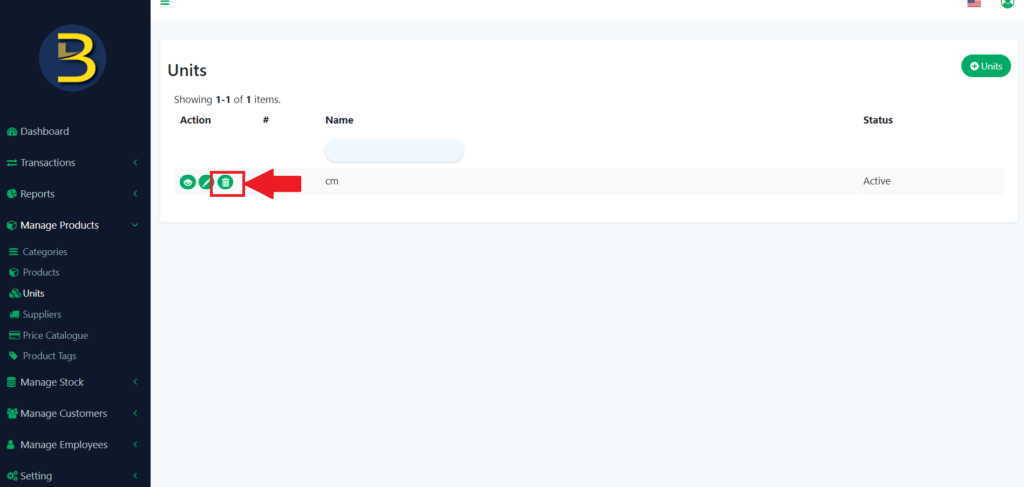
7. To delete an existing unit, you need to click on the dustbin icon to delete.
8. There will pop up alert message to confirm the deletion of the units.
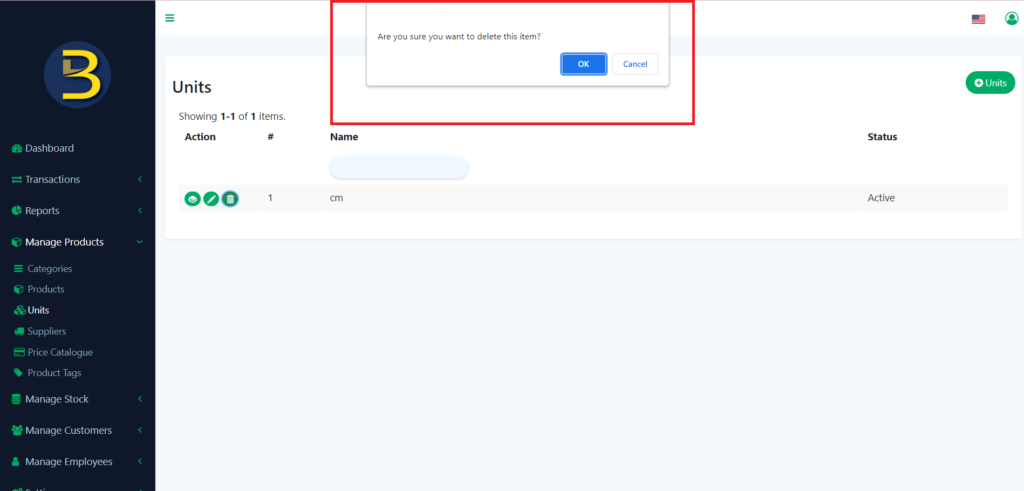
9. If the “OK” button is pressed, the unit will be deleted.
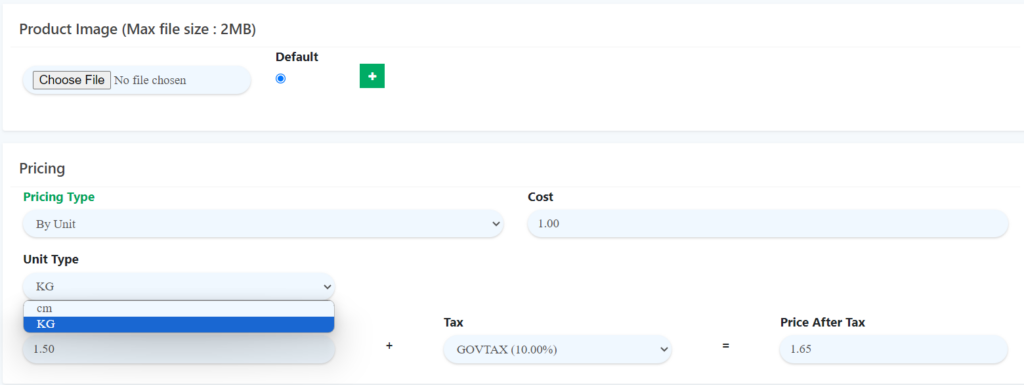
10. Added units will display in unit type with pricing type By Unit. Then you can add product with pricing type units.