How Can We Help?
Track Stock Inventory – How to Track the Stock?
Introduction
Track Stock Inventory allows users to ensure sufficient stock for the supply chain.
How to ‘Track Stock Inventory’?
Before using this feature, make sure the device running the app is connected to an active Internet connection. To track stock inventory, follow the following steps:
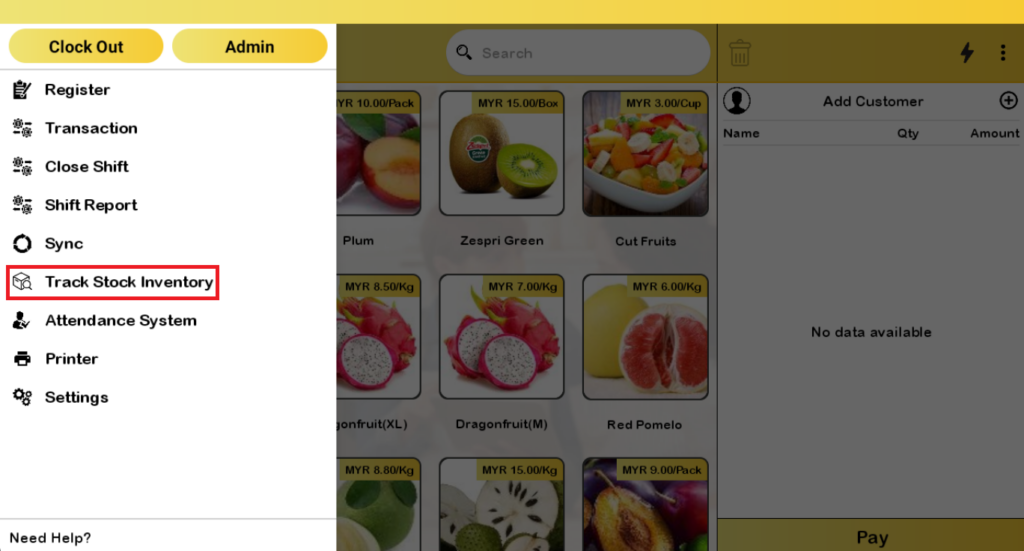
- Tap ‘Track Stock Inventory’ on the left side panel
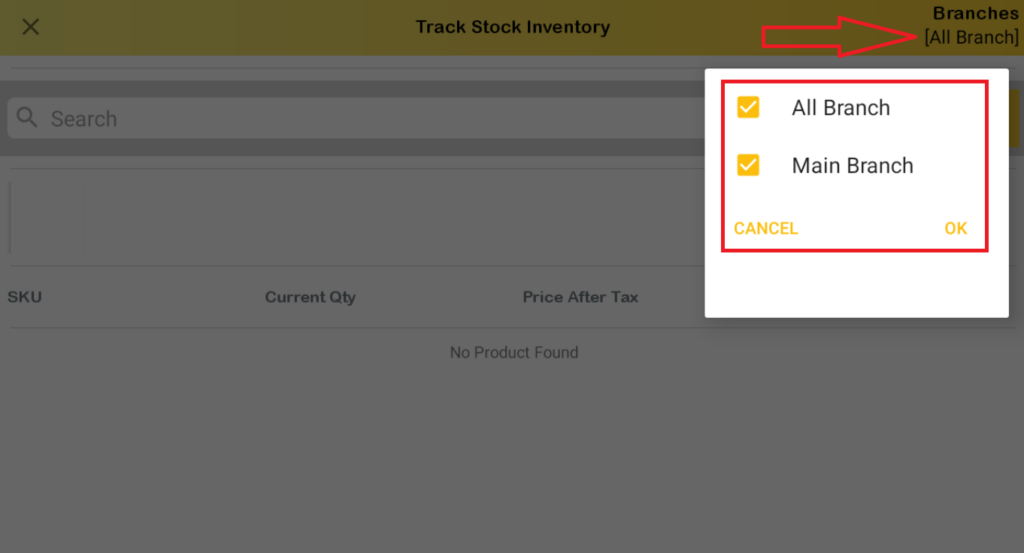
- On the top right corner, tap ‘Branches’ to choose branch that need to be inspected.
- Check any branch and tap ‘OK’ or ‘CANCEL’.
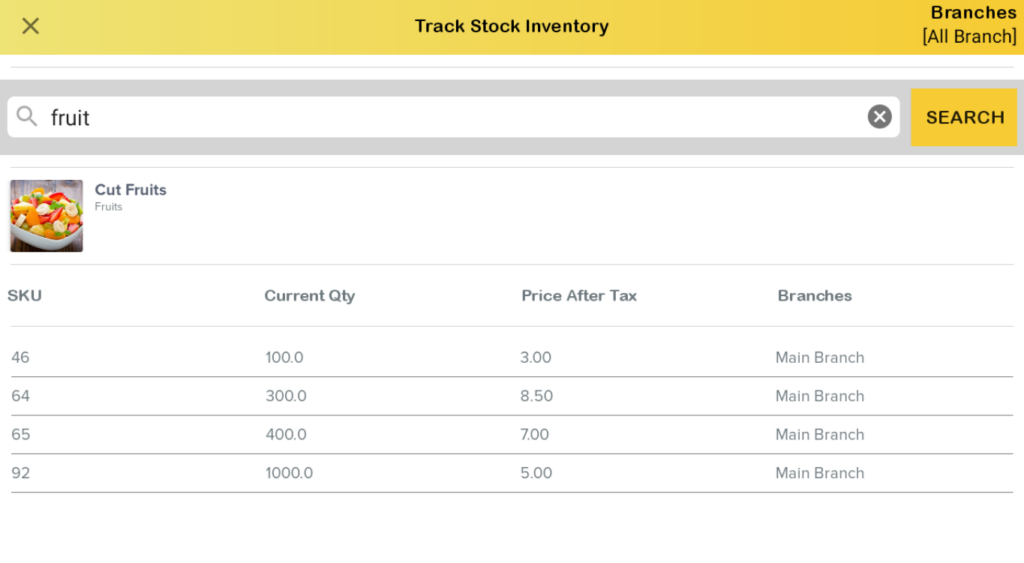
- Input any items name users wanted to inspect in the text field and tap ‘Search’ to display the result. This is the result of all items having ‘rice’ in product’s name.
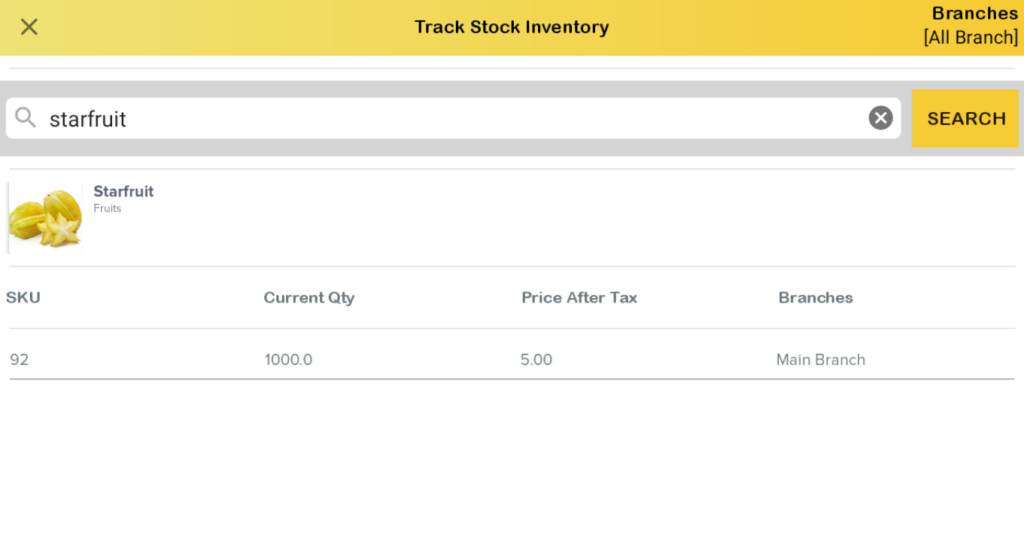
- Input specific names will display distinct results. Current quantity and relevant descriptive columns will be shown.