How Can We Help?
Total Sales Report – Main Page
Introduction
Welcome to Bigpos support.
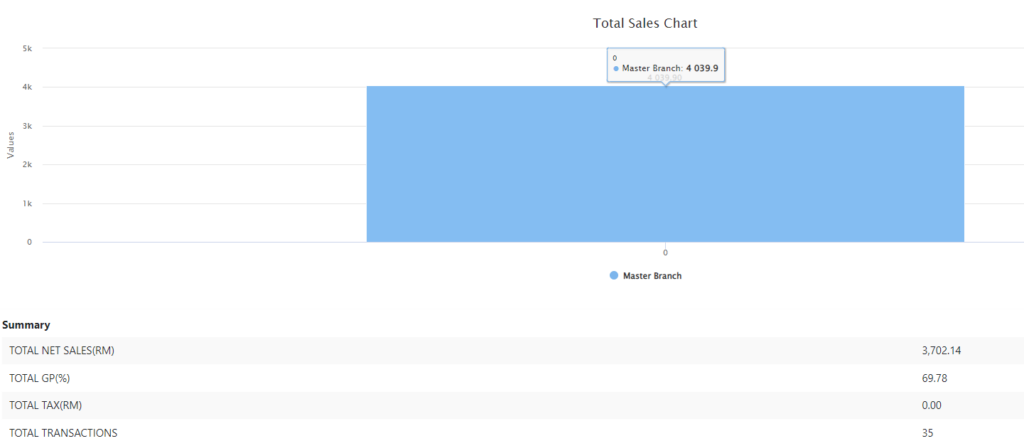
Total Sales Report provides you with total sales details including total sales, total cost, total discount, total promotion, net sales, tax, service charge, take away charge, rounding total tendered, GP (Gross Profit),GP percentage, number of transactions and total pax. This page also shows you the summary of total sales, including total net sales, total GP percentage, total tax and total transactions and provides you with the total sales chart for the date range you filtered.
How to view Total Sales Report?
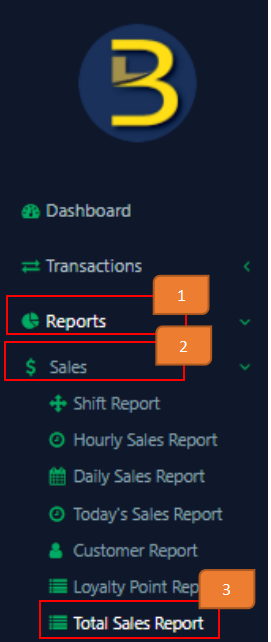
- Click on ‘Reports’ On the left panel menu.
- Click on ‘Sales’
- Click on ‘Total Sales Report’

- Select the branch
- Select the date range
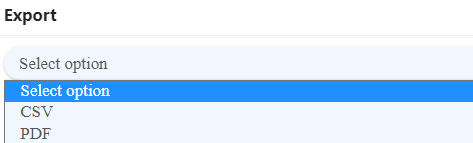
- If you want to export records, select the format. If not, leave it as ‘select option’.
- Click ‘Go’

Example of filtered result:

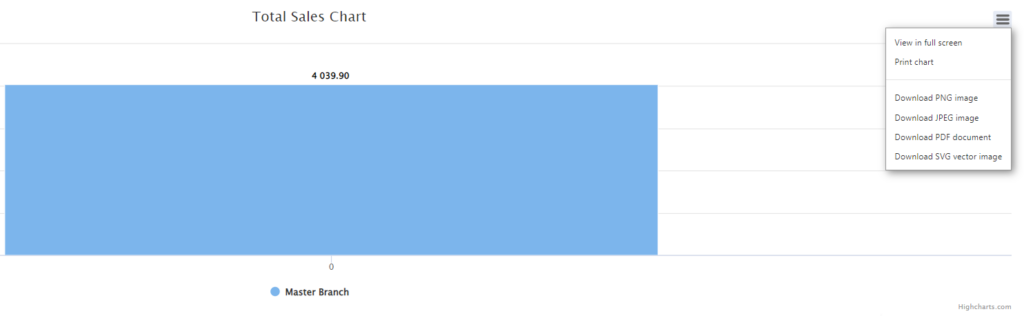
How to download chart?
Click on the icon below and choose what format you want to download. You can also print or view it in full screen.