How Can We Help?
Supplier – Main Page
Introduction
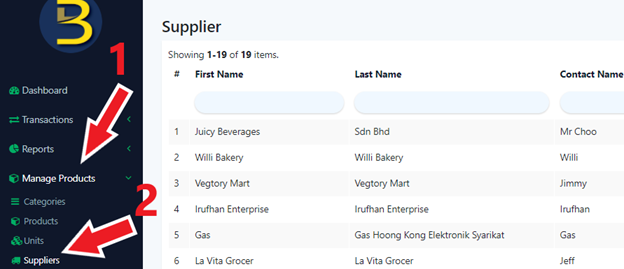
Supplier main page shows all the suppliers saved in the BIG POS application. This page allows:
- Query and inspect a supplier
- Create a new supplier
- Remove existing supplier
- Edit existing supplier
How to enter ‘Supplier Main Page’?
To enter the ‘Supplier Main Page’, follow the following steps:
- Head over to ‘Manage Products’ on the left side panel.
- Using the dropdown menu, proceed by clicking on ‘Suppliers’.