How Can We Help?
Stock Value – Main Page
Introduction
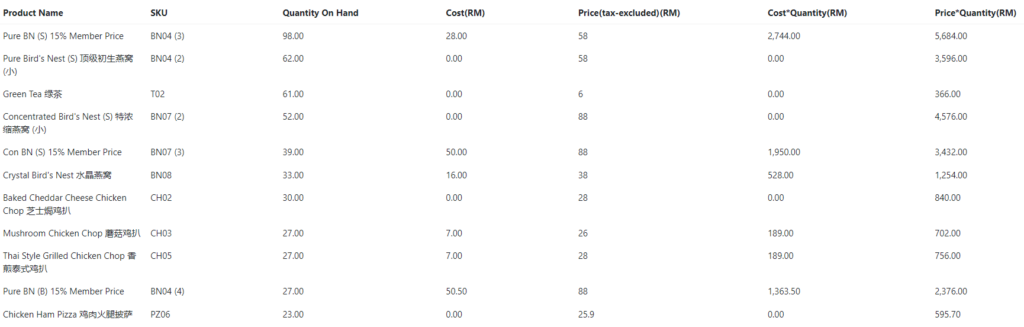
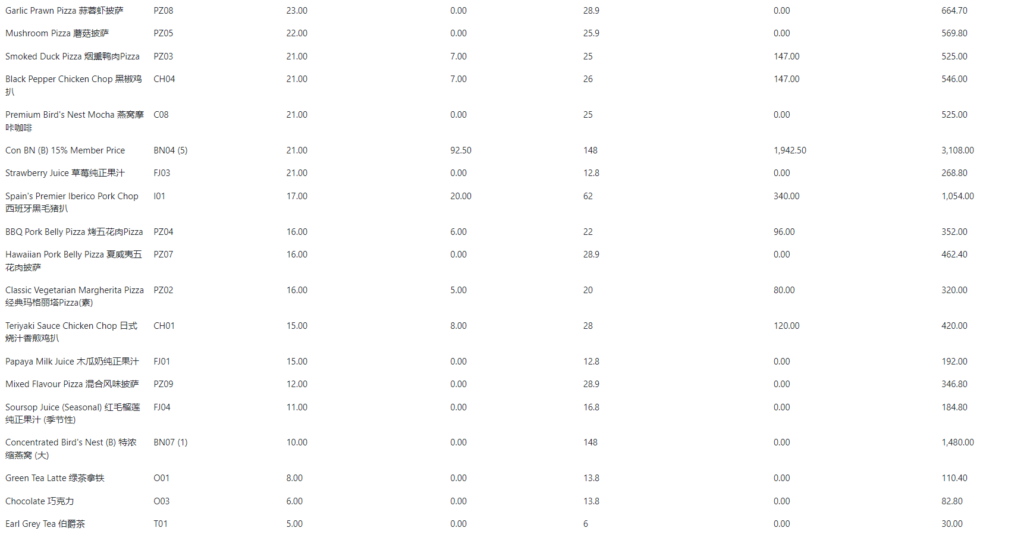
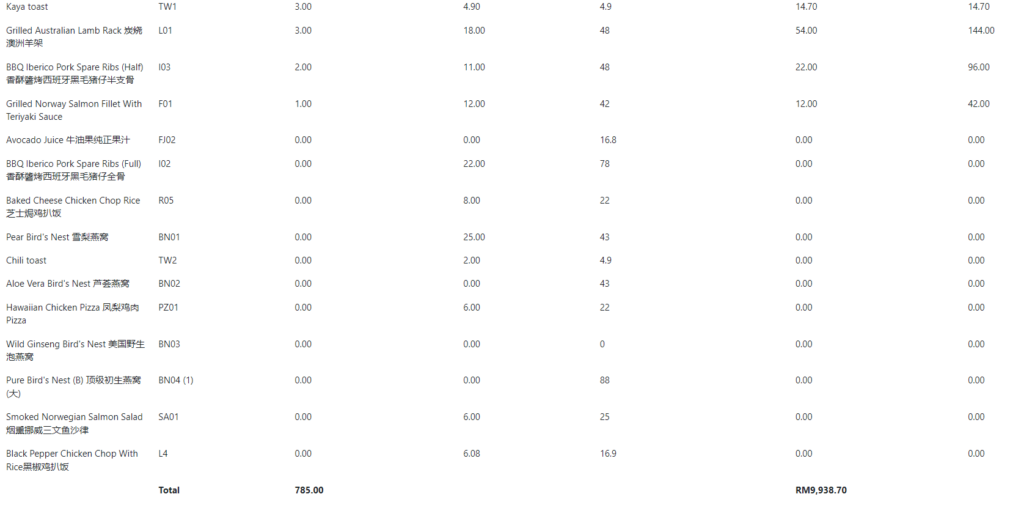
Stock Value provides a brief view of stock holding by listing their Name, SKU, Quantity on Hand, Cost, Tax-excluded Price, Cost*Quantity Amount, and Price*Quantity Amount.
How to view Stock Value?
To view Stock Value, follow the following steps:
- Click ‘Reports’ on the left side panel.
- Click ‘Products’ from the dropdown menu.
- Click ‘Stock Value’.


- Select Branch to be inspected.
- Click ‘Go’
Note: If you want to export records, select from the option (CSV or PDF) or else leave it as ‘Select option’ by default.
Example of Stock Value Report: