How Can We Help?
Stock Transfer – Main Page
Introduction
Stock Transfer allows easy management of stock transferring between branches, simplify monitoring of the transfer and inventories of both branches. This section introduces how to use the Stock Transfer feature in BIG POS Web Admin.
How to enter ‘Stock Transfer Main Page’?
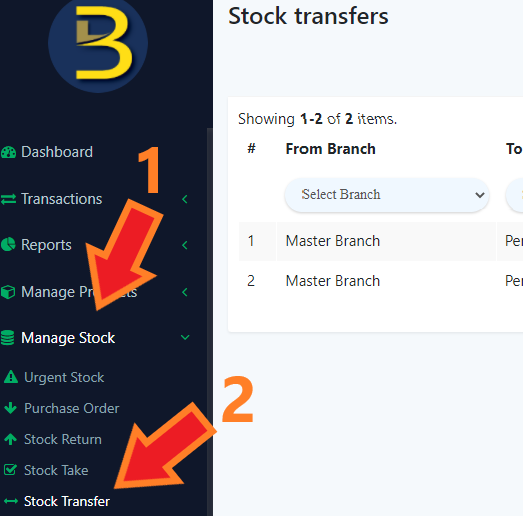
To enter the ‘Stock Transfer Main Page’, follow the following steps:
- Head over to ‘Manage Stock’ on the left side panel.
- Using the dropdown menu, proceed by clicking on ‘Stock Transfer’.