How Can We Help?
Settings – How to enable QRmenu?
Introduction
BIG POS QR Menu allows users to let their customers make an order with BIG POS QR Menu. This section introduces how to enable the QR Menu feature in the BIG POS App (BIG POS Pro only).
How to enable ‘QR Menu’? (on BIG POS Pro)
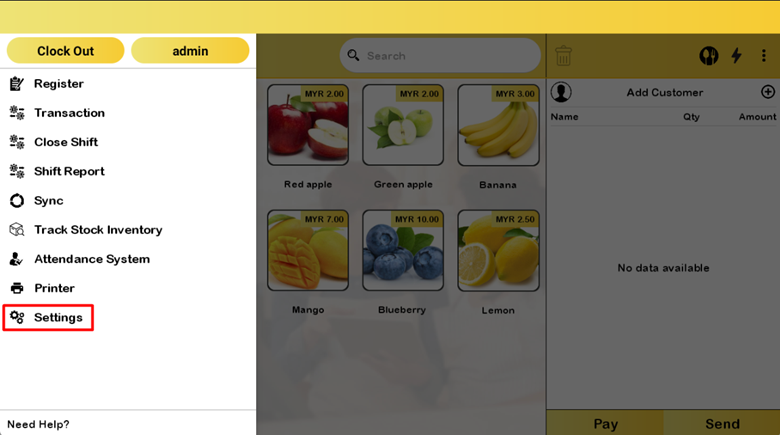
Follow these steps to go to the ‘QR Menu’:
- Go to the left side panel and click ‘Settings’.
- Proceed by selecting ‘QR Menu’ in the settings.
- Turn on the ‘QR Menu’.
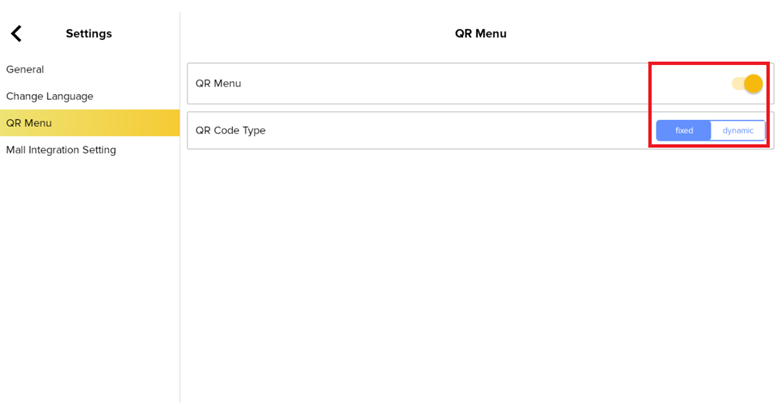
- You may choose a fixed or dynamic QR code type.