How Can We Help?
Settings – Can the user choose any other layout? How?
Introduction
Different users may use different layouts. This section introduces how to choose your ideal layout in the BIG POS App (BIG POS Pro only).
How to choose ‘Ideal Layout’? (on BIG POS Pro)
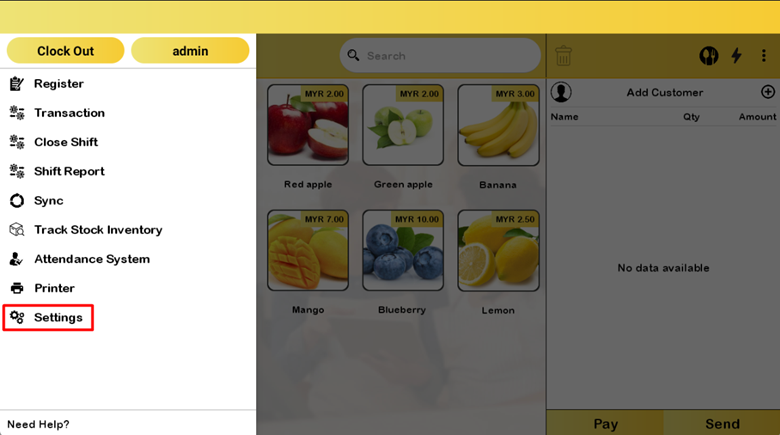
Follow these steps to go to the ‘Ideal Layout’:
- Go to the left side panel and click ‘Settings’.
- Proceed by selecting ‘General’ in the settings.
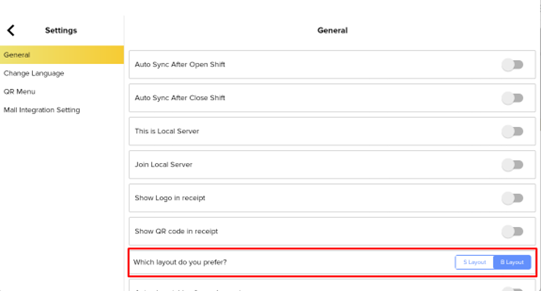
- Change the layout to ‘Layout S’.
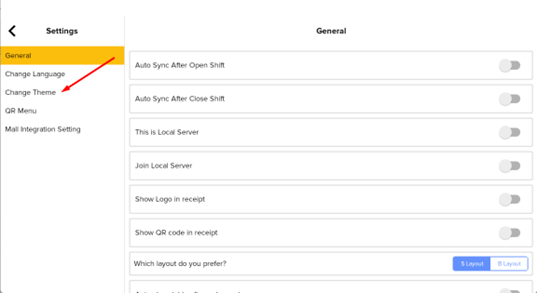
- Select Change Theme to change the Color of the S Layout.
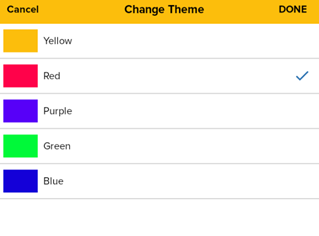
- Select your Ideal color and click ‘DONE’.