How Can We Help?
Schedule Activity Log – Main Page
Introduction
Schedule activity log allows tracing of previous created schedules. This section introduces how to use the Schedule Activity Log feature in BIG POS Web Admin.
How to enter ‘Schedules Activity Log Main Page’?
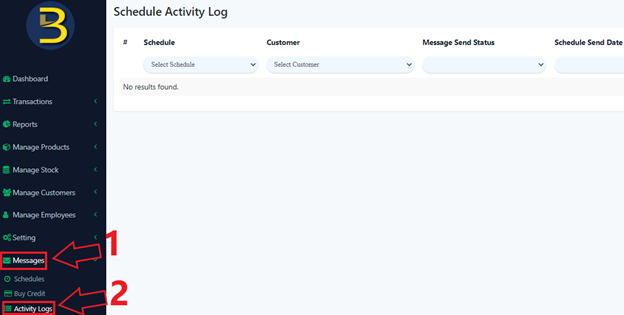
To enter the ‘Schedule Activity Log Main Page’, follow the following steps:
- Head over to ‘Messages’ on the left side panel.
- Using the dropdown menu, proceed by clicking on ‘Activity Logs’.
- Users can proceed to query for past schedules.