Revenue Monster e-wallet online refund
Introduction
Revenue Monster’s online refund has a new capability that is specific to transactions completed using Delivery or QRmenu and are paid for with e-wallets. This feature consists of :
- PRO apps ( Android & iOS )
- Web admin and Big Analytics shift report display
Revenue Monster online refund

List of e-wallets and conditions that allow customers to make RM refunds :
- Common e-wallets :
- TNG
- AliPay
- Boost
- Grabpay
- Presto & etc
- Conditions :
- Transaction made from QRmenu online Revenue monster (QRmenu / Delivery).
- Online payment by ewallet .
- Full refund only. Partial refund not allow refund with RM.
- Refund / cancel perform in Bigpos Pro.
- Refund from RM portal wont integrate with Bigpos.
- Able to refund in same day.
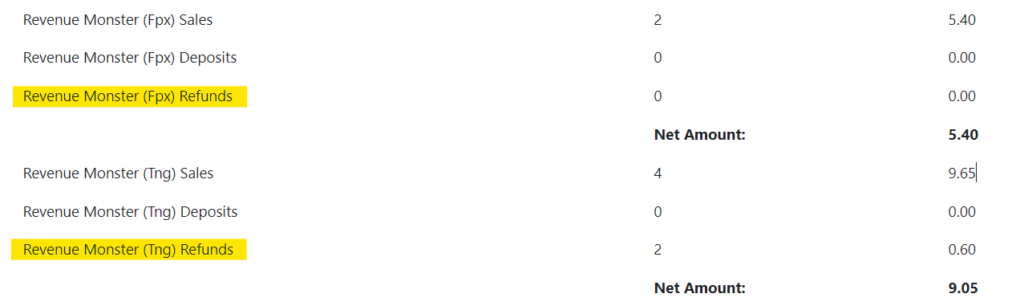
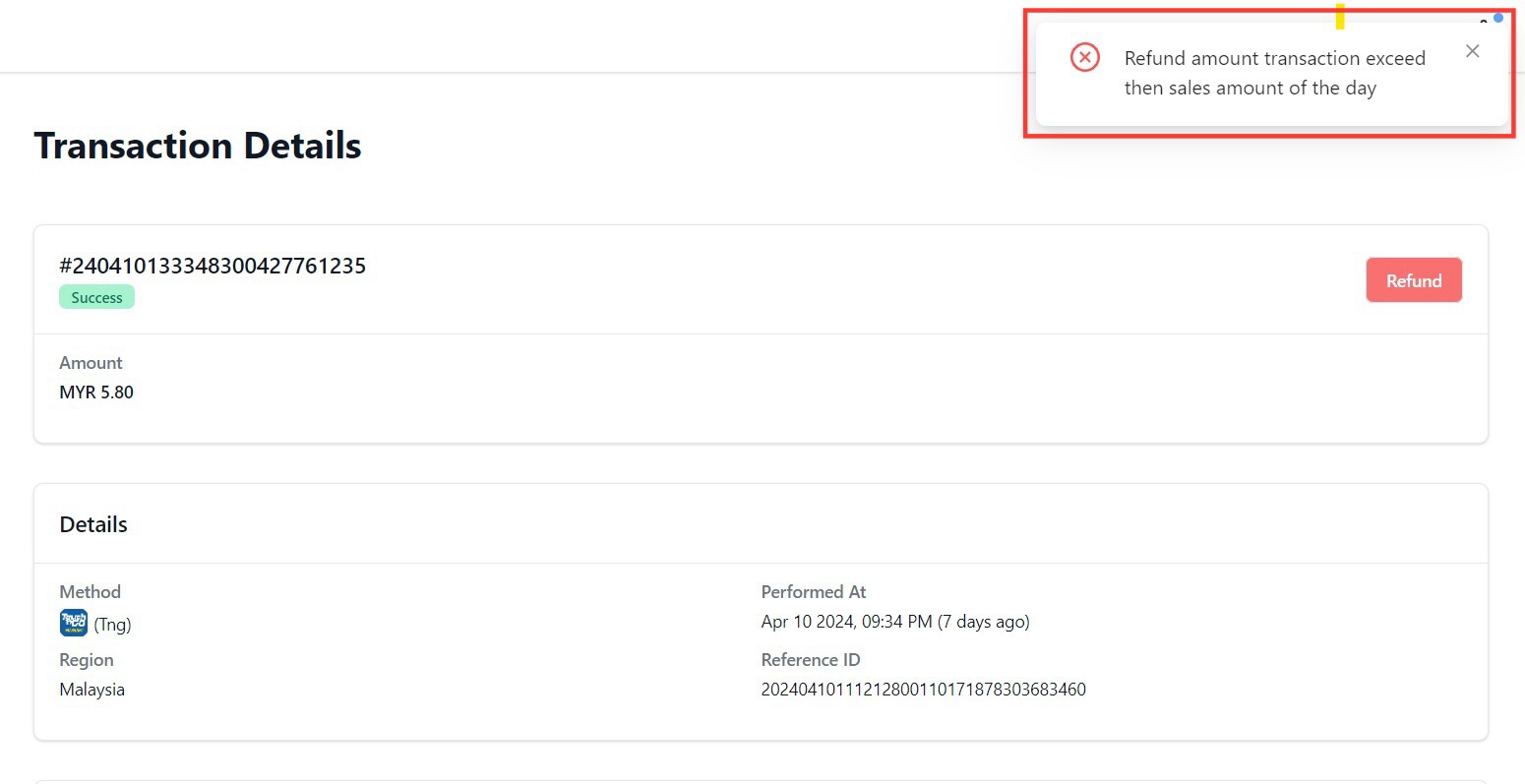
- If refund next day, need to make sure daily e-wallet transaction sufficient , as example below :
Revenue Monster online payment method
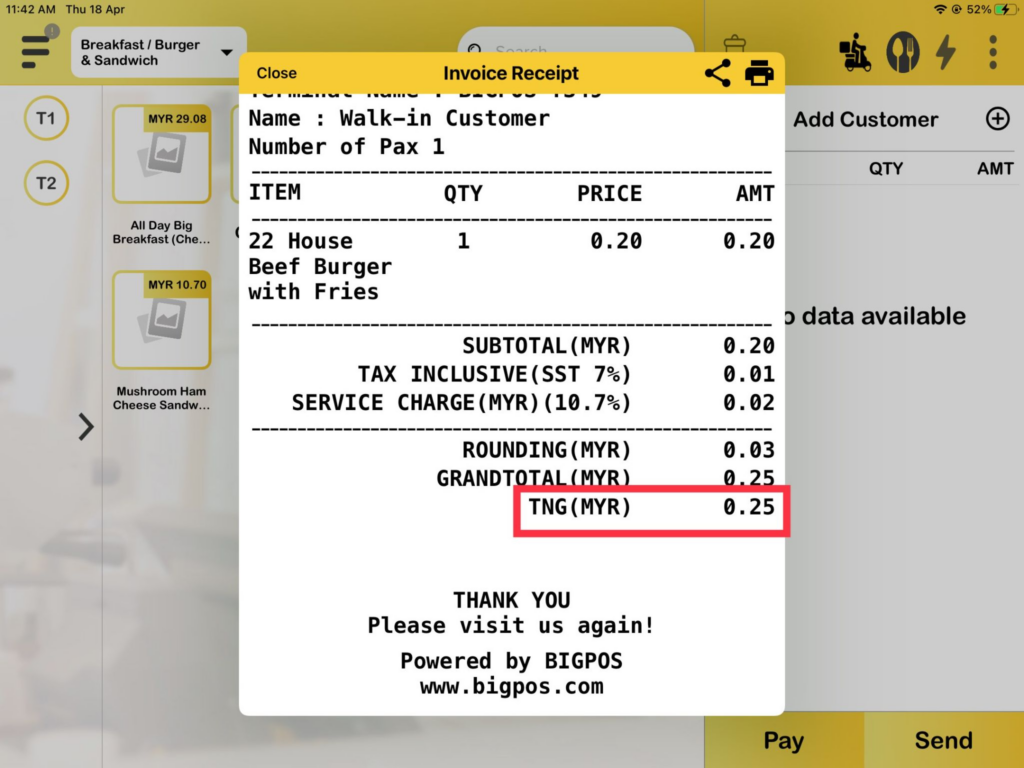
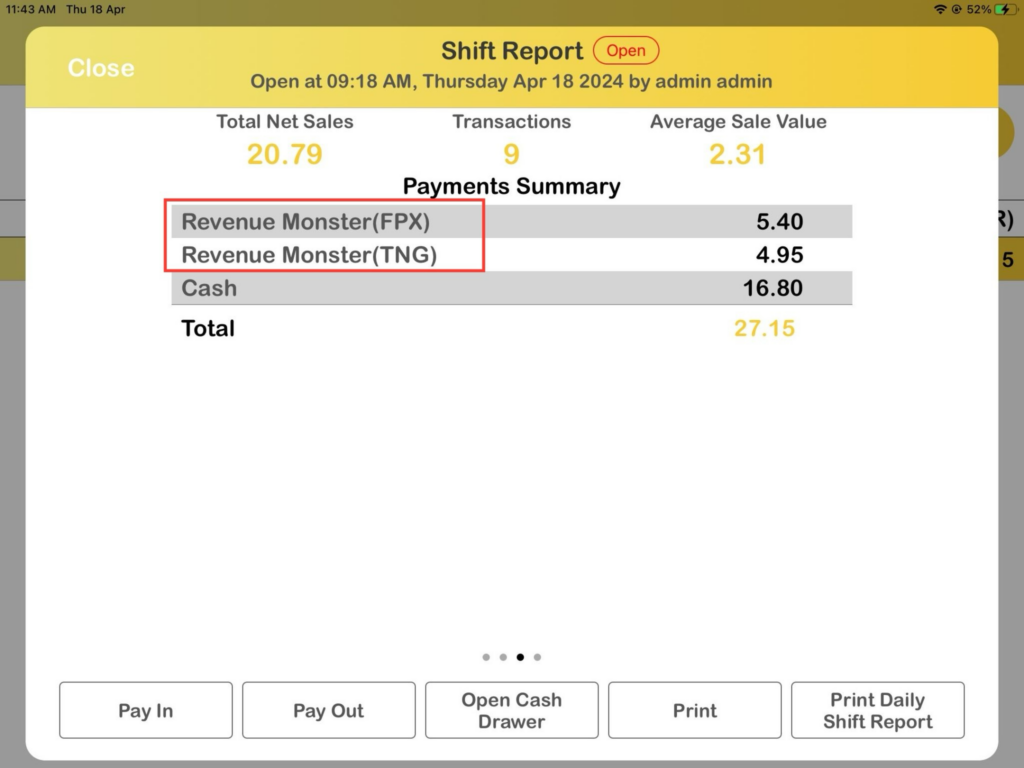
The previous setting name for RM was formerly labelled “Revenue Monster”. This new updates will change to a specific name, which will be followed by the selected payment method name. The following table and images shows the example updates name of the RM is changing on the pages for transactions, shift reports, and payment receipts in PRO apps :
| Old name (previous) | New name (latest) | |
|---|---|---|
| Payment Receipt / Transaction page | Revenue Monster | TNG FPX |
| Shift Report | Revenue Monster | Revenue Monster (*Ewallet) Example : Revenue Monster (TNG) Revenue Monster (FPX) |
Refund / Cancel transaction
Below is an example for Refund/Cancel with e-wallet .
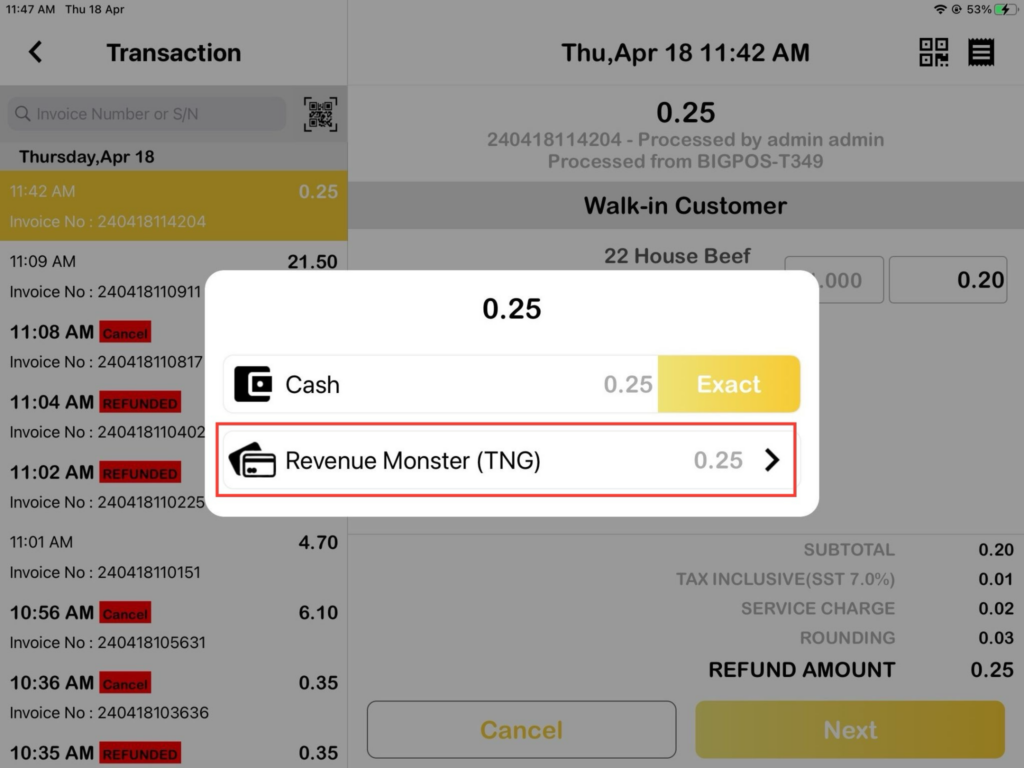
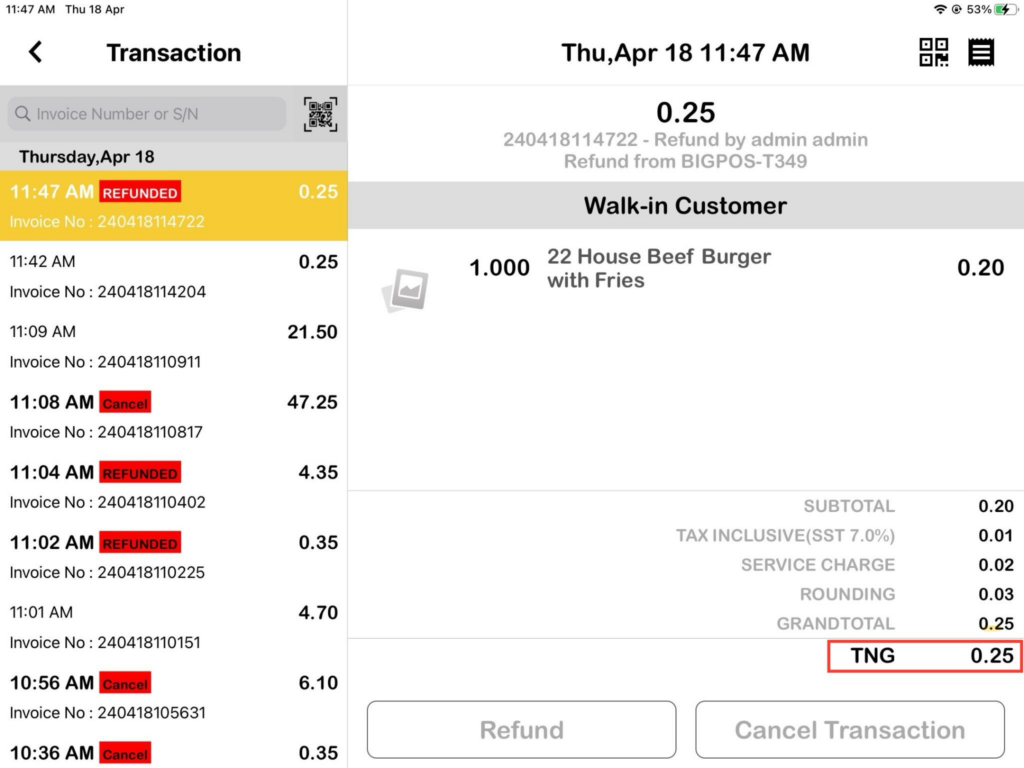
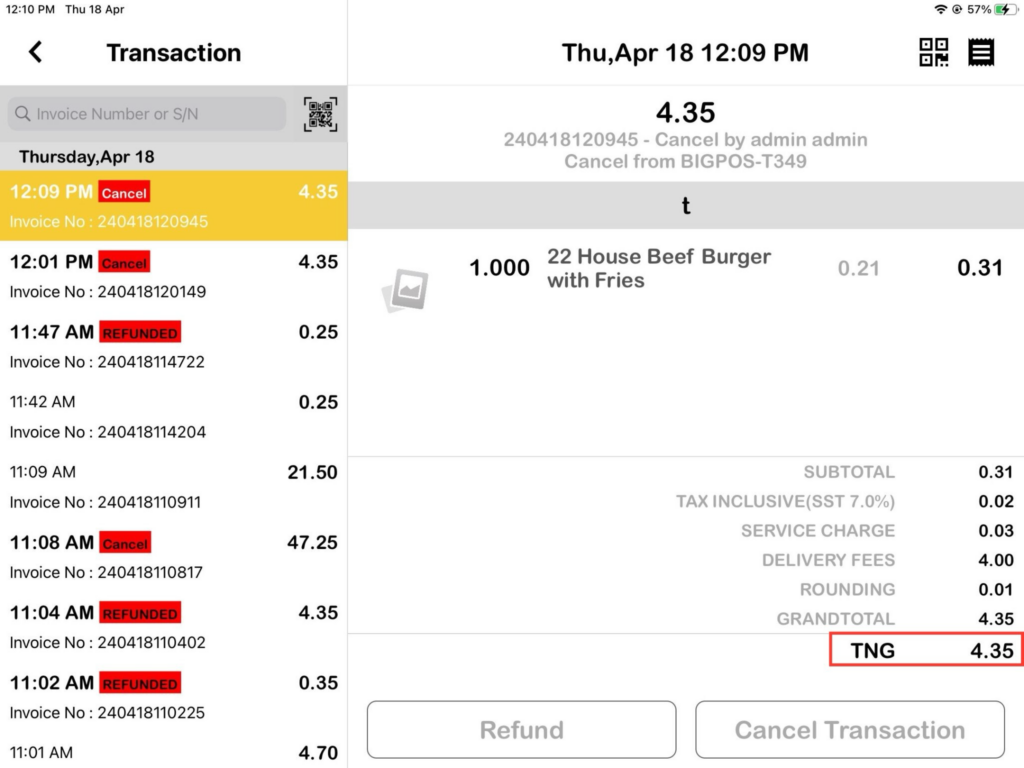
Other Revenue Monster online payment method
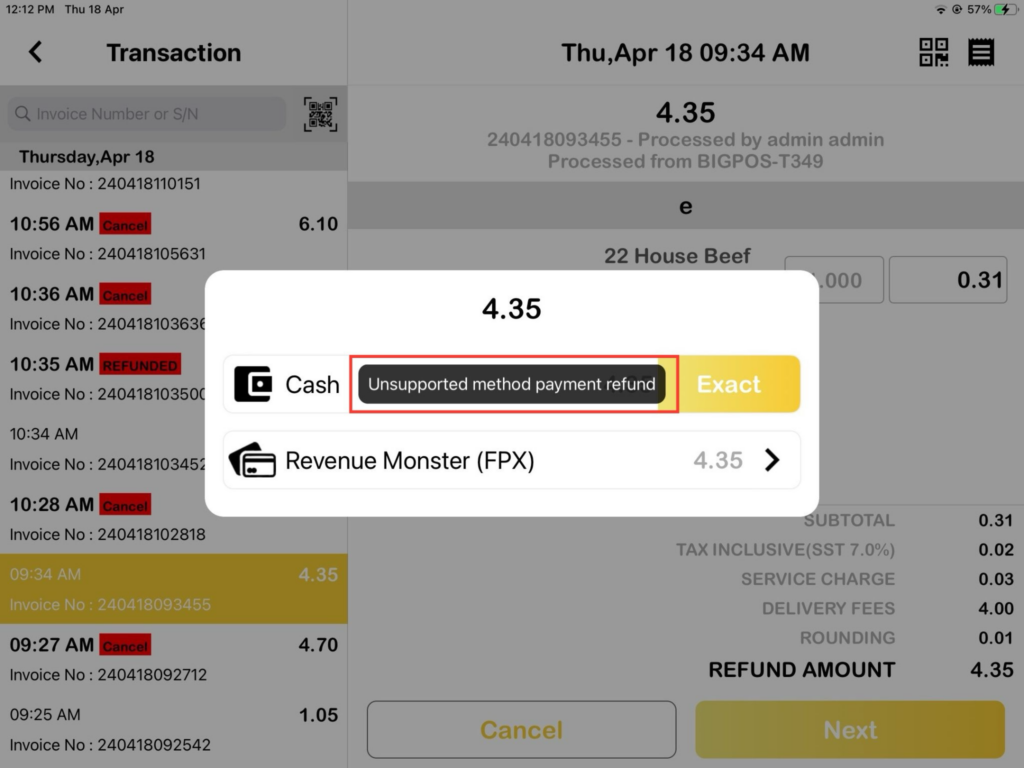
Option of Revenue Monster (FPX) or Revenue Monster (Cards) for refund / cancellation still displays if the customer pays using other than e-wallet method but the refund/cancel transaction cannot be made because it can only be done by cash. Below is an example for Refund/Cancel with FPX .
Web Admin & Big Analytics shift report display
Only the shift report display modifications made in Web Admin and Big Analytics. An example from the shift report page for Revenue Monster Refunds is highlighted below .