How Can We Help?
QR Menu Order Notifications
Introduction
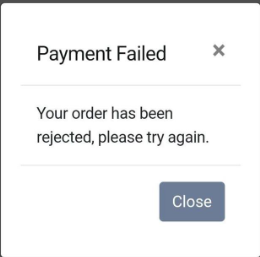
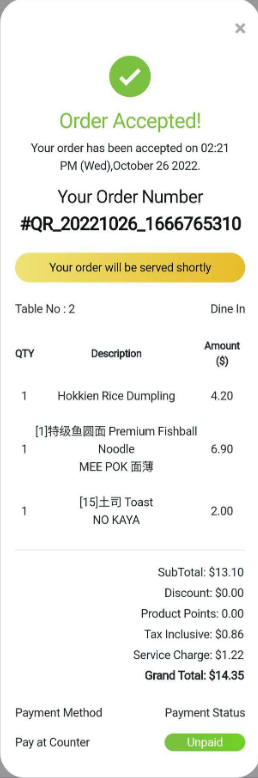
Utilizing the QR Menu platform, order notifications enable businesses to update customers on the status of their orders. These notifications messages allow customers to check the status of their orders and confirm whether these orders have been accepted. They can also be notified if a payment processing error results in an order rejection status.
Order Accepted Notification
After clicking the Checkout button displayed in the cart history and successfully completing payment, customers will receive an order acceptance notice message as shown in the image below.
Order Rejected Notification
If the consumer fails to pay for the order, a notification message stating that the order has been rejected and payment failed will be displayed as depicted in image below.