How Can We Help?
QR Menu – How to enable/disable the QR menu in web admin?
Introduction
This post will guide you on how to enable/disable the QR menu in web admin.
How to enable/disable the QR menu?
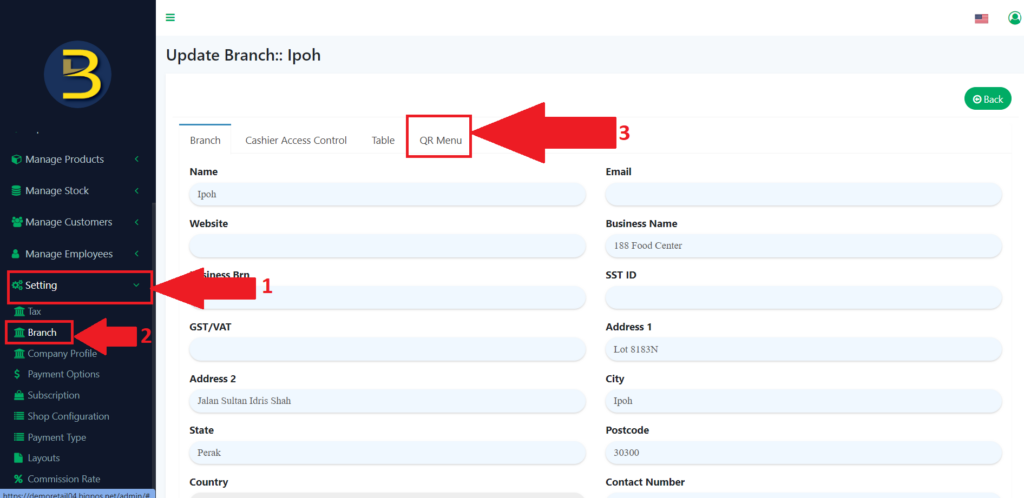
- First, you need to look for the “Setting” to expand the subcategory at the left panel.
- From the “Setting”, look for the branch to redirect you to the branch page.
- From the branch page, look for the “QR Menu” to redirect to the page.
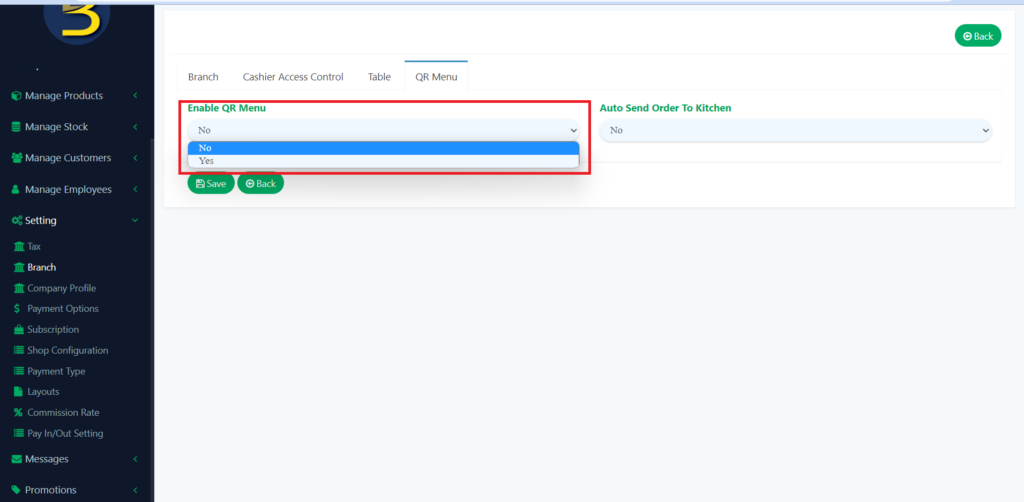
4. When you are on the QR Menu page, you need to look for “QR Menu” and then choose “Yes”.
5. After that you enter the information you needed in the QR menu.
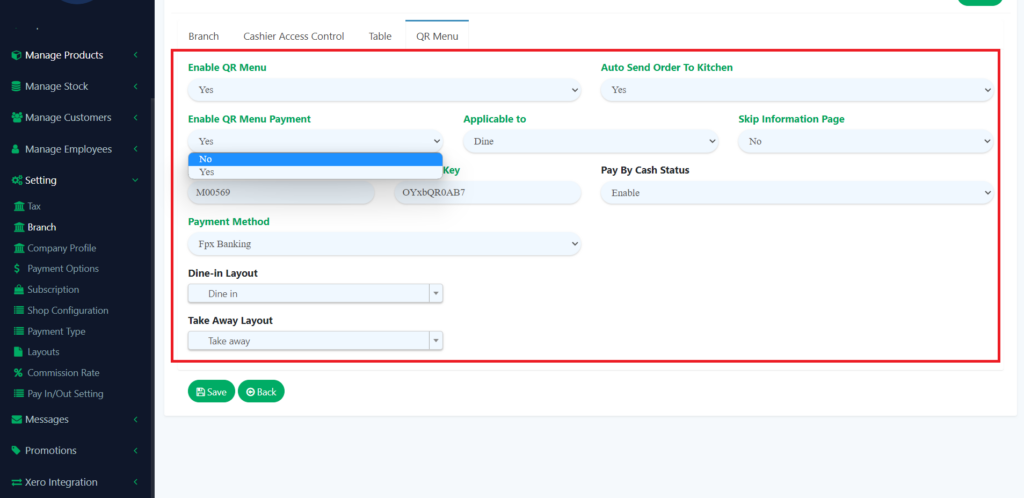
6. This setting is to choose whether the able QR menu payment enables or disable.
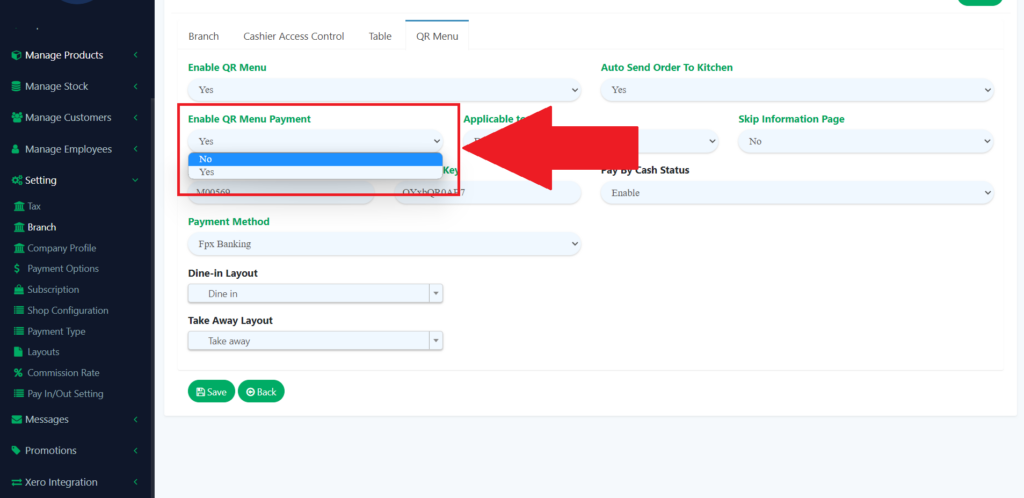
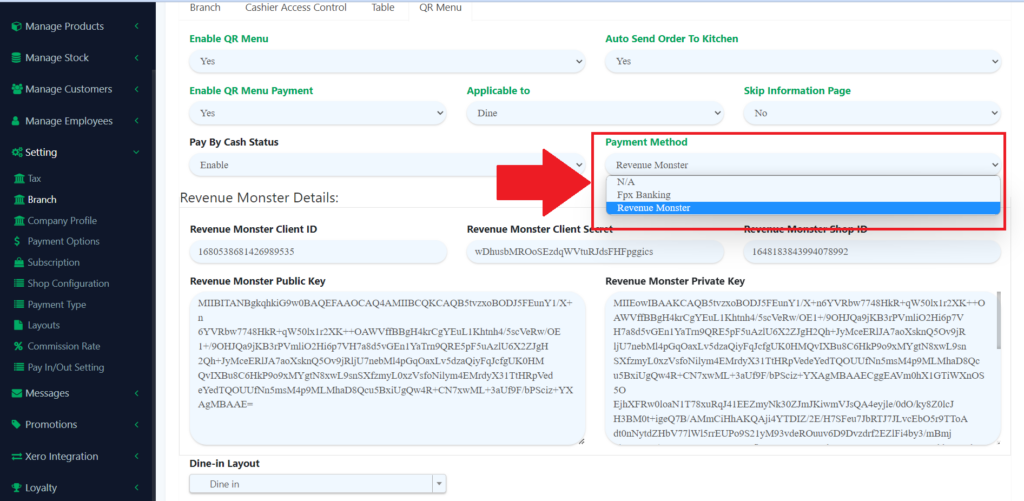
7. After you turn in the payment, you need to choose which payment method accept for the QR menu.
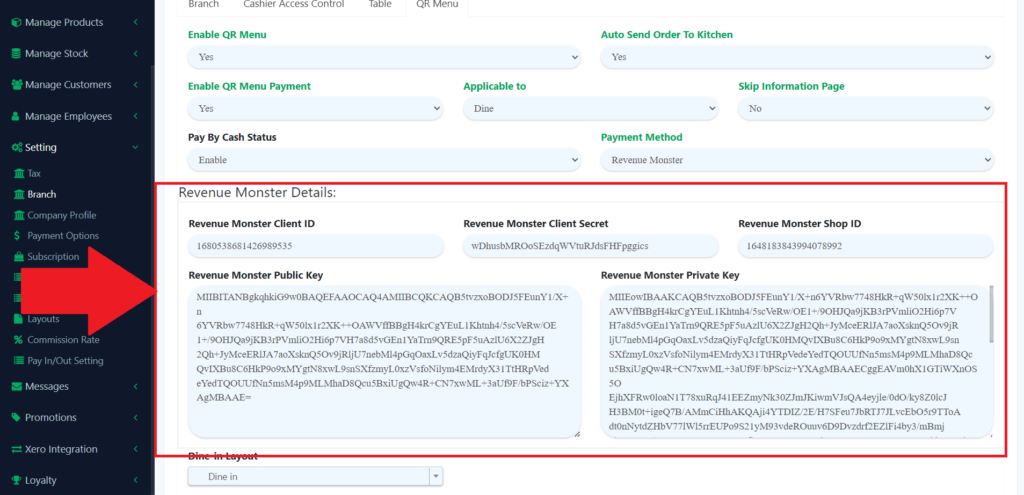
8. After you choose which payment, you also need to enter the detail of the payment method you choose.
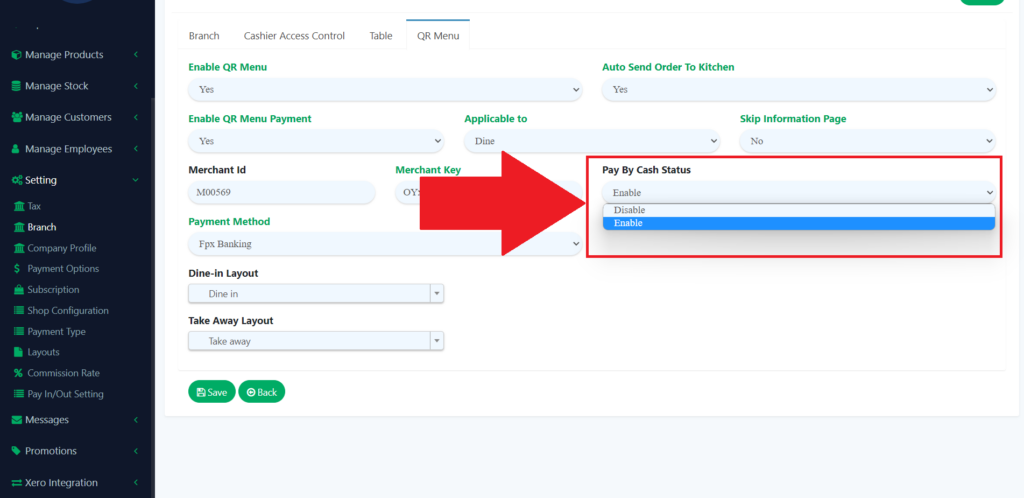
9. You also can choose whether the cash payment is accepted for the QR menu.
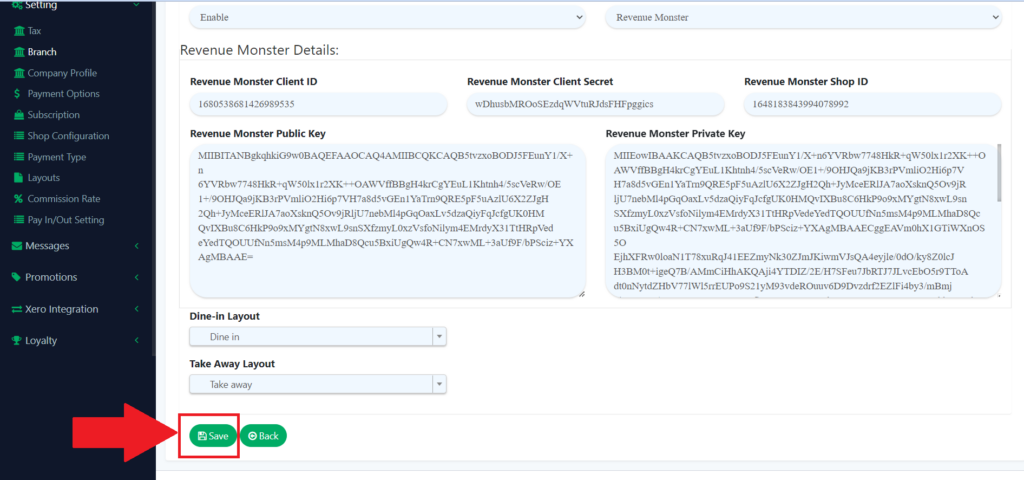
10. You need to click on the “Save” icon to save the changes you made.