Products – Price Catalogue Feature
Introduction
A Price Catalogue is used to keep the price of the product. It can help to update the price of the product. App will priority display price catalogue compare to price in product page. Other words, price catalogue will override price in product page.
Price Catalogue Feature
To use the ‘price catalogue’ feature, the products is added to the product details. after the product is added, the price catalogue can be used.
How to update/ create/delete the ” Price Catalogue Page”?
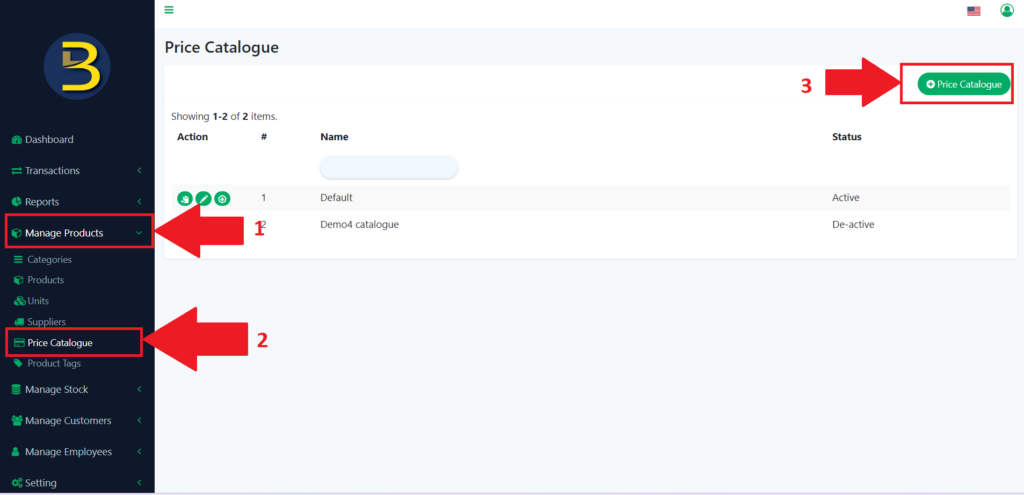
- Look for “Manage Products” to expand the sub-category.
- Then click on the “Price Catalogue” to redirect you to the price catalogue page.
- Then click on the “Price Catalogue” icon to add a new price catalogue.
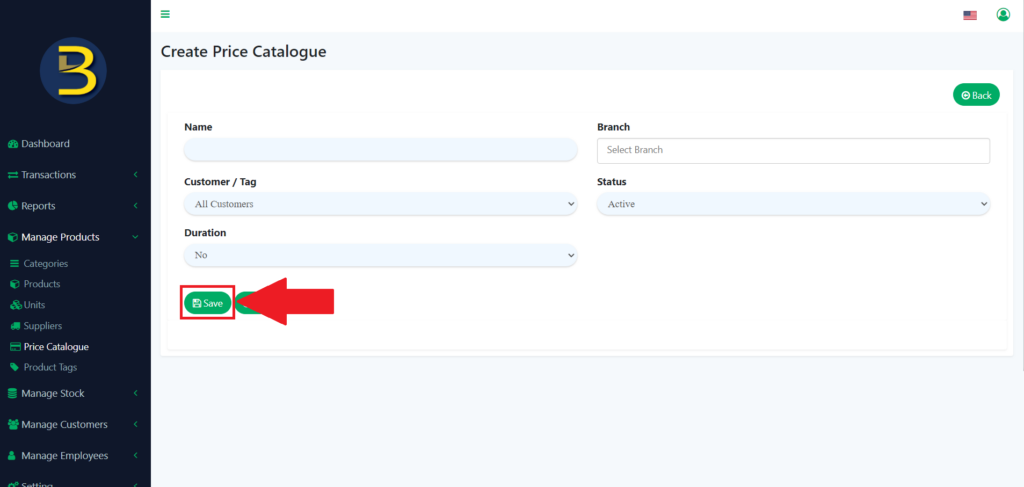
4. After you have reached, you enter the detail of the price catalogue and click on the “Save”
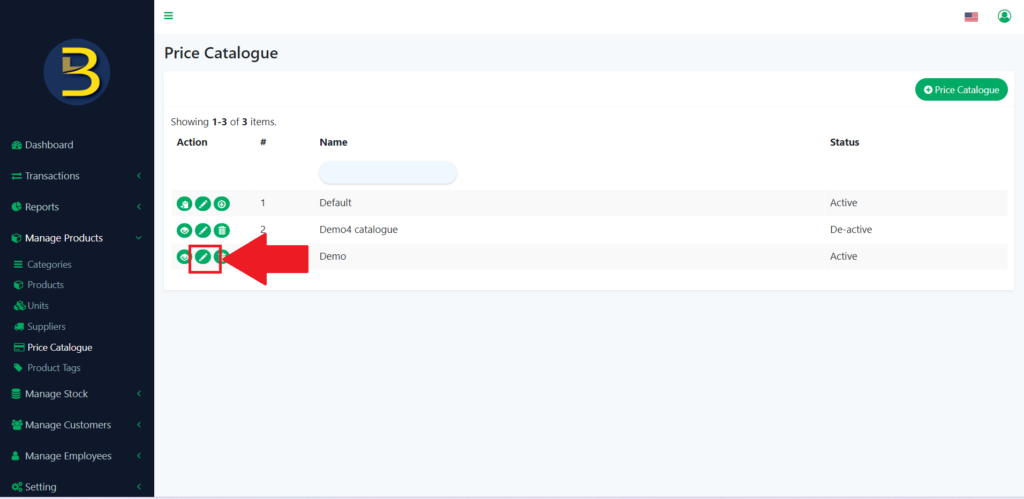
5. Then, you click on the pencil icon to update or enter the product into the price catalogue.
6. You choose which product to add to the price catalogue.
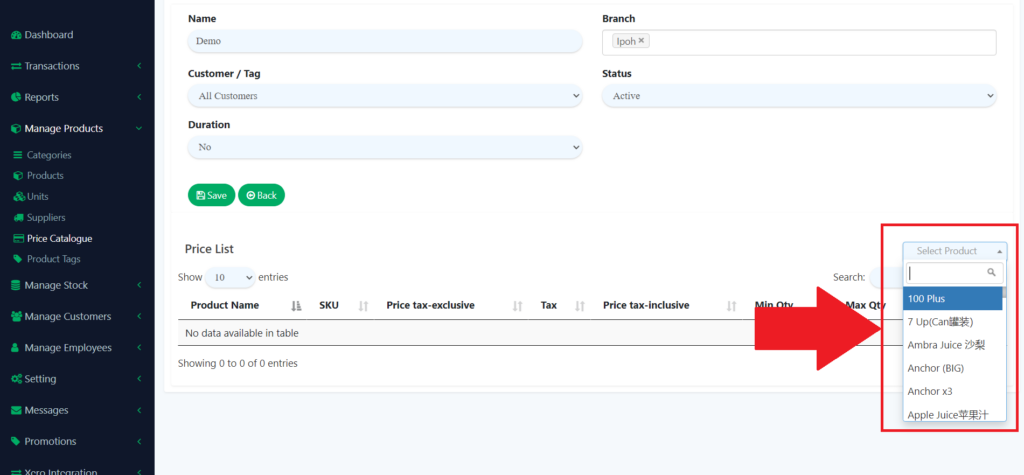
7. You Click on the “Save” icon to save the product into the product after you add the detail.
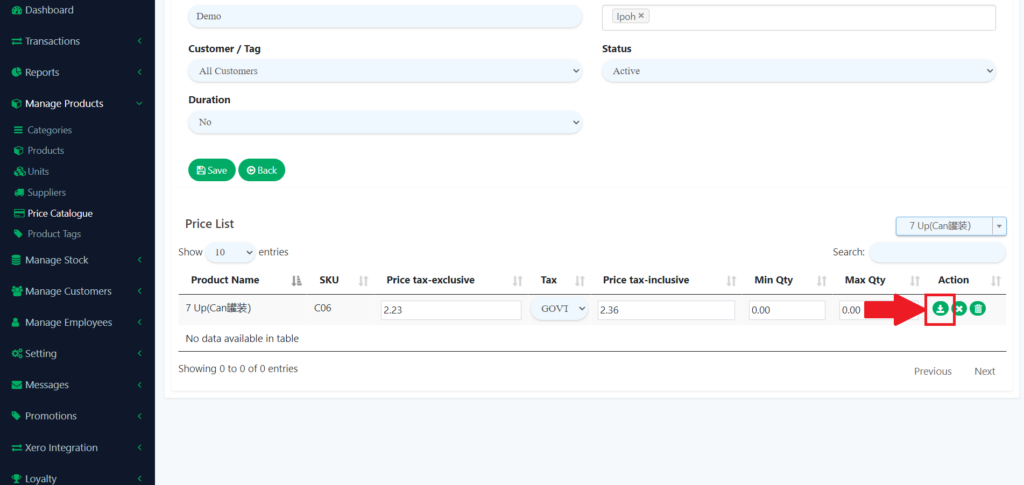
8. The product is added to the catalogue.
Delete the catalogue.
9. To delete the catalogue, you just need to click the dustbin icon.
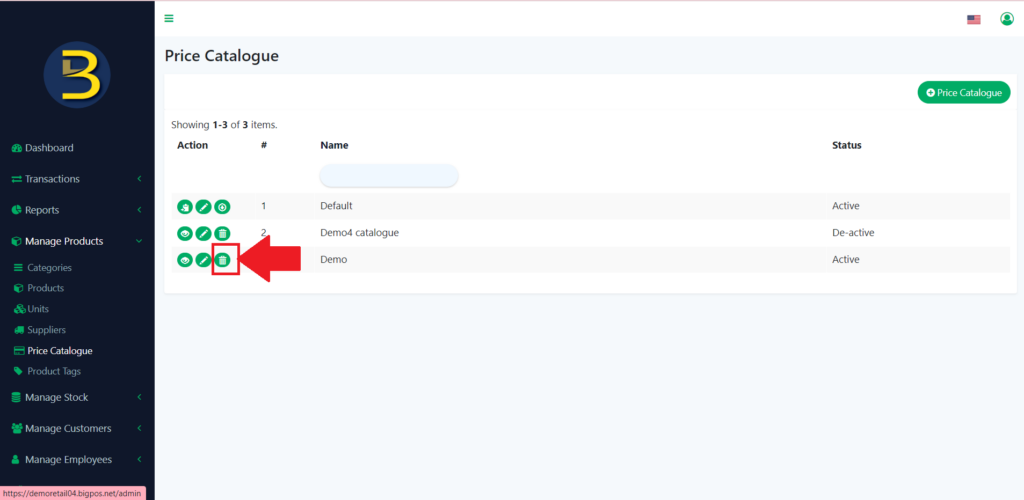
10. There will be an alert message for confirmation of the deletion of the price catalogue.
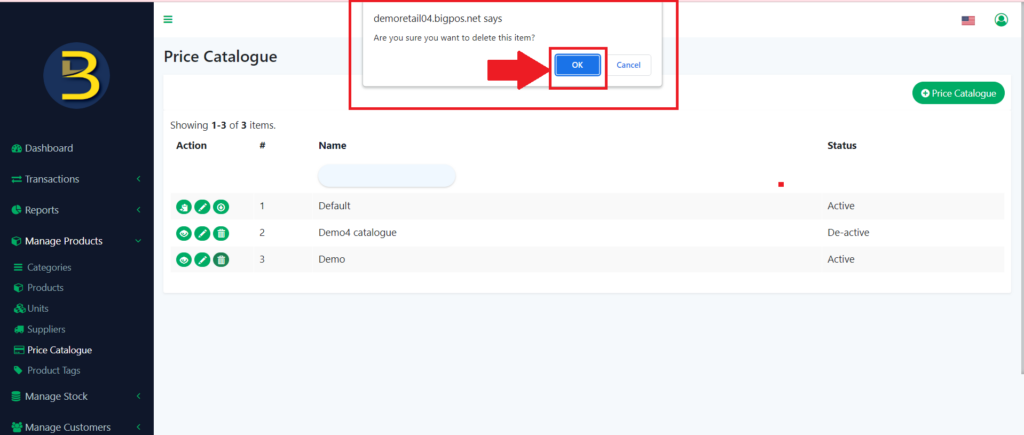
11. The Price catalogue is deleted.
12. To delete the product in the catalogue, you also need to click the dustbin icon in the price catalogue detail.
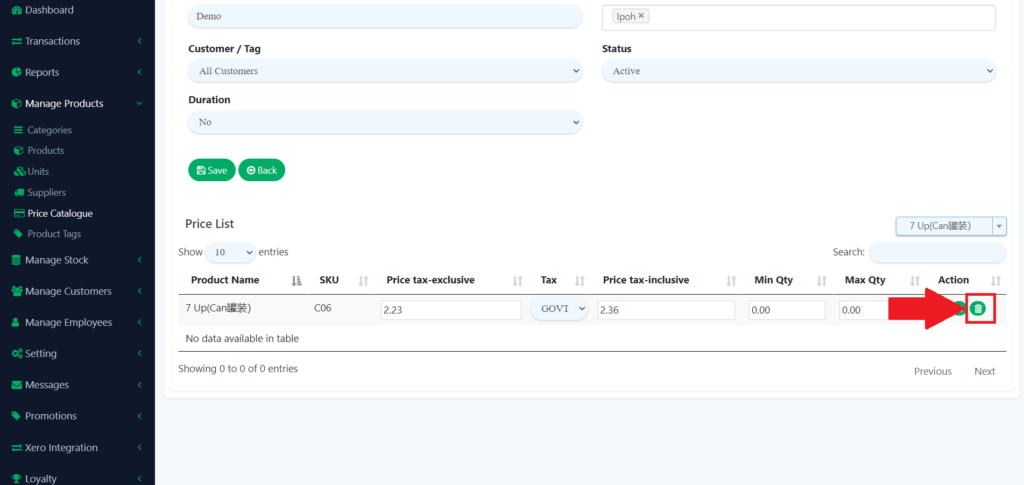
13. There will question for confirmation of the deletion of the product.
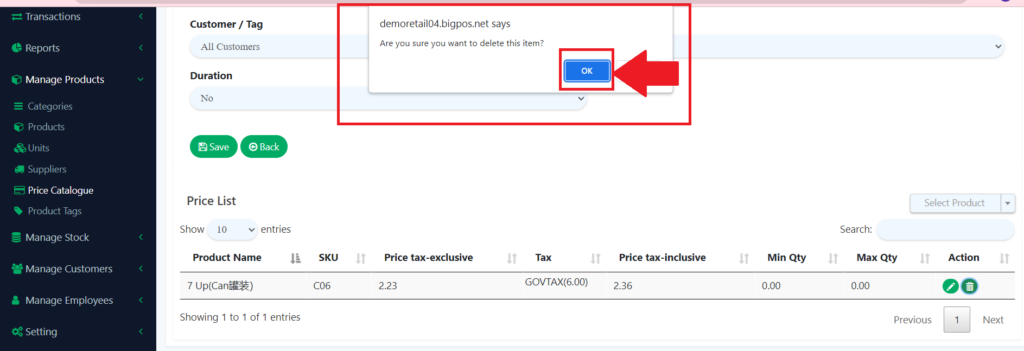
14. The product is deleted.