Product Promotion & Product Discount in Shift Report
Introduction
The shift report for BIGPOS apps now includes new calculation of gross sales and new features of product promotion and product discount.
BIGPOS Shift Report changes
Gross sales calculation
- Gross sales before : Product price after – product discount/promotion.
- Latest gross sales : Product price before – product discount/promotion.
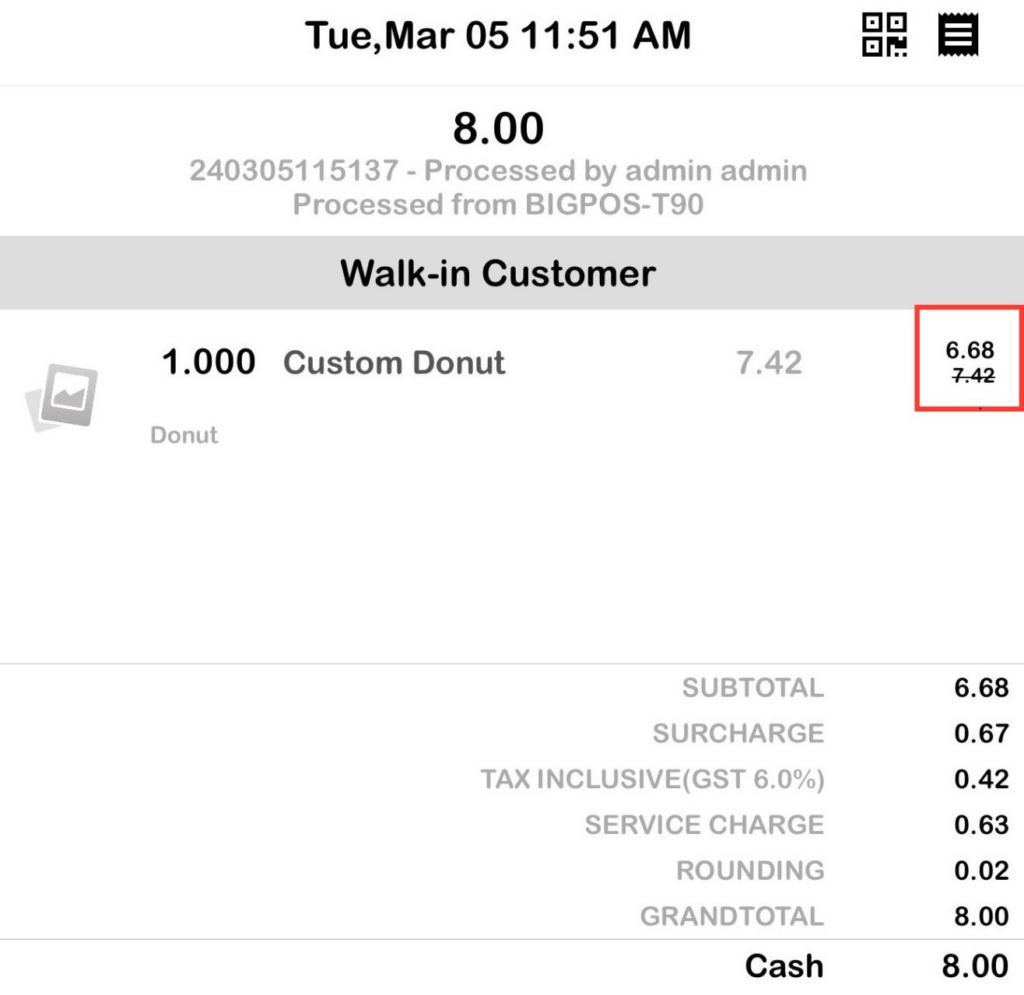
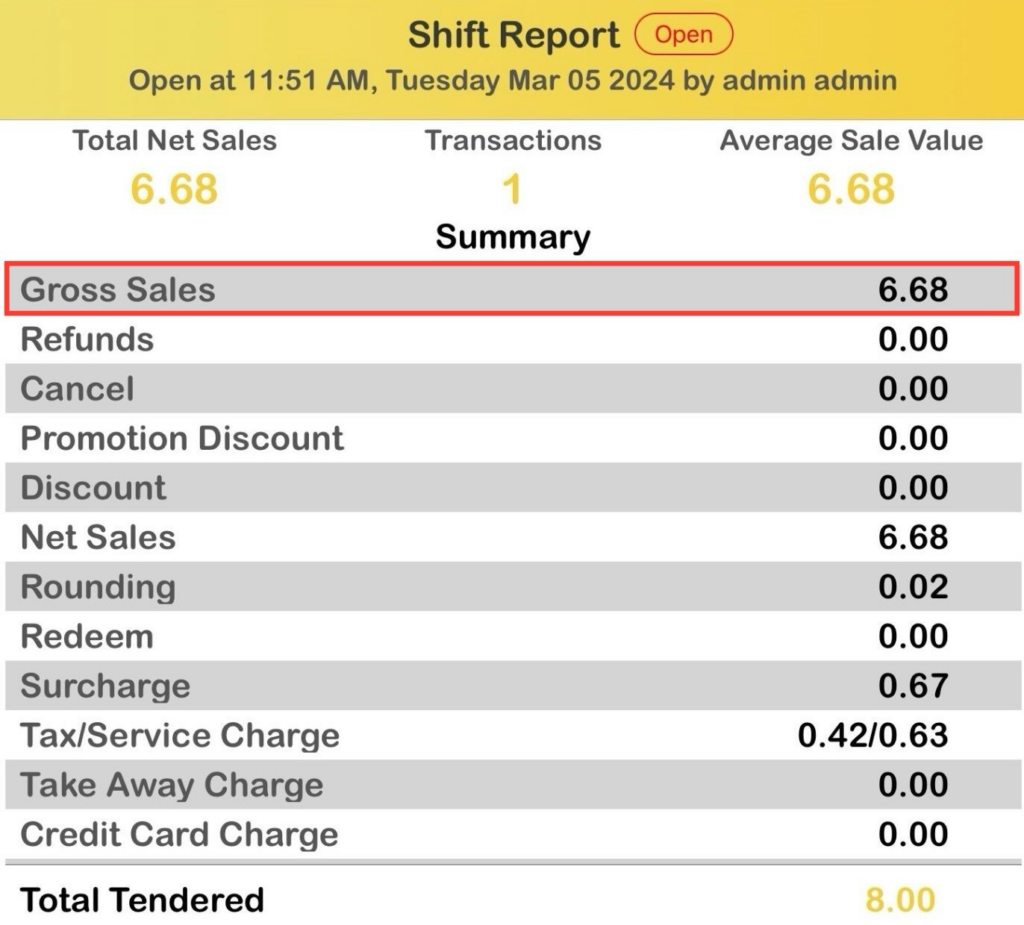
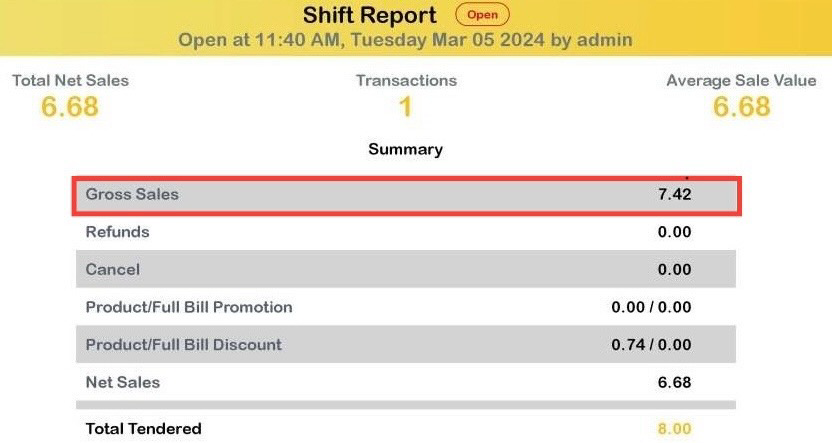
Product Promotion & Product Discount
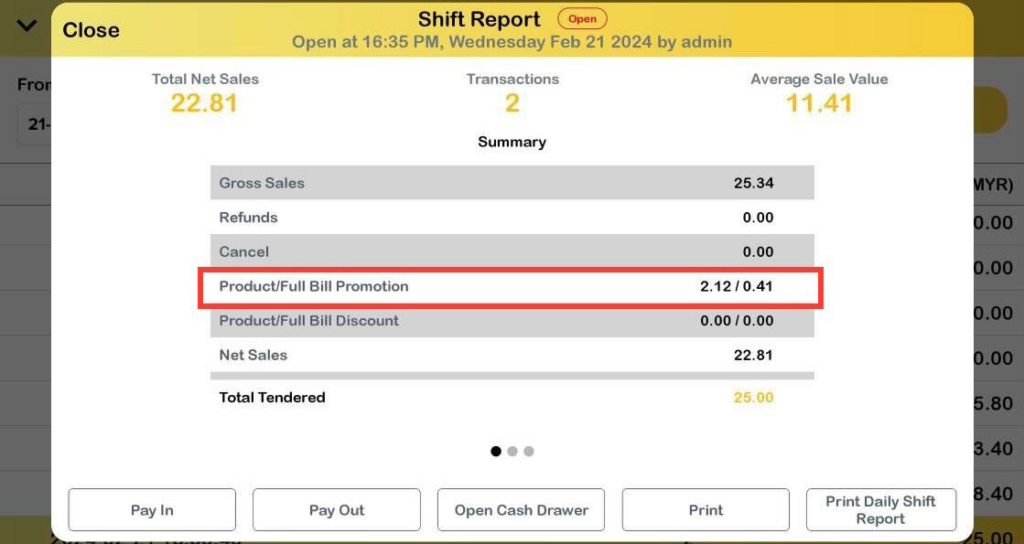
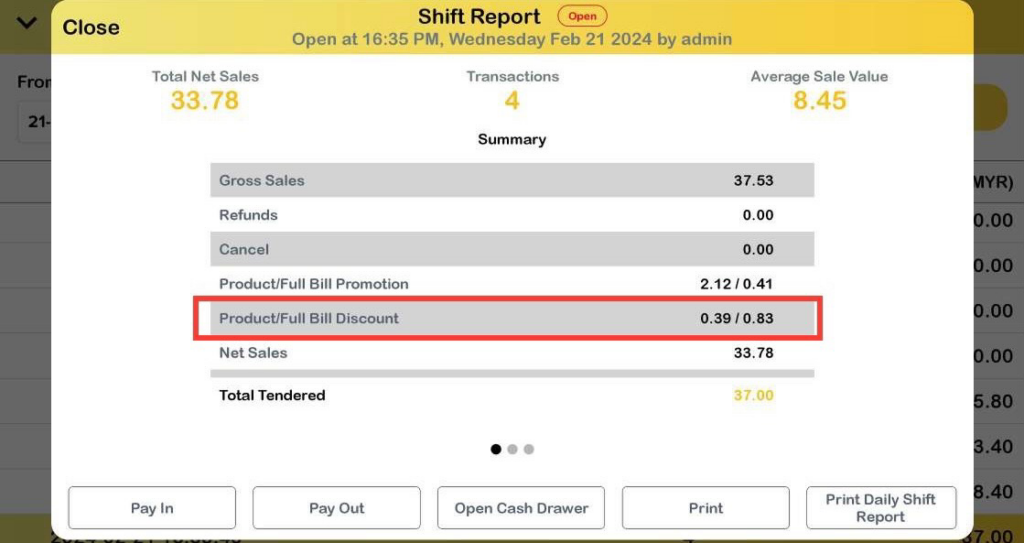
Product Promotion is added in the same row with Full Bill Promotion and Product Discount is added in the same row with Full Bill Discount.
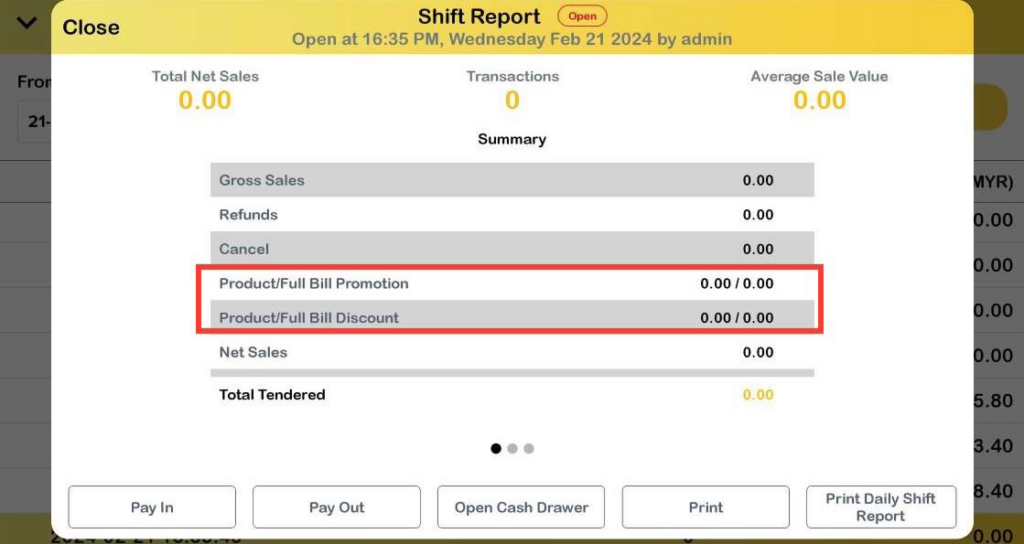
Product Promotion
Below is an example of transactions using promotion type take percentage off. Product Promotion value will shown together in the row followed by Full Bill Promotion.
Product Discount
Below is an example of transactions using 10% discount. Product Discount value will shown together in the row followed by Full Bill Discount.
Refund transactions
The shift report below is an example of a refund transactions for product promotion & product discount.
The amount that is displayed in the shift report for the refunds row is taken from the subtotal. Product promotion and product discount value in the shift report will not make any changes.
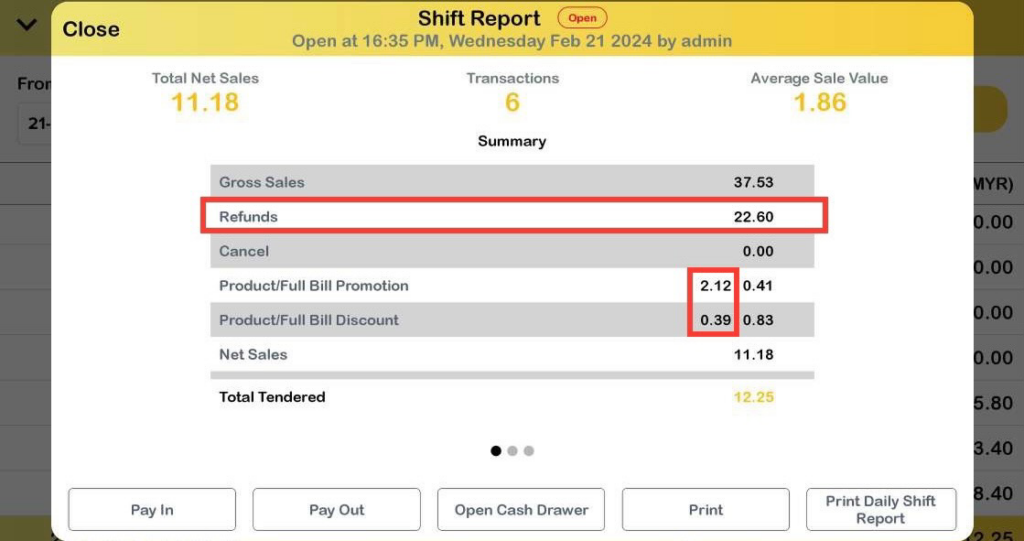
Note: For full bill promotion and full bill discount , it will deduct the value in shift report.
Cancel transactions
The shift report below is an example of a cancelled transactions for full bill promotion & full bill discount.
The amount that will display in the shift report for the cancel row is taken from the grandtotal. The value of the full bill promotion and full bill discount will deduct to 0.00. The total tendered amount will be 0.00 after all transactions are cancelled or refunds.
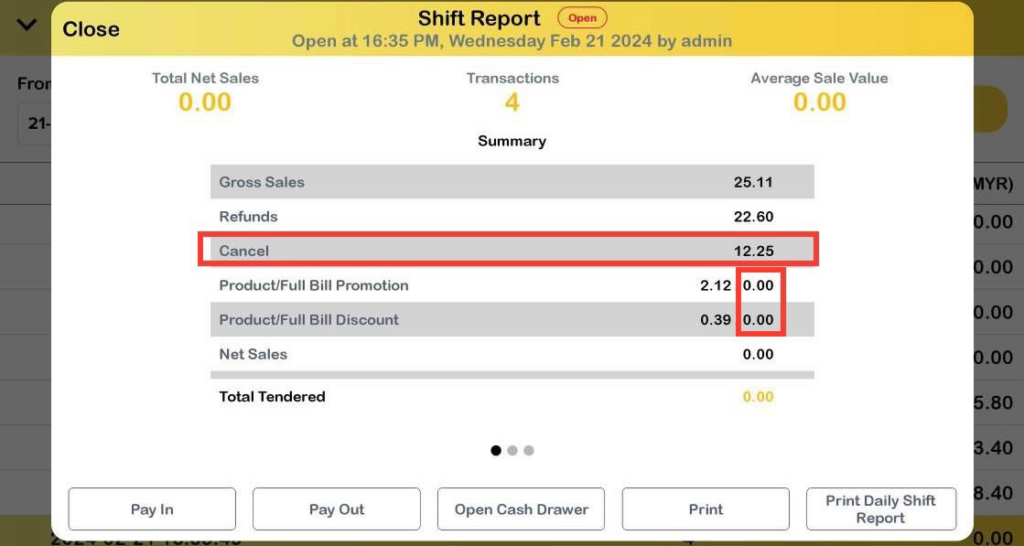
Note: Value for product promotion and product discount also will change to 0.00 for cancel transaction.