How Can We Help?
Payment Rate Settings Enhancement
Introduction
This post explains some changes regarding payment rate setting. These changes will apply to:
- Web Admin
- BIGPOS Pro (Android & iOS) application.
Changes in Web Admin
- Previously user can set Credit card and Debit card surcharge rate at Company Profile only.
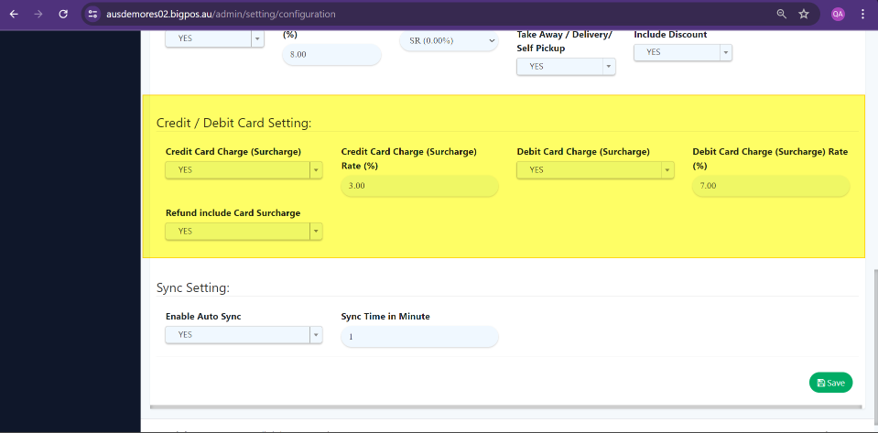
- For this feature, user can either set Credit / Debit surcharge rate on Company Profile and Payment Option Page.
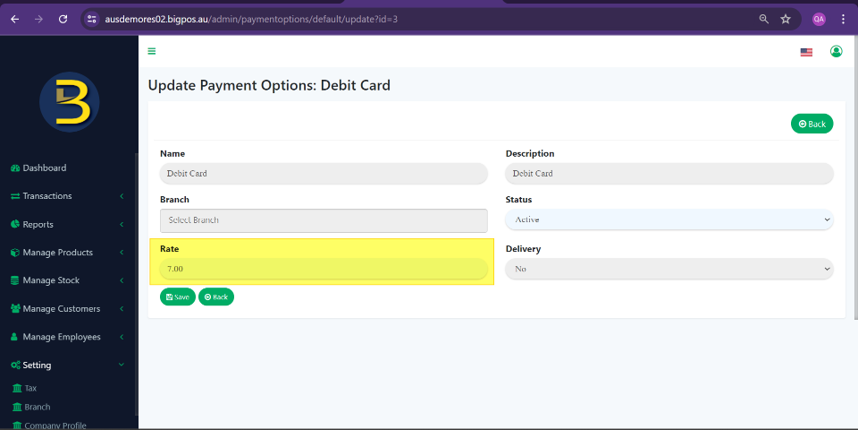
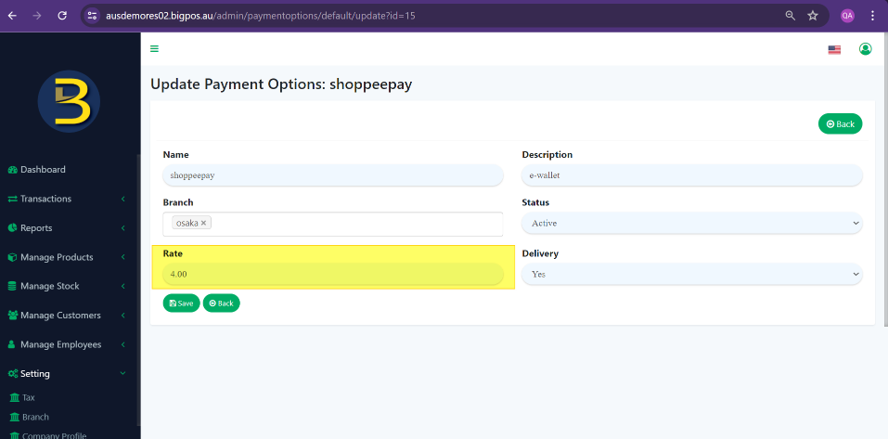
- The new feature also allow user to set custom payment rate on Payment Option page.
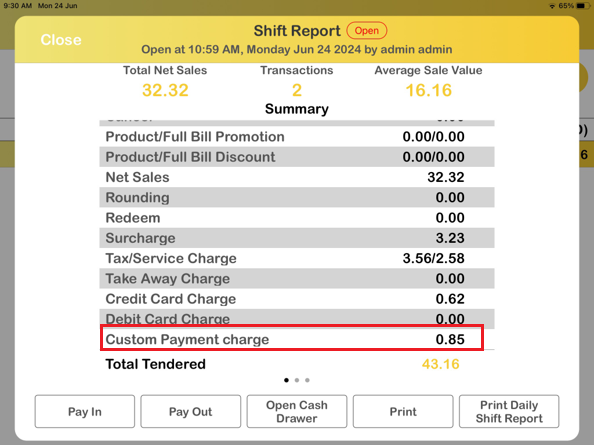
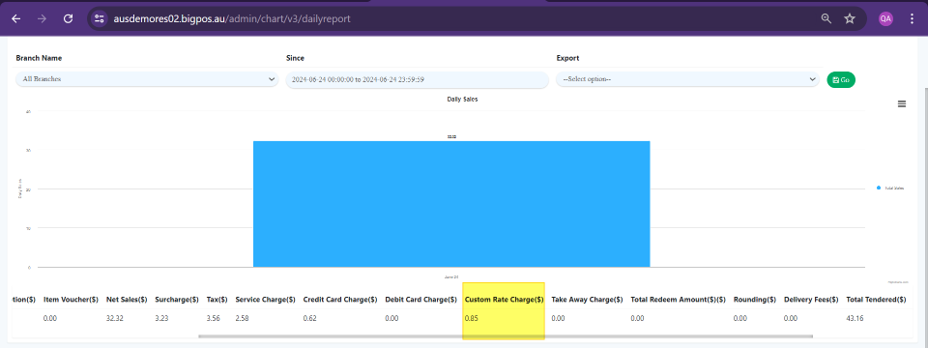
- Credit/Debit Card and Custom Payment in Shift Report.
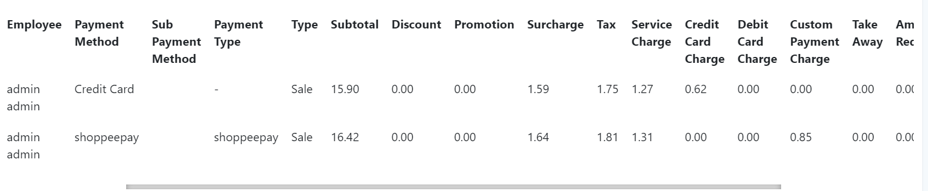
- With the new changes of this feature, additional ‘Custom Rate Charge’ column is added in Sales Report.
Changes in Bigpos Pro
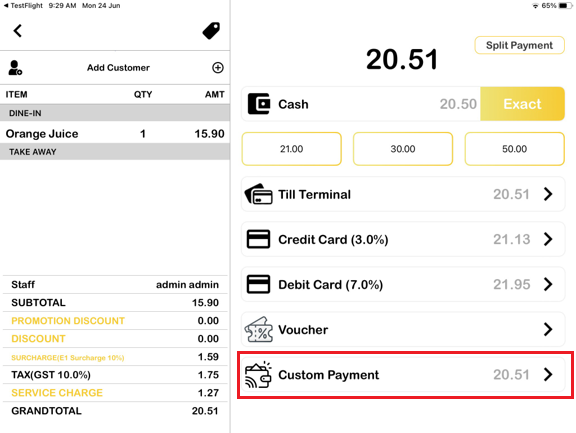
- While Credit and Debit Card Surcharge Rate maintain its string in payment page, the previous row set as Custom E-Wallet will be changed to Custom Payment.
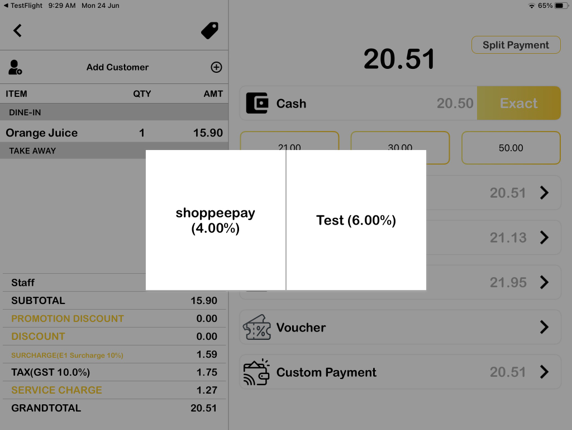
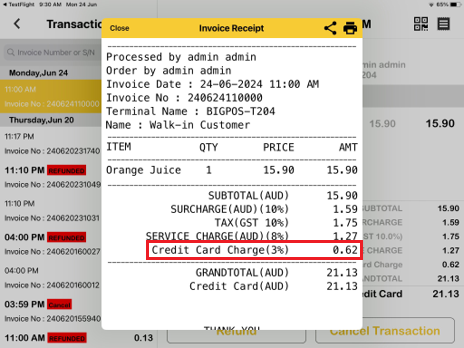
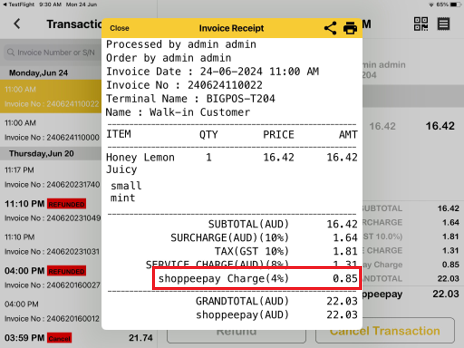
- Credit/Debit Card Surcharge Rate and Custom Payment Rate row in Invoice Receipt display.
- Custom Payment charge row in Shift Report