How Can We Help?
Open/Close Shift- How to Open/Close Shift
Introduction
Open shift allows the cashier to start transactions when business starts. Close shift allows the cashier to end business of the day.
How to ‘open shift’?
To open a ‘Shift’, follow the following steps:
- Upon starting the BIG POS app, with prerequisite of the previous shift is closed.
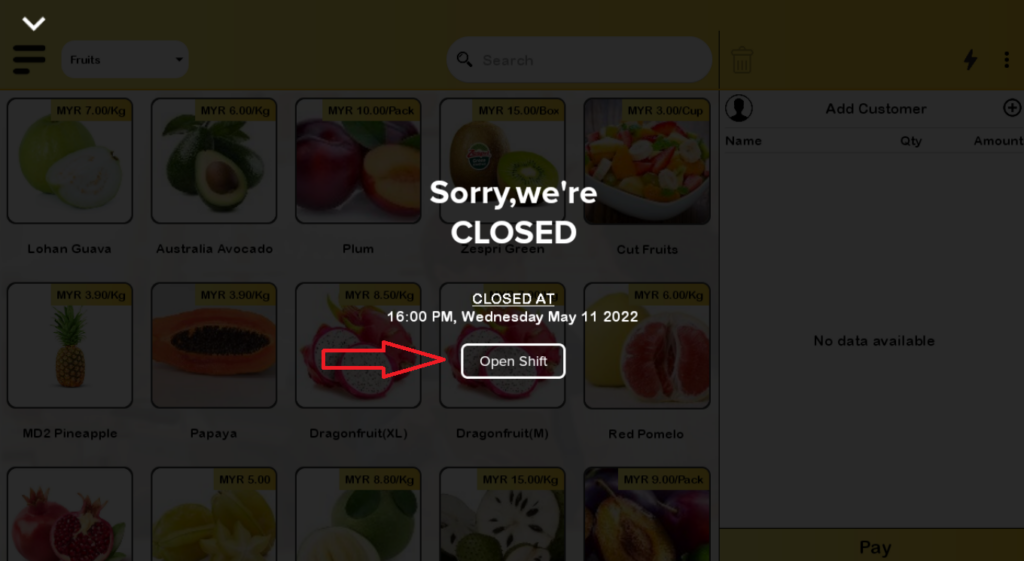
- Tap on ‘Open shift’ button.
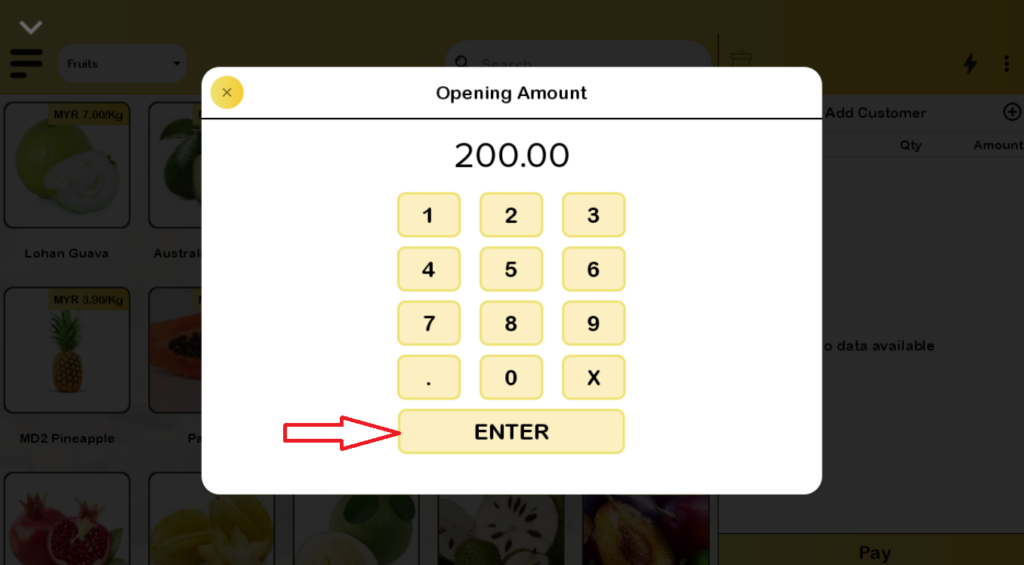
- Enter an amount on hand before business of the day starts.
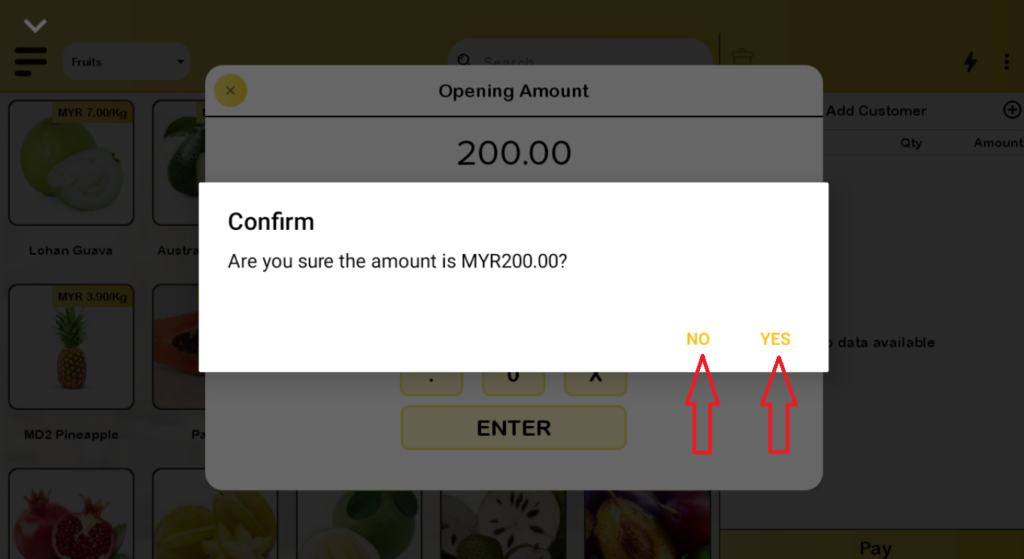
- Tap ‘Yes’ if the amount is correct or ‘No’ if the amount is incorrect and need to be corrected.
How to ‘Close Shift’?
To close a ‘Shift’, follow the following steps:
- When it is time to end a business, with prerequisite of the current shift is opened.
- Tap on ‘Close shift’ button.
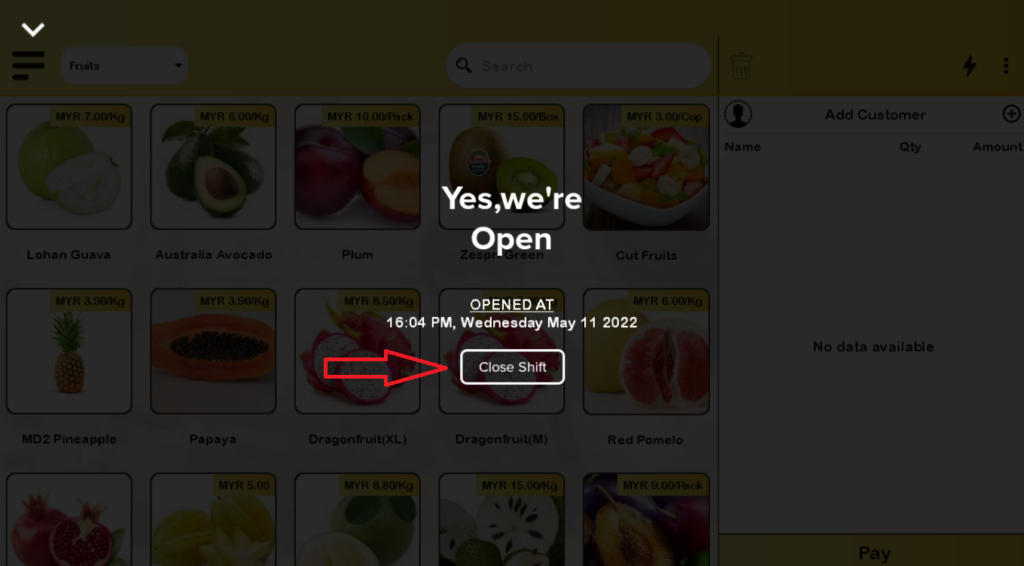
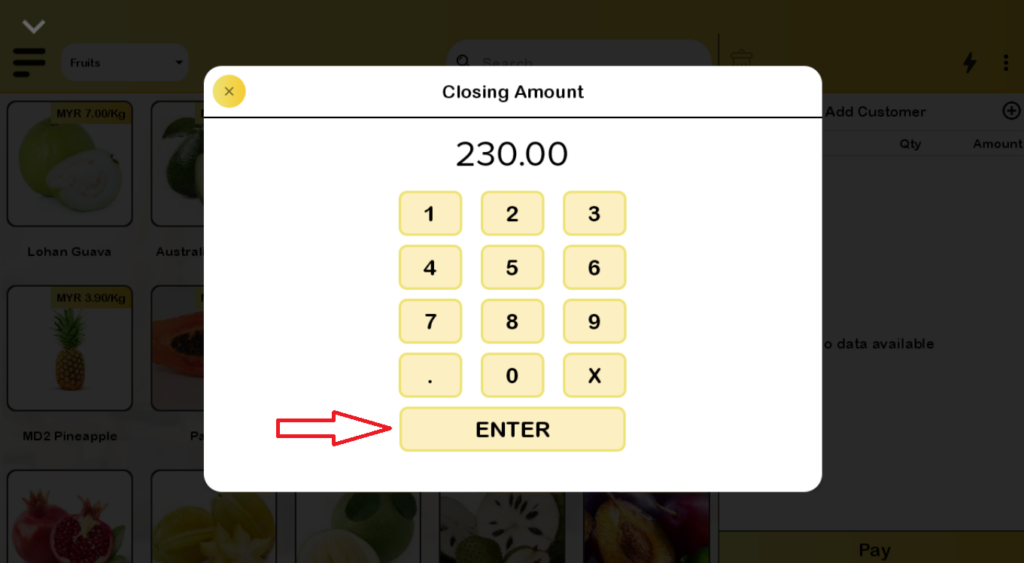
- Enter an amount on hand to close business of the day.
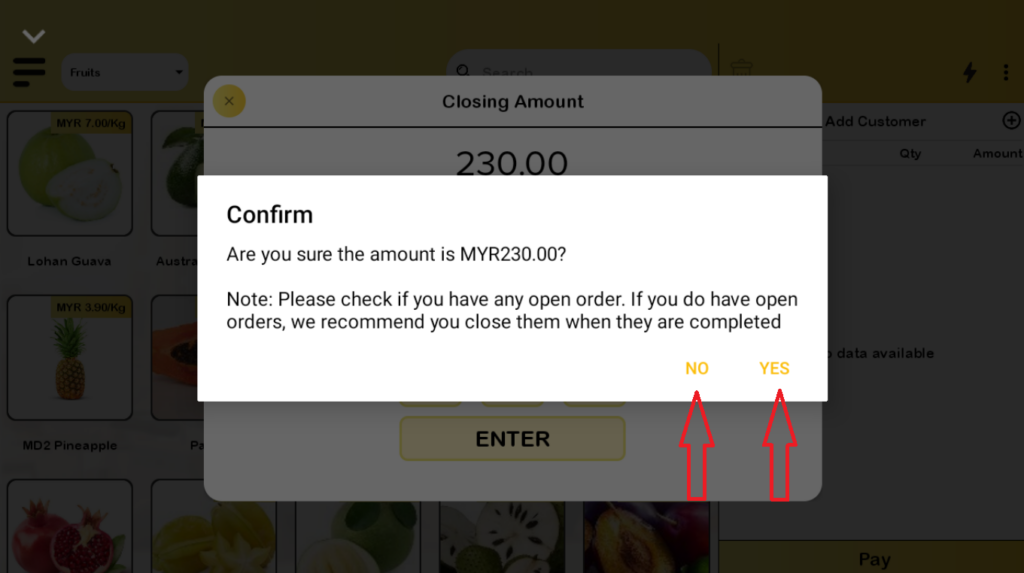
- Tap ‘Yes’ if the amount is correct or ‘No’ if the amount is incorrect and need to be corrected.
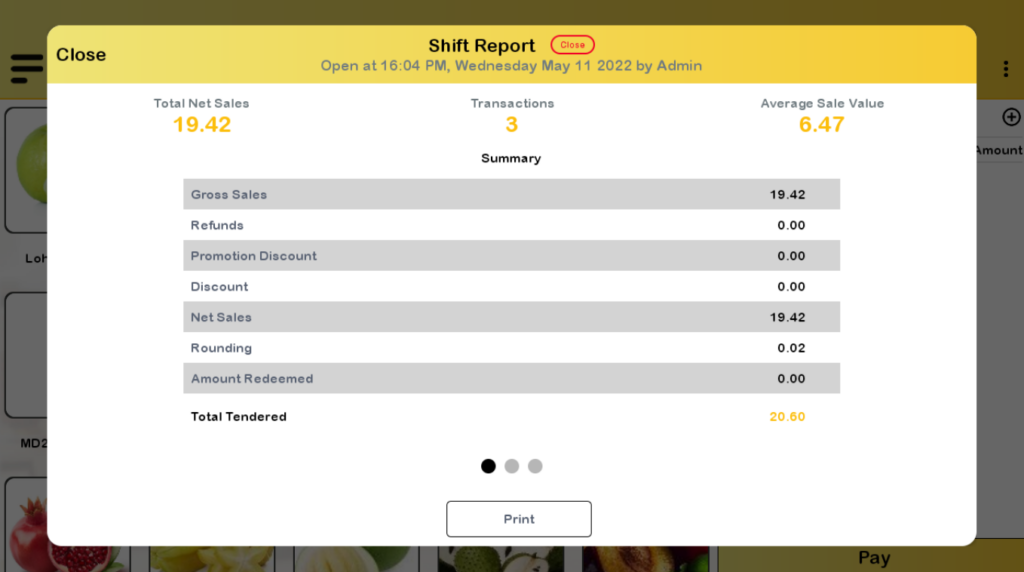
- A shift report is generated totaling sales of the day.