How Can We Help?
One GalleFace Reward system
Introduction
OGF Reward is only available for Sri Lanka accounts. The function of the OGF Reward app is to redeem rewards (points) and convert them into cash value.
The basic settings for OGF Reward
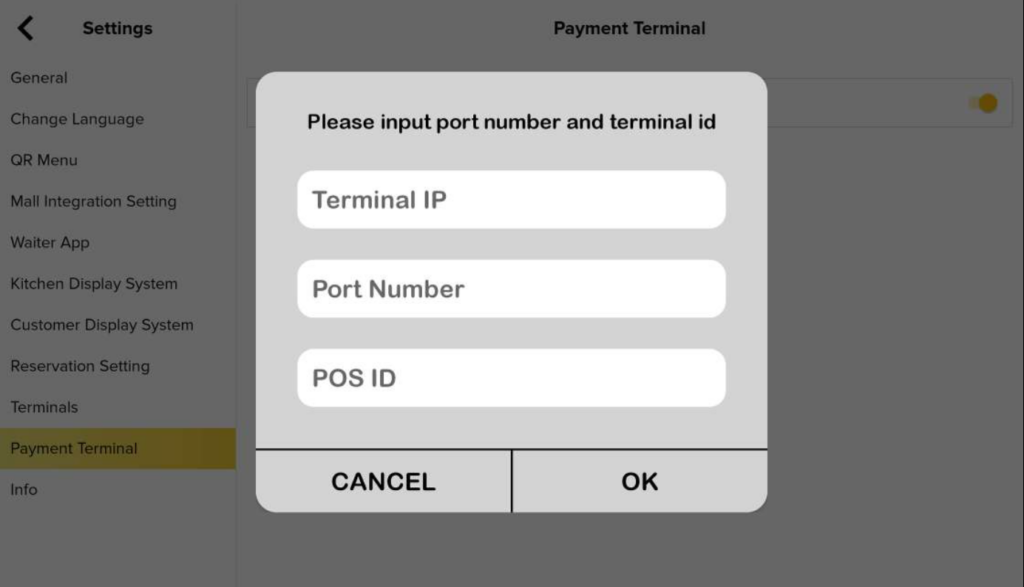
- Go to “Settings” and press the “Payment Terminal”. Make sure to enable OGF Reward and enter the OGF Terminal IP, Port Number, and POS ID.
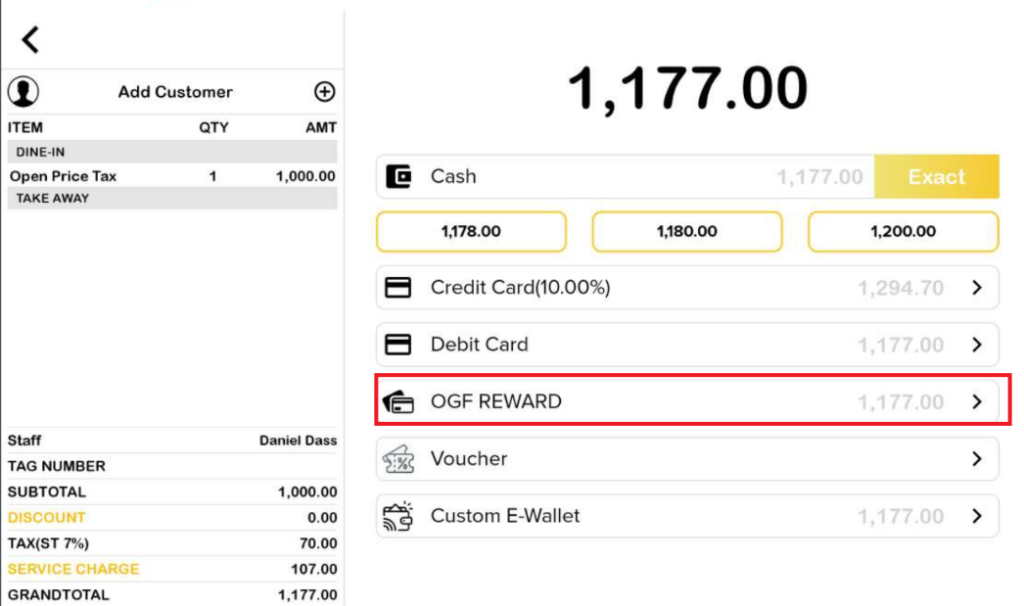
2. On the payment page, the payment type option has “OGF REWARD”. Click on OGF Reward and the process will continue on the OGF terminal.
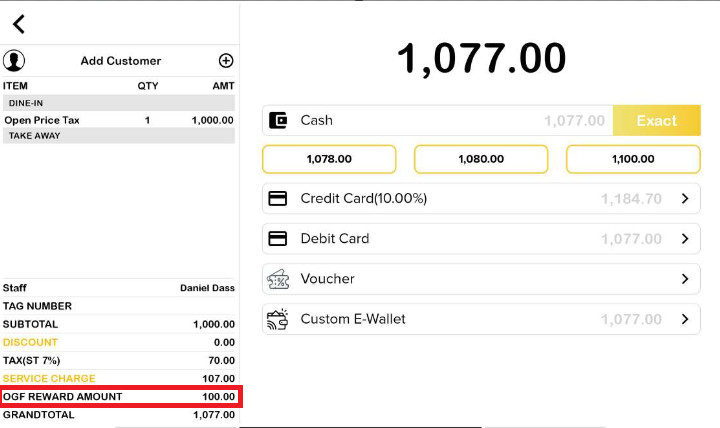
3. After successfully using OGF reward, the OGF Reward Amount will be displayed along with the total of the payment section. In the payment option, OGF Reward will disappear.
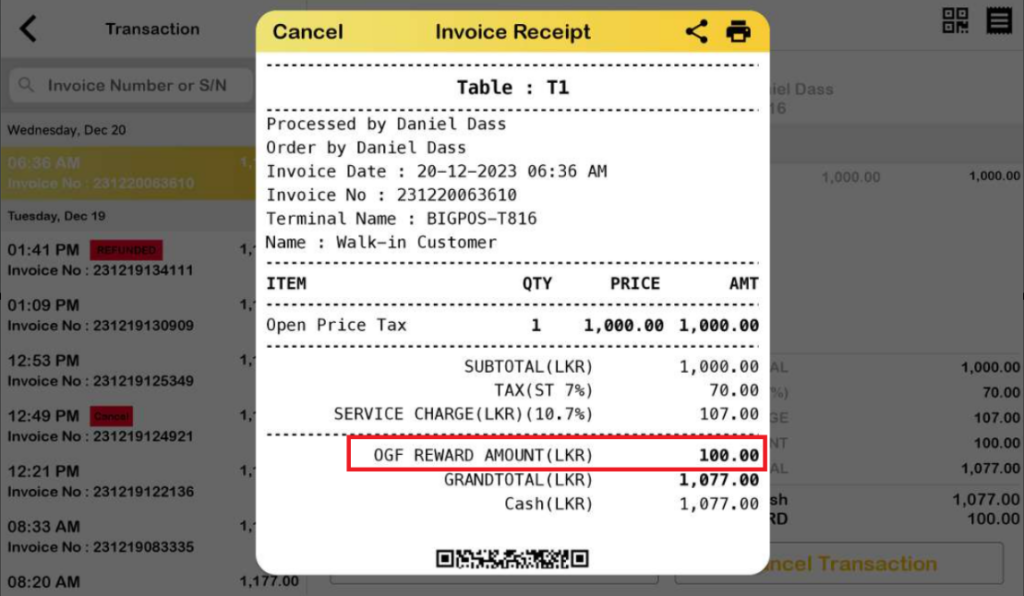
4. On the invoice receipt, the OGF Reward Amount will be included.