How Can We Help?
Multiple customer voucher
Introduction
This post will guide you to add multiple customer vouchers.
How to add multiple customer vouchers in the app?
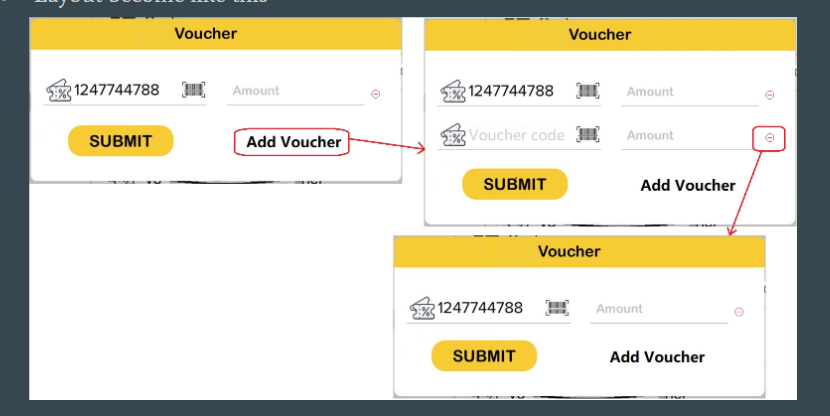
- To add the multiple customer vouchers during payment
- You need to enter the voucher code and amount.
- Then, you need to click on the “Add Voucher” to add another new voucher.
- To delete the voucher, you just click on the minus button next to the voucher.
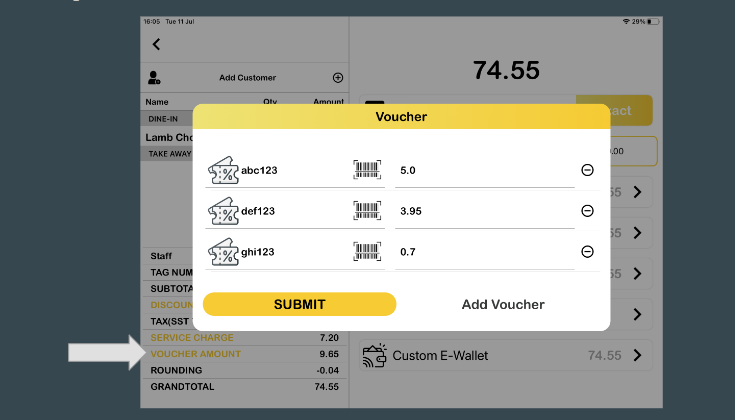
5. The amount of the vouchers will sum and enter the voucher row.
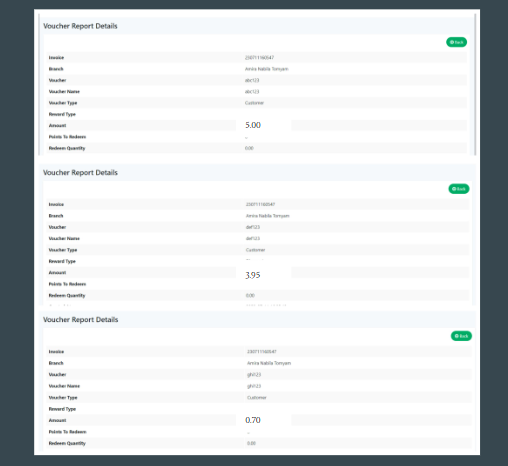
6. All the vouchers that have been added to the payment, will appear in the list in web admin.
7. User also can combine all types of vouchers in 1 transaction.
Example: Apply Merchant Voucher + Customer Voucher + Item Redeemed Voucher