How Can We Help?
Multi Tax Function
Introduction
This post introduces the new feature of Multi Tax Function . This feature allows the system to enable multiple taxes at the same time. The changes applied to the listed applications below :
- Web Admin
- Android Pro & Waiter
- QR Menu/Delivery/Pickup
- BReward
Web Admin
- Tax Setting
- New Compulsory Field : Tax Type

- Shift Report
- In the Shift Report, it will show details of all taxes (separately) that were involved in the shift.

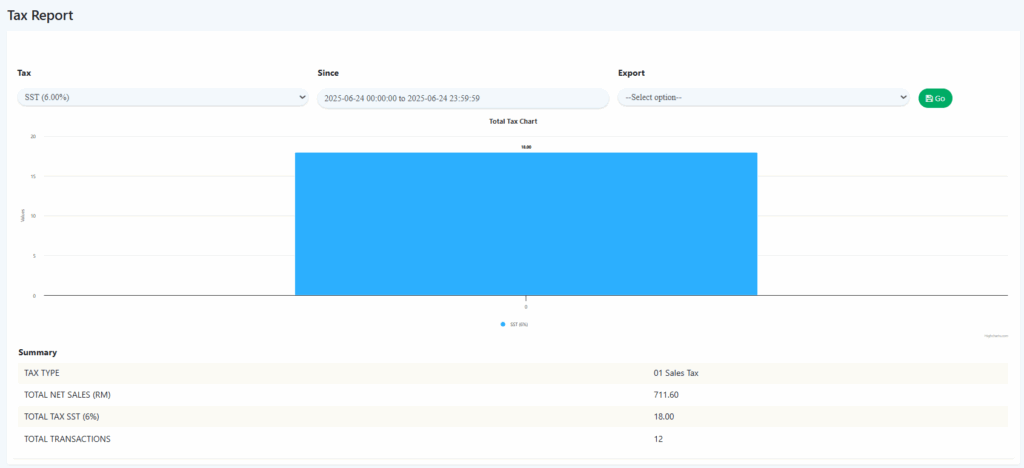
- Tax Report
- Summary is based on all the items sold with selected tax
- Import/Export Files
- New Compulsory Column was Add : Tax Code and Tax Rate %


Android Pro & Waiter
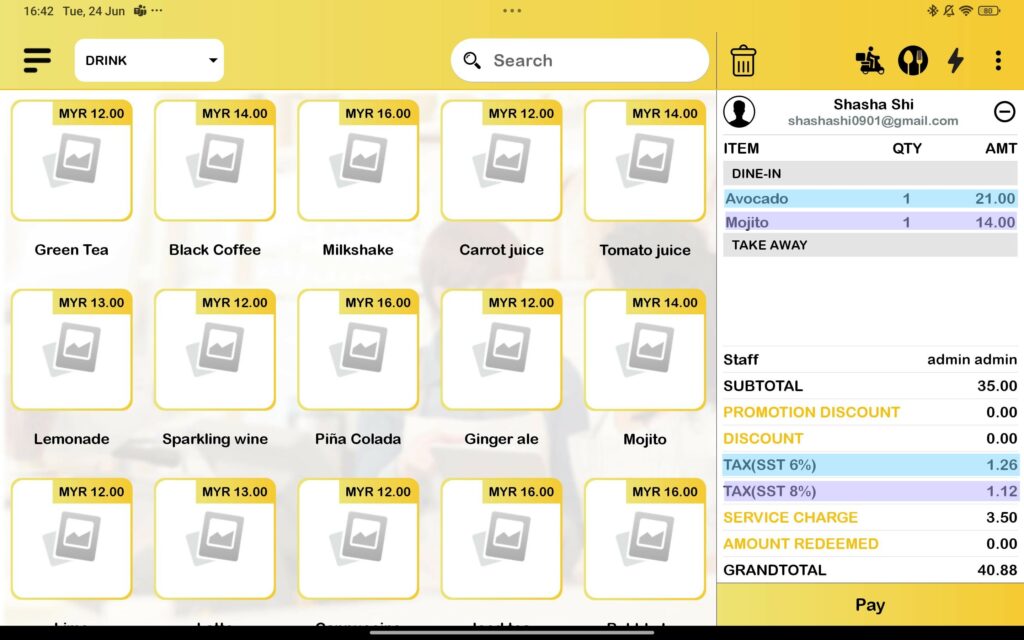
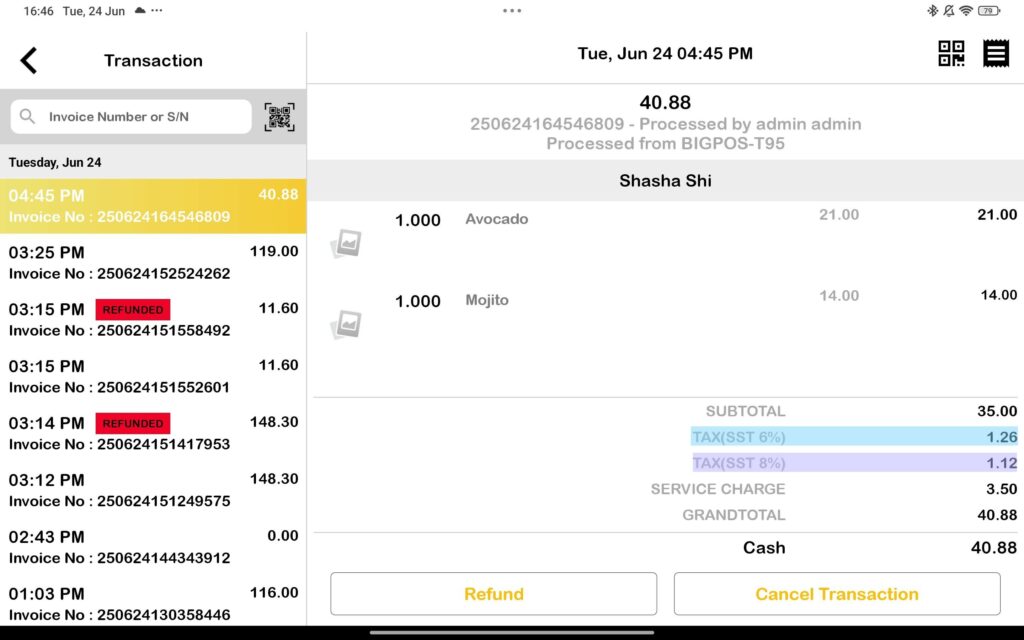
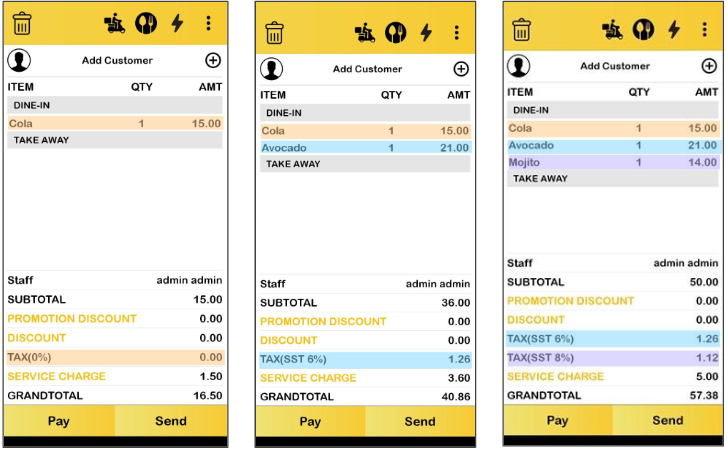
- Cart /Transaction Page
- Different Taxes will be listed separately.
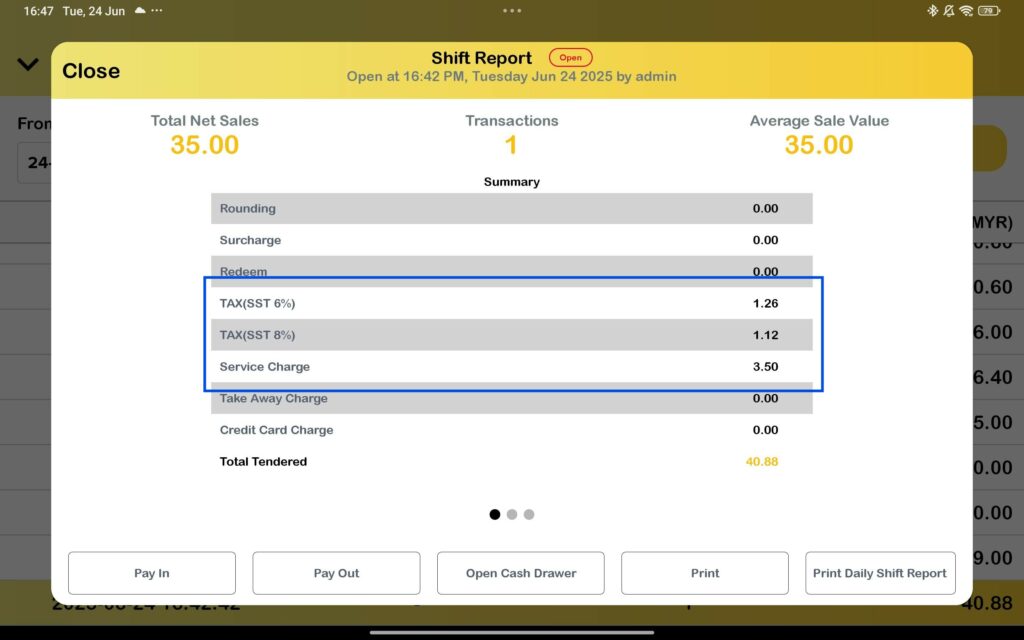
- Shift Report
- Tax and Service Charge will display in different row.
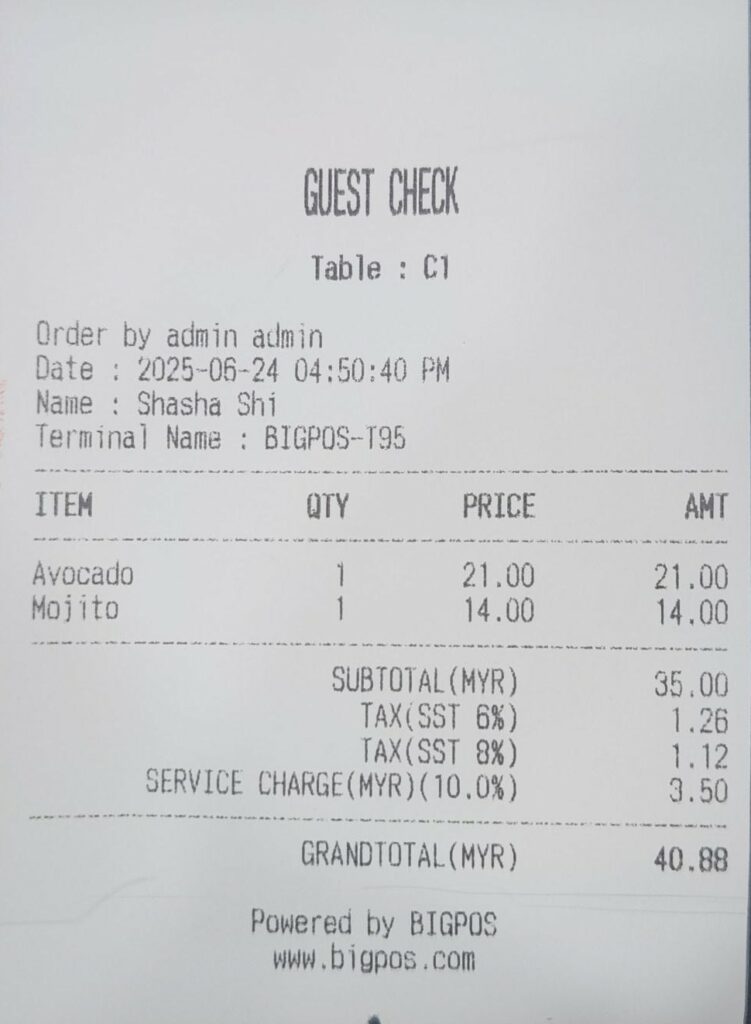
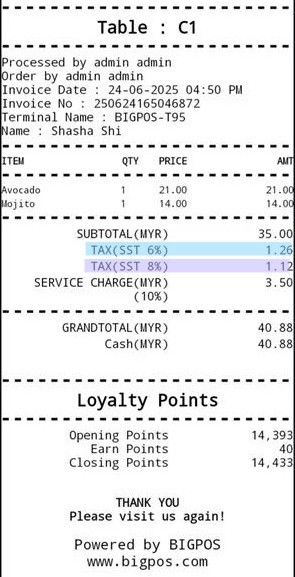
- Guest Check & Receipt
- Different types of tax will be display and printed on the receipt
- Tax Display Condition
- Show Tax (0%) only when no other tax is applied.
- Auto-hide Tax (0%) when other taxes are present.
- Same condition applied to app shift report
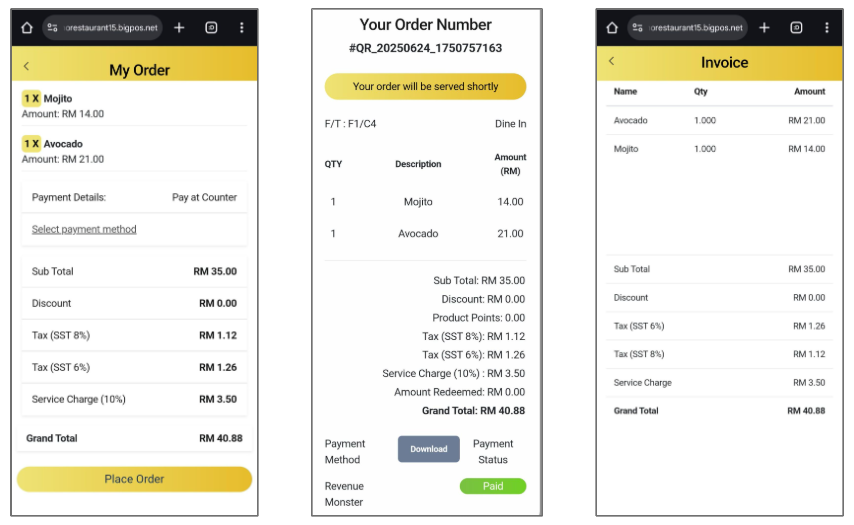
QR Menu/Delivery/Pickup
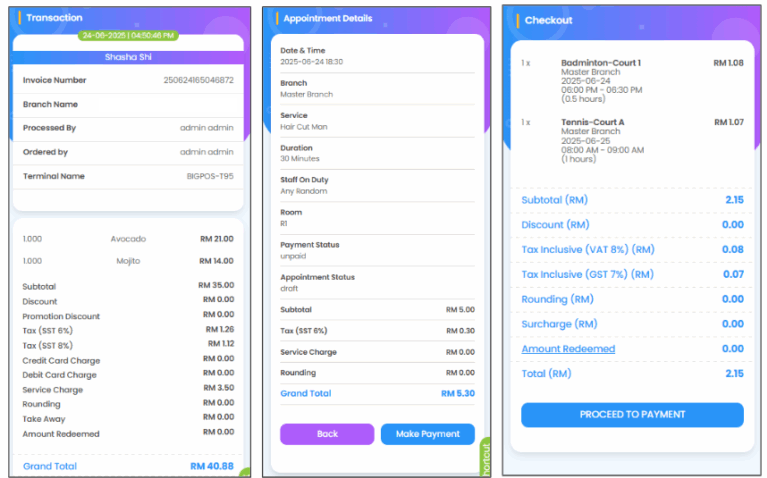
- Different Tax will be listed separately same as in Pro App.
BReward
- Enhanced Tax Display
- Different Tax will be listed separately same as in Pro App.