How Can We Help?
Manage Promotions – Promotion Time
Introduction
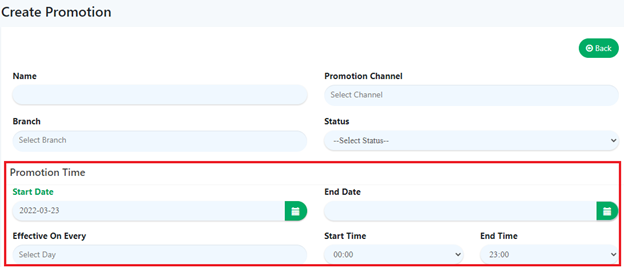
Promotion Time is used to specify when a promotion will be applicable for use during orders processing and when that promotion ends or expires after a desired date without the need of human intervention to manually deactivate the promotion. Promotion time can:
- Specify the starting date and ending date for a promotion.
- Specify which days the promotion will be effective.
- Specify the starting hours and ending hours for a promotion within a day.
How to ‘Adjust Promotion Time’?
To begin adjusting a promotion time, follow the following steps:
- First, navigate to the Promotions main page as shown in Promotions Main Page section or navigate to the Update Promotion page by editing an existing promotion as shown in Create Promotion section.
- Within the Create Promotion page or Update Promotion page, search for Start Date and End Date within the Promotion Time subsection.
- After filling all the required inputs, the user shall continue by clicking on
 or cancel.