Manage Promotions – Promotions Type
Introduction
Promotion can be applied in different ways. BIG POS currently supports 5 different types of promotion which can be applied to suit your needs. These promotions are:
- Take Percentage Off
- Take Amount Off
- Override Existing Price
- Combo Set/Package/Bundle
- Buy X Get Y For Free
These promotions can be created via BIG POS Web Admin. All created promotions can be reconfigured and modified later as shown in Edit Existing Promotion Section. For more info regarding the promotion, please refer to Create Promotion Page.
Please be reminded that product with ‘By Unit‘ pricing method is not applicable to promotions, so make sure the product in question are using the other pricing methods.
Take Percentage Off
Take Percentage Off, as the name suggests will apply a direct percentage discount to specified products. Discounted Value will determine how much percentage of discounts is applied when eligible.
For Example:
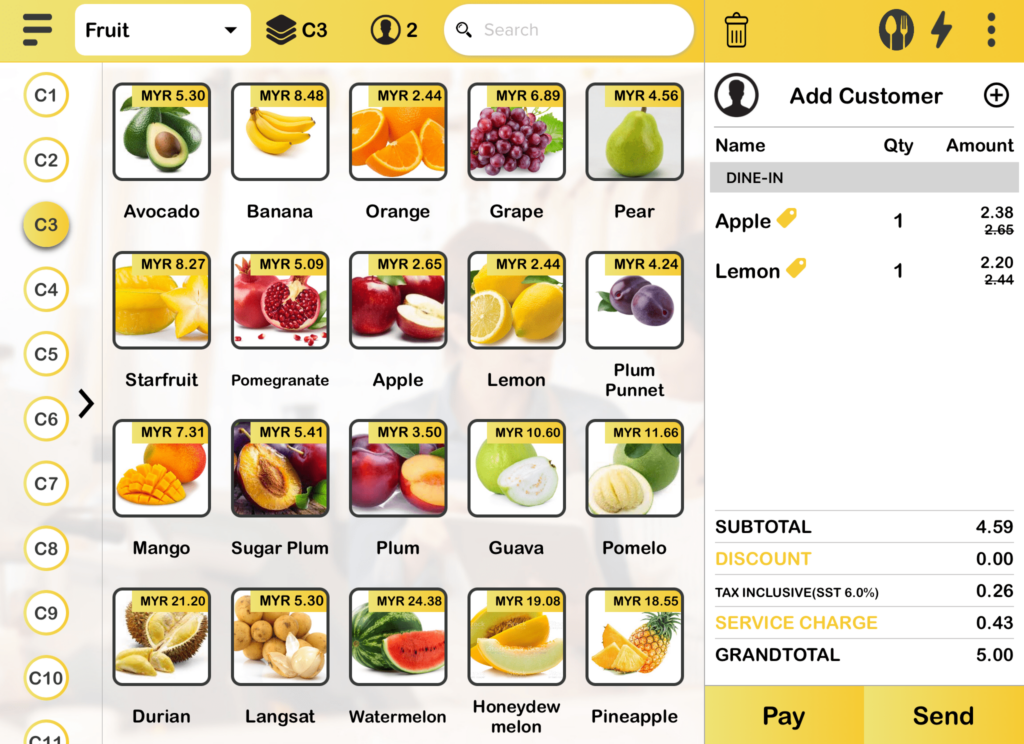
Buy 1 (one) ‘Apple’ and 1 (one) ‘Lemon’, both items will get discounted price of 10% each.
Require Specific Product Purchase restricts certain products must be bought together in the same cart to enjoy the promotion.
- Product of Categories
Products from the specified category must be bought to be eligible for the promotion. Min Qty determines the minimum quantity of products from the category is needed for promotion to apply.
- Products with Tags
Products with the specified tag must be bought to be eligible for the promotion. The tag is created by the user during product creation. User also needs to input the Min Qty.
- Specific Products
Directly list the product(s) that must be bought to receive the promotion. User also needs to input the Min Qty.
Apply to specifies the criteria needed to get the promotion.
- All Orders
No specific criteria is needed to acquire promotion.
- Orders over or equal to
The specified products must have price at least equal or higher to the specified amount to get the promotion.
- Products of Category
Only products from the specified category are eligible for the promotion. Min Qty determines the minimum quantity of products from the category is needed for promotion to apply and Max Qty determines the maximum quantity of products from the same category that can still receive the promotion. Any extra product will not have the promotion.
- Product Tag
Only products with specified tag can have the promotion. As mentioned earlier, the tag is created by the user during product creation. User also needs to input the Min and Max Qty.
- Specific Products
Directly list the product(s) that can receive the promotion. User also needs to input the Min and Max Qty.
Take Amount Off
Take Amount Off is similar to Take Percentage Off. Instead of deducting the price by percentage amount of the product, Take Amount Off directly deducts the price by specified amount. Discounted Value will determine how much the amount is applied when eligible. Require Specific Product Purchase still follows exactly like shown as above. The Apply To criteria is also the same as in Take Percentage Off section.
For Example:
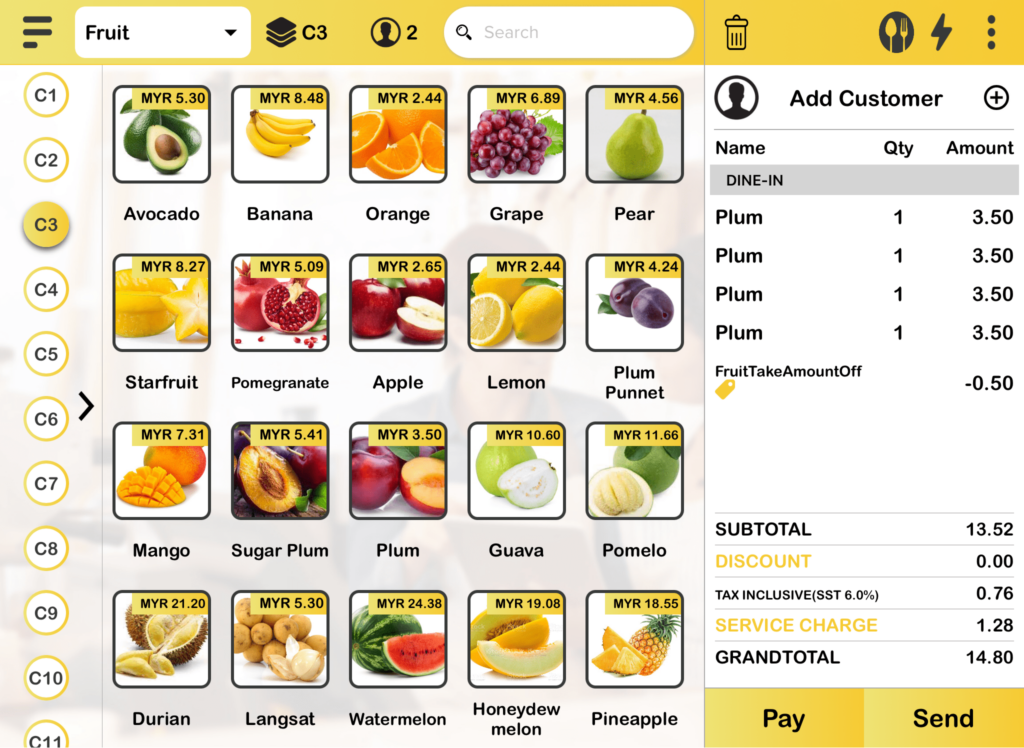
Purchasing a specific item within the minimum and maximum range set in web admin will get this promotion. Buying 4 (four) ‘Plums’ will get a discounted price of 0.50.
Override Existing Price
Override Existing Price promotion allows you to change the automated price of an item to apply a discount. Require Specific Product Purchase still follows exactly like shown as above.
For Example:
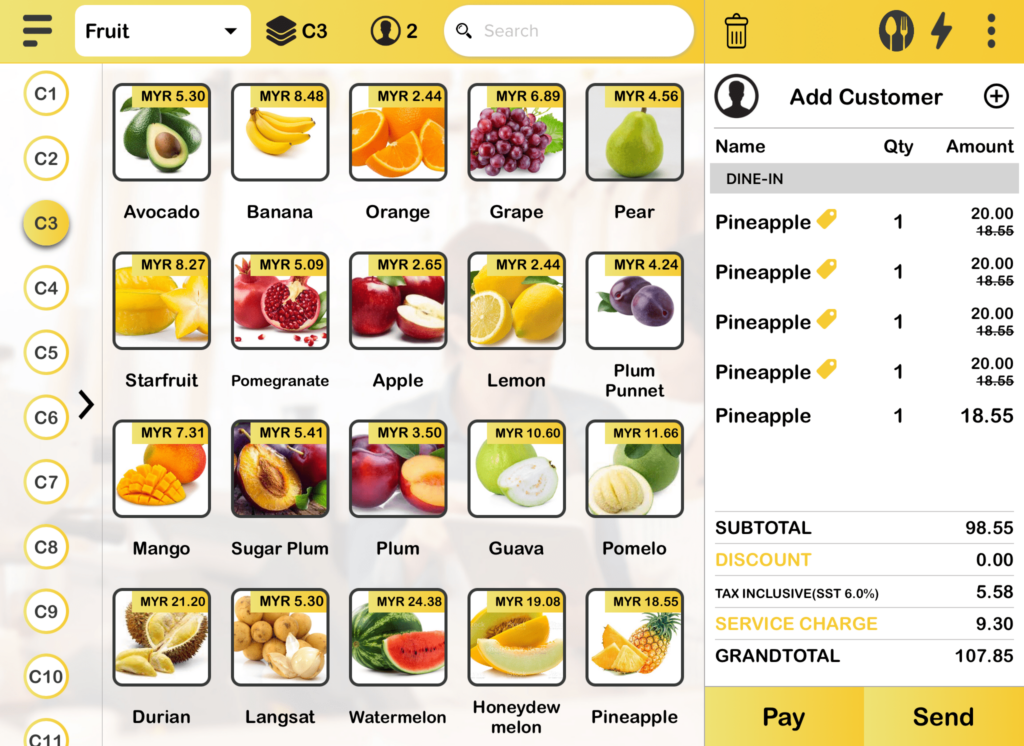
The price of ‘Pineapple’ can be purchased at the price of 20.00 at maximum 4 (four) . The fifth item will not get any discount.
Combo Set/Package/Bundle
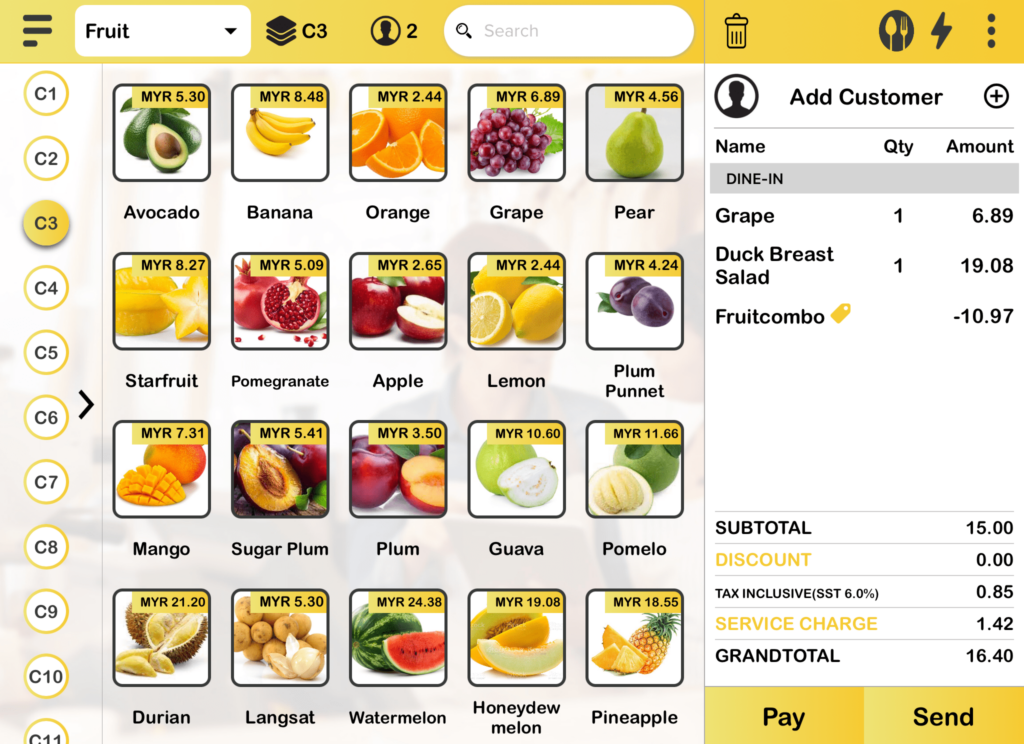
Combo Set/ Bundle/ Package promotion allows you to buy 2 (two) or more items as a single combined unit. It is used to set a discounted price for a group of items.
For Example:
Buy 1 (one) ‘Grape’ and a ‘Duck Breast Salad’, the price is discounted to 15.00.
** Items from different category can be set as a bundle promised they are sharing the same code.
Buy X Get Y For Free
Prerequisite to get free item
Ensure all items in the promotion type is added into the cart before payment.
Buy X Get Y For Free Promotion allows you to create a promotion where customer can buy specific product(s) and the price of free product(s) will be set to 0.00 in cart automatically.
For Example:
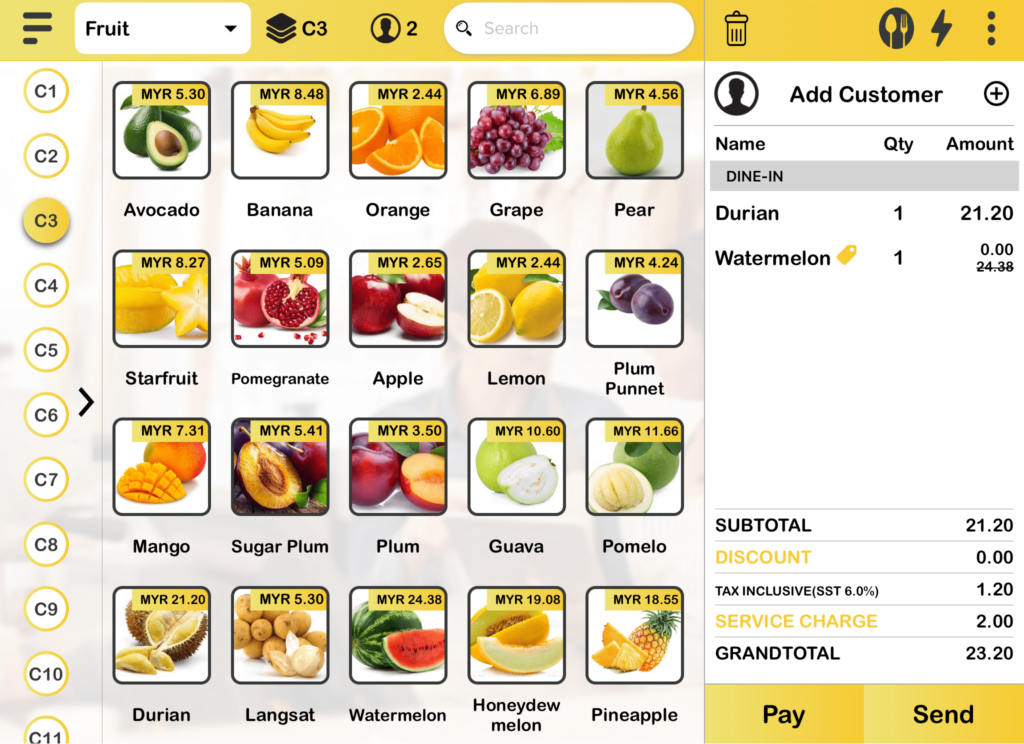
Buy 1 (one) ‘Durian’ will get 1 (one) ‘Watermelon’ for free.