How Can We Help?
Loyalty Point Report – Main Page
Introduction
Welcome to Bigpos support.
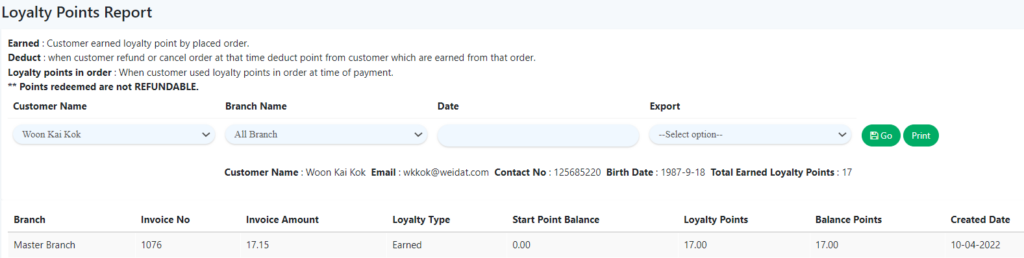
Loyalty Point Report shows you the customers’ loyalty point details, including which transaction the points were gained from by providing the Invoice No., Invoice amount, Loyalty Type, Start Point Balance, Loyalty Points, Balance Points and Created Date.
How to view Loyalty Point Report?
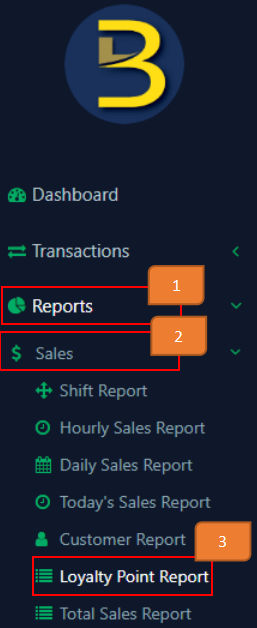
- Click on ‘Report’ On the left panel menu
- Click on ‘Sales’
- Click on ‘Loyalty Point Report’

- Select customers (existing customers options provided)
- Select Branch Name (existing branches options provided)
- Select Transaction date (Optional)
- Export (Optional)
If you want to export records, select the format (CSV or PDF). If not, leave it as ‘select option’.
- Click ‘Go’

Note: If you wish to print the records, click ‘Print’.

Example of filtered result: