How Can We Help?
Kitchen Order – How to change the kitchen order format printing setting in web admin?
Introduction
This post will guide you to change the kitchen order format printing setting in web admin.
How to change the kitchen order format printing setting in the web admin?
- First, you need to for the “Setting” at the left panel to expand the sub catagory.
- Then, from the setting look for the “Company Profile” to redirect you to the comapny profile page.
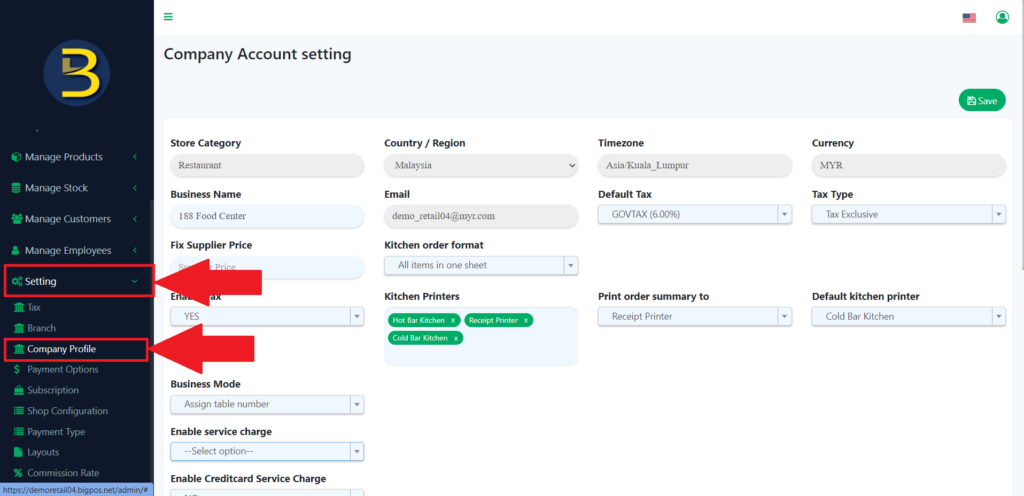
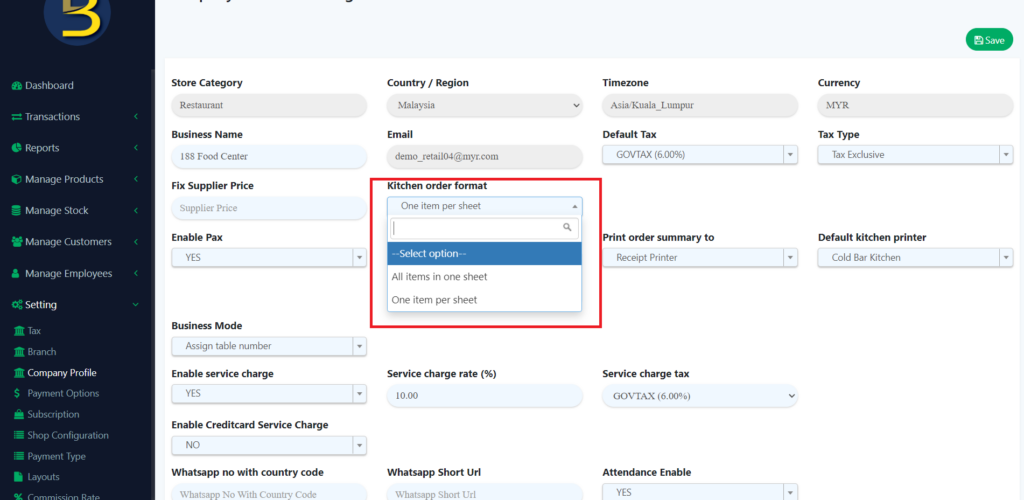
3. From the page, look for the “Kitchen Order Format”, then you need to choose which format to print the kitchen order.
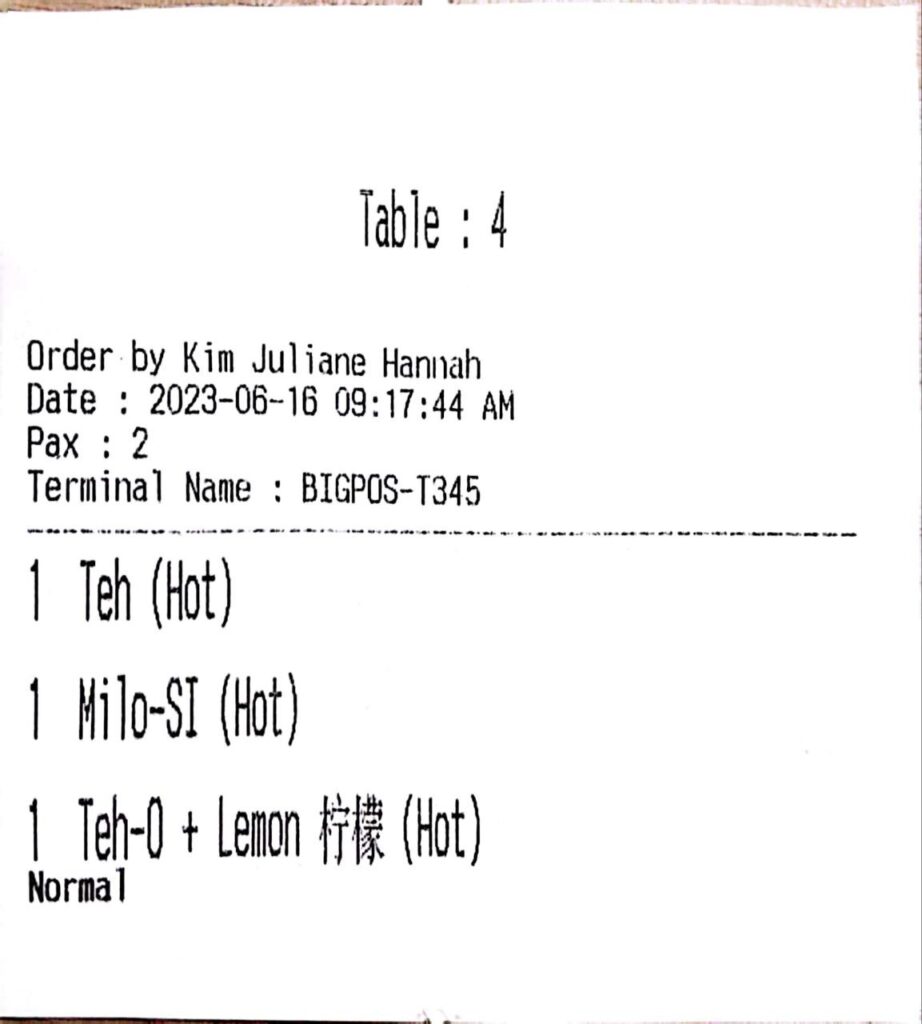
4. For the kitchen order of “All items in one sheet“
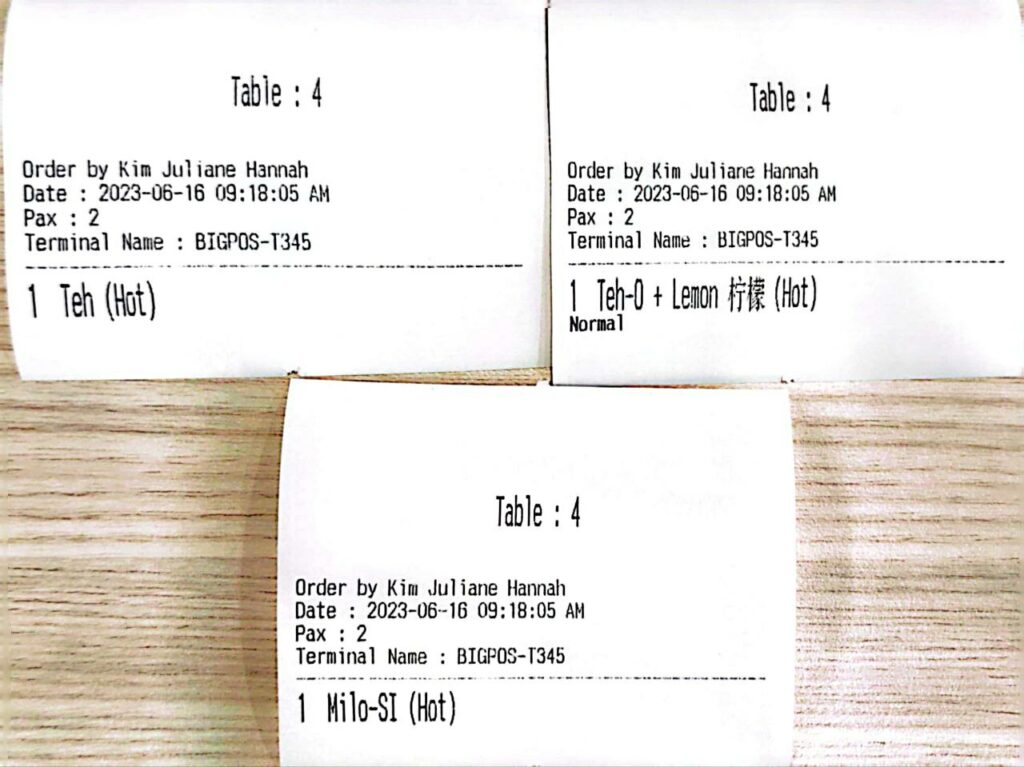
5. For the kitchen order of “One item per sheet“.