How Can We Help?
iMin Falcon 1 – Connect with Cash Drawer
Introduction
When using BIG POS application in iMin Falcon 1 device and it is connected to a cash drawer, the cash drawer will immediately open if a cash payment is made for the order. This section mentions how the iMin Falcon 1 device and cash drawer are connected.
Connect with Cash Drawer
As seen in the figure below, the user must insert the cash drawer cable into the appropriate socket to correctly connect the iMin Falcon 1 device and cash drawer. 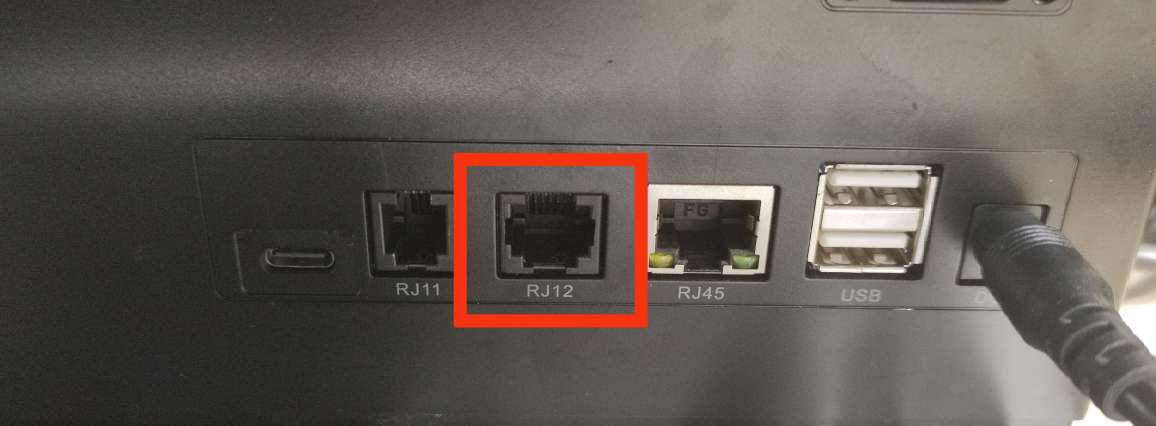
Connect cash drawer cable in RJ12 port
After connect the cable, you can straight away create order and select CASH payment. Cash drawer will automatically open.
If the cash drawer does not open automatically after a cash payment is made, kindly get in touch with the BIG POS support staff so they can run device diagnostics.