How Can We Help?
How to view the payment-type report in web admin?
Introduction
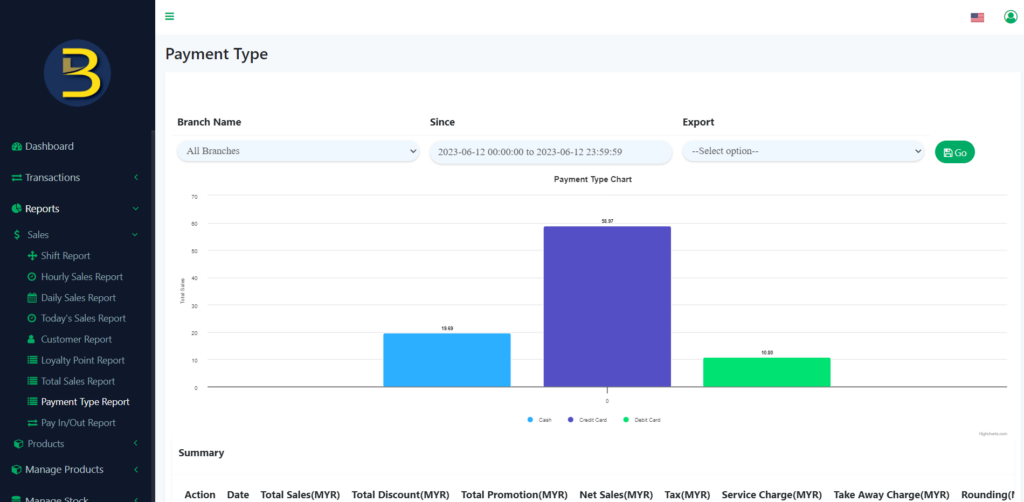
This post will guide you to view the payment-type report in web admin.
How to view the payment-type report in web admin?
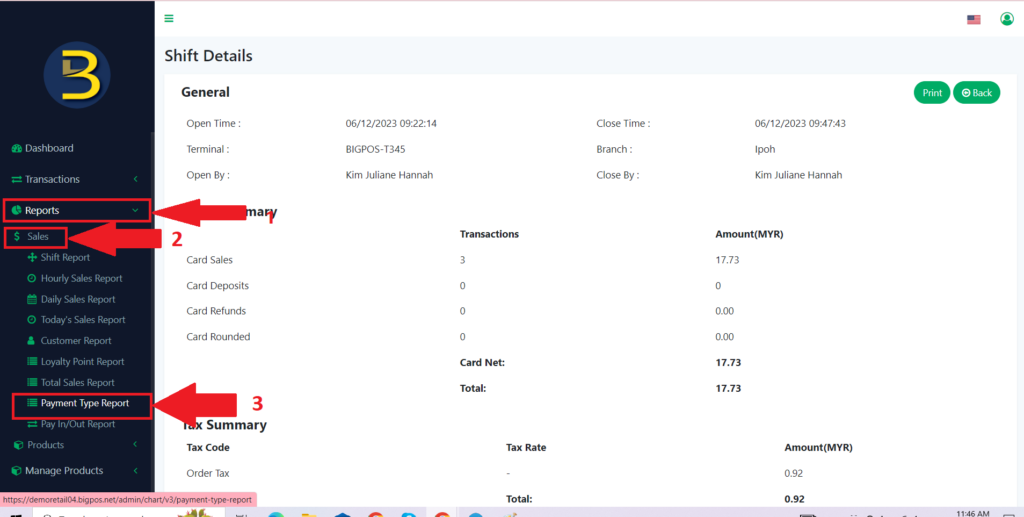
- First, you need to click the “Reports” button to expand the category.
- Then, you click on the “Sales” button to expand to different types of reports.
- Only then, you click on the “Payment Type Report “button to view it.
4. The payment type is ready for viewing.