How Can We Help?
How to view the past 7 days’ transactions in BIGPOS App?
Introduction
Each transaction that performs in the BIGPOS app will get synced into the database which let the users check transactions anywhere and anytime.
How to view the past 7 days’ transaction?
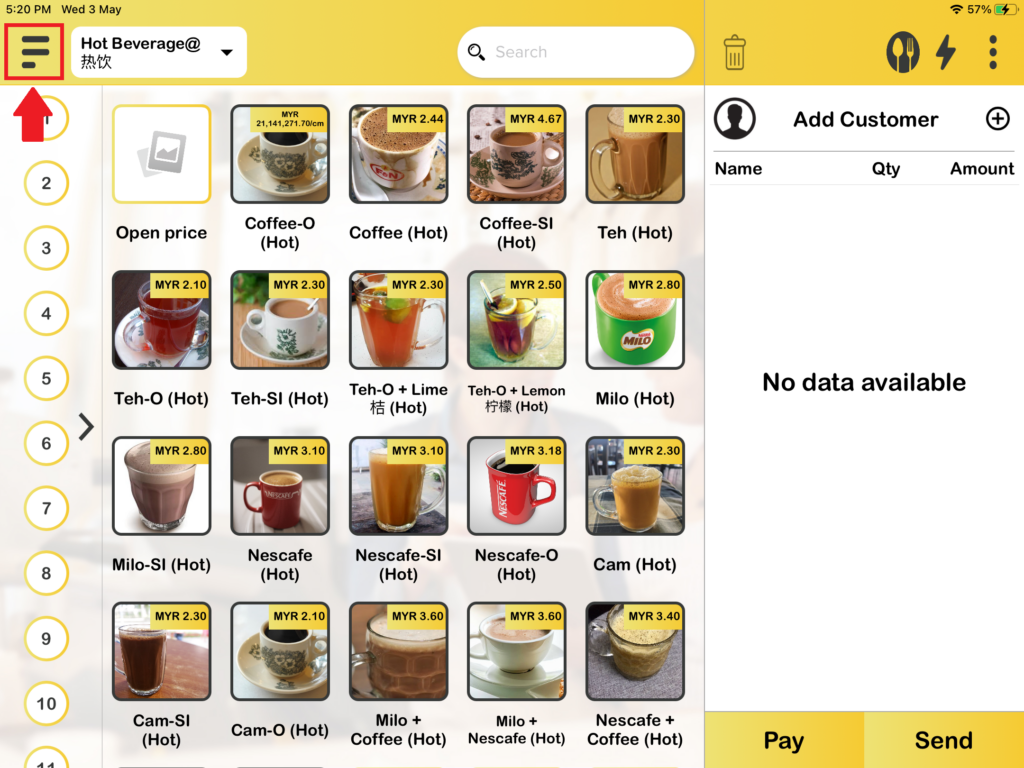
1. First, you need to press on the “Navigation bar“.
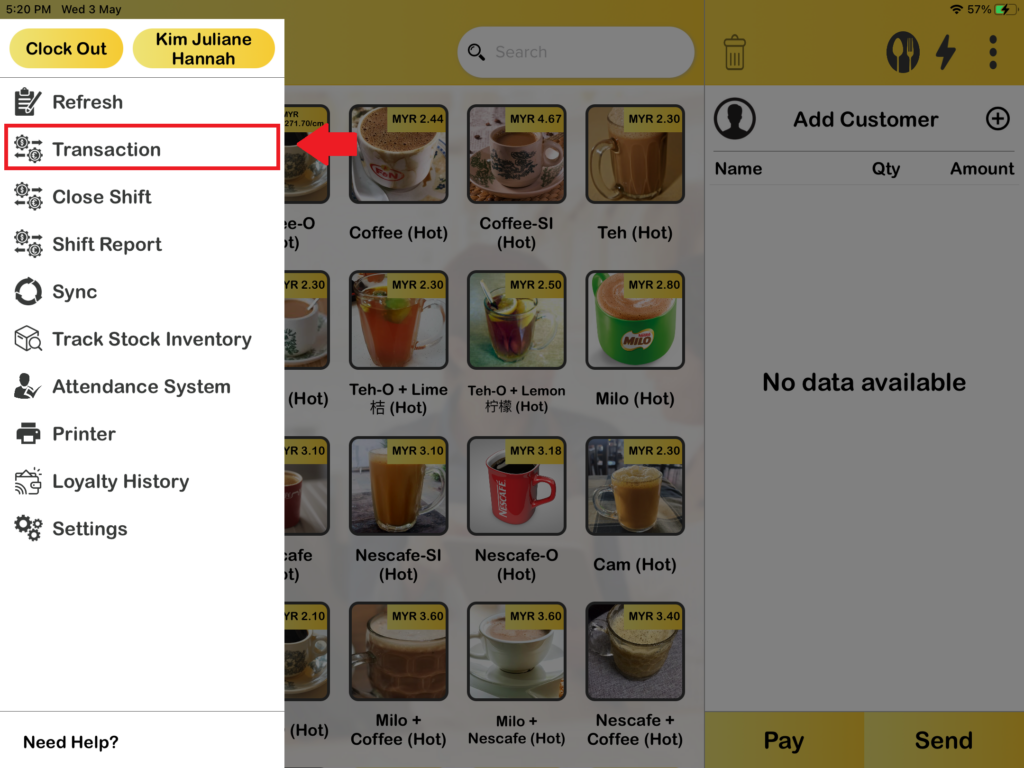
2. Then press “Transaction“.
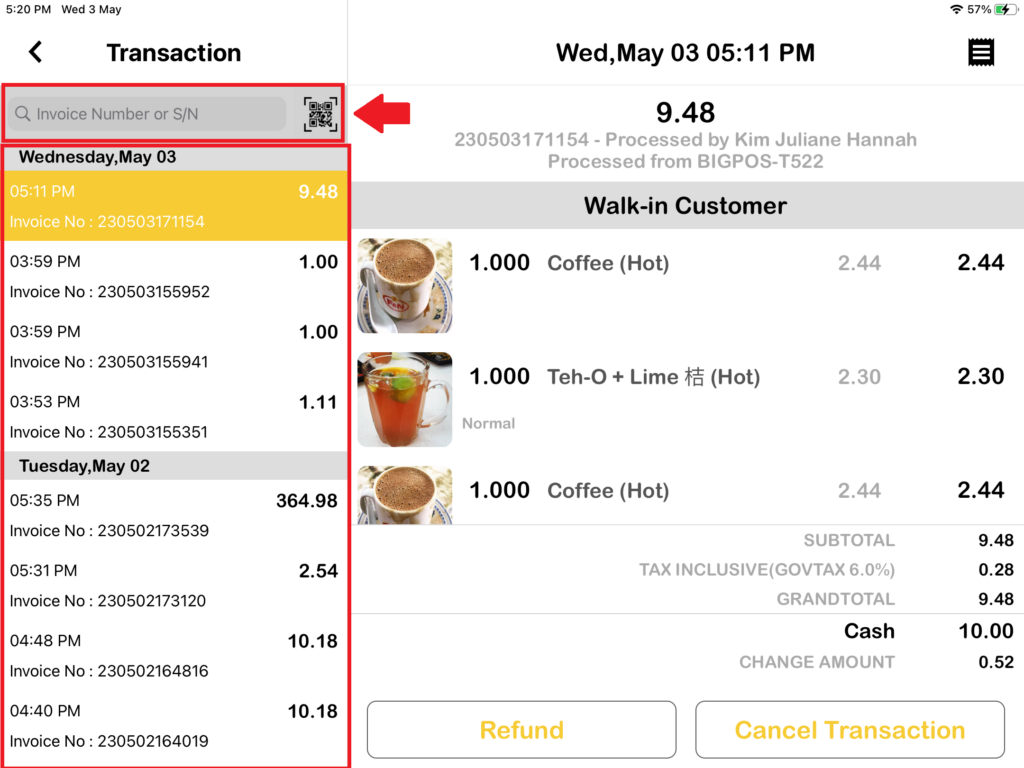
3. Then you can view the past 7 days’ transactions here or longer by scrolling down on the left side. You also can enter the invoice number or scan the invoice QR to find the transaction too.