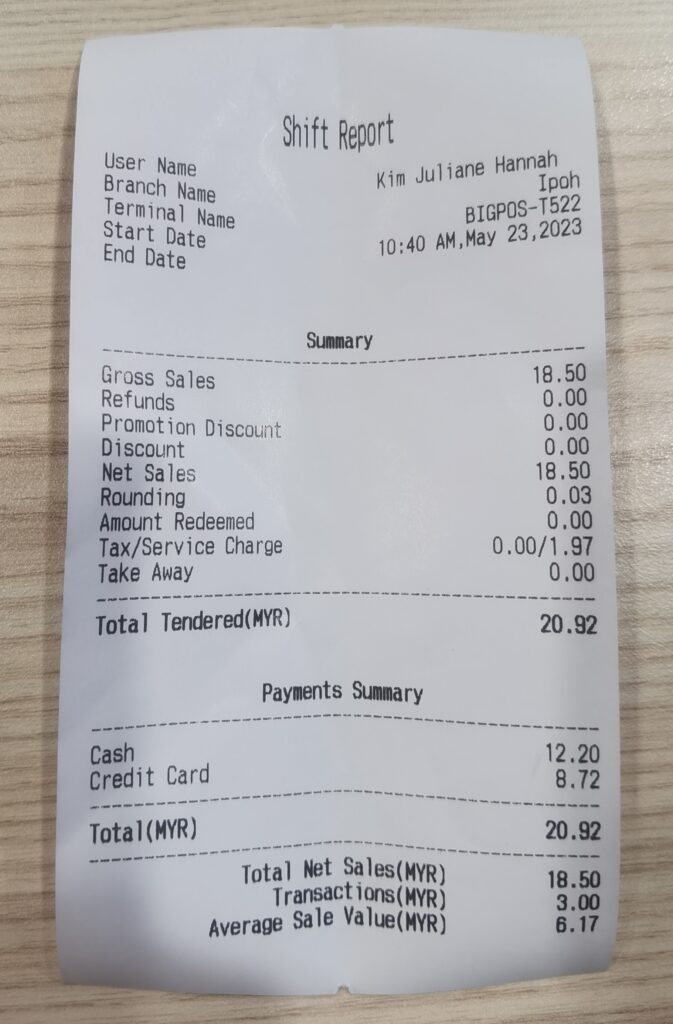
How to View or Print Daily Shift Report Function in BIGPOS Pro and Lite?
Introduction
This post will assist you how to view or print daily shift report function in BIGPOS Pro and Lite.
How to view daily shift report ?
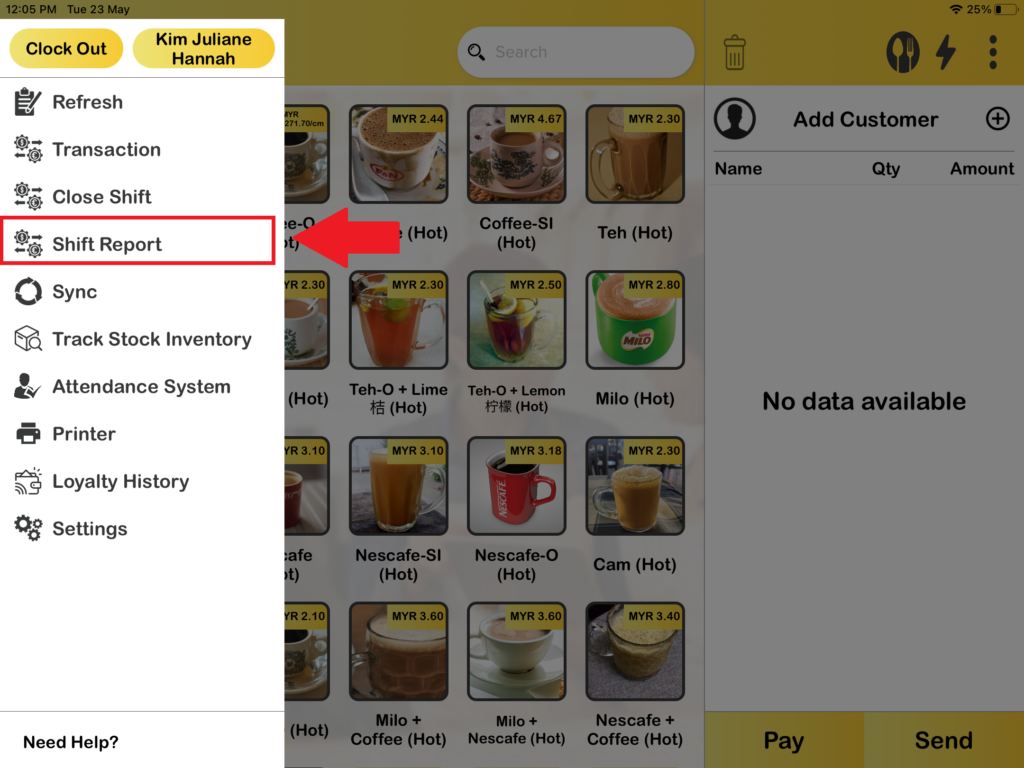
1. First, you need to choose “Shift Report“.
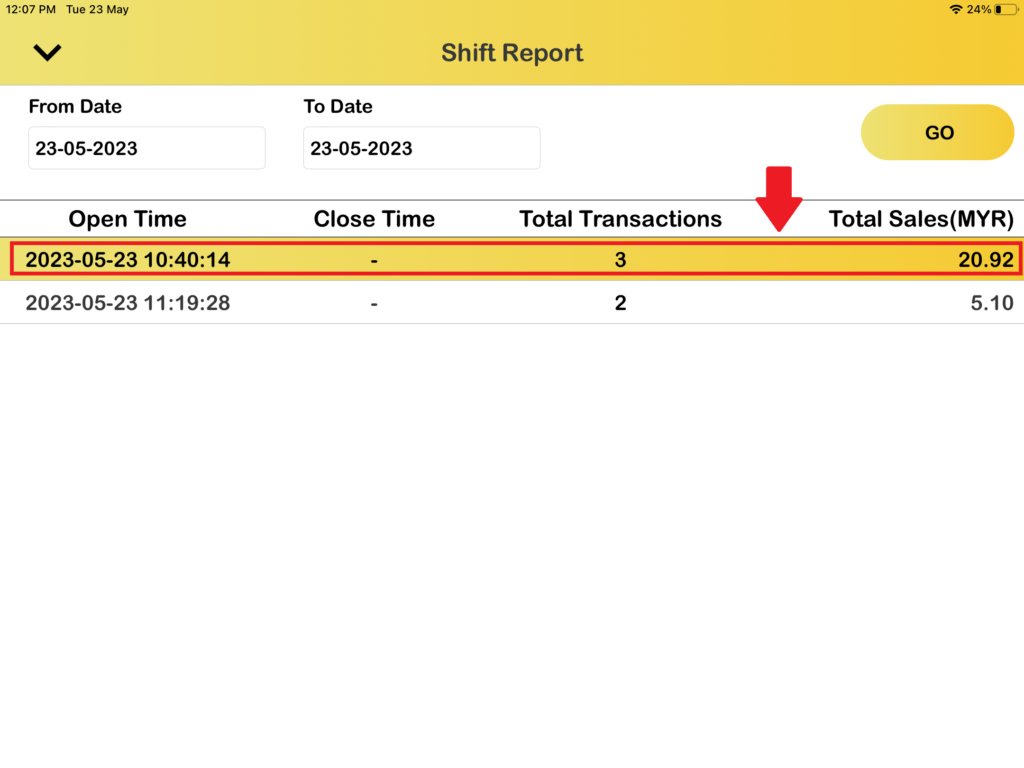
2. Then, you can choose any shift report to view by just press on it and you also can choose from which date until which date shift report to be view.
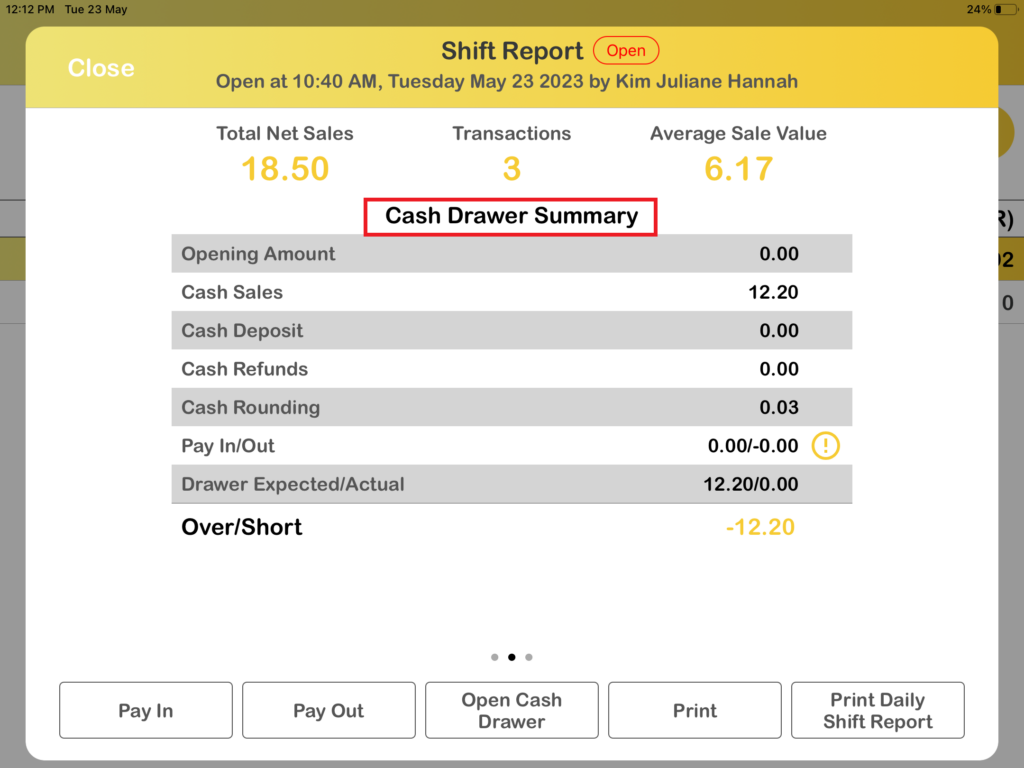
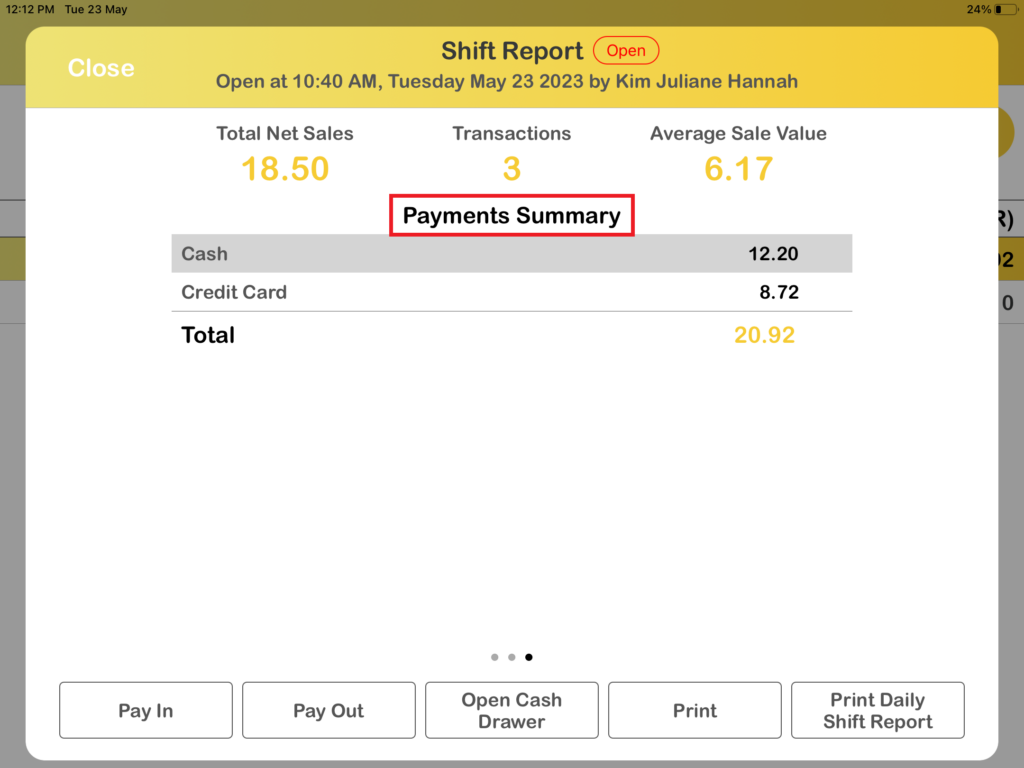
3. After that, you can view your shift report with 3 page which is summary page, cash drawer summary page and payments summary page.
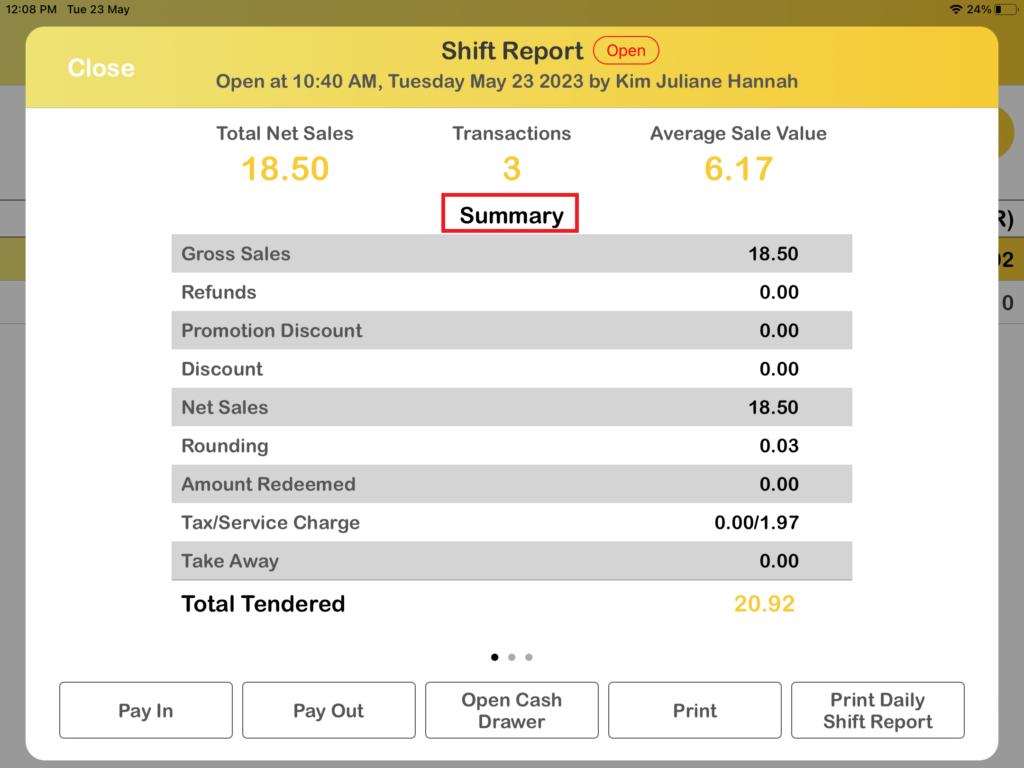
How to print daily shift report?
1. First you need to select any shift report.
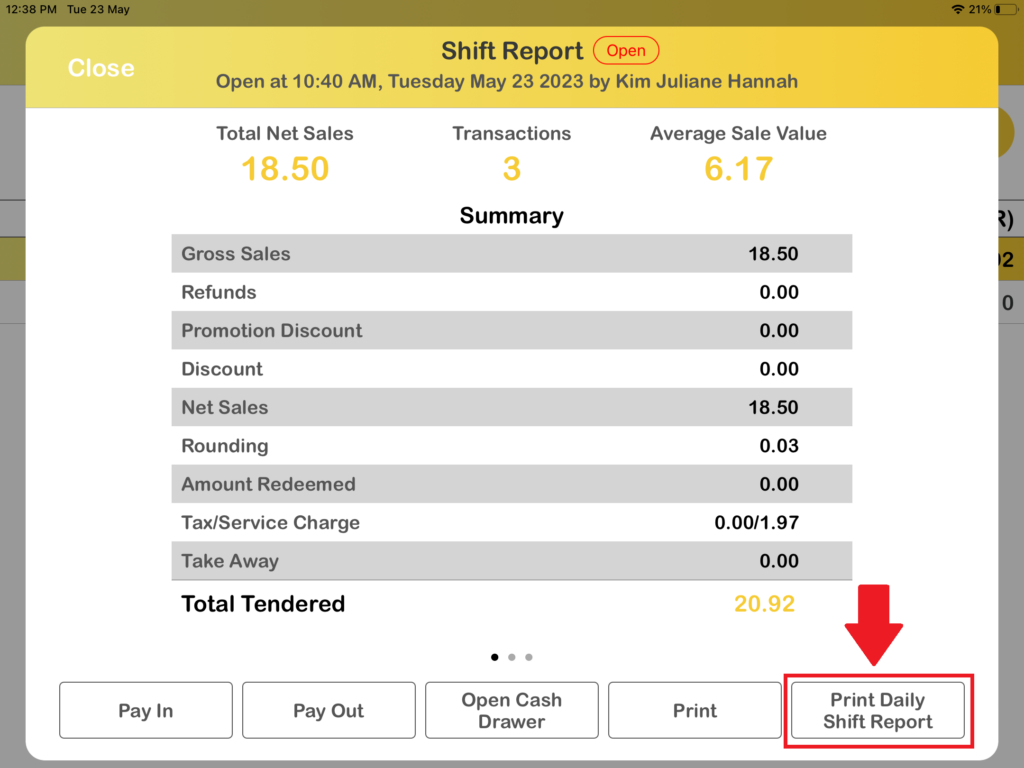
2. Then, you need to press on “Print Daily Shift Report” button.
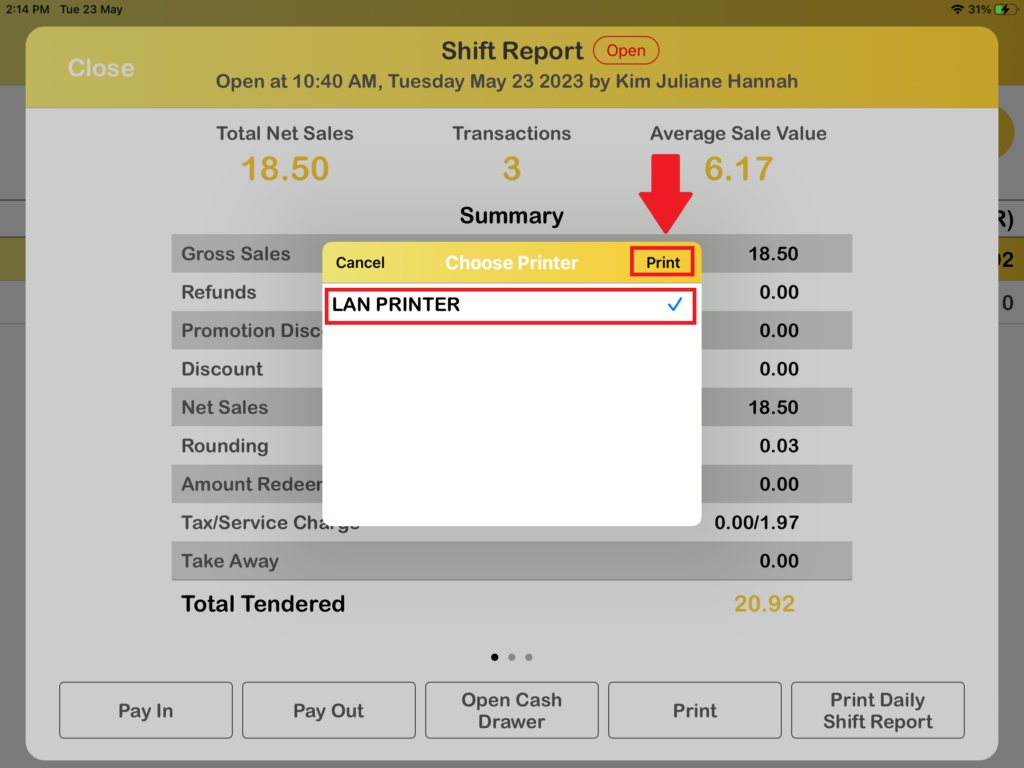
3. After pressing the “Print Daily Shift Report” button, the system will ask to choose printer. After select the printer, press “Print“.
4. After pressing “Print“, the daily shift report will be printed out successfully.