How Can We Help?
How to use Track Stock Inventory Function in BIGPOS System?
Introduction
This post will assist you in how to use the track stock inventory function in the BIGPOS system. Track stock inventory will help users to check how much available stock they had.
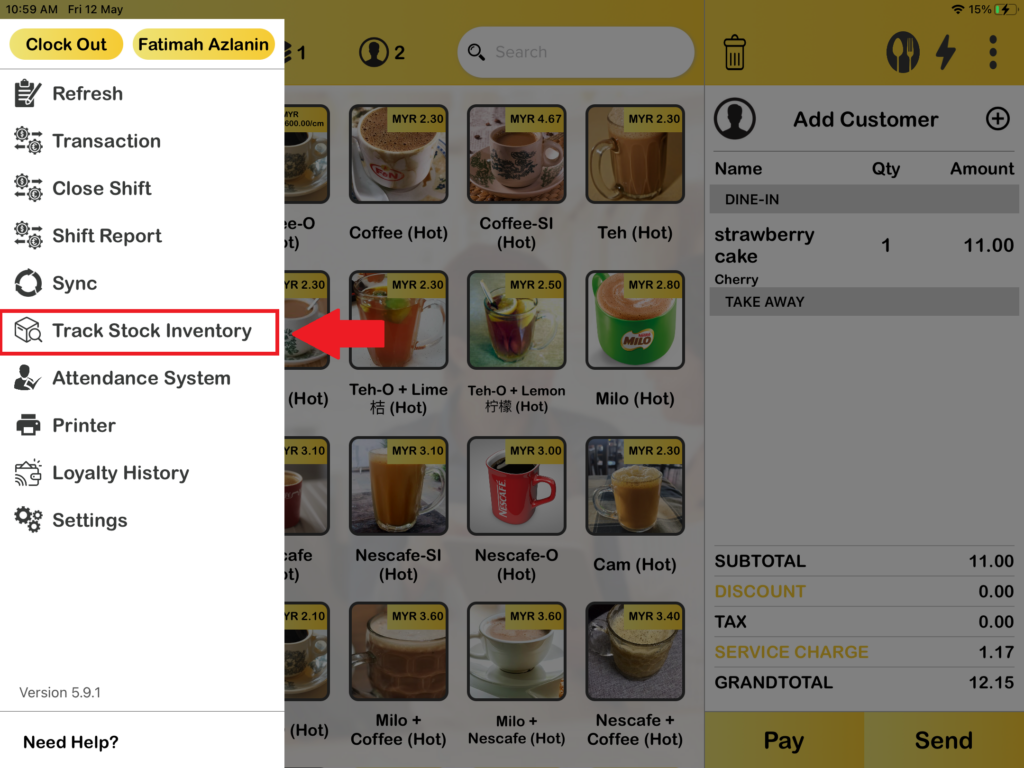
1. First, you need to press “Track Stock Inventory“.
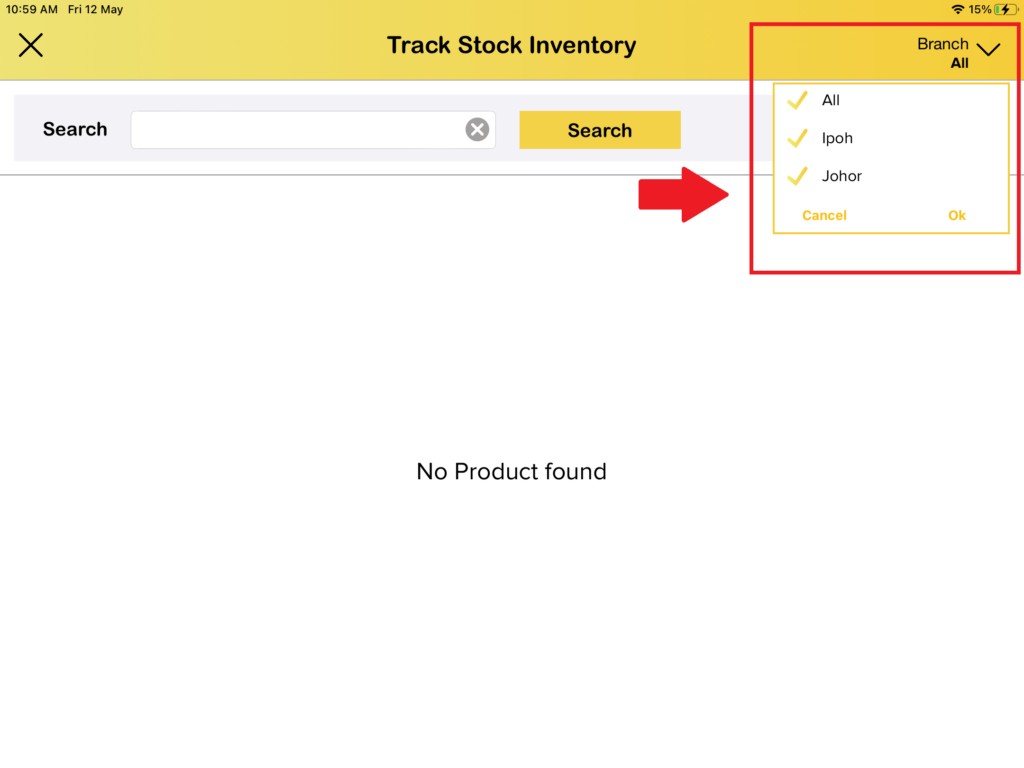
2. After pressing “Track Stock Inventory“, on the right above you can select to track which branches.
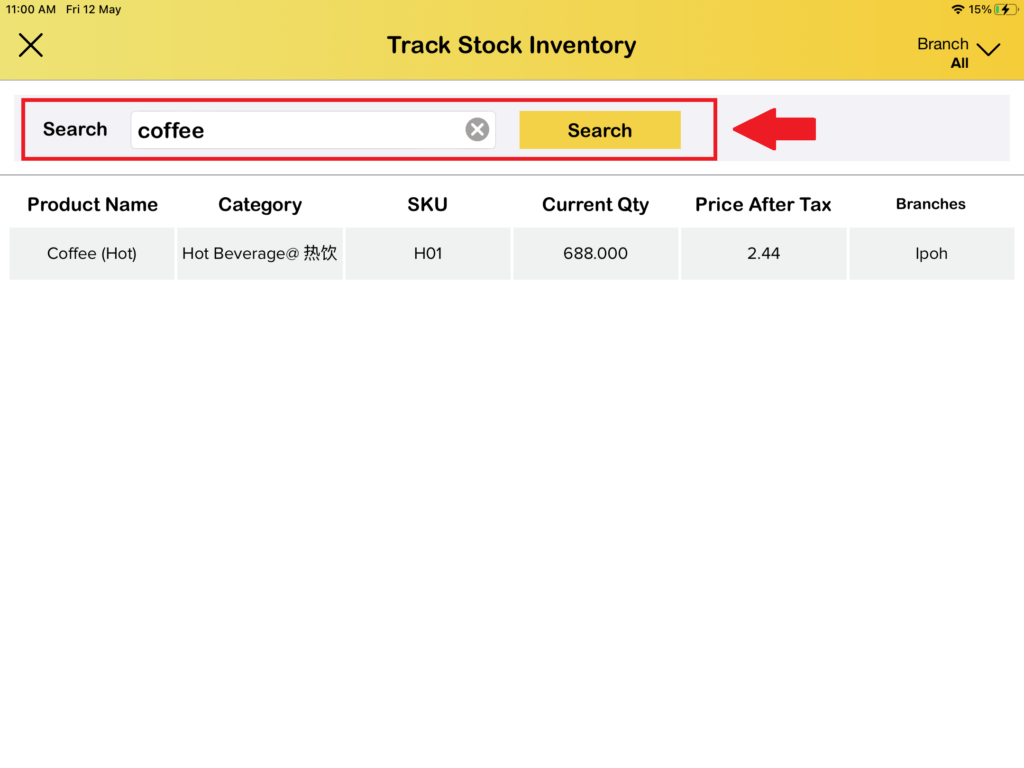
3. And now, you can search for which product you want to track in the stock inventory. You can track the current quantity, track in which branches, and others that you can see the image below.