How Can We Help?
How to use Express Checkout Function in BIGPOS App?
Introduction
This post will assist you in how to use the express checkout function in BIGPOS App. The function can be used in BIGPOS Pro, Lite, and Waiter apps. Express checkout enables customers to make purchases quickly and easily.
How to use Express Checkout function?
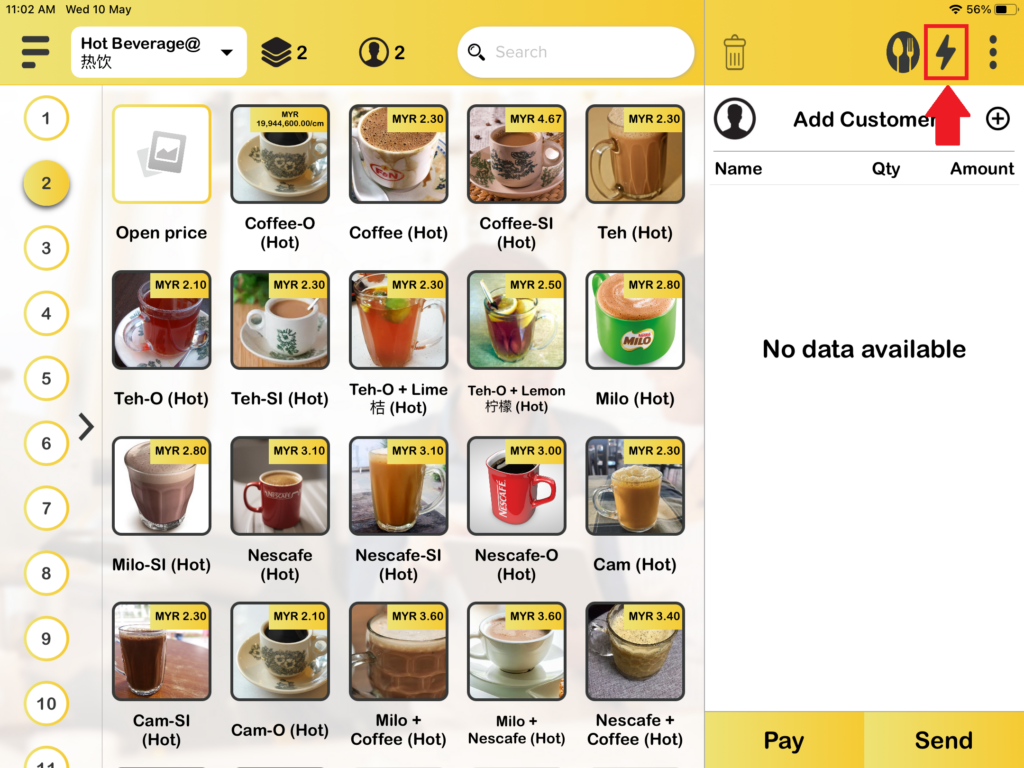
1. When you open your BIGPOS Pro, Lite, or Waiter apps. You will see a lightning logo on the top right and press it.
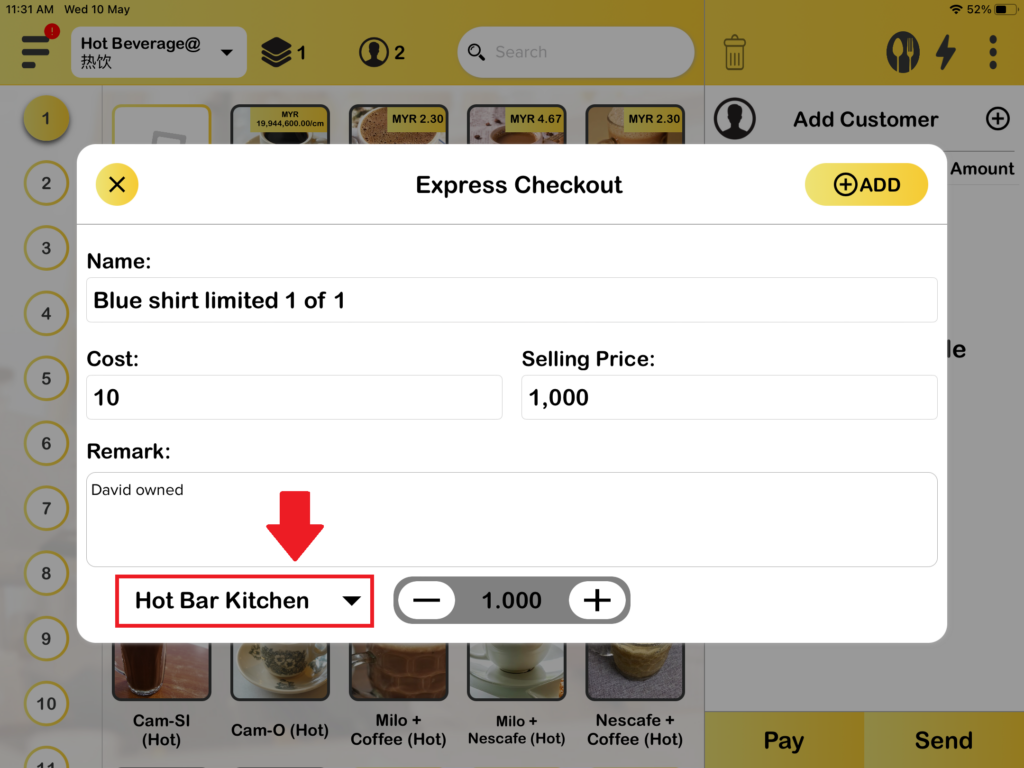
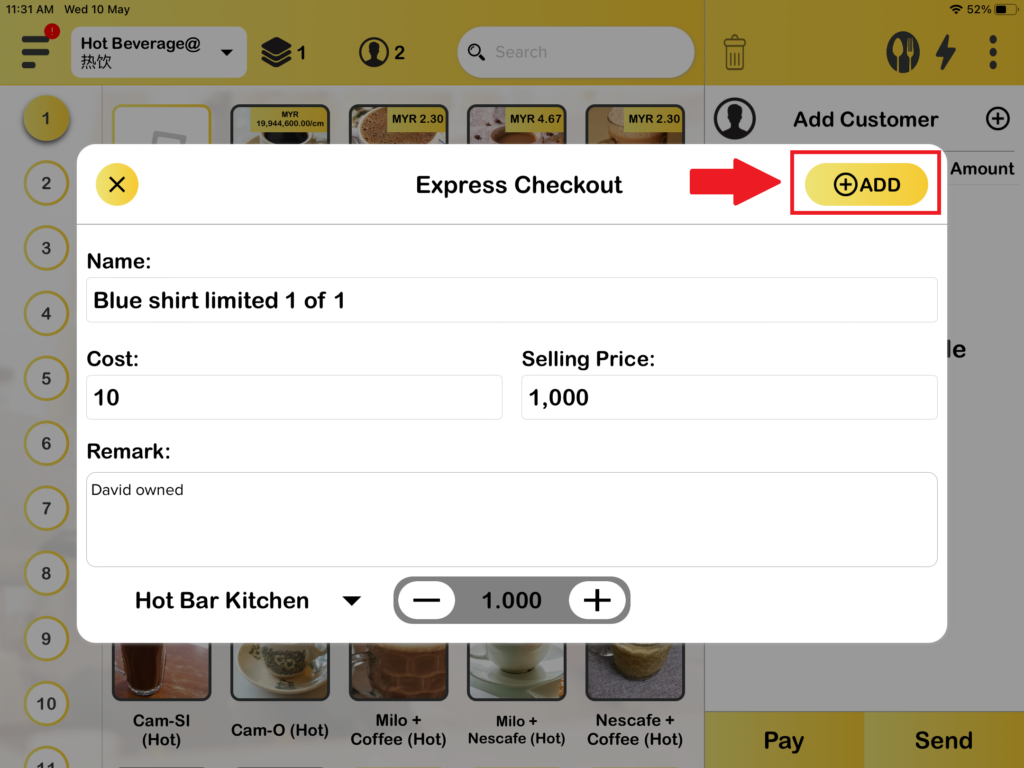
2. Then, you need to fill in your product details. Other than that, you also can change which printer you wanted to use and press “Add” to add your product to the cart.
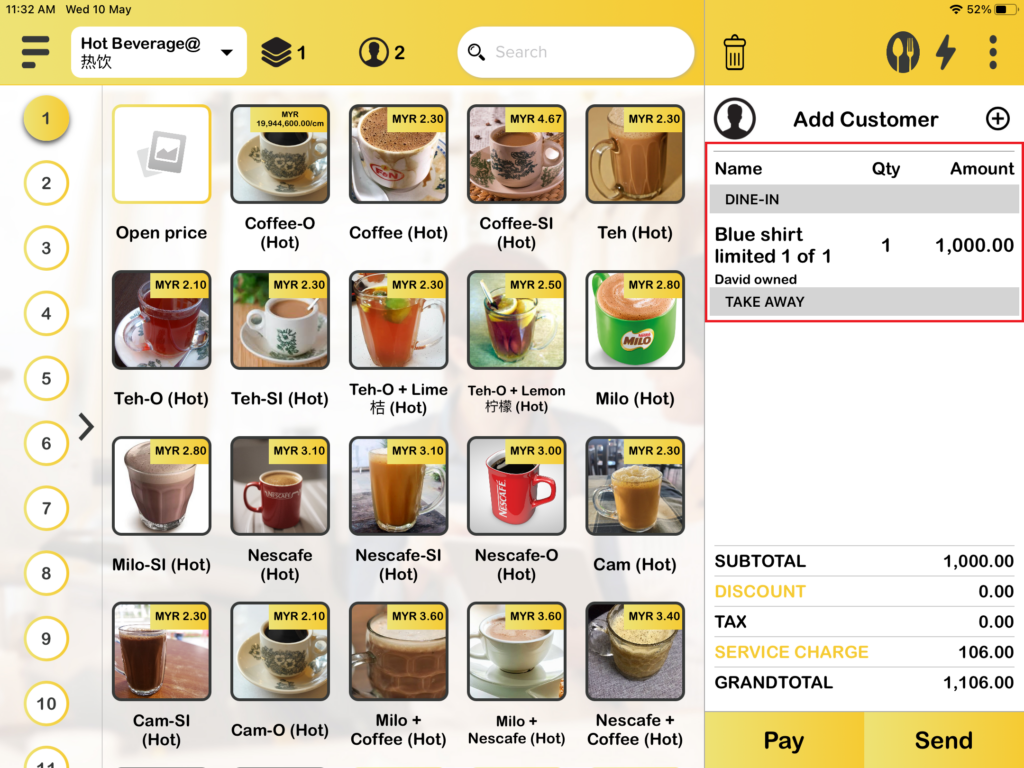
3. Lastly, the product had added to the cart.