How Can We Help?
How to turn on inclusive/exclusive tax settings in web admin?
Introduction
This post will guide you to turn on inclusive/exclusive tax settings in web admin.
How to turn on inclusive/exclusive tax settings?
- Look for the “Settings” on the left side of the panel and then expand into a subcategory.
- Then choose “Company Profile” to go to the page.
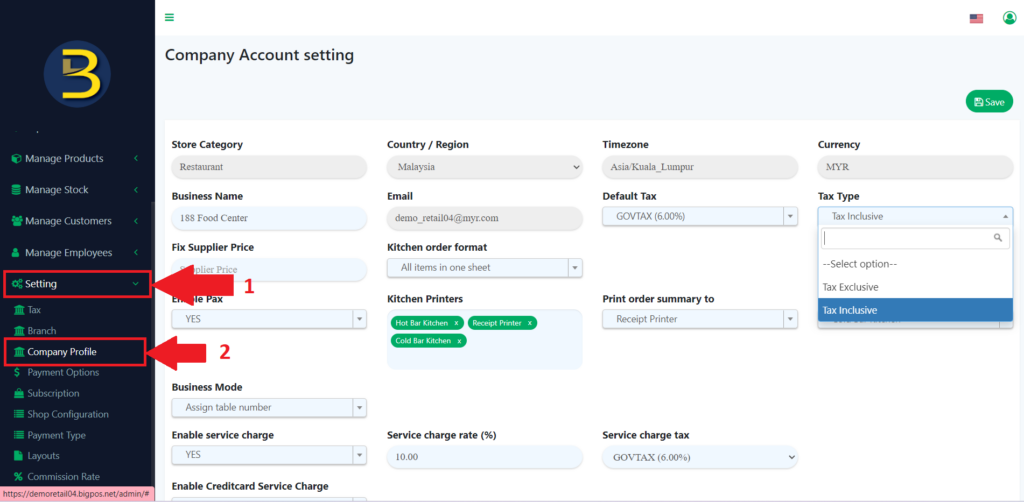
3. From the page choose “Tax Type”, it will give 2 options, you need to choose one and after choosing, you need to click to the “Save” icon to save the result.
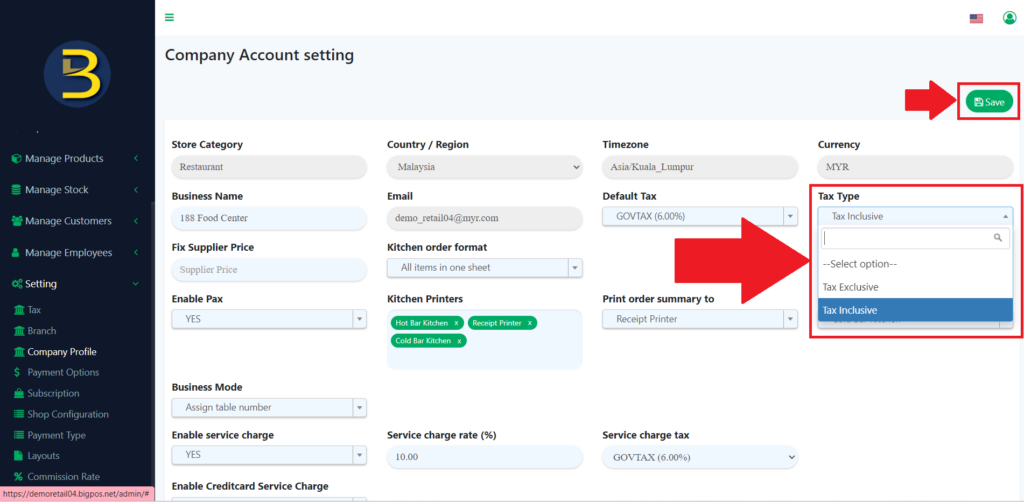
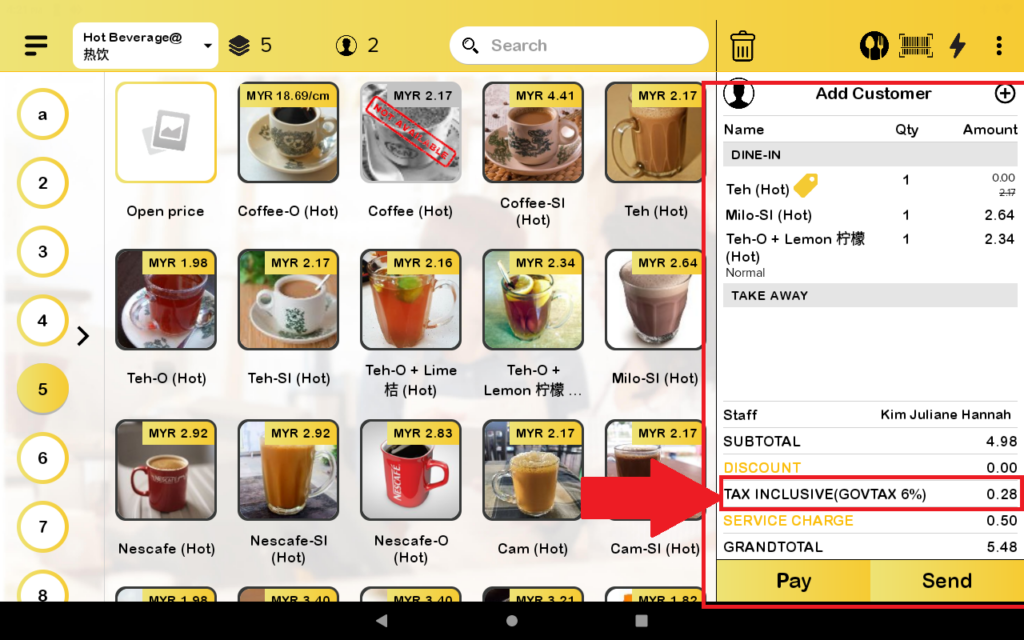
4. Then, the tax will be either inclusive or exclusive depends on default tax setup. Let’s say in above image, default tax is 6% then the overall tax for this account is Inclusive 6%.
5. The product with the inclusive tax will already be calculated at the early stage.
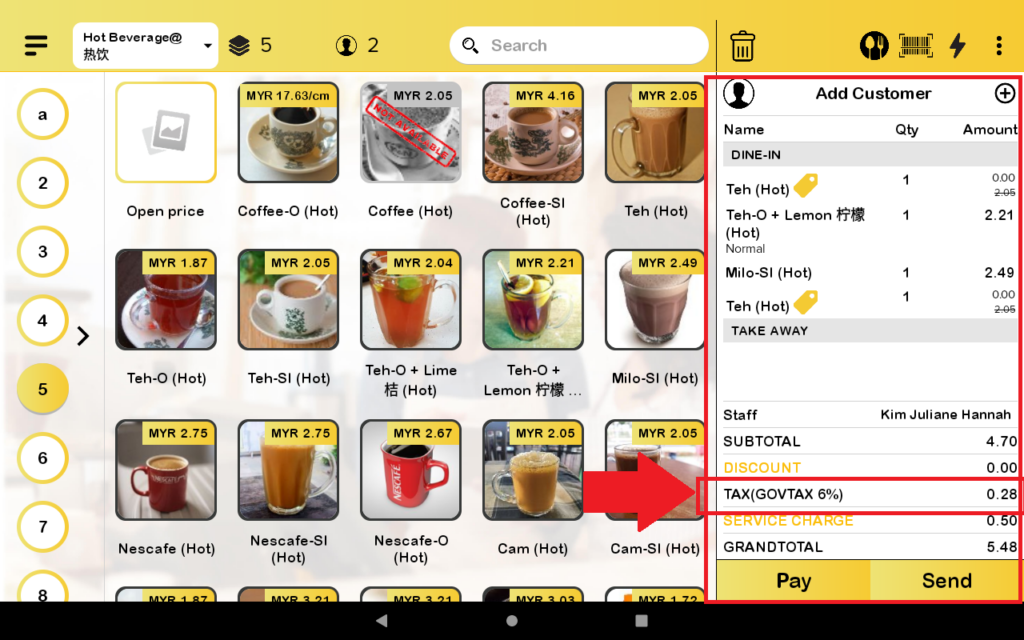
6. The product with the exclusive tax will be calculated at a later stage.