How Can We Help?
How to switch on the print extra margin for the kitchen docket function in BIGPOS Pro and Lite?
Introduction
This post will guide you on how to print the extra margin for the kitchen docket.
How to switch on the print extra margin for the kitchen docket function ?
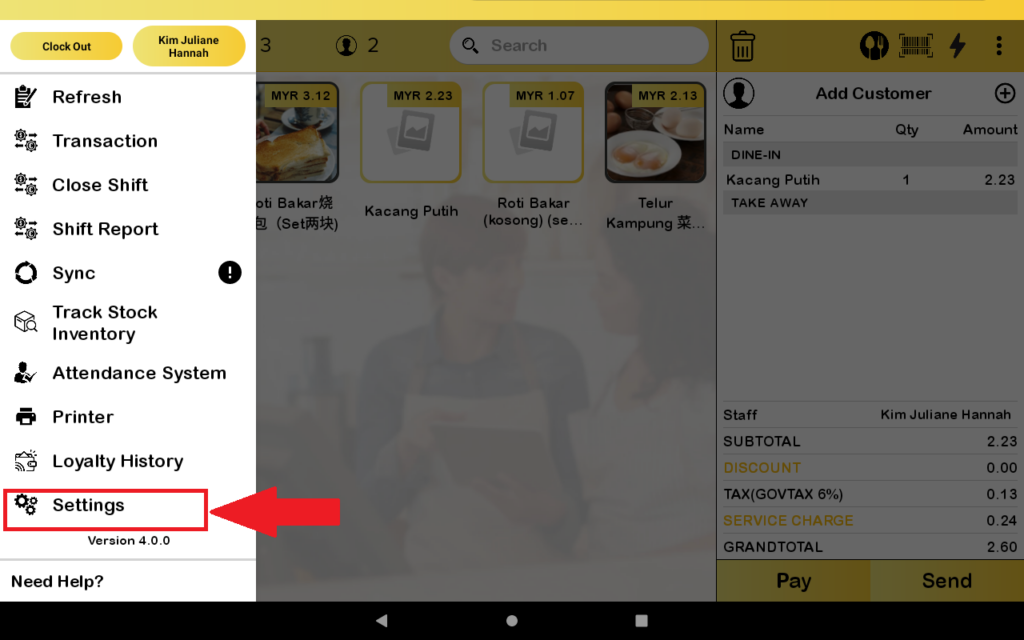
- First, you need to go to the “Setting”.
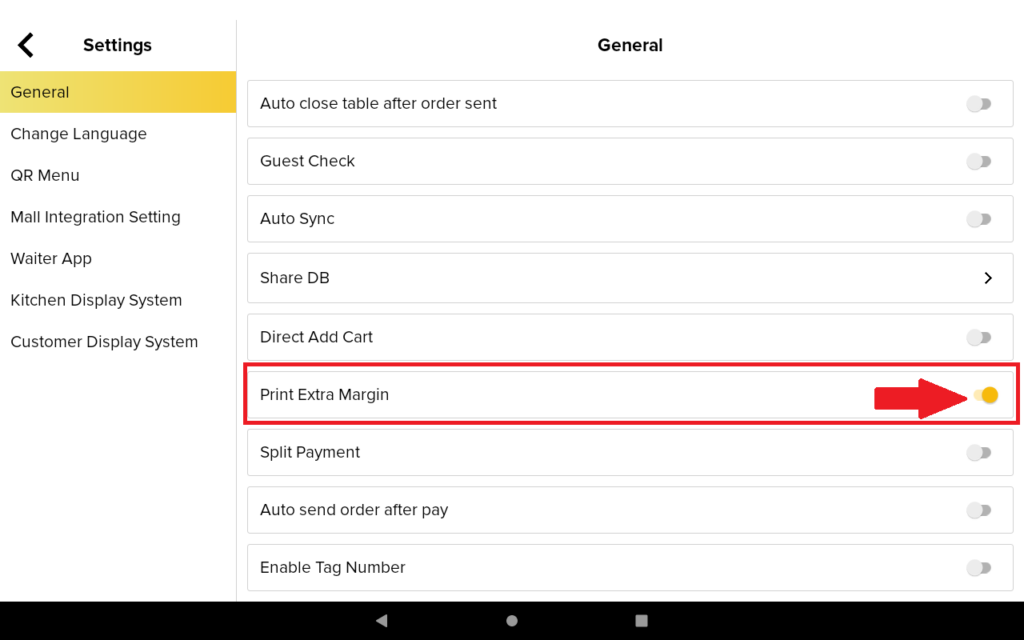
2. You need to toggle to the “Print Extra Margin”.
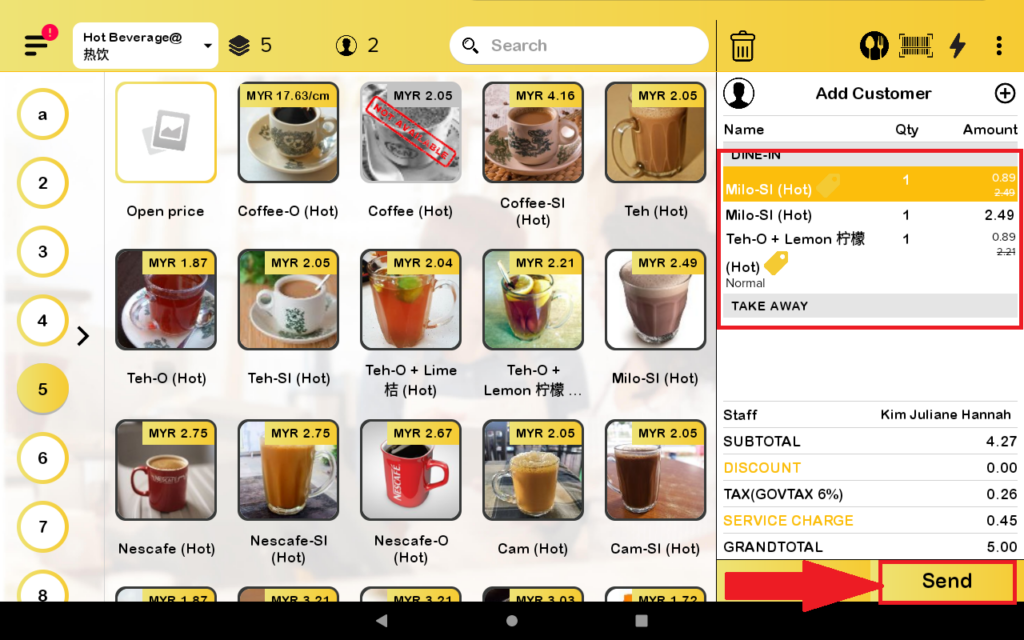
3. After that, you add some orders to the cart and then press send.
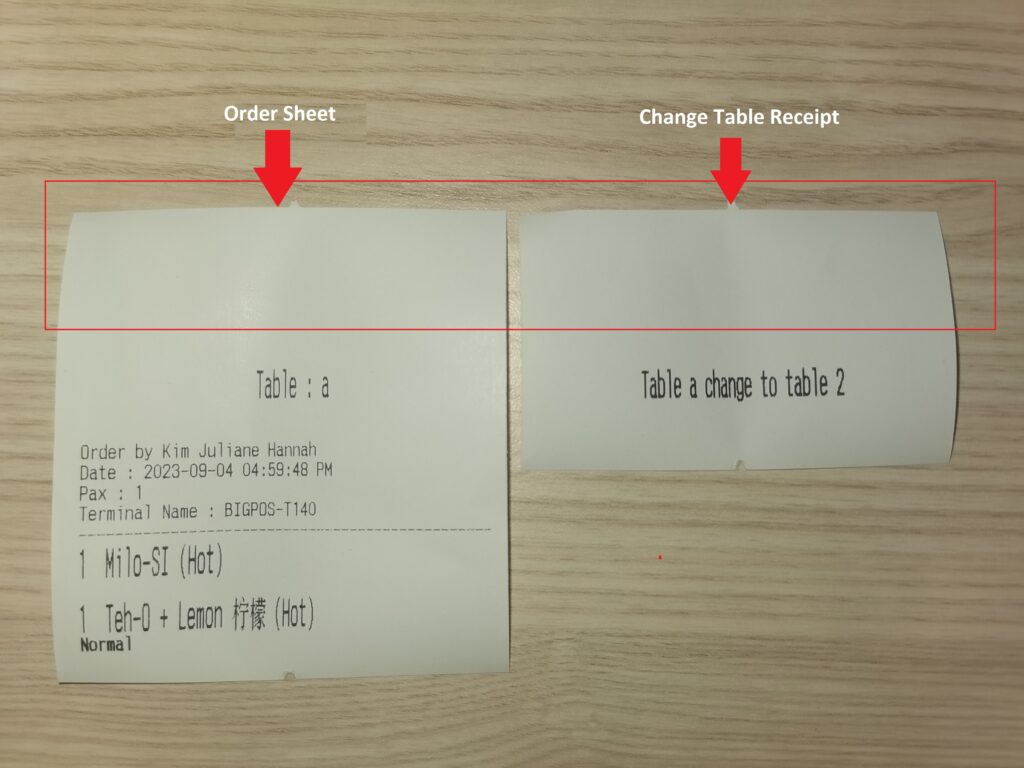
4. The order sheet will be printed out with an extra margin only. Other than that, the change table will also have an extra margin when printed out from the printer.