How Can We Help?
How to Switch between Grid View and List View?
Introduction
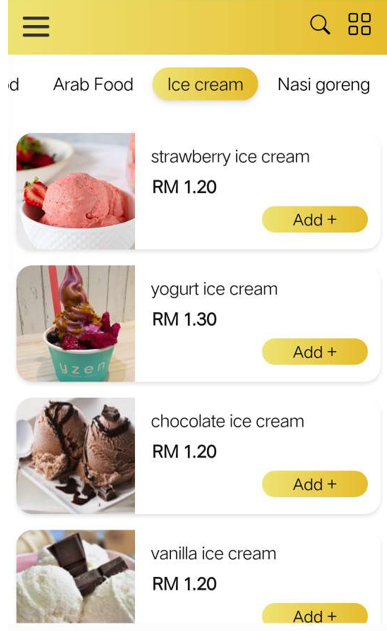
Your can switch between the classic List View and Grid View by tapping the icon on top right corner.
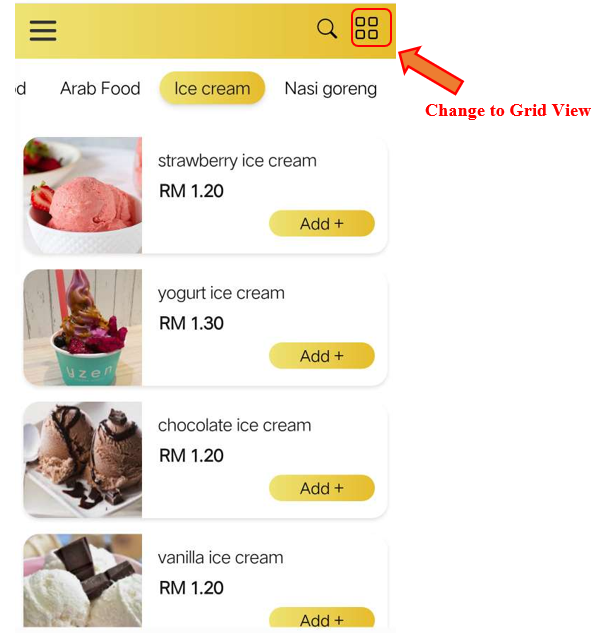
Change to Grid View
1. Click on the Grid View icon on the top right corner shown in QR menu.
2. All products are now shown in grid view.

Change to List View
1. Click on the List View icon on the top right corner shown in QR menu.
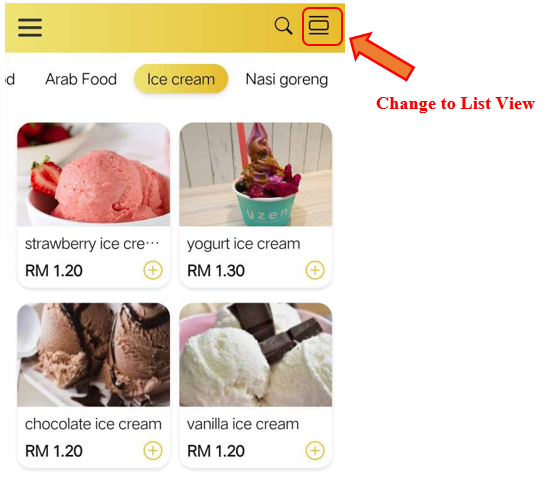
2. All products are now shown in list view.