How to setup and use Revenue Monster Terminal in the BIGPOS Pro and Lite?
Introduction
This post will show you how to connect and use the Revenue Monster terminal in the BIGPOS system.
How to setup Revenue Monster Terminal in the BIGPOS system?
1. First, you need to open BIGPOS Pro or Lite and go to “Settings” and toggle on “RM Terminal“.
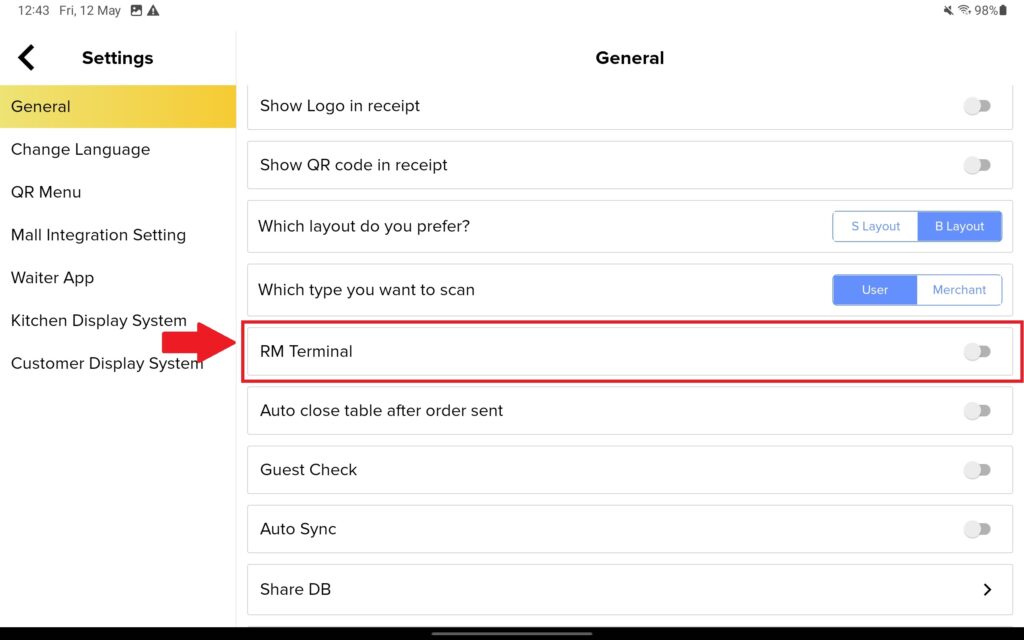
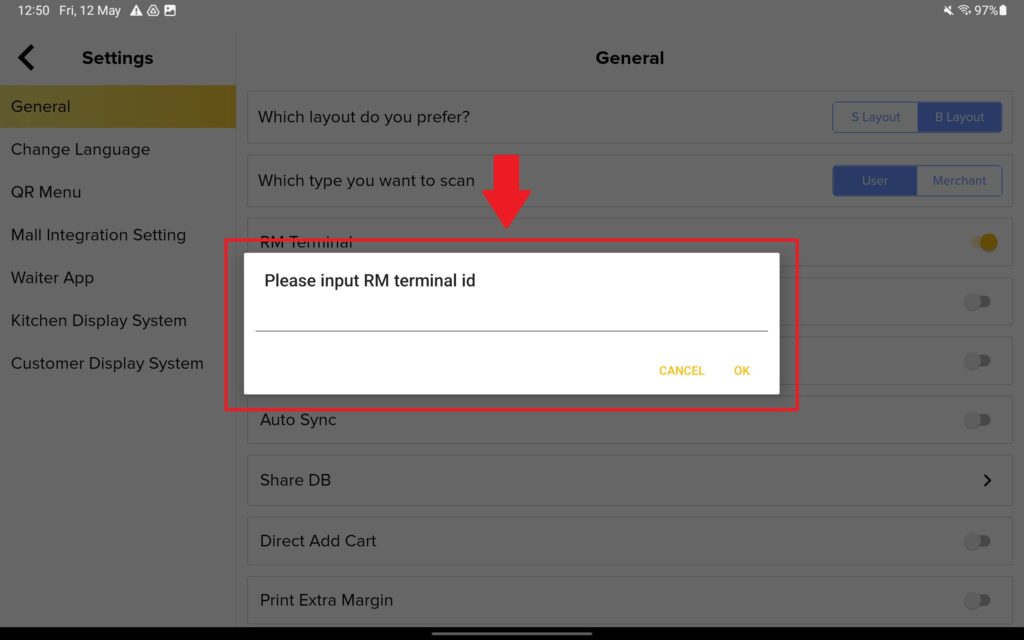
2. After toggling on the “RM Terminal“, you need to get the terminal id from the Revenue Monster website.
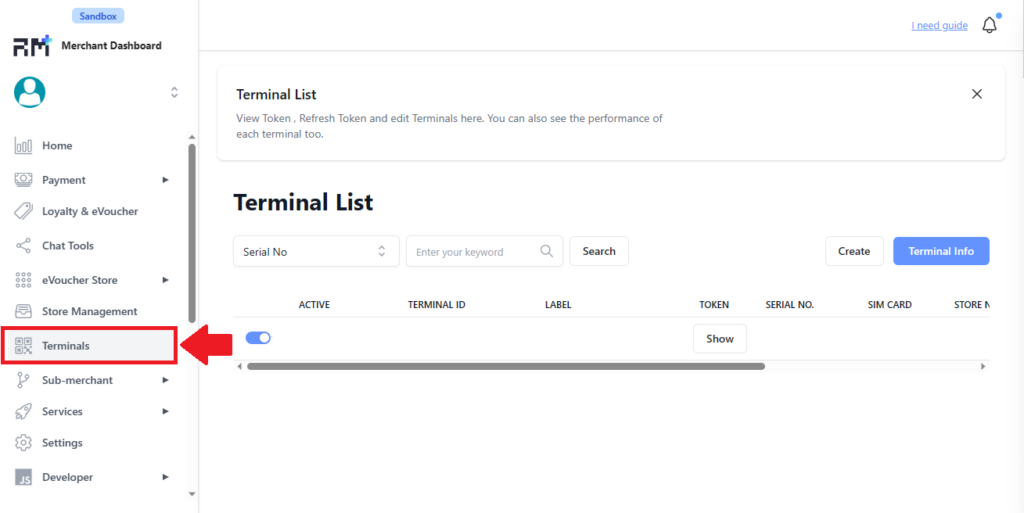
3. After login to Revenue Monster, you need to click on “Terminals“.
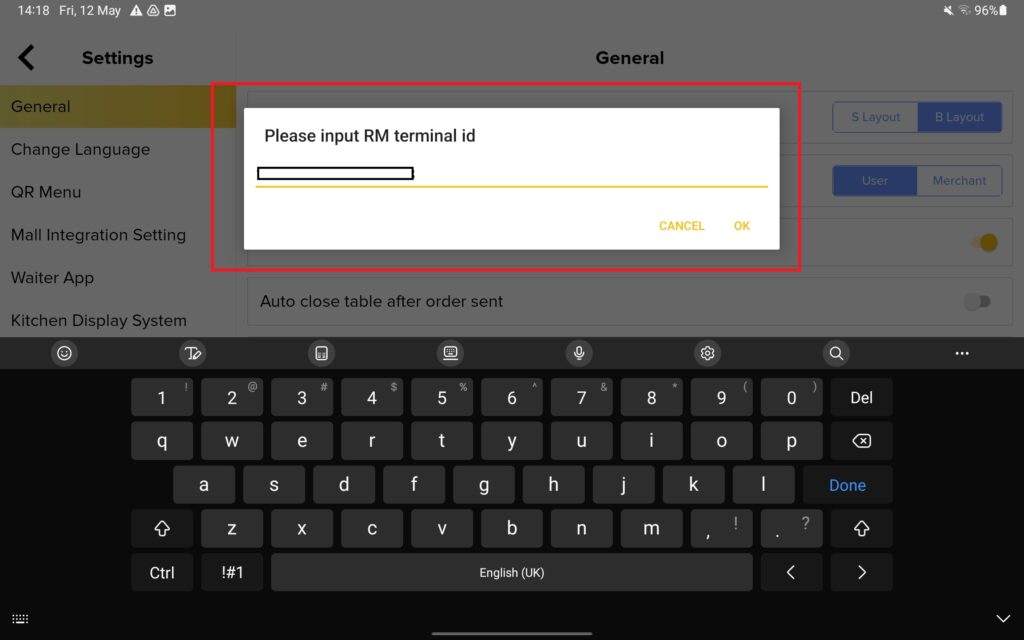
4. Then you need to copy this TERMINAL ID into BIGPOS App RM Terminal setting.
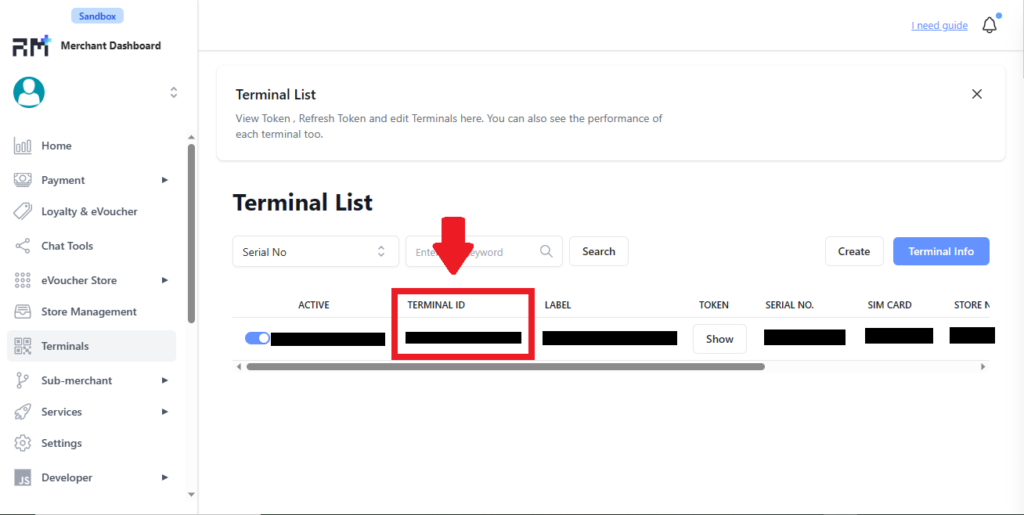
5. Copy and paste the Terminal ID inside here and click “OK“. That is how you setup your Revenue Monster Terminal.
How to use Revenue Monster Terminal with the BIGPOS system?
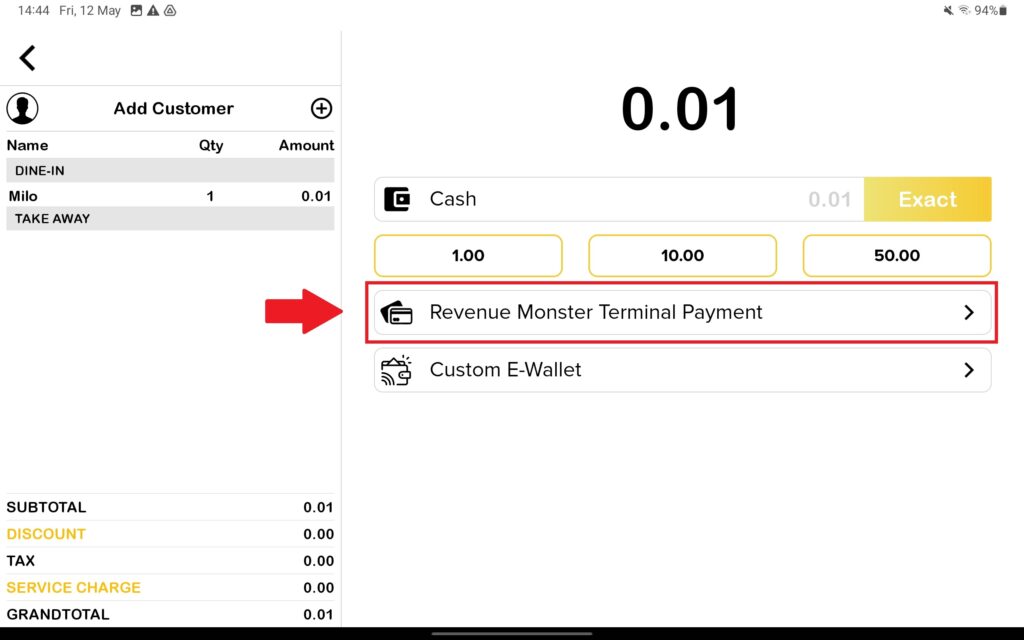
- First you need to create an order and proceed to payment page. Then, press on “Revenue Monster Terminal Payment” to proceed payment.
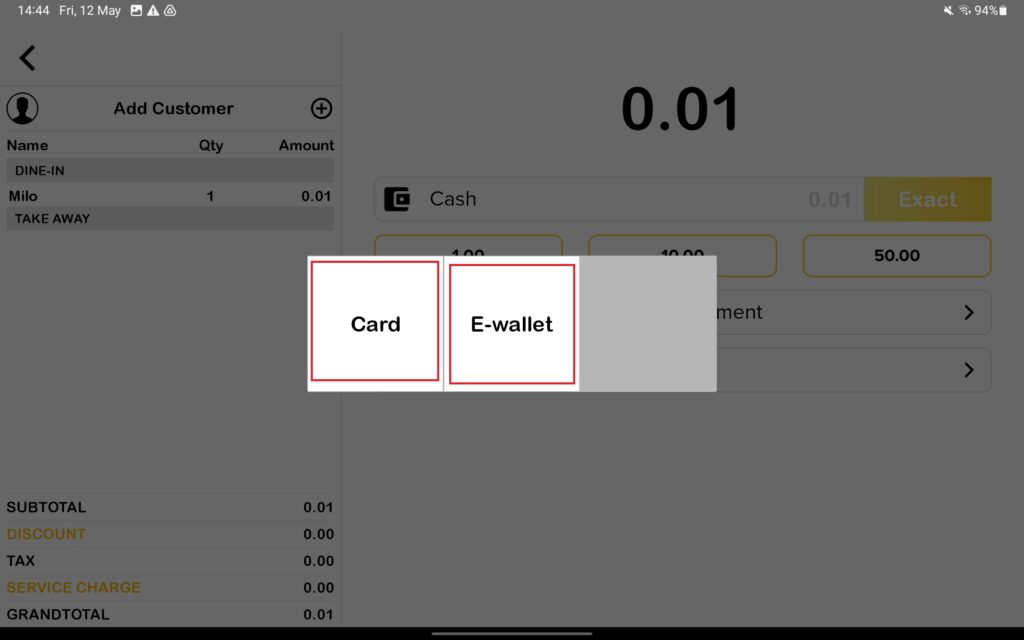
2. There are two option payment method which is card or E-wallet.
3. Let’s start with Card Payment Method. When you press on Card payment method, it will display the image below.
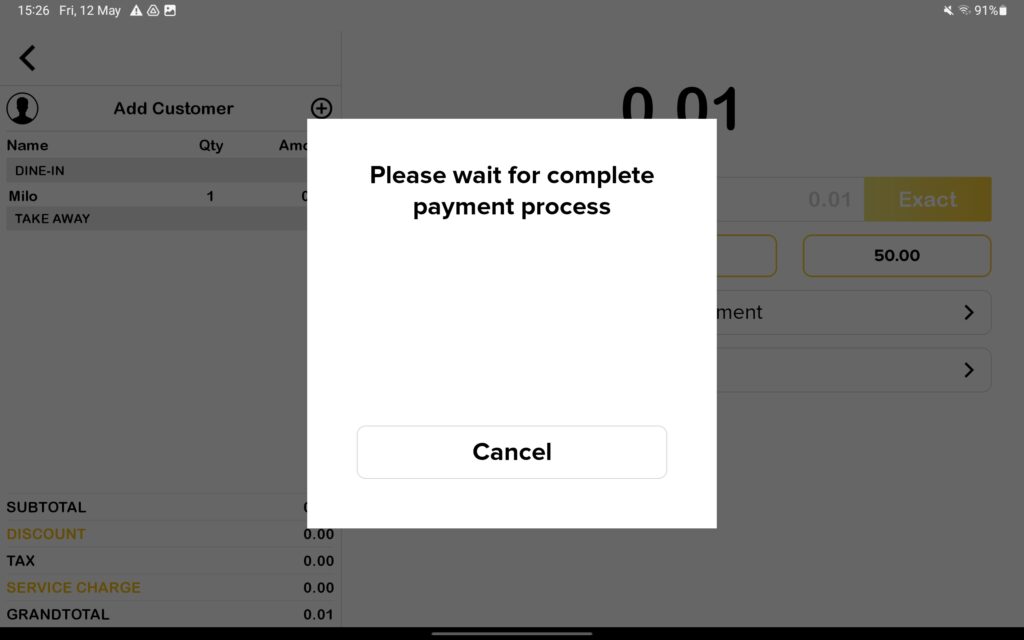
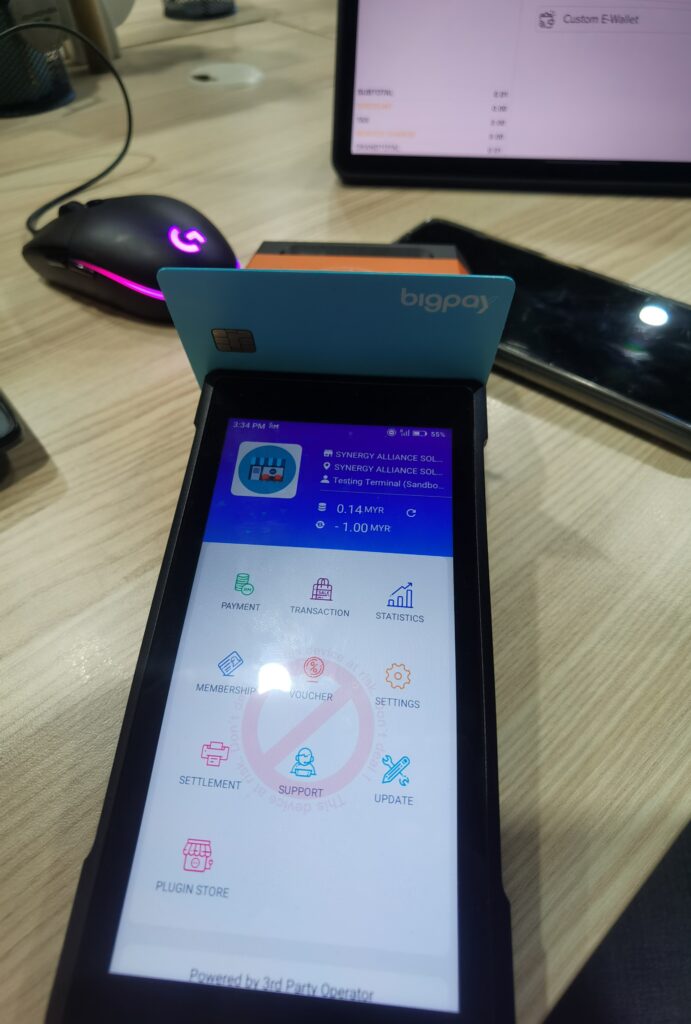
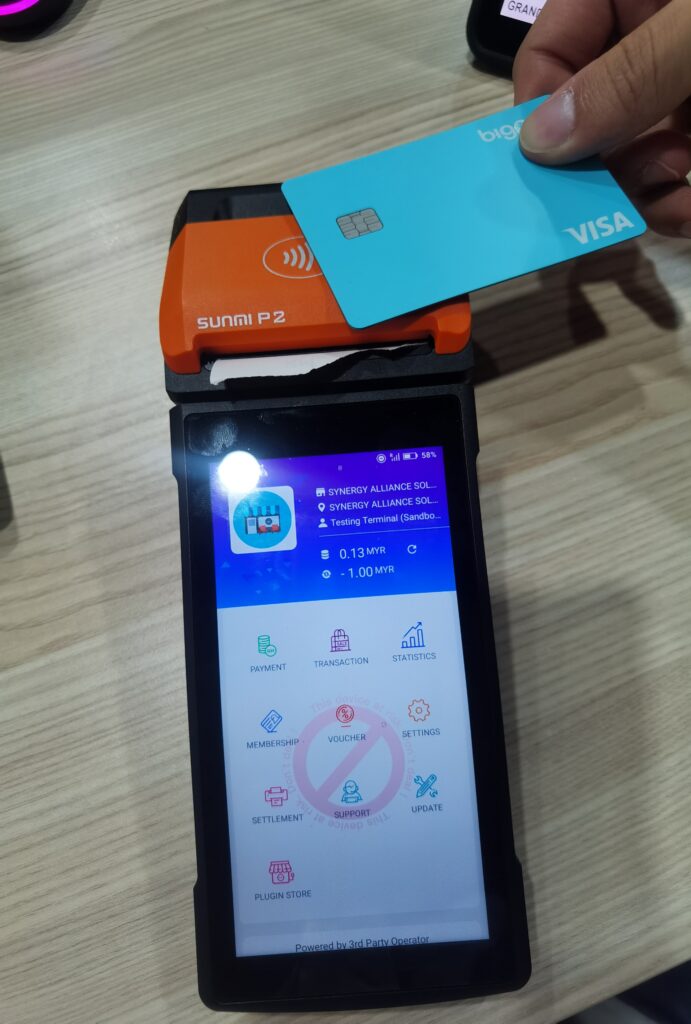
While the Revenue Monster Terminal will automatically change to Insert card/Swipe card/Wave card page. You can perform card transaction in 3 ways which is Insert card, Swipe card, or Wave card.
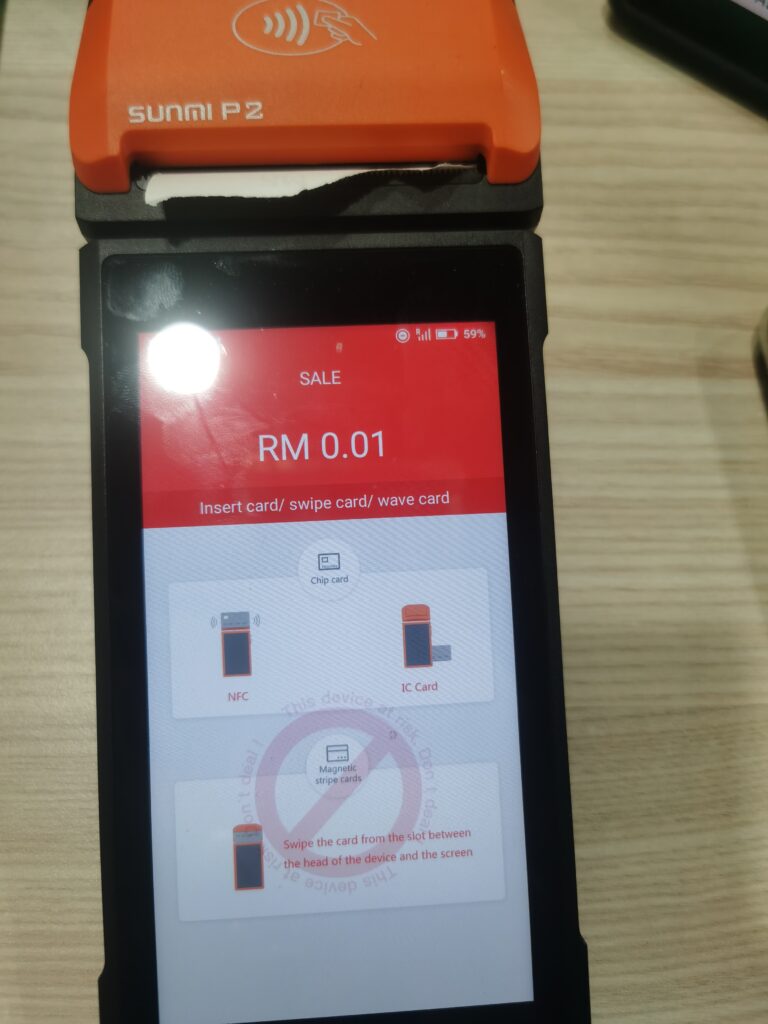
Insert card
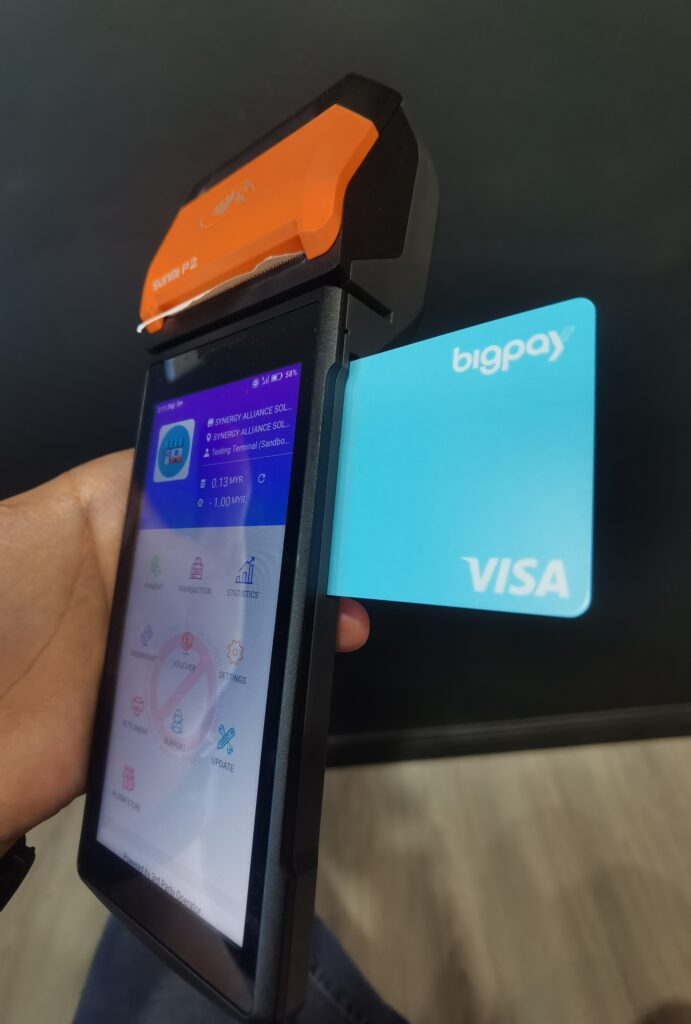
Swipe card
Wave Card
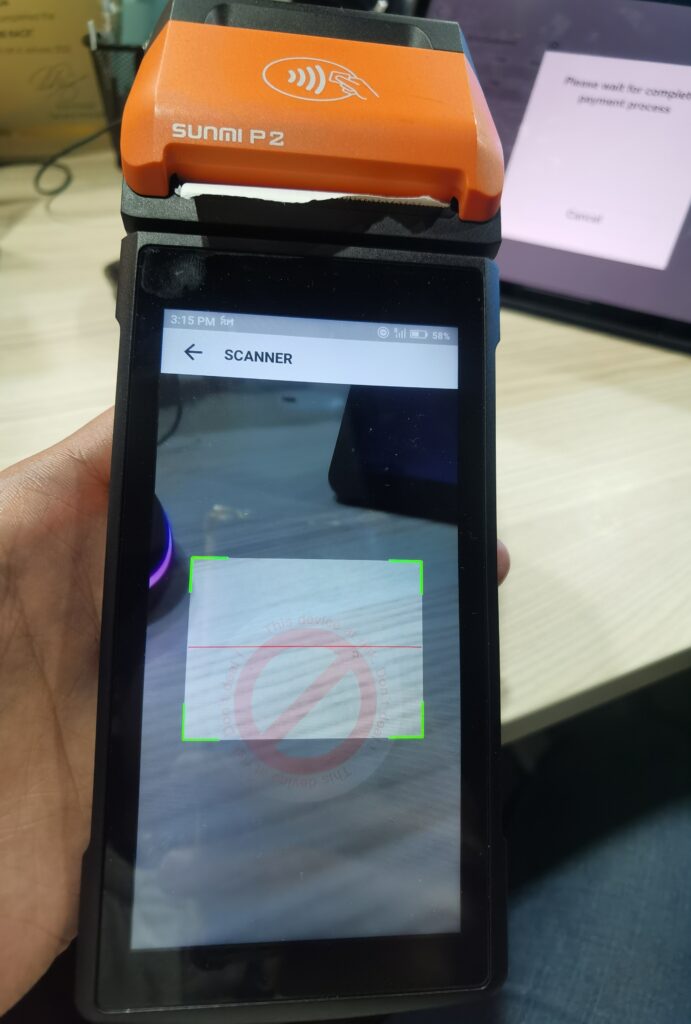
4. Then now start with E-wallet Payment Method. When you press on E-wallet payment method, it will display the image below.
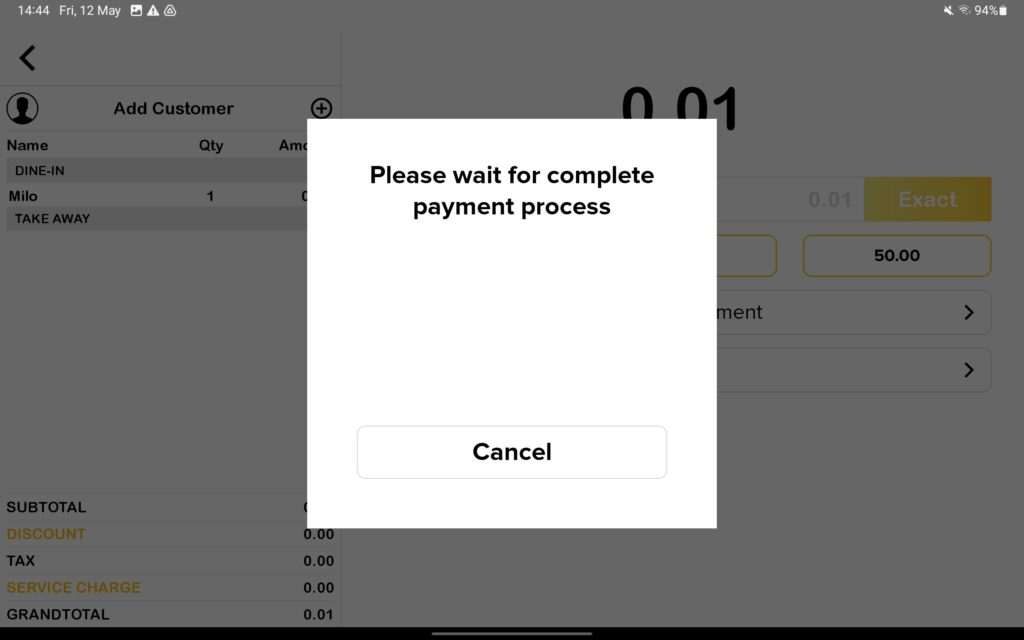
While the Revenue Monster Terminal will automatically change to scanner page to scan E-wallet QR Code.
Refund and Cancel RM terminal
RM terminal only allow full refund. If customer want to perform full refund from Bigpos apps, please use ‘Cancel’ button to refund the transaction. For your information, RM terminal allow cancel and will refund money to both ‘Ewallet’ and ‘Card’ depends on customer payment method.
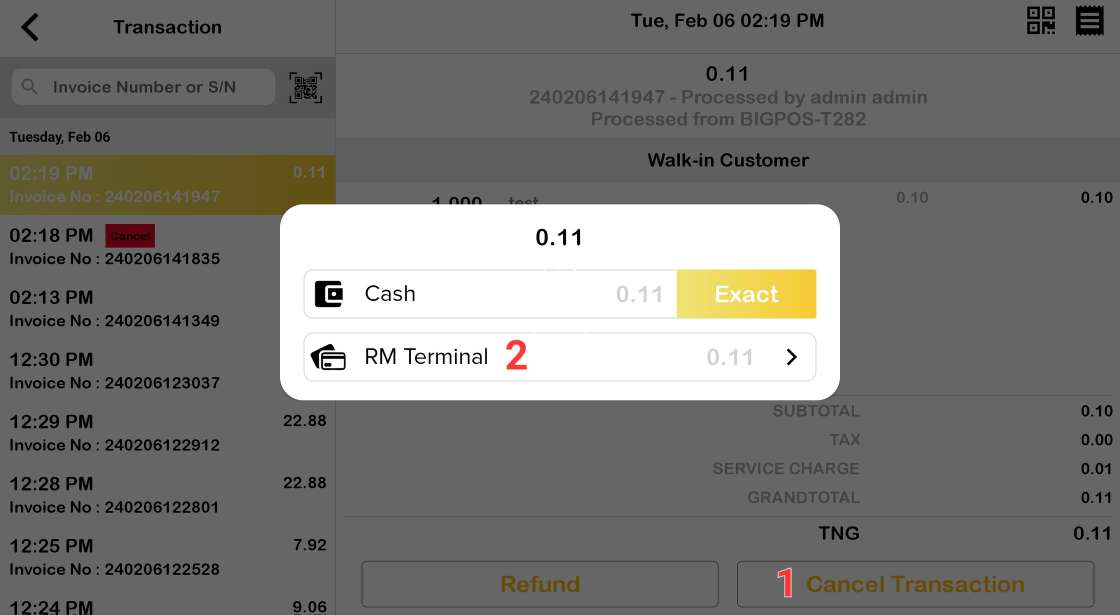
1. Open transaction page >> Select refund transaction >> Click ‘Cancel Transaction’ button
2. Payment method will pop up to let customer choose cancel with Cash or RM terminal.
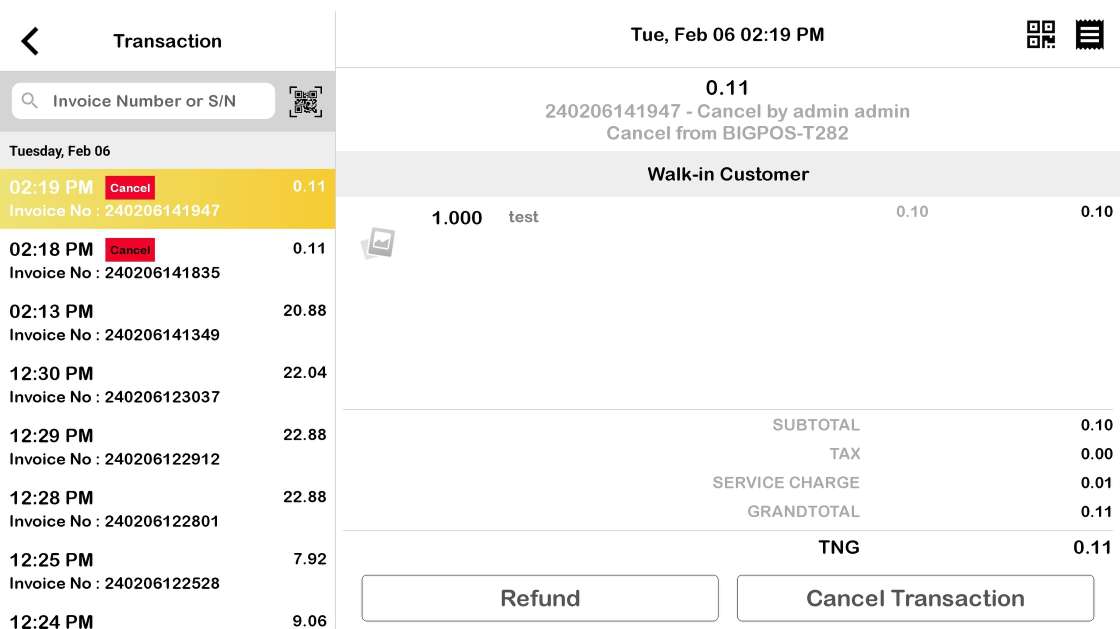
So after cancel done, RM terminal will deduct the payment from the list and transaction auto cancel from Bigpos Apps.
If customer click ‘Refund’ button, only cash payment method display.
Notes (Current behavior)
- If you perform cancel orders in Revenue Monster terminal, it will not automatically cancel the transaction. BIGPOS App need to manually perform cancel orders by select cash option only.