How Can We Help?
How to perform Reprint Kitchen Order Function in BIGPOS Pro and Lite.
Introduction
This post will assist you with how to perform the reprint kitchen order function in BIGPOS Pro and Lite step by step.
How to perform the reprint kitchen order function?
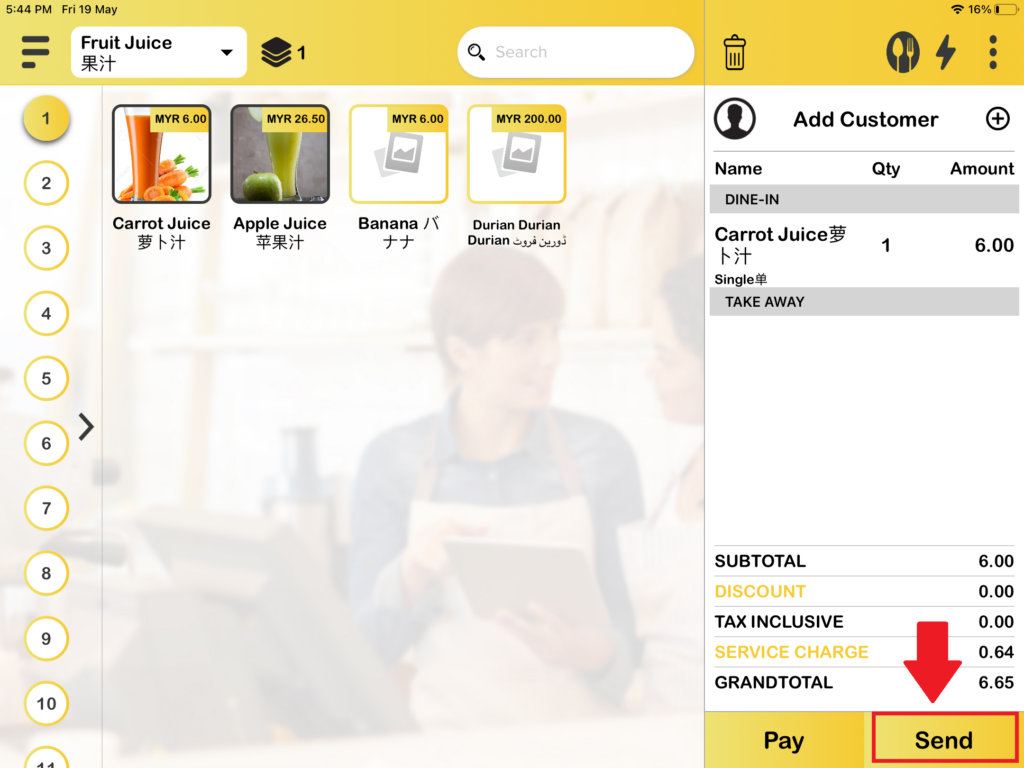
1. First, you need to add the product to the cart and press the “Send” button.
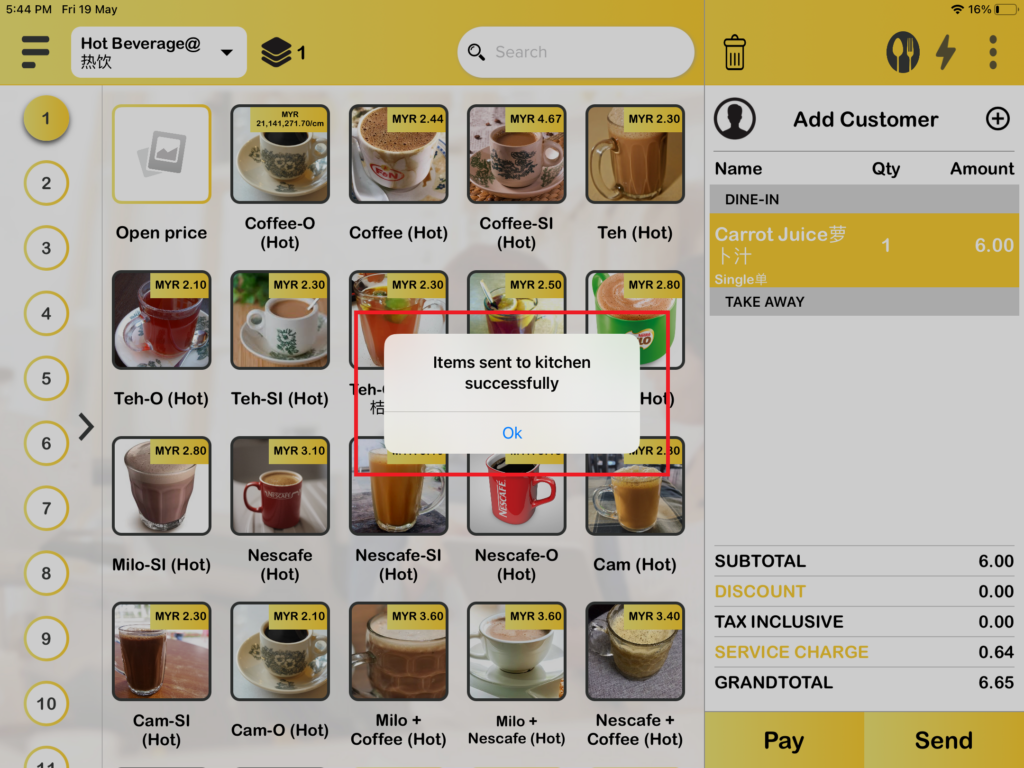
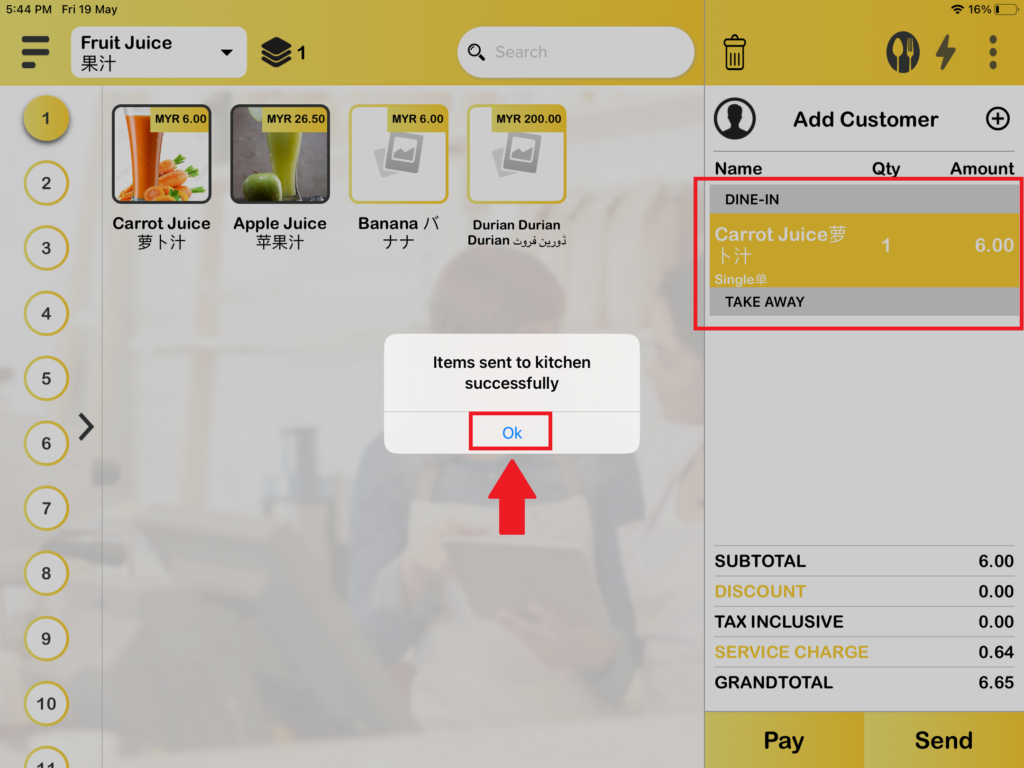
2. Then you will see the yellow highlight which means the product in the cart is already sent to the kitchen and there is a message told you ‘Items sent to kitchen successfully’. Press “Ok“.
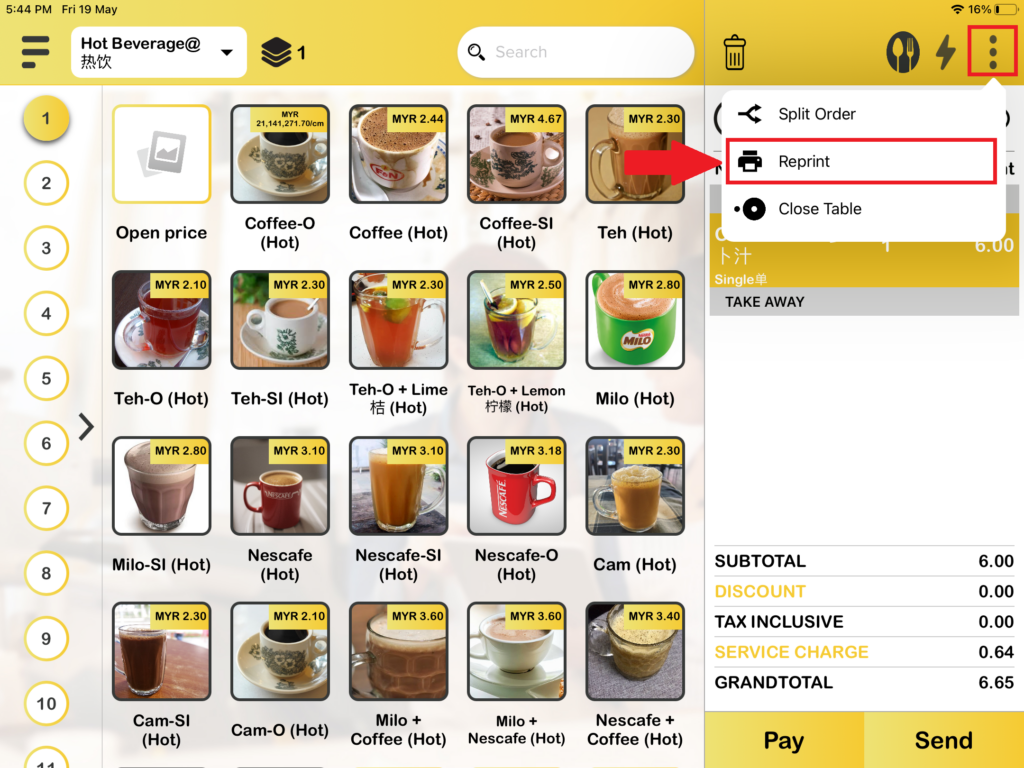
3. And now, you need to choose on “Reprint“.
4. Then, you can select which product to perform reprint and press “Send“.
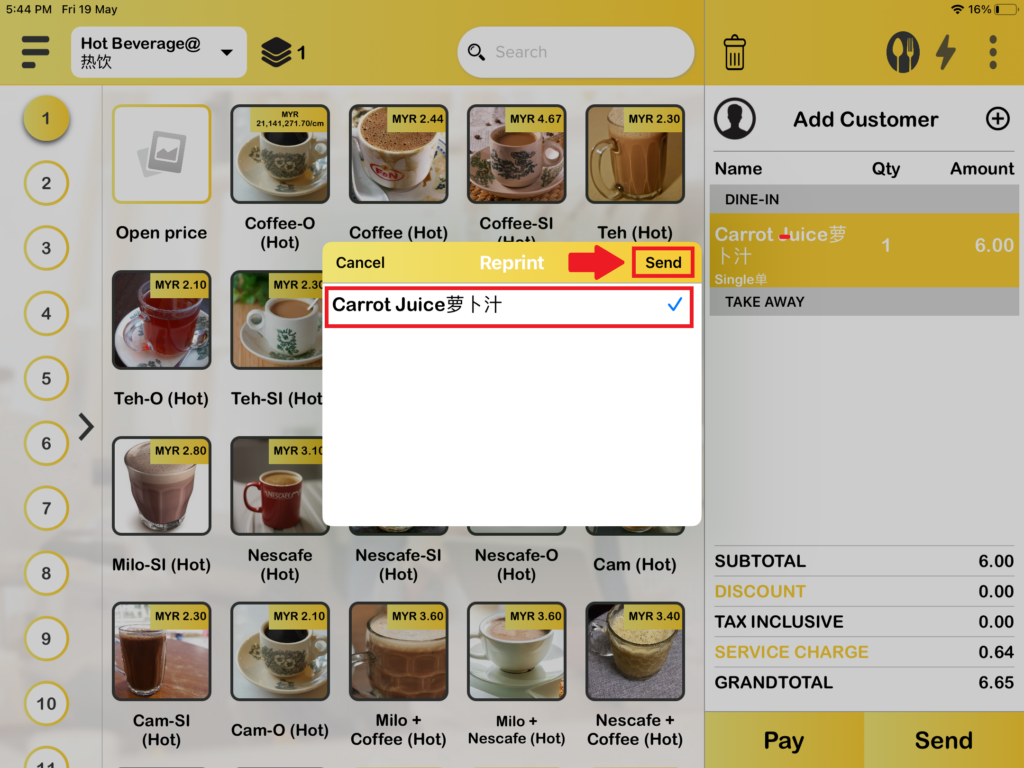
5. After pressing “Send“, the reprint function is successfully performed.