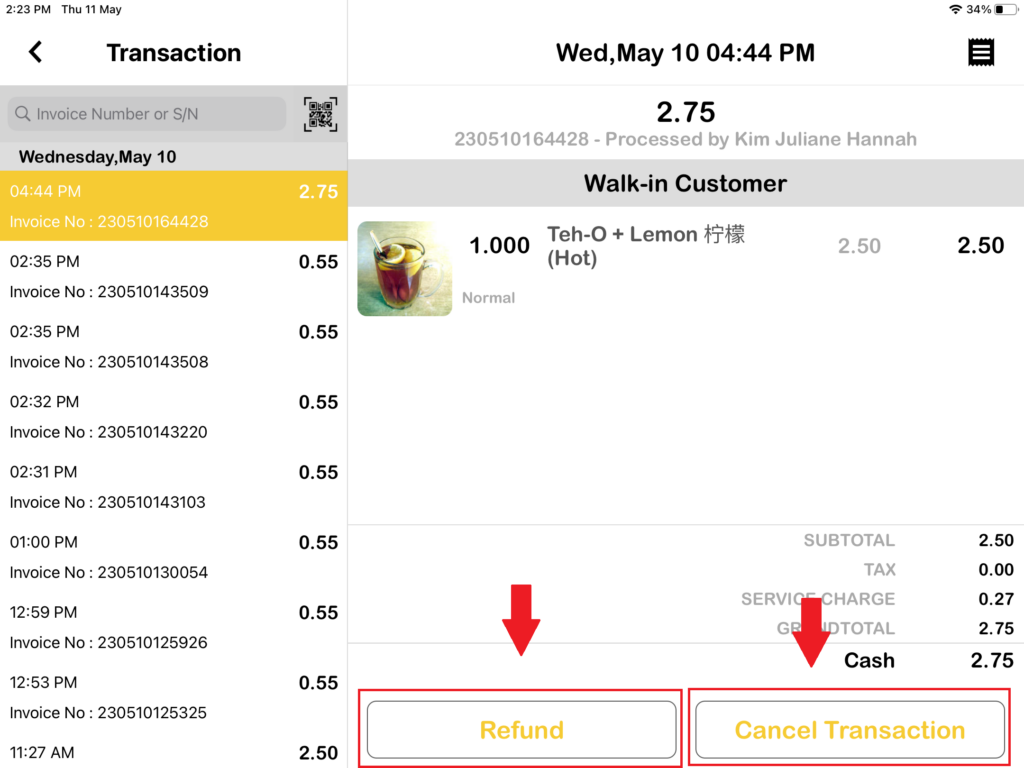
How to perform a Refund or Cancel a Transaction with Authorized Approval in BIGPOS System?
Introduction
This post will assist you in how to use perform a Refund or Cancel a transaction with authorized approval.
How to perform a refund or cancel a transaction with authorized approval in BIGPOS System?
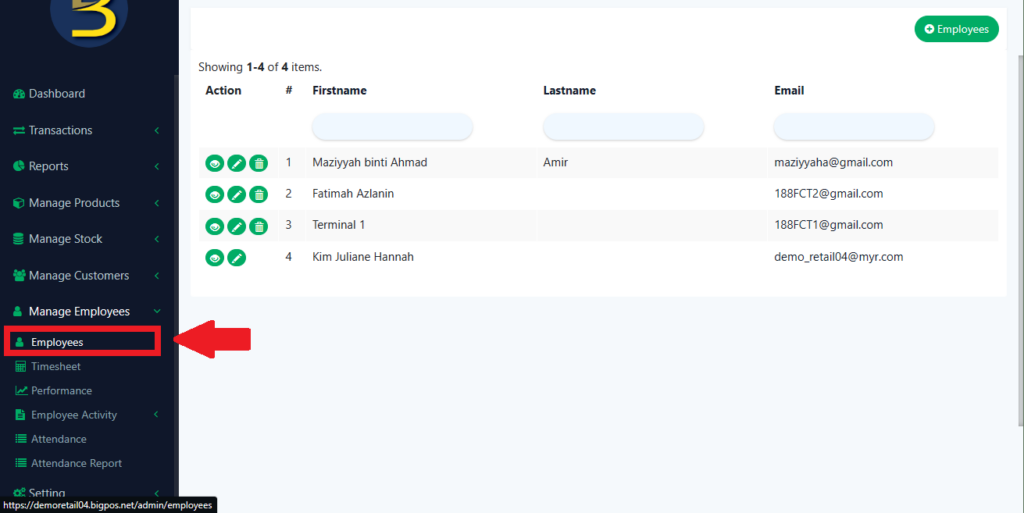
1. First, you need to go to web admin and click on “Employees“.
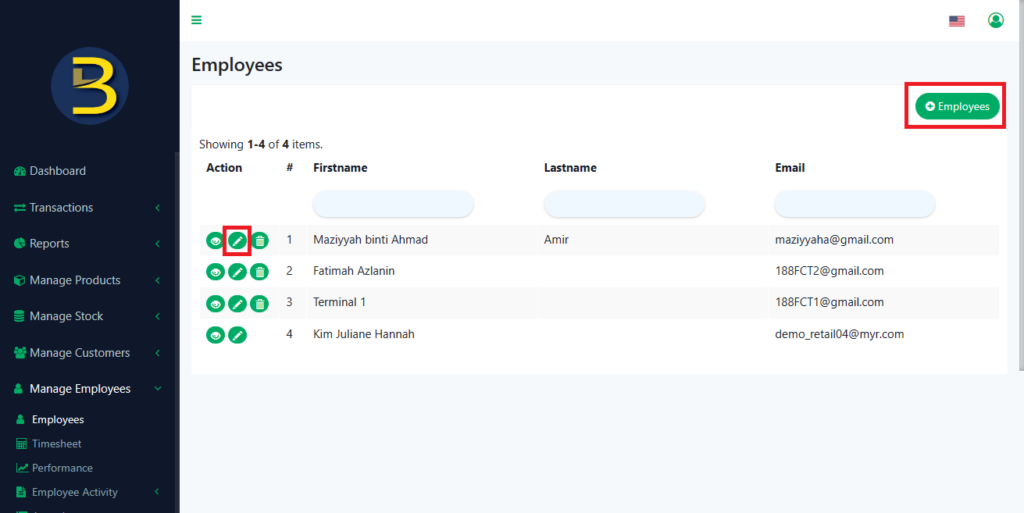
2. If you don’t have any employees, you can add new employees. If you already have employees, just edit them. Find any employee that you trusted and choose the edit button.
3. You need to remember this employee’s PIN because this employee’s PIN unlocks every action performed by other employees and this employee role is Store Manager. Then, you need to scroll to the bottom, and you will see Access Control. Tick the “Back office” and select “Grant All Back-office Access“. After that, click “Save“.
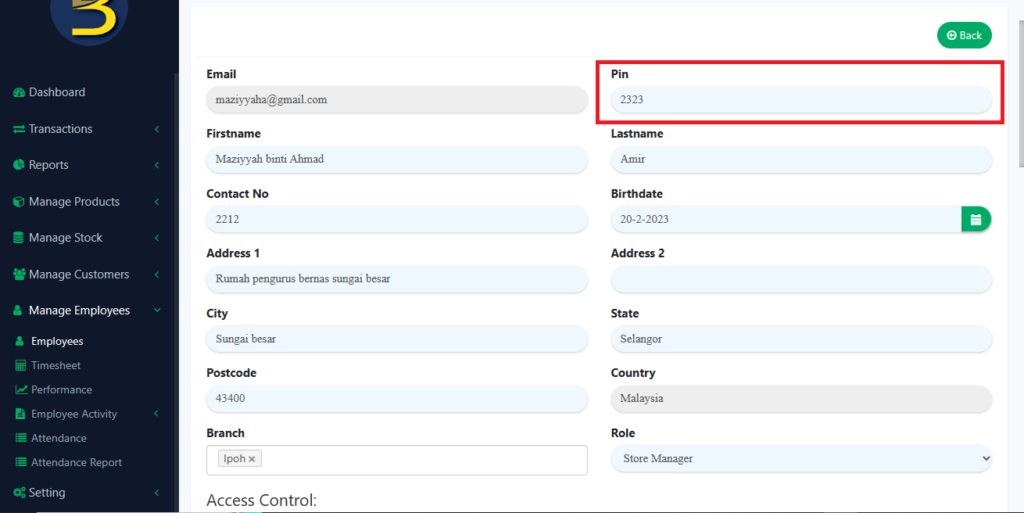
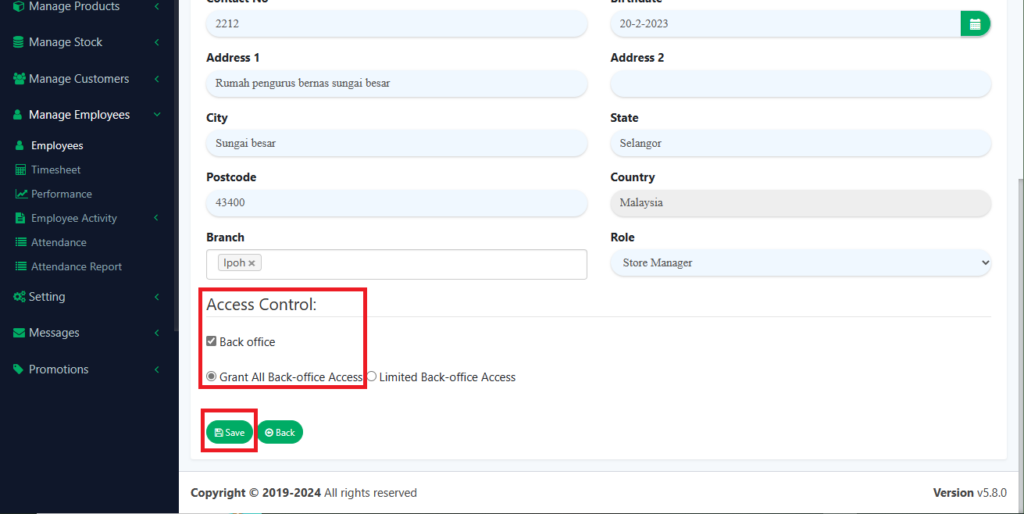
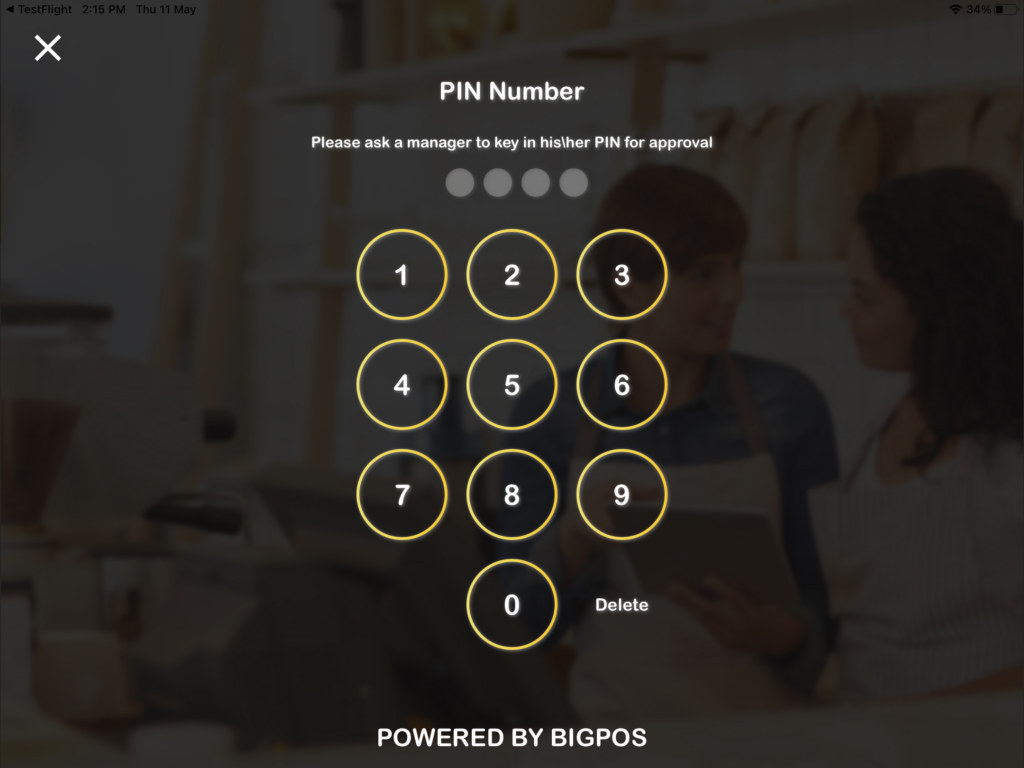
4. And now, other employees who want to perform a Refund or Cancel a transaction need Store Manager PIN to proceed. Which PIN Number is 2323.