How Can We Help?
How to open the transaction history in web admin?
Introduction
This post will guide you to see the transaction history in the web admin.
How to open the transaction history?
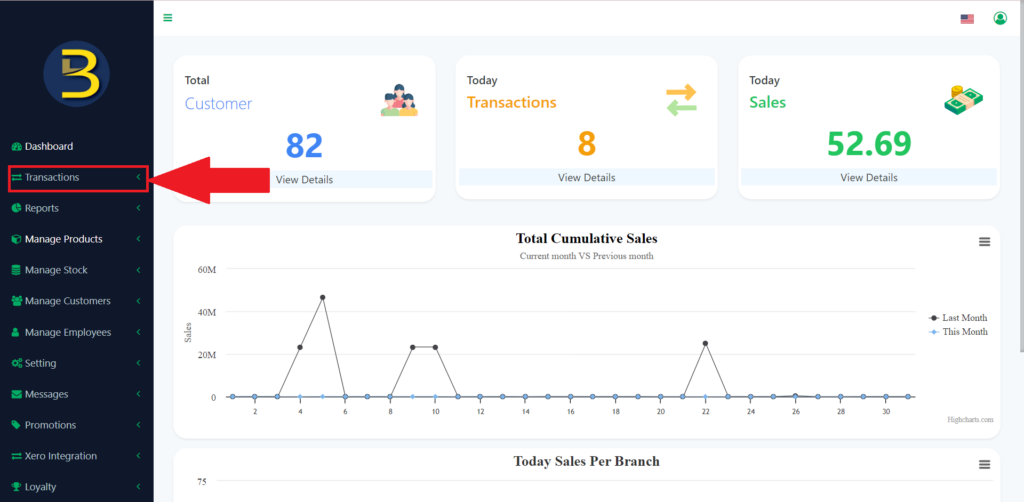
- Click on the “Transactions” button.
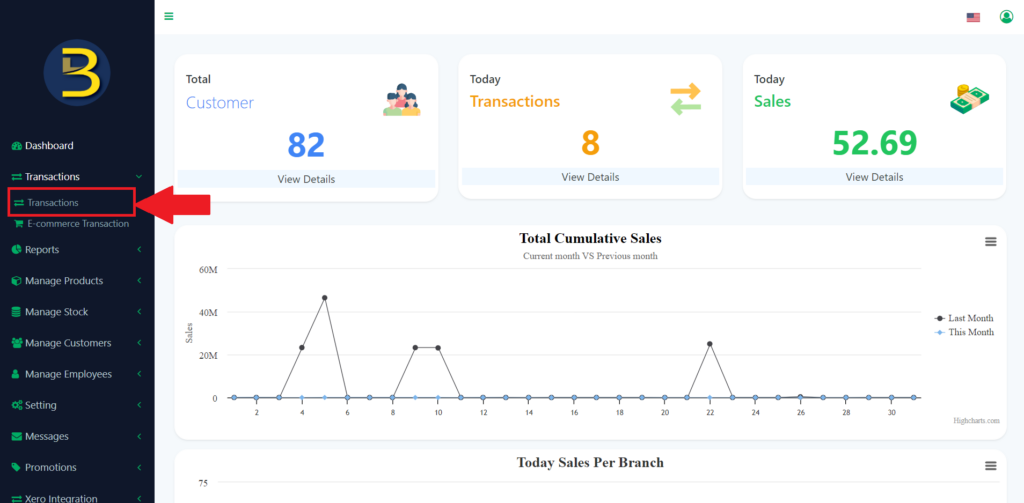
2. It will expand and then click on “Transactions”.
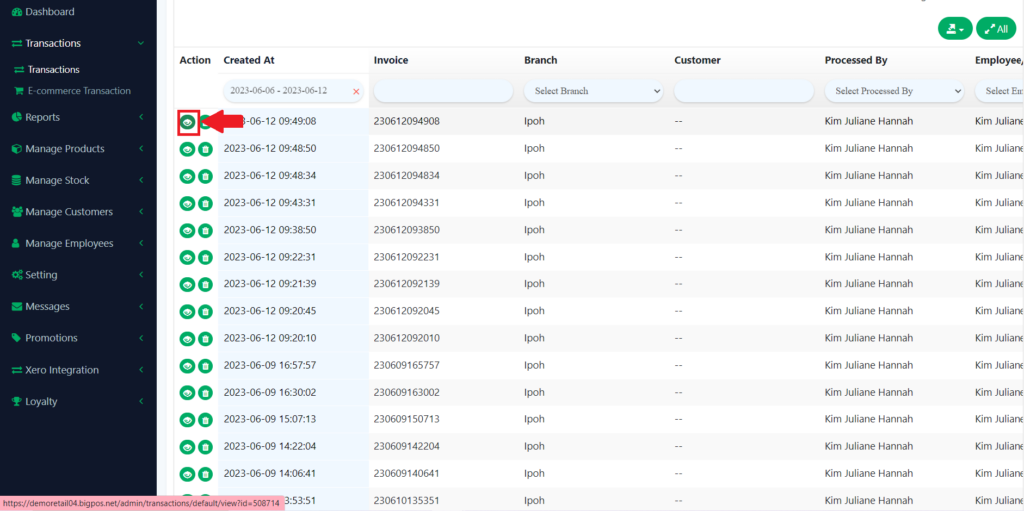
3. Then, you can use the search button in different categories to search for certain transactions.
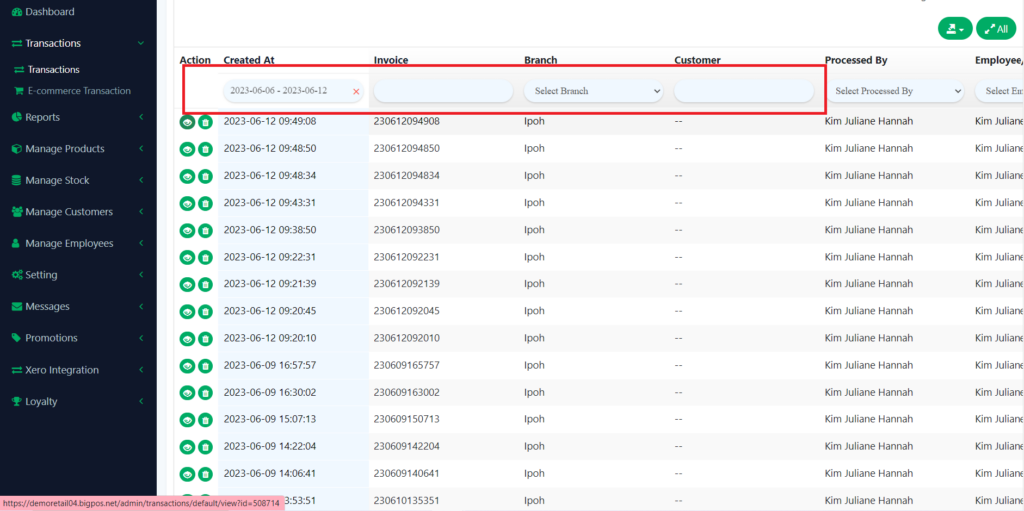
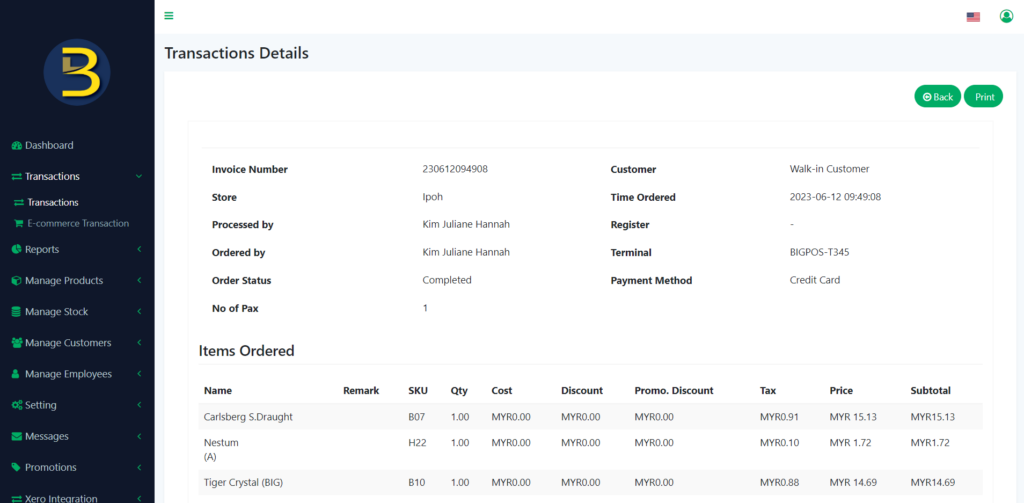
3. Then, click on the view button to view the transactions detail.