How Can We Help?
How to manage multiple printer tag in web admin?
Introduction
This post will guide you to managing multiple printer tags in web admin.
How to manage multiple printer tags?
- You need to look for the “Setting” in the left panel to expand the subcategory.
- From the subcategory, look for the “Company Profile” to redirect you to the page.
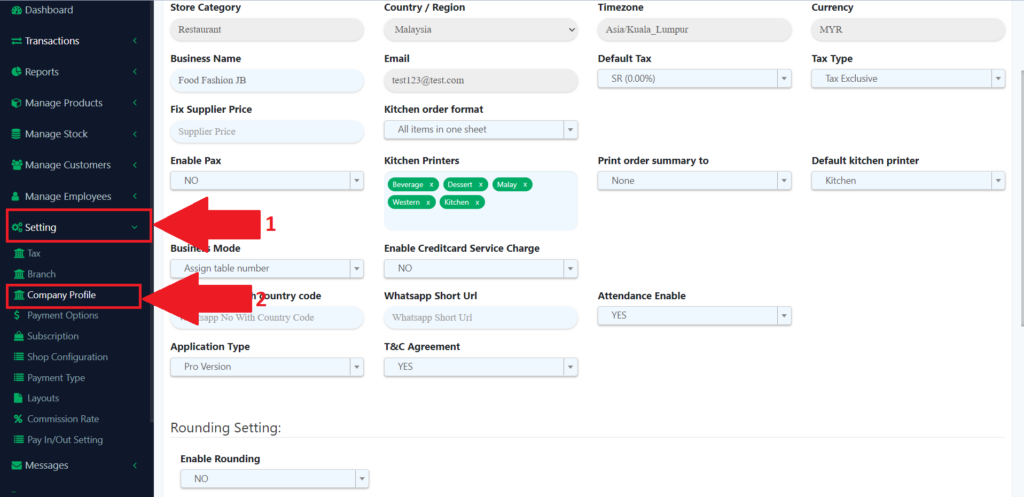
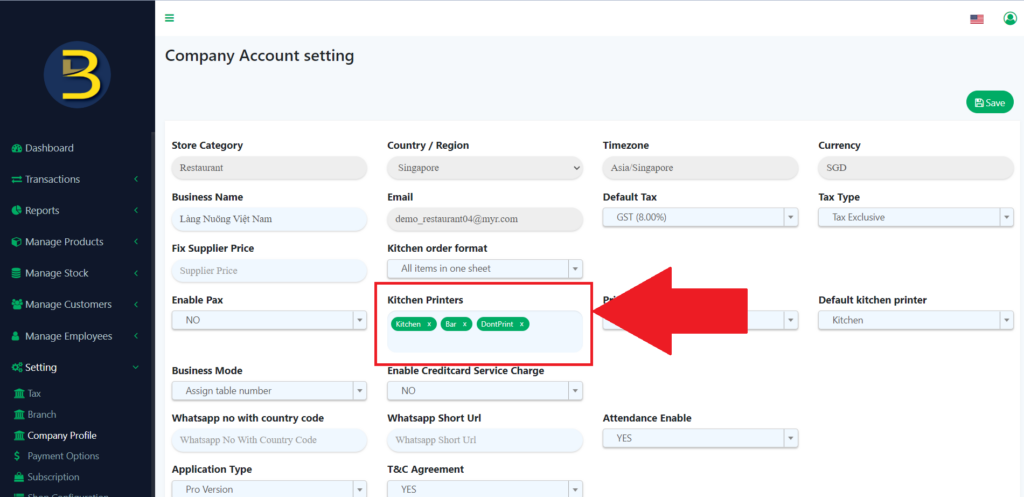
3. From the page, look for the kitchen printers, then add which kitchen printer tags.
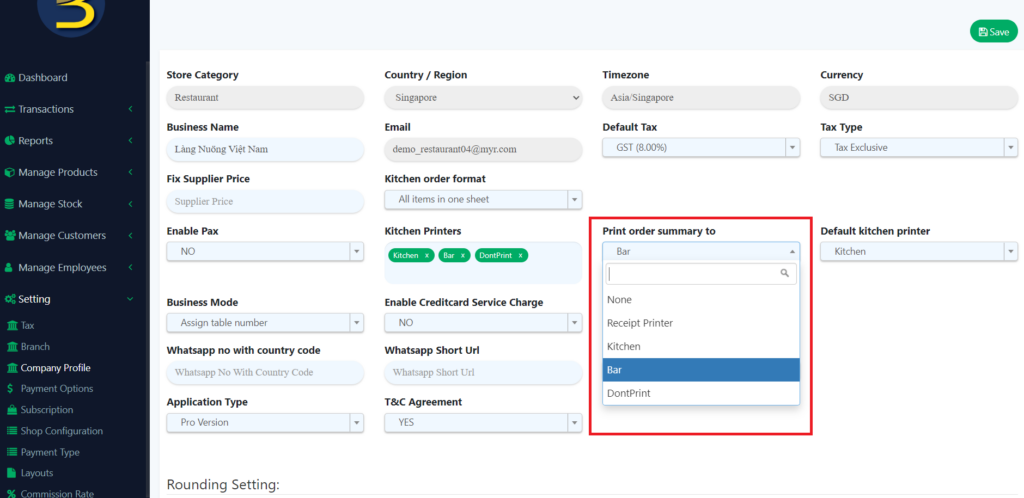
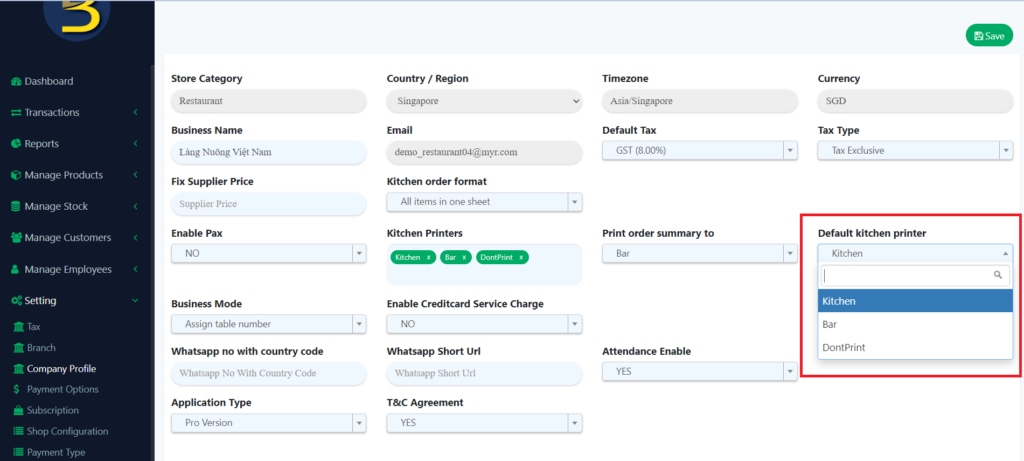
4. After you have added the kitchen printer tag, you need to choose the printers for the order summary and default kitchen printer
5. Then from the app, you will see a few printer tags for you to print.