How Can We Help?
How to enable or disable non-cash rounding in web admin?
Introduction
This post will guide you on how to enable or disable non-cash rounding in web admin.
How to enable or disable non-cash rounding?
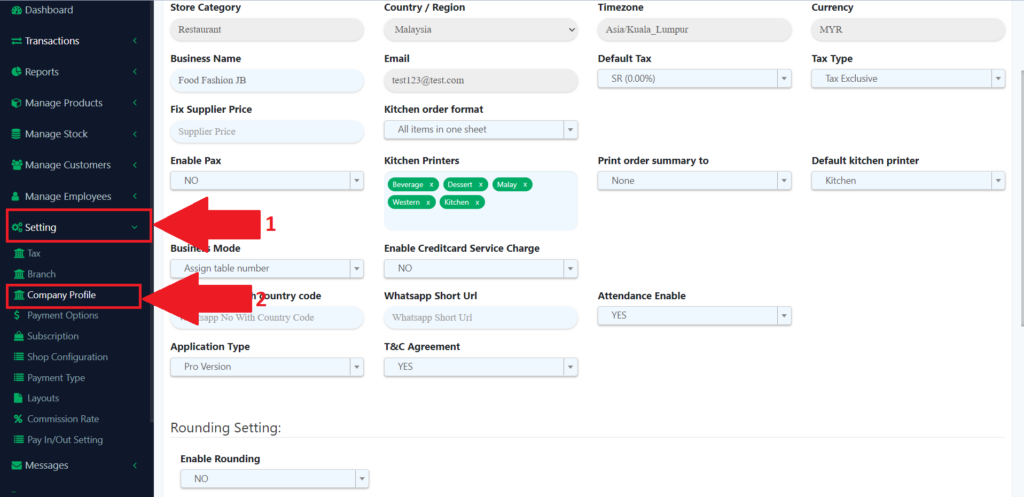
- Look for the “Setting” on the left panel in the web admin to expand the subcategory.
- From the subcategory look for the “Company Profile” to redirect you to the company profile page.
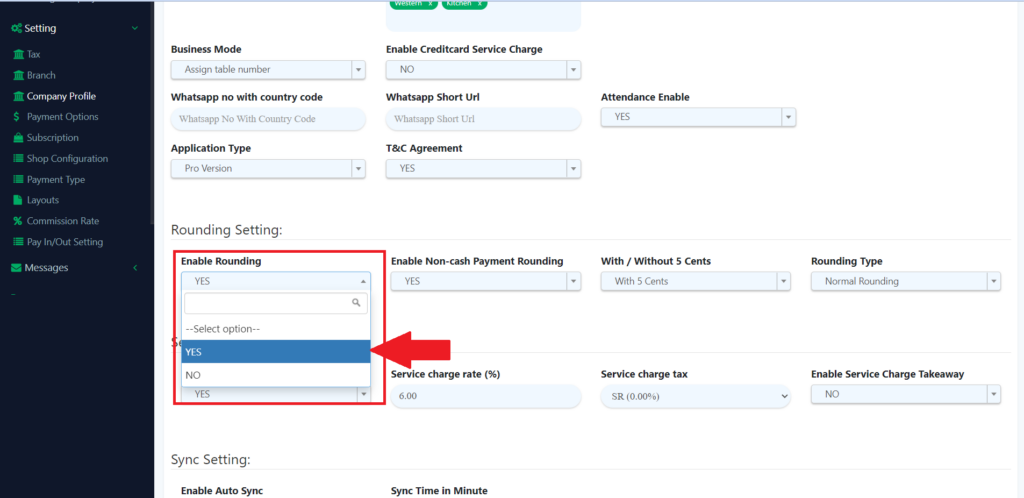
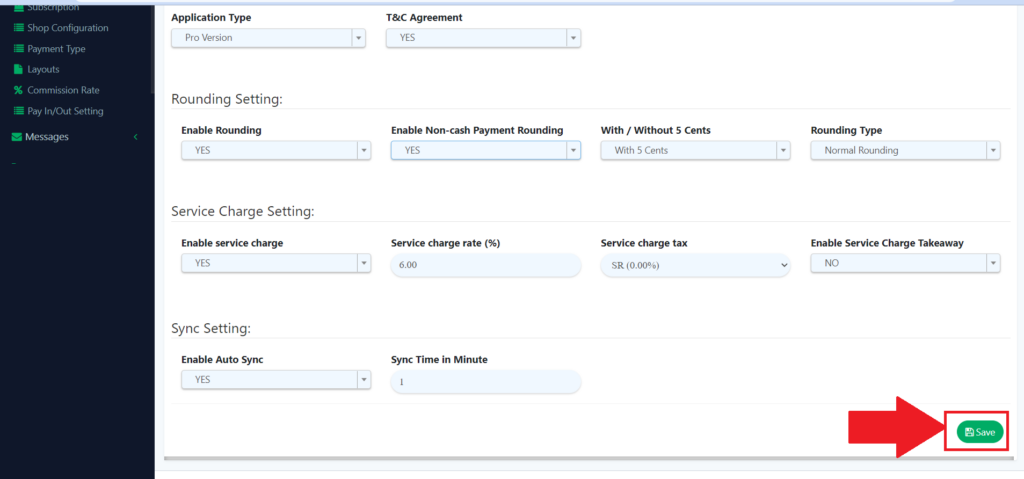
3. From the company profile page, look for the “Rounding Settings”, then click on enable rounding to expand and then choose Yes to expand.
4. To enable the non-cash rounding, you need to look for “Enable Non-cash Payment Rounding” and then choose Yes to enable the non-cash rounding.
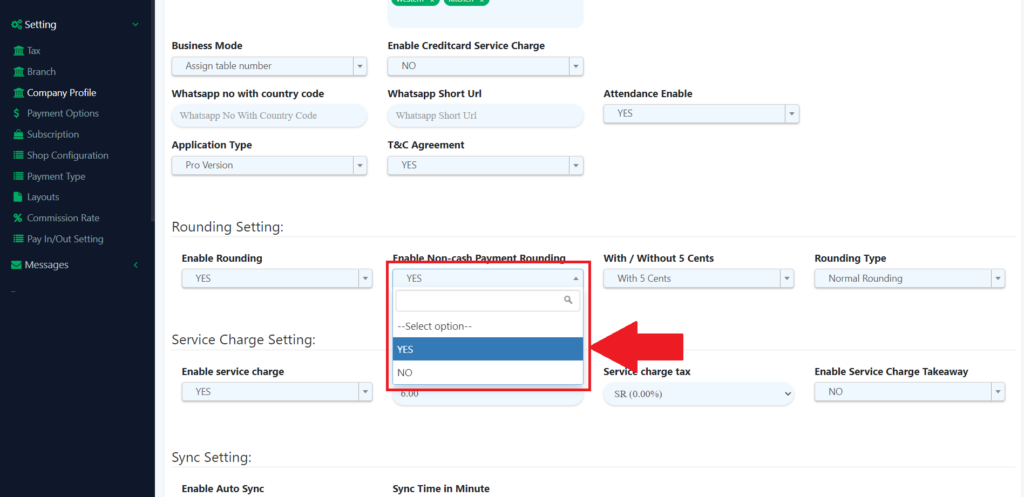
5. Then, click on the “Save” button to save the changes you made.
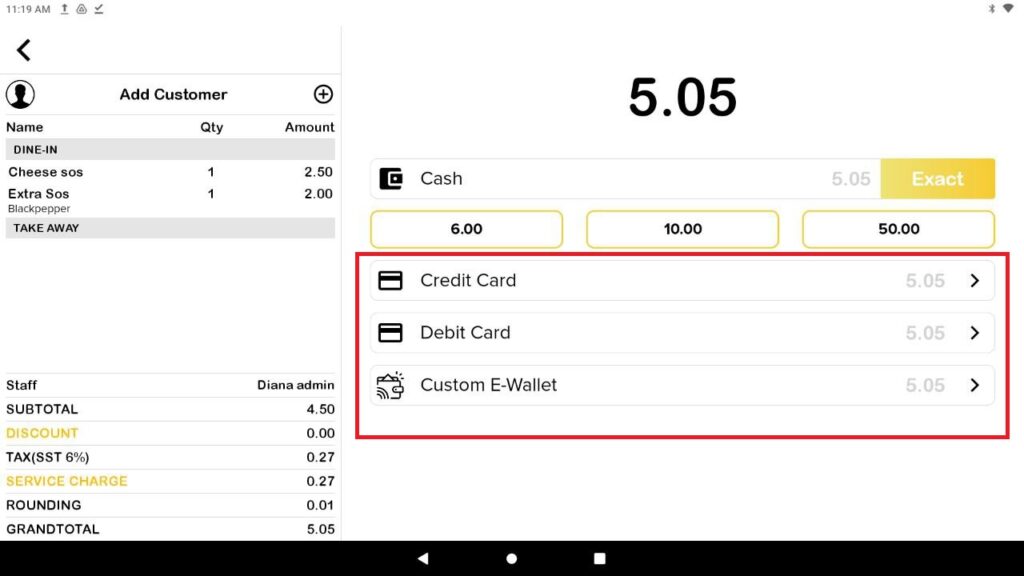
6. This is the image of disabled non-cash rounding.
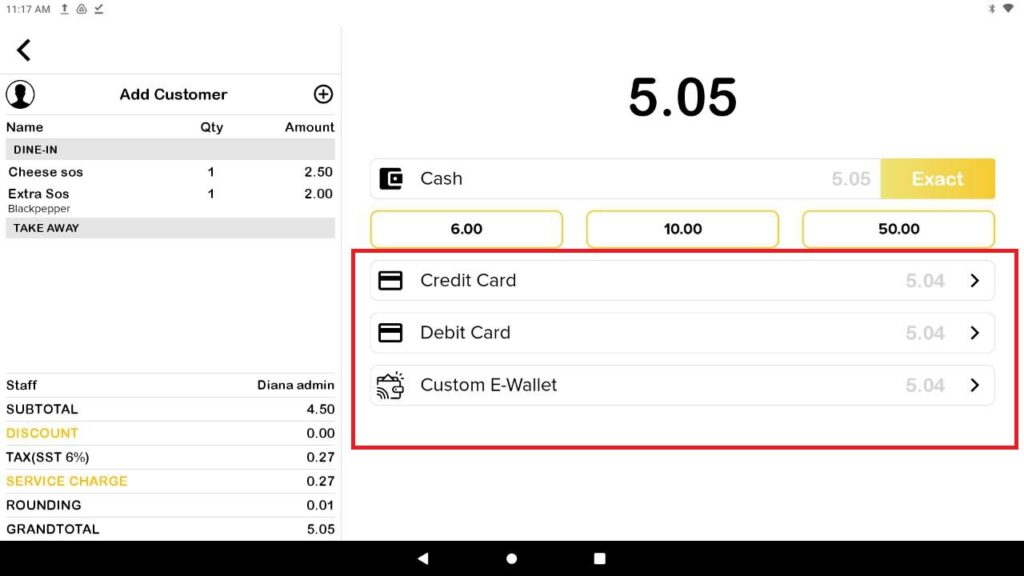
7. This example of enabled non-cash rounding.