How Can We Help?
How to customize the POS display layout (S Layout/B Layout) in BIGPOS app?
Introduction
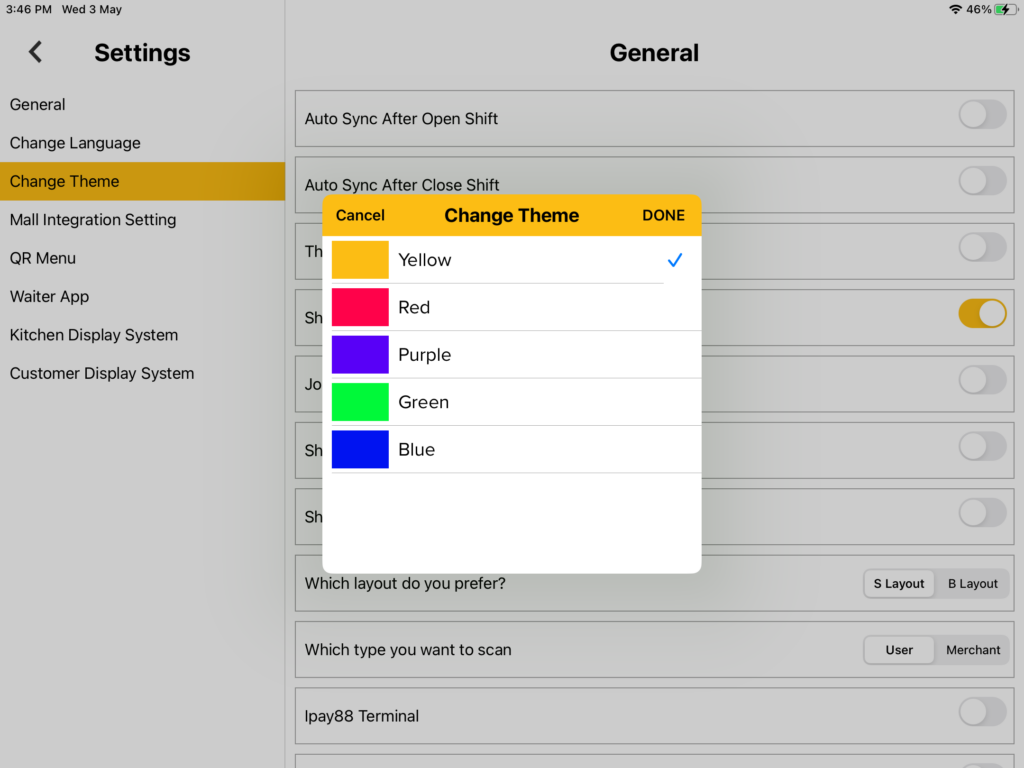
Customizing the POS (Point of Sales) display layout can make user friendly, there are two types of display layouts which are the S Layout and B Layout. In S Layout, there is a change theme function, which let users change color by themselves. But in B Layout there is no theme function, it all depends on the user.
How to customize the POS (Point of Sales) display layout?
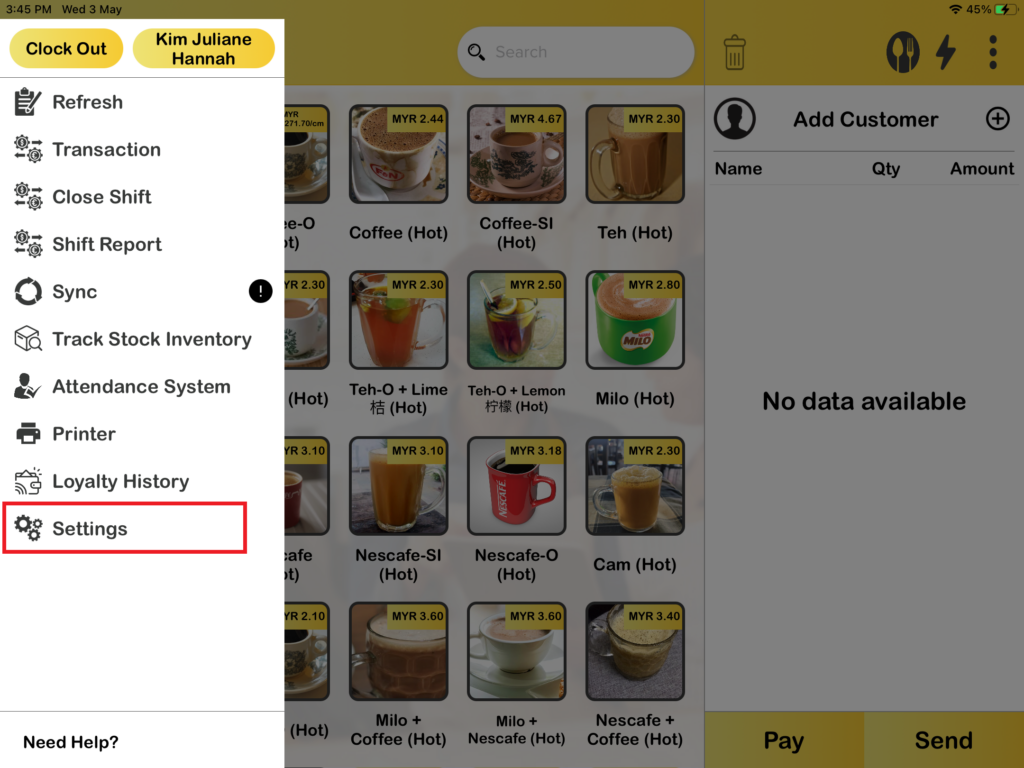
1. First, you need to go to “Settings“.
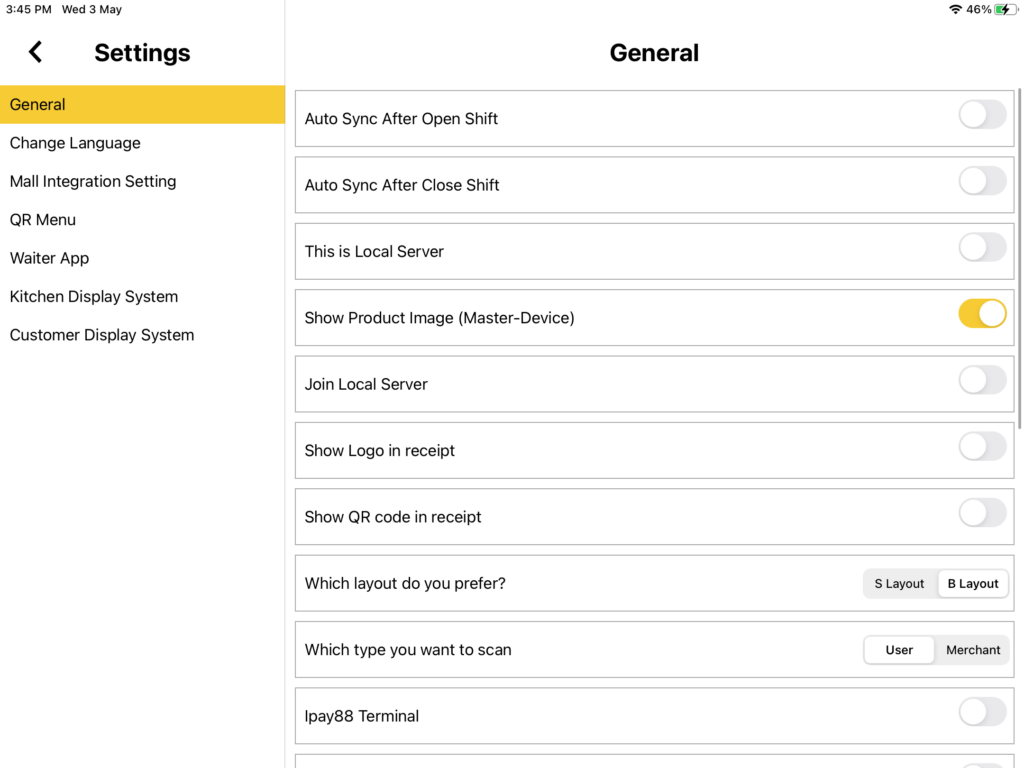
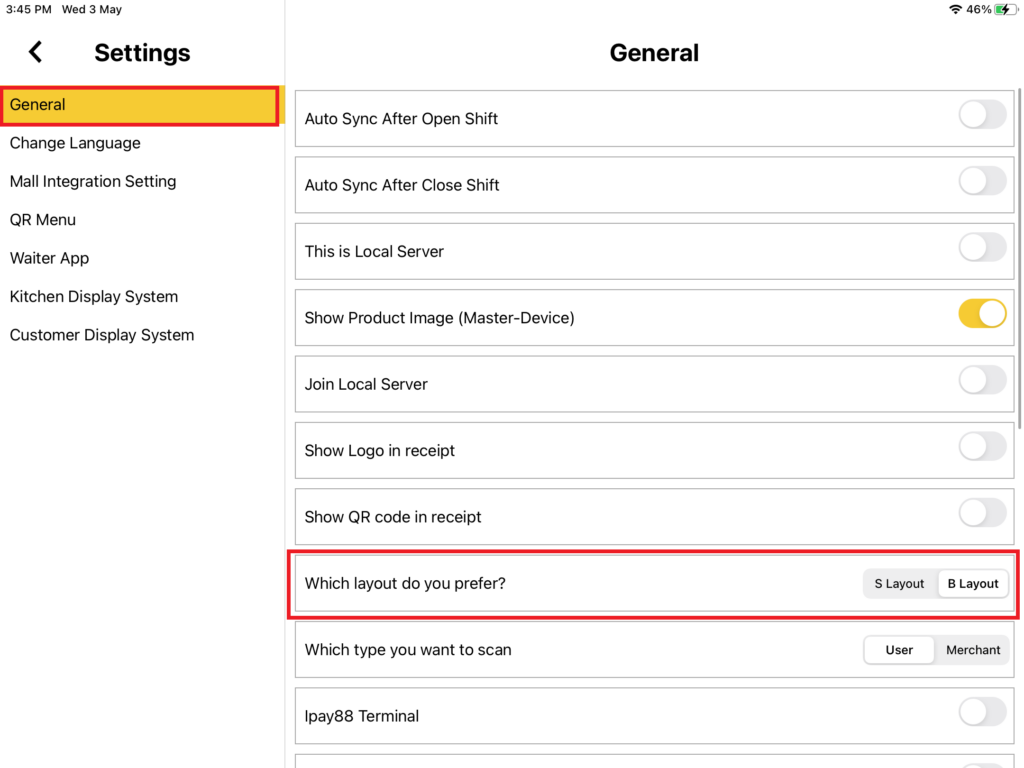
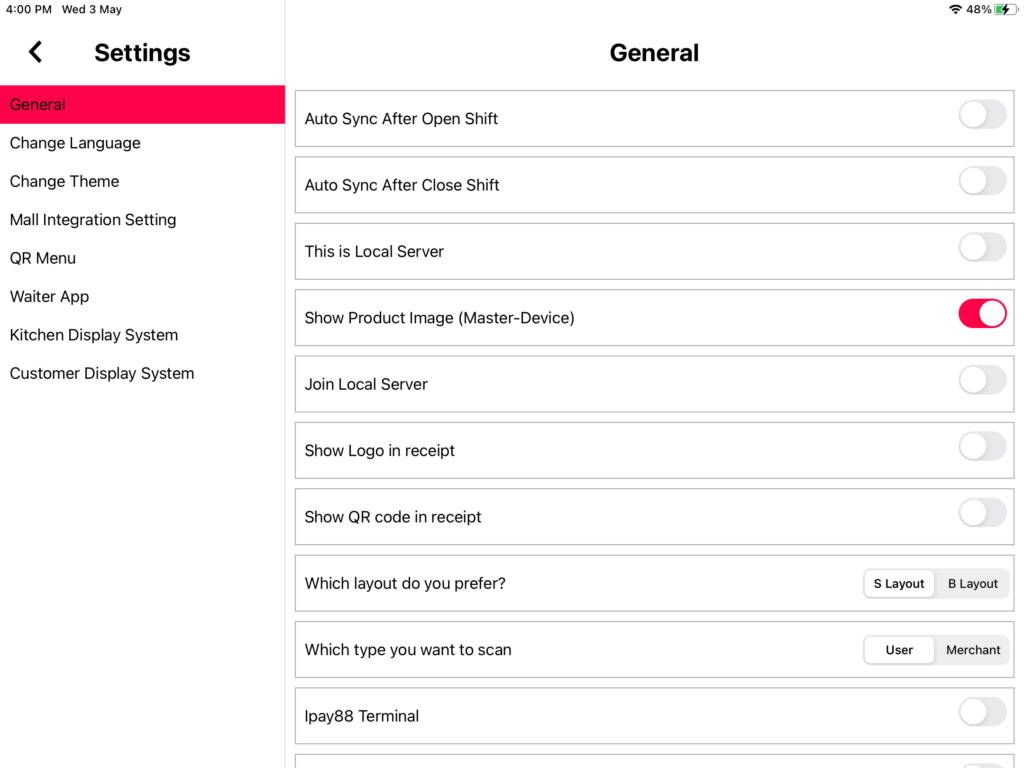
2. Then, select “General“. You will see “Which layout do you prefer?“. You can choose either S Layout or B Layout.
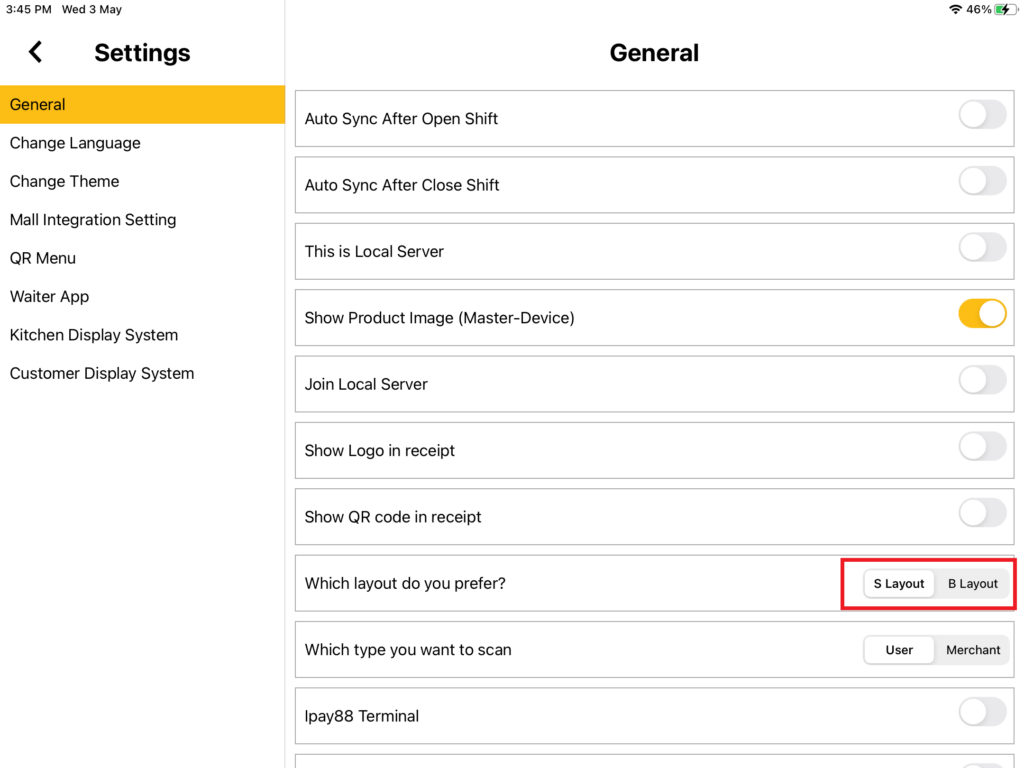
3. In S Layout, you can select the “Change Theme” function, which let the user choose a color that they want. The color included such as yellow, red, purple, green, and blue.
4. In B Layout, it did not have a “Change Theme” function, the layout is fixed with marigold color.