How Can We Help?
How to check your transactions and loyalty points history in B Reward App?
Introduction
The BIG POS system has a loyalty program for customers, and BIG POS built an app for loyalty program purposes. This app is called “B Reward” and this post will show 2 ways to check your loyalty point in B Reward App.
1. How to check transactions using B Reward App?
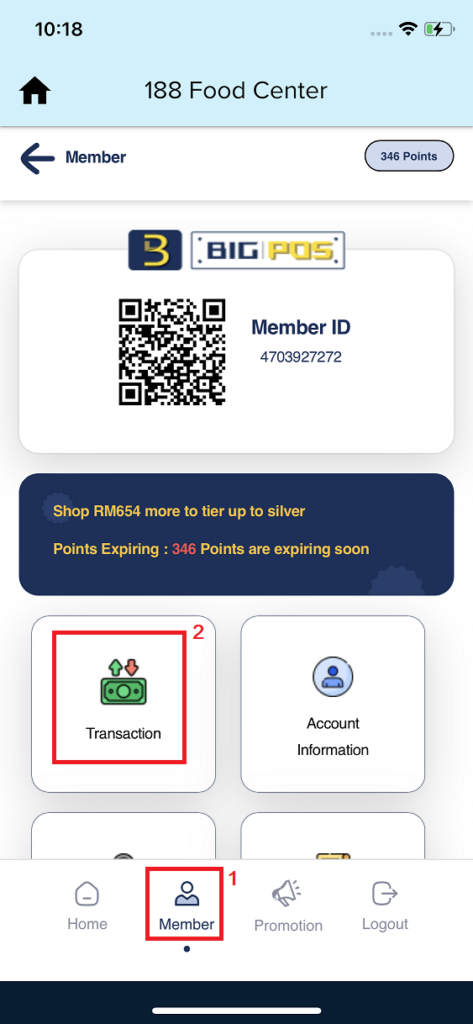
- First, you need to press “Member” on the bottom navigation bar, then press “Transaction” to proceed to the transaction page.
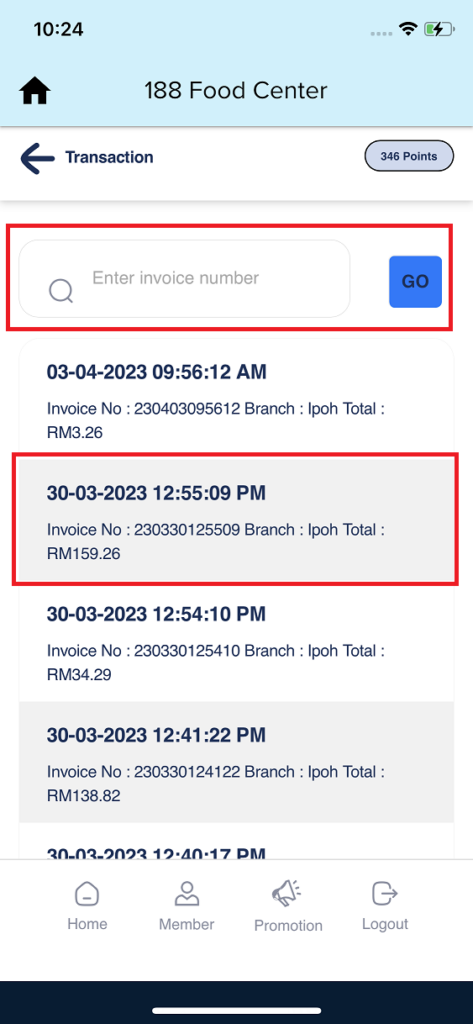
2. When you are on the transaction page, you will see every single transaction will show here. You can directly search for your invoice number or just choose it.
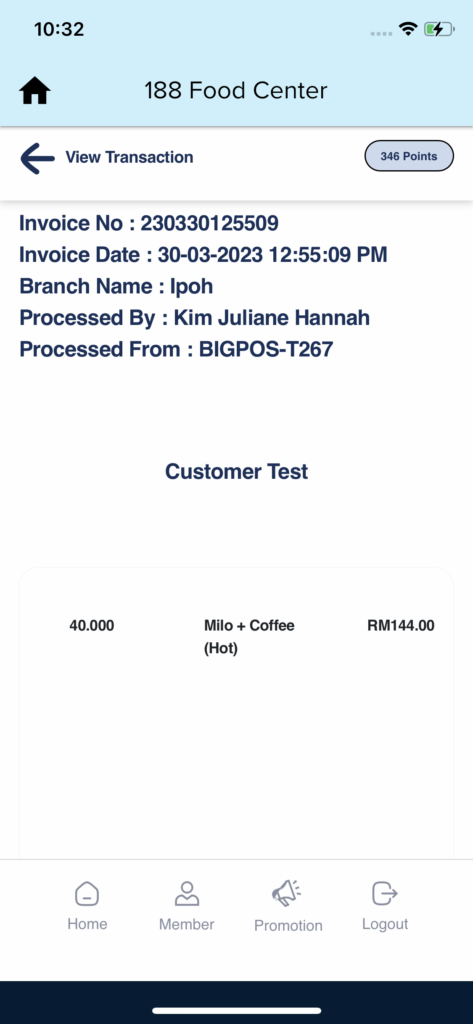
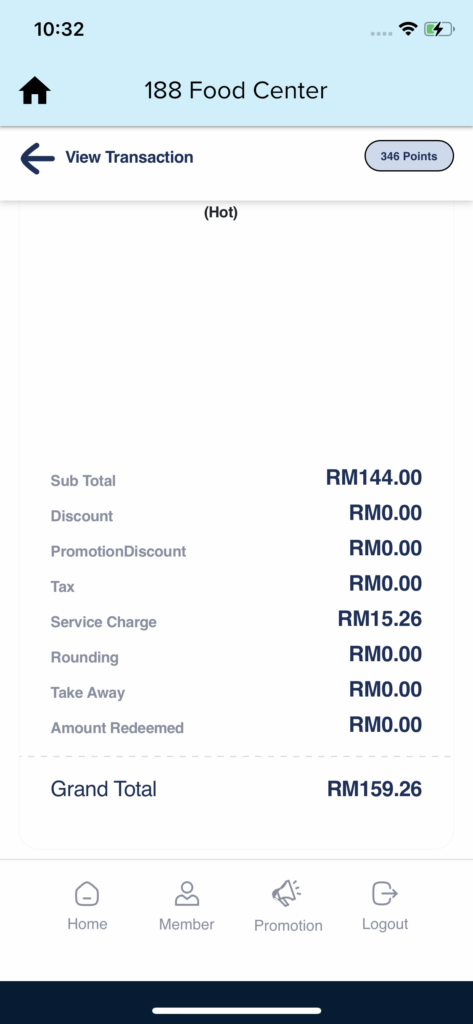
3. After you choose one of your invoice transactions, you will see your order information detail.
2. How to check loyalty point history using B Reward App?
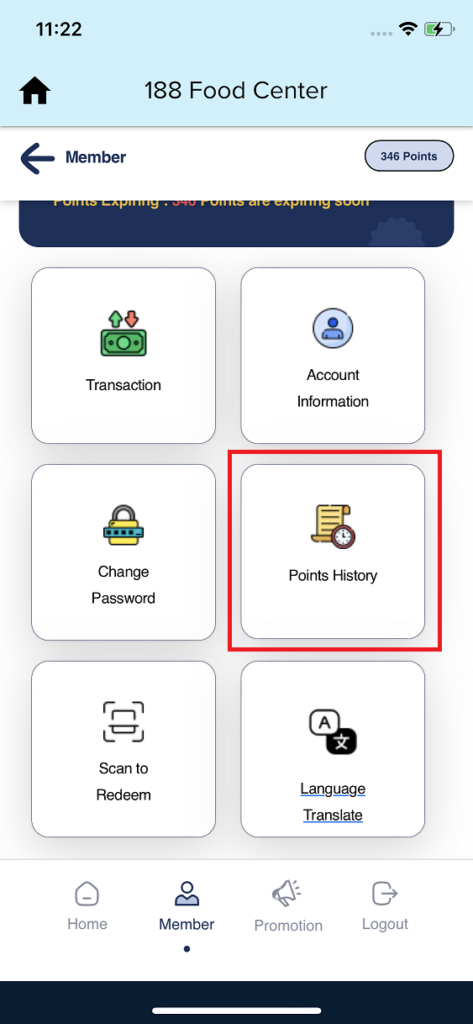
- First, you need to press “Member” on the bottom navigation bar, then press “Point History” to proceed to the transaction page.
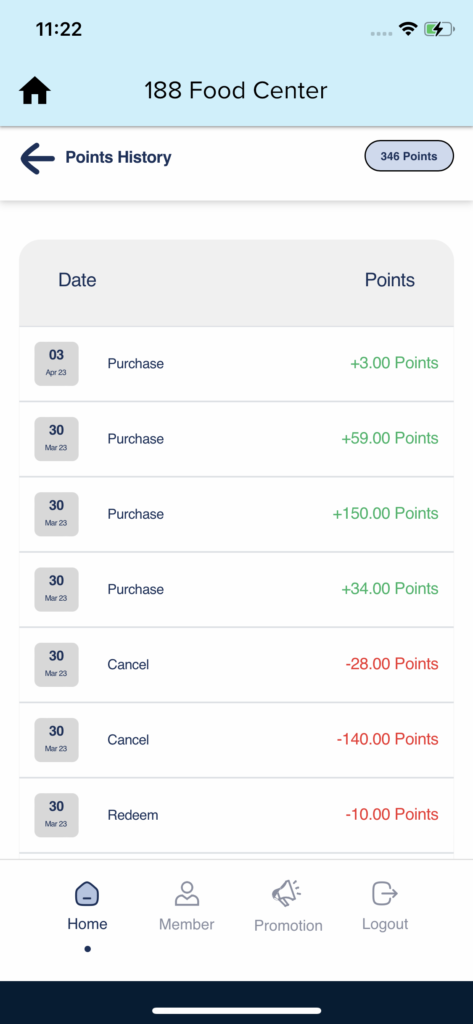
2. When you are on the point history page, you will see every loyalty points status will show here.