How to change or merge table function in BIGPOS System?
Introduction
A change table is when the table only has 2 seats, but suddenly new friends came, you need more seats for your friends, so you need to change to 3 or more seat tables. A merge table is when you have a lot of friends and one table’s maximum seat is 6 but if your friends have 10, you will need to merge tables and order together in the same order system.
How to perform the change table function in BIGPOS System?
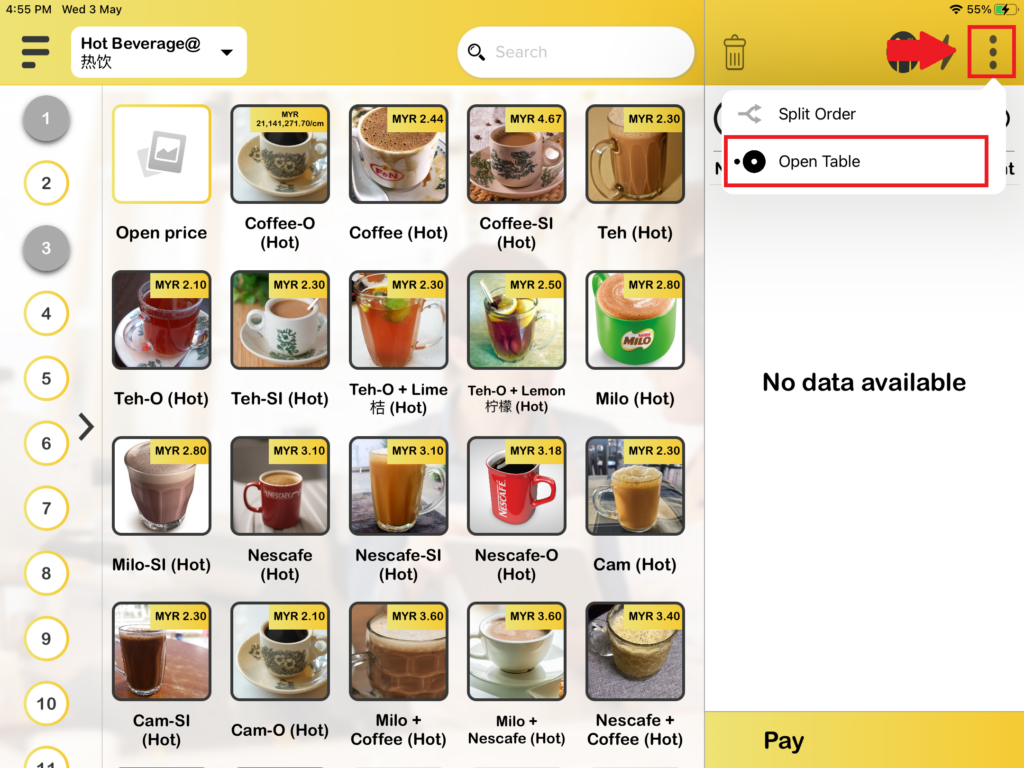
1. First, you need to press the table icon on the right-hand side of the open table page.
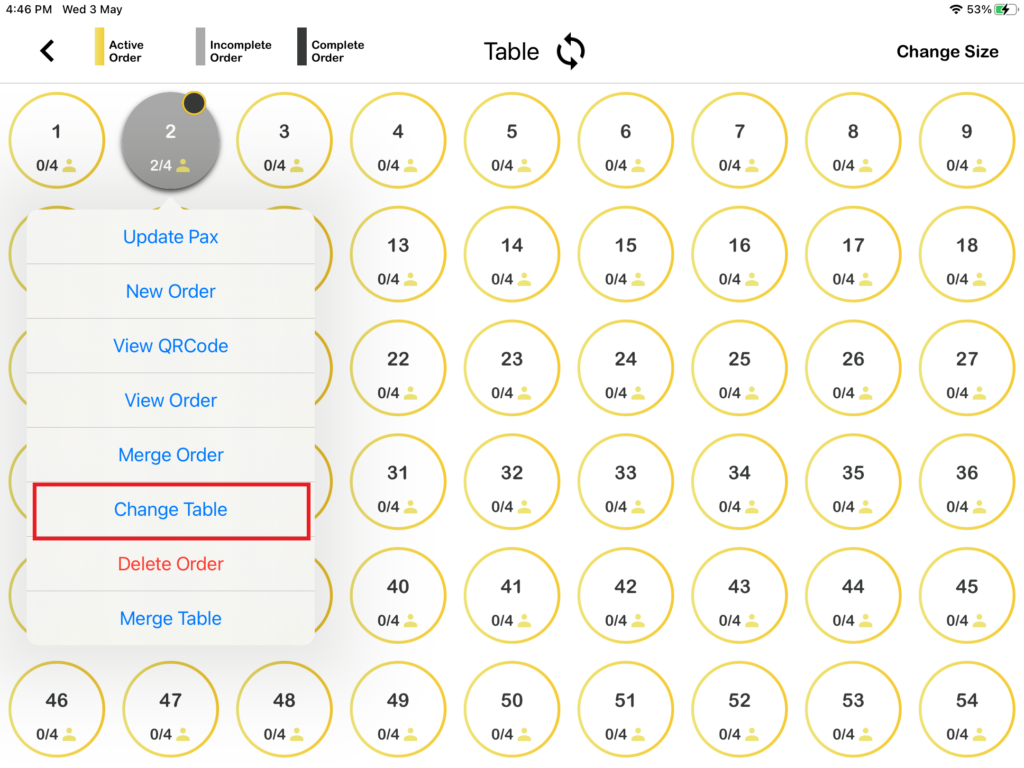
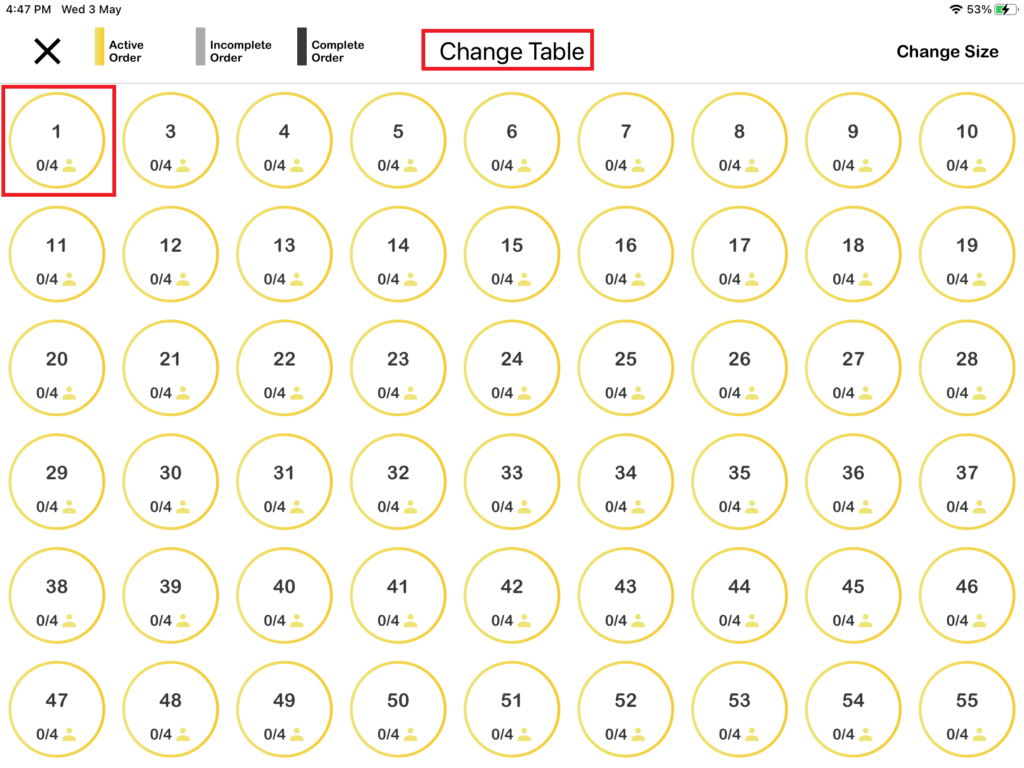
2. Then you need to press on “Change Table“. After that, you will see a change table page will show out, you need to select which table you want to change.
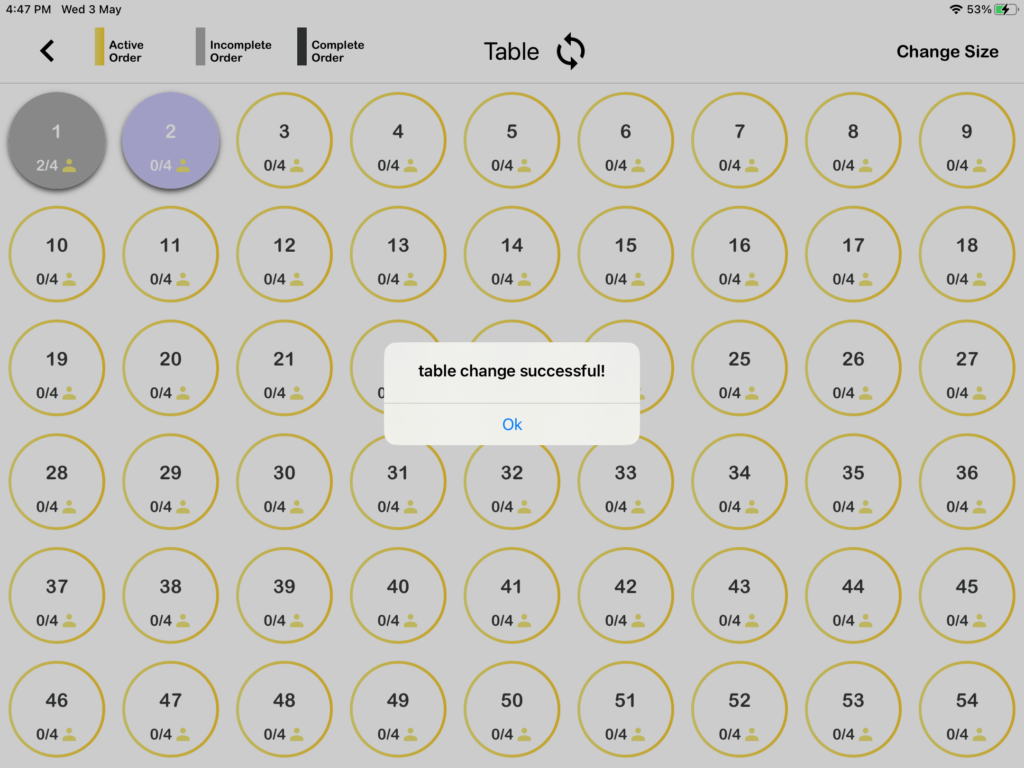
3. After you selected which table to change, the table will be successfully changed.
How to perform the merge table function in BIGPOS System?
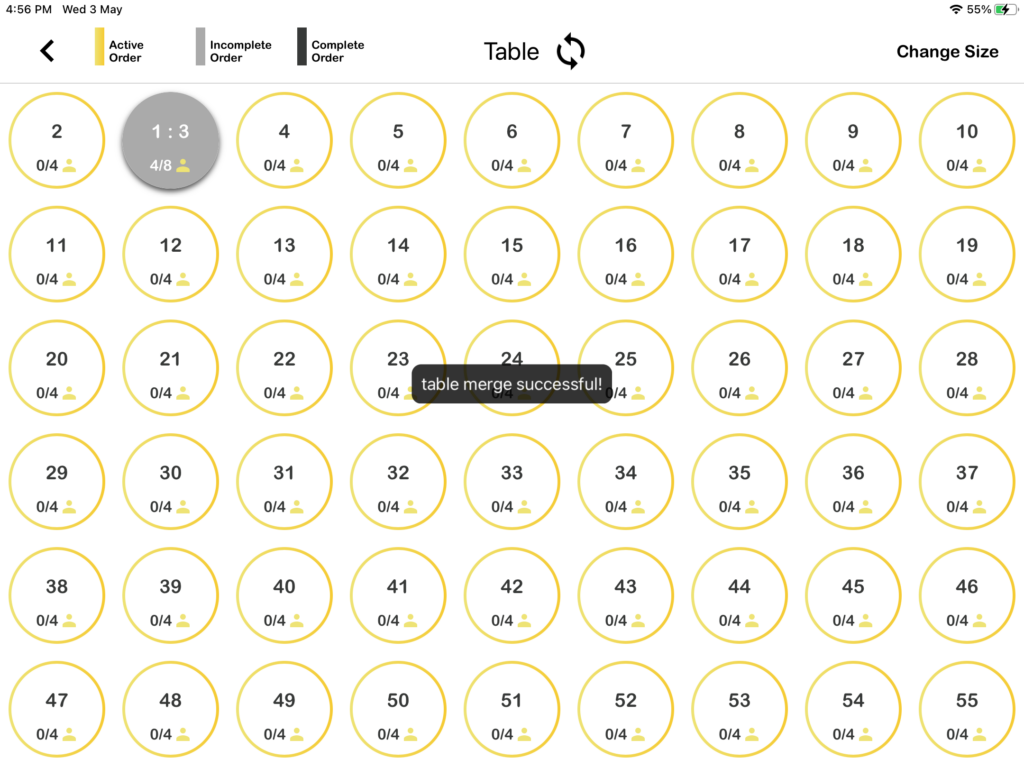
1. First, you need to press the table icon on the right-hand side of the open table page.
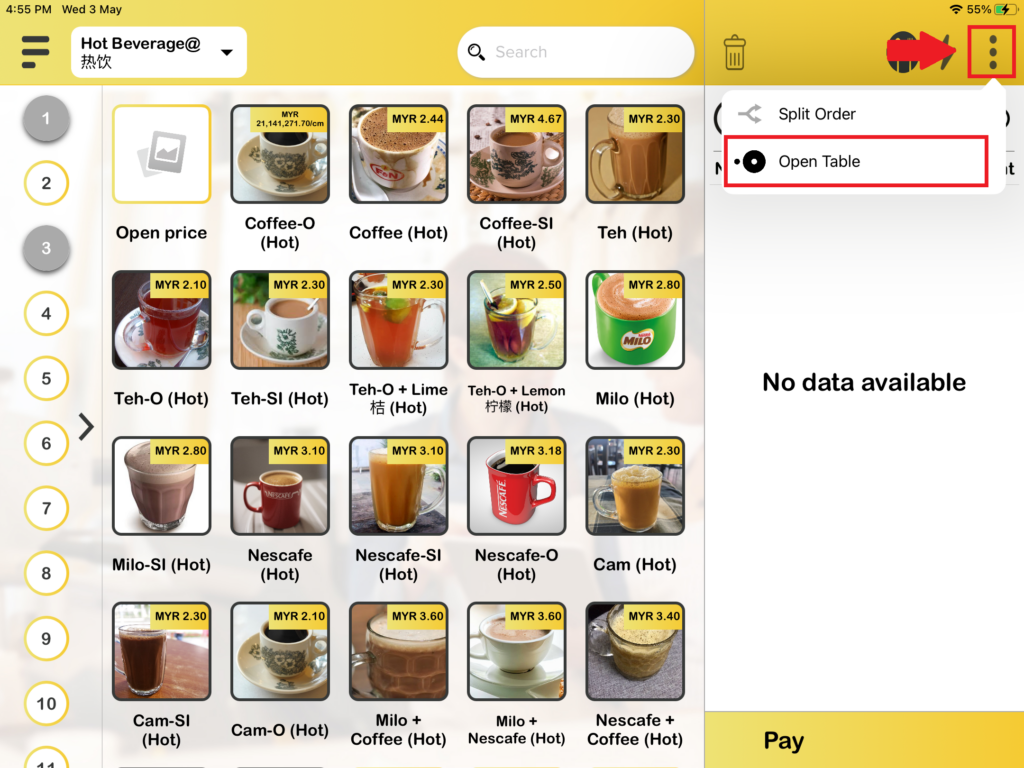
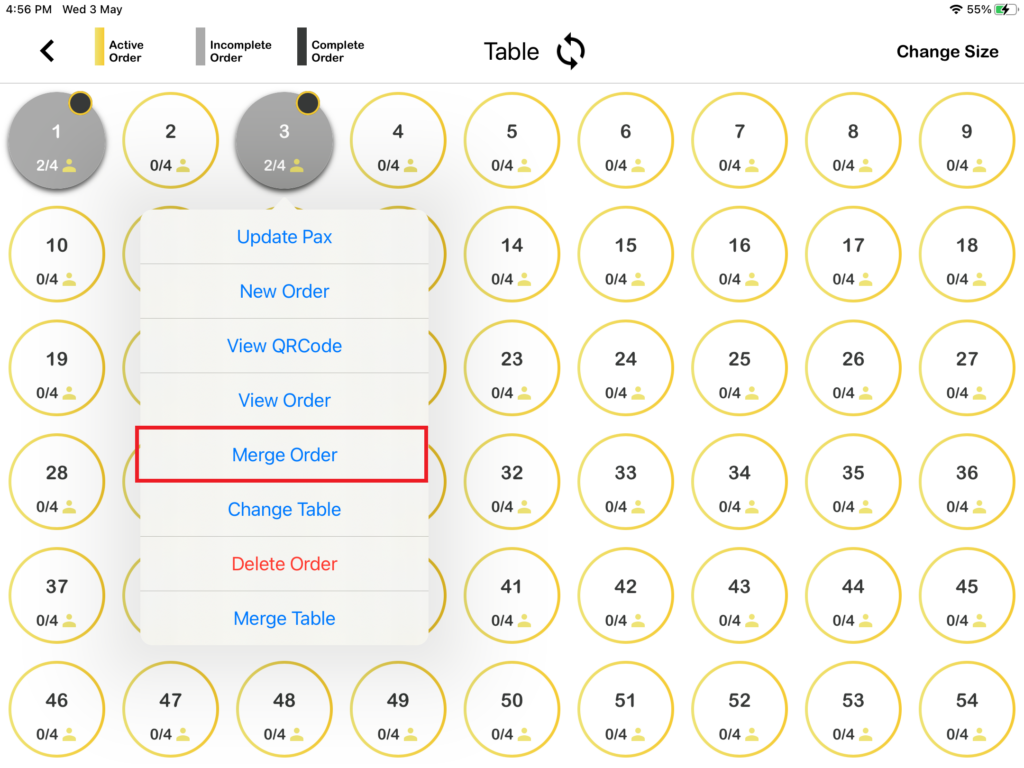
2. Then you need to press on “Merge Table“. After that, you will see a merge table page will show out, you need to select which table you want to merge.
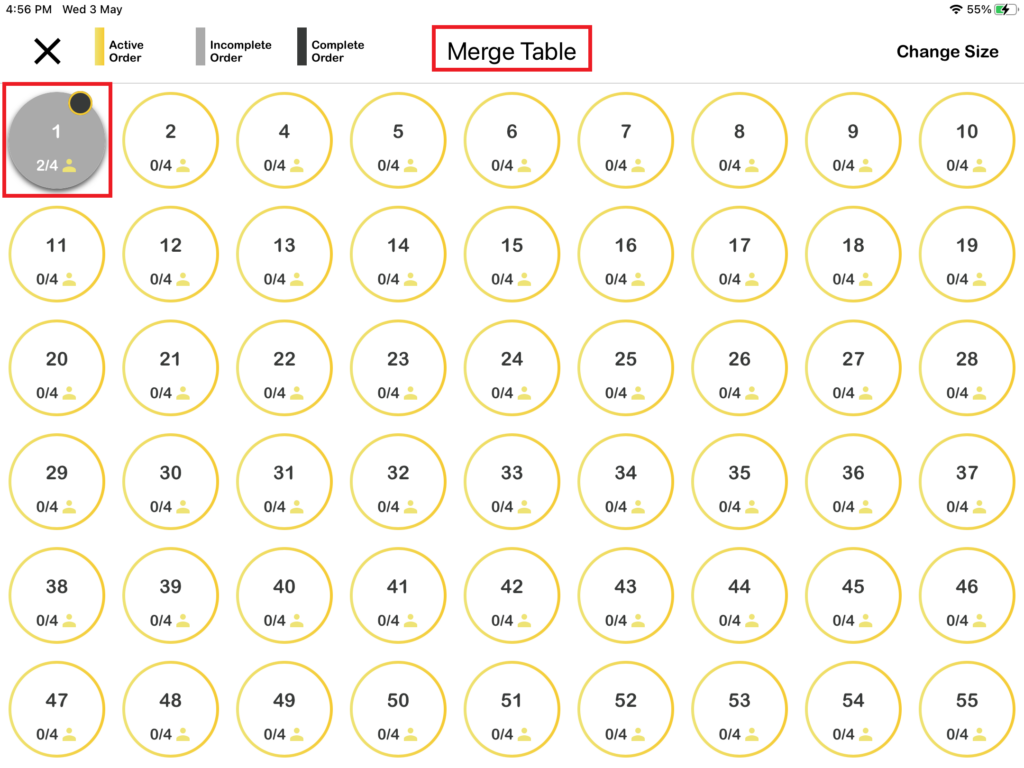
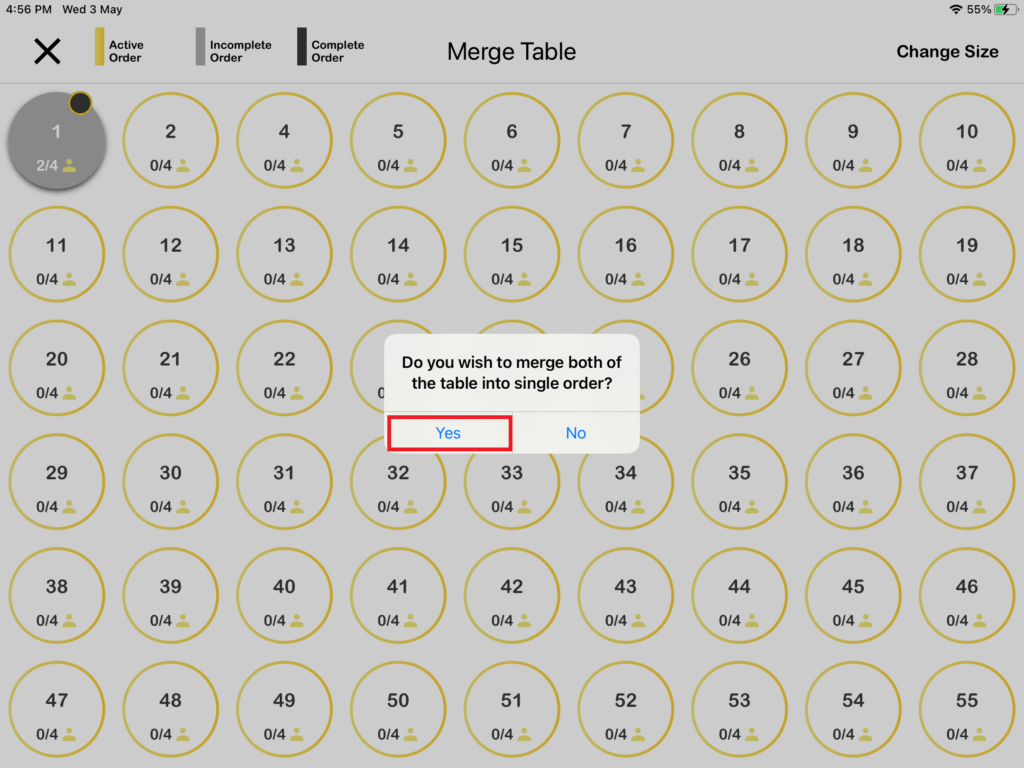
3. After you selected which table to merge, the table will be merged successfully.