How Can We Help?
How to auto-send to the kitchen after the pay function?
Introduction
This post will show you how to auto-send to the kitchen after the pay function.
How to auto-send to the kitchen after the pay function ?
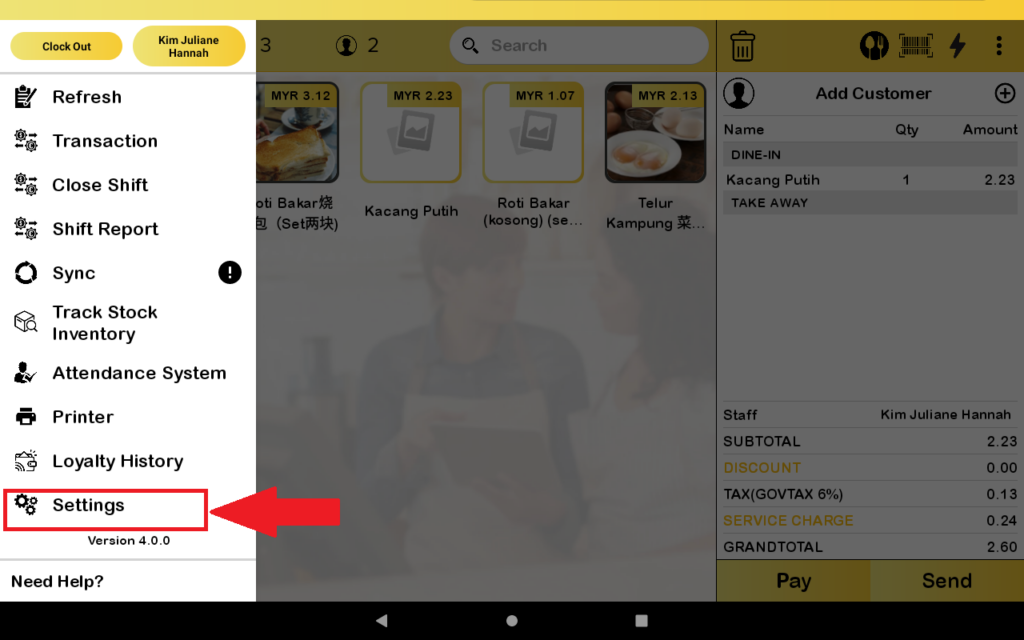
- First, you direct to the “Setting”.
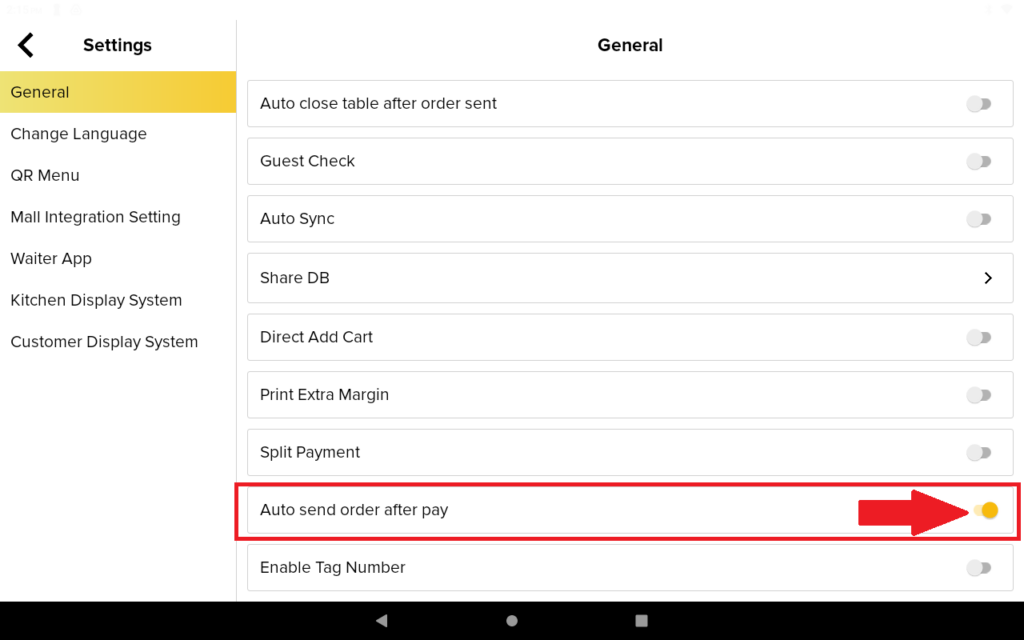
2. Then, you need to toggle to “Auto send order after pay”.
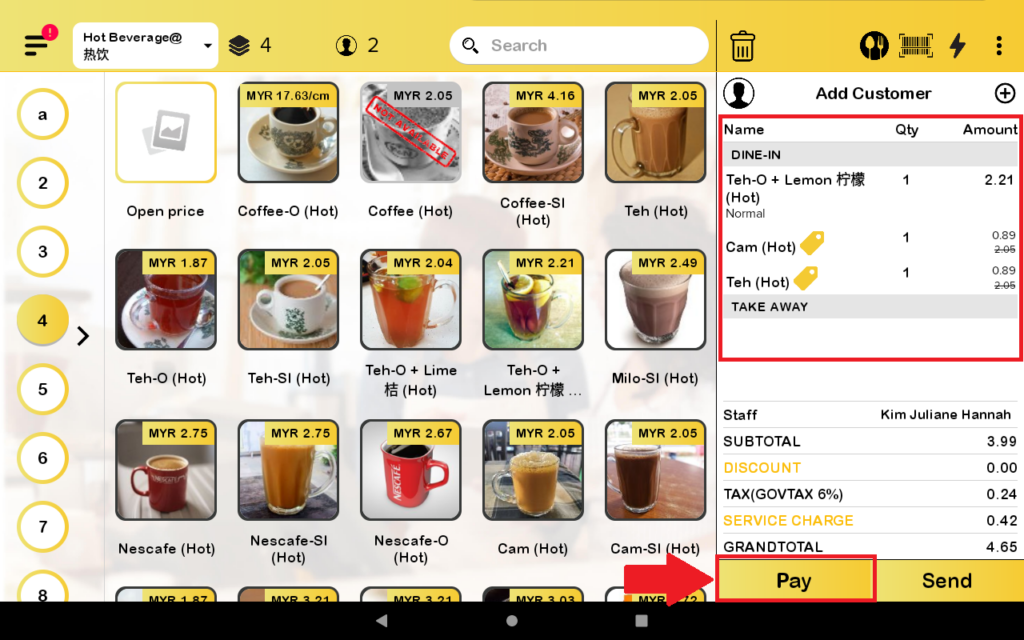
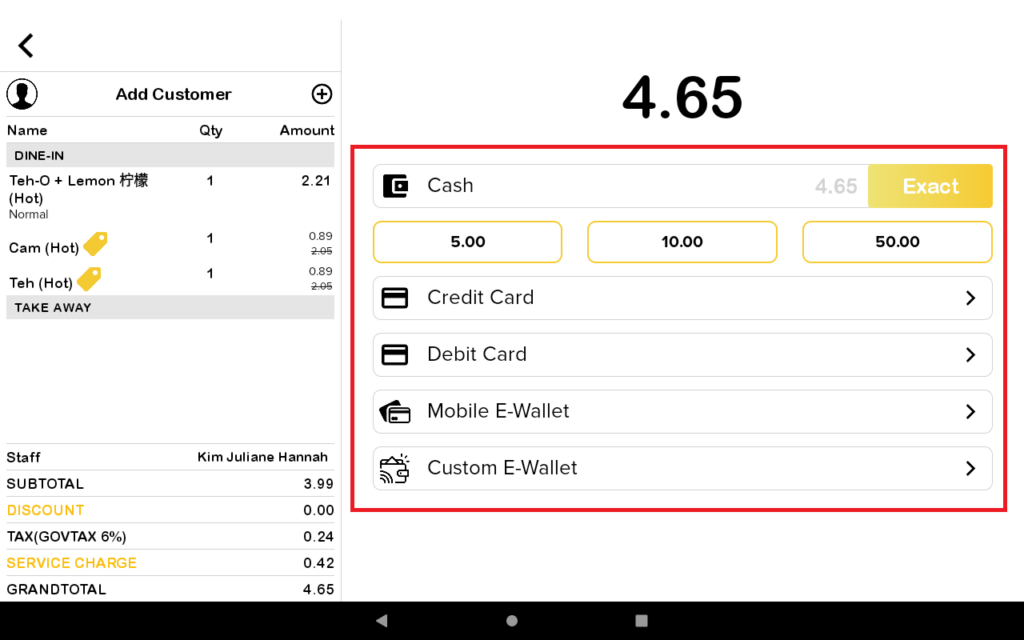
3. Then, you add an order and after that you pay.
4. Then you choose which type of payment you would like to pay.
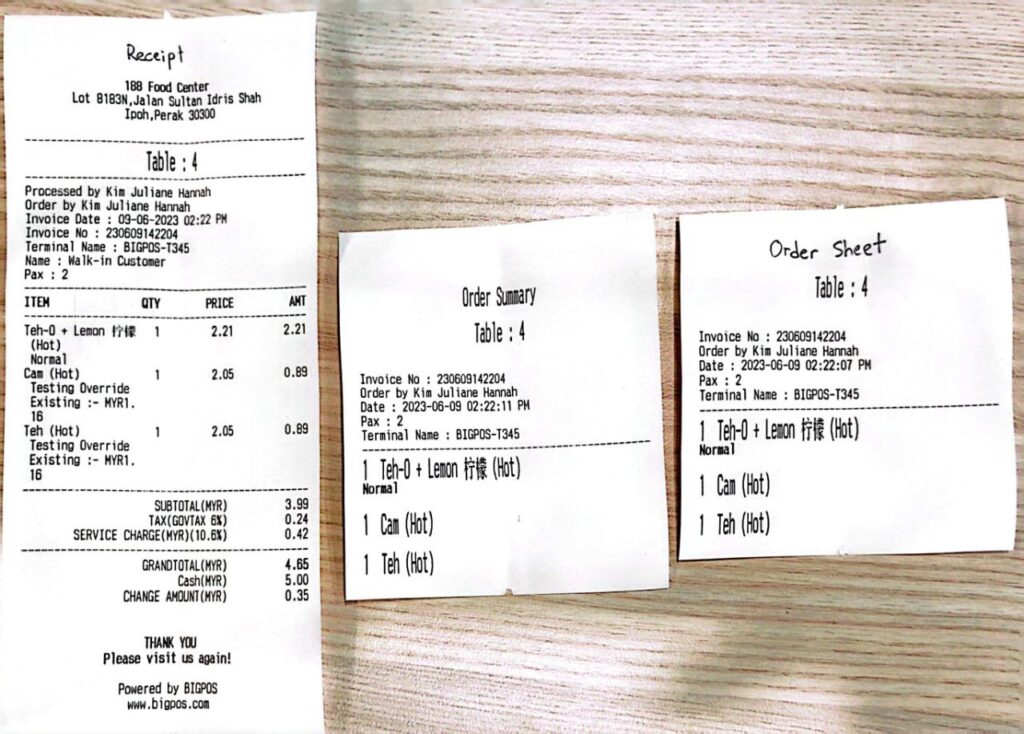
5. There will be three receipts printed out.