How to Add/Edit/Remove Customers in BIGPOS Pro, Lite, and Waiter App?
Introduction
This post will assist you in how to add, edit and remove customers in BIGPOS Pro and Lite.
How to add customers?
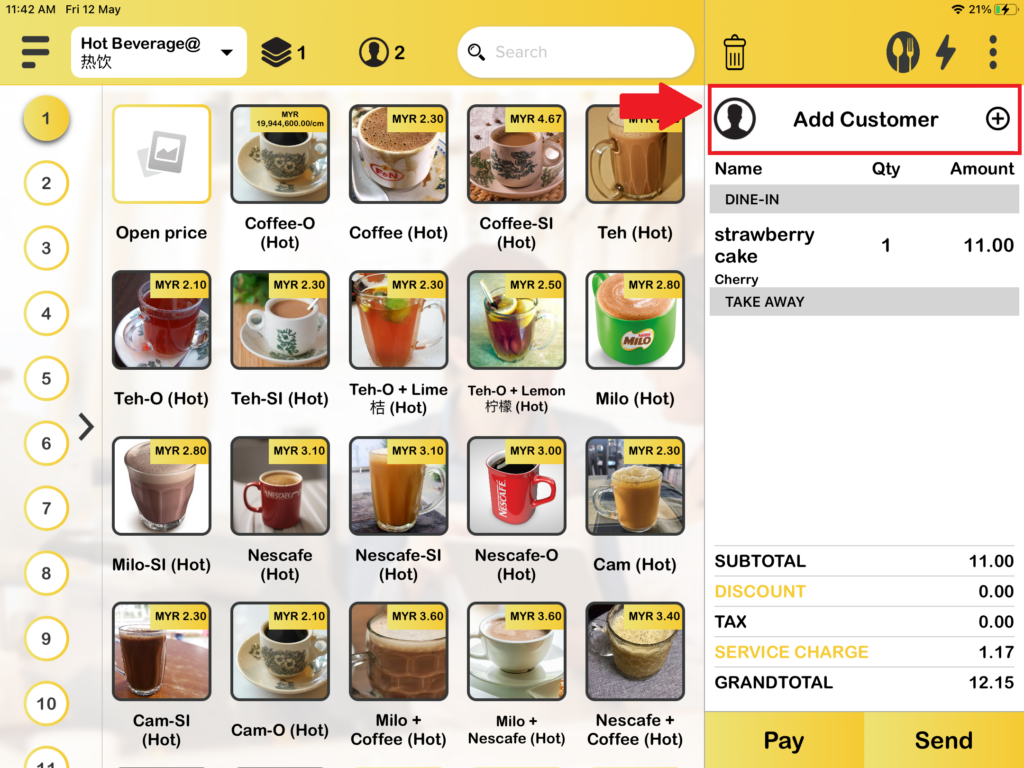
1. When you create new orders, you can add customers to the order by press “Add Customer“.
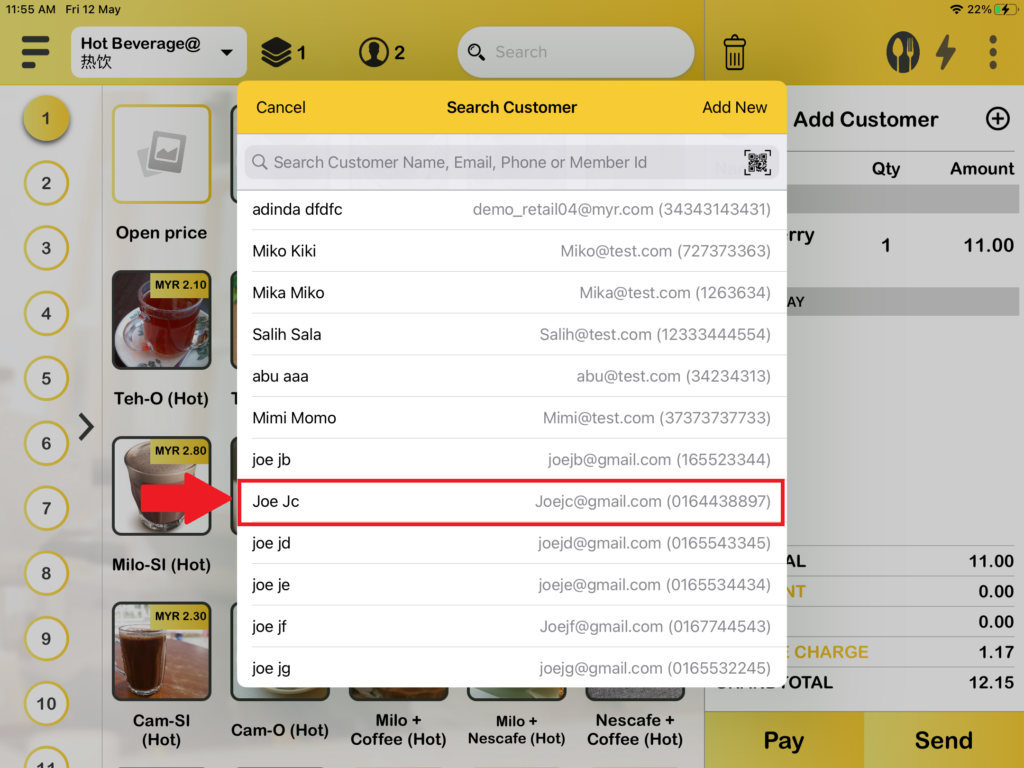
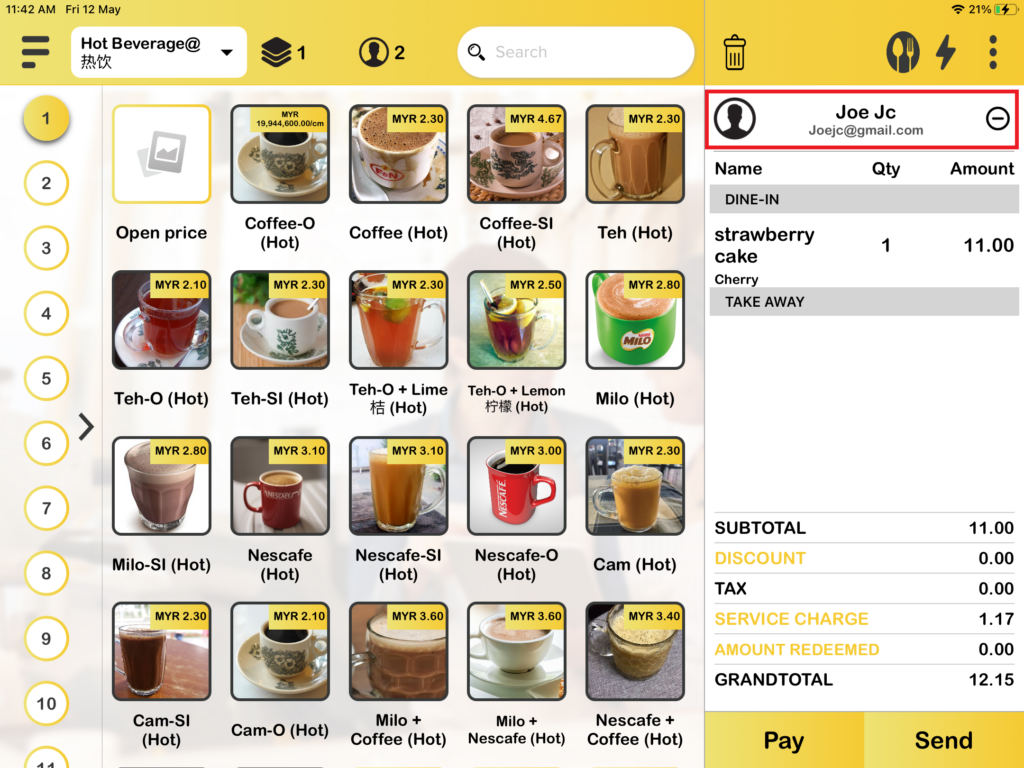
2. Then, you can select which customer name to add.
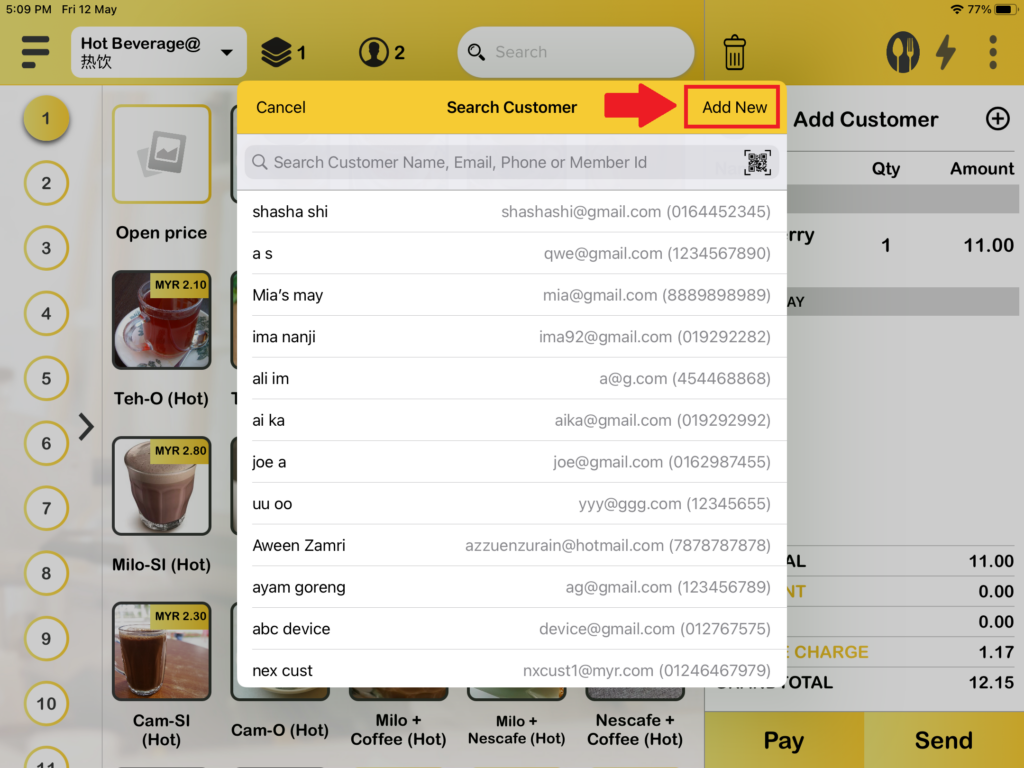
3. If you want to add new customer, you can press “Add New“.
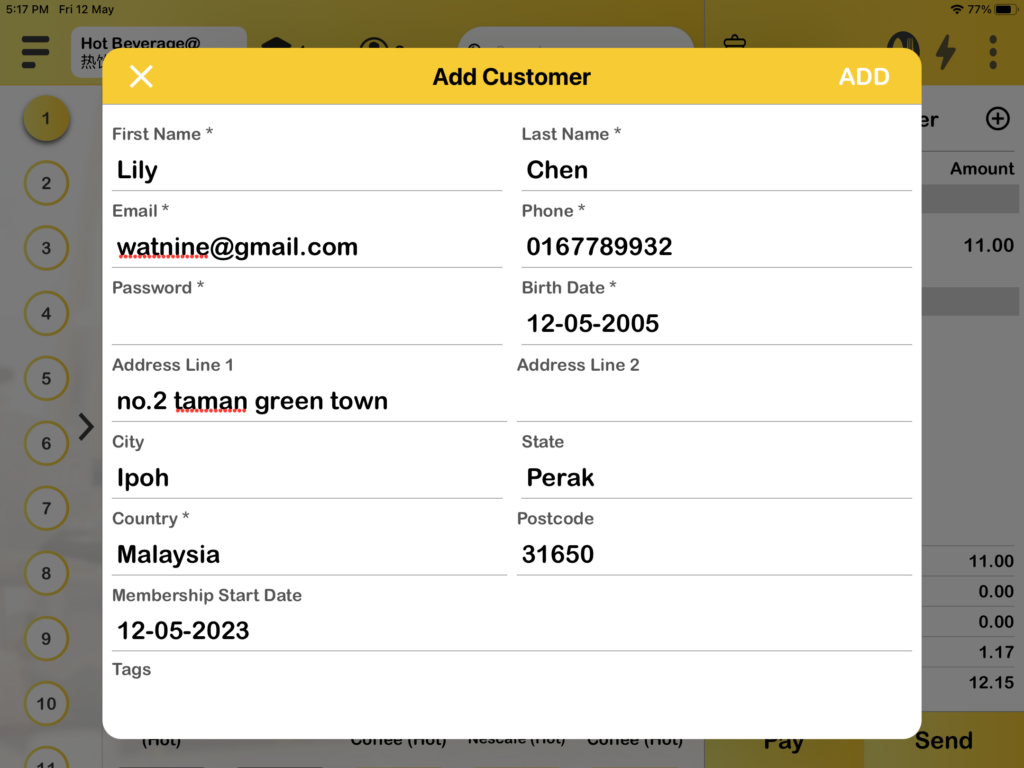
4. Then, you can fill in customer data and press “ADD“.
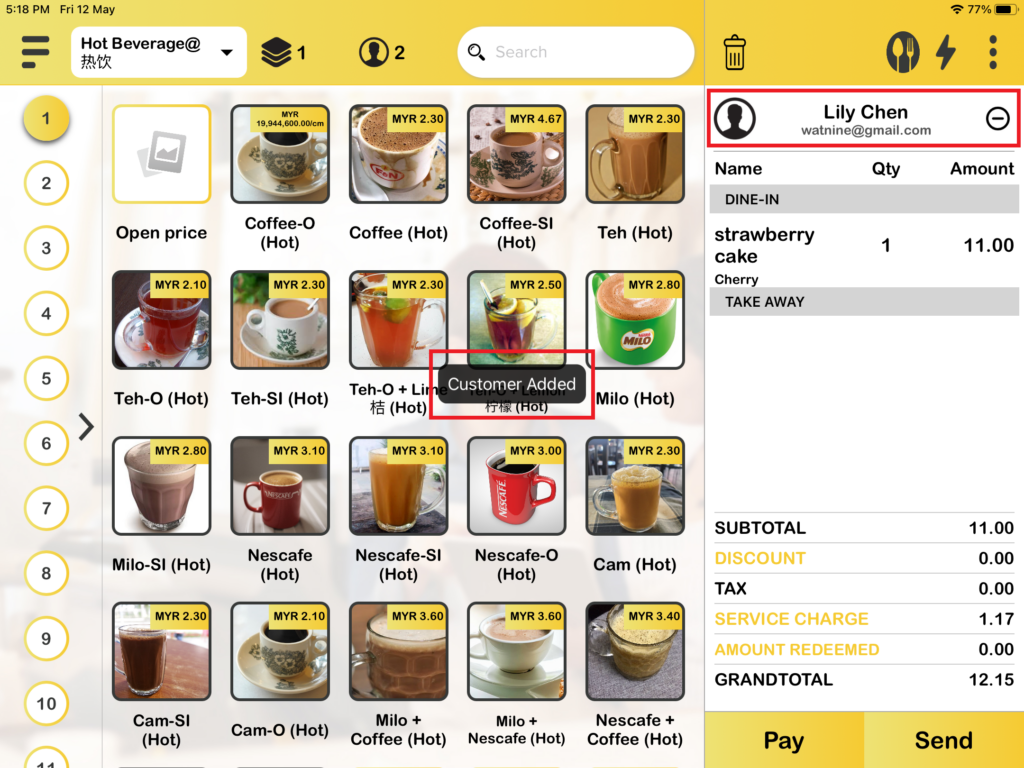
5. After pressing “ADD“, the customer will add to the BIGPOS System.
How to edit customers?
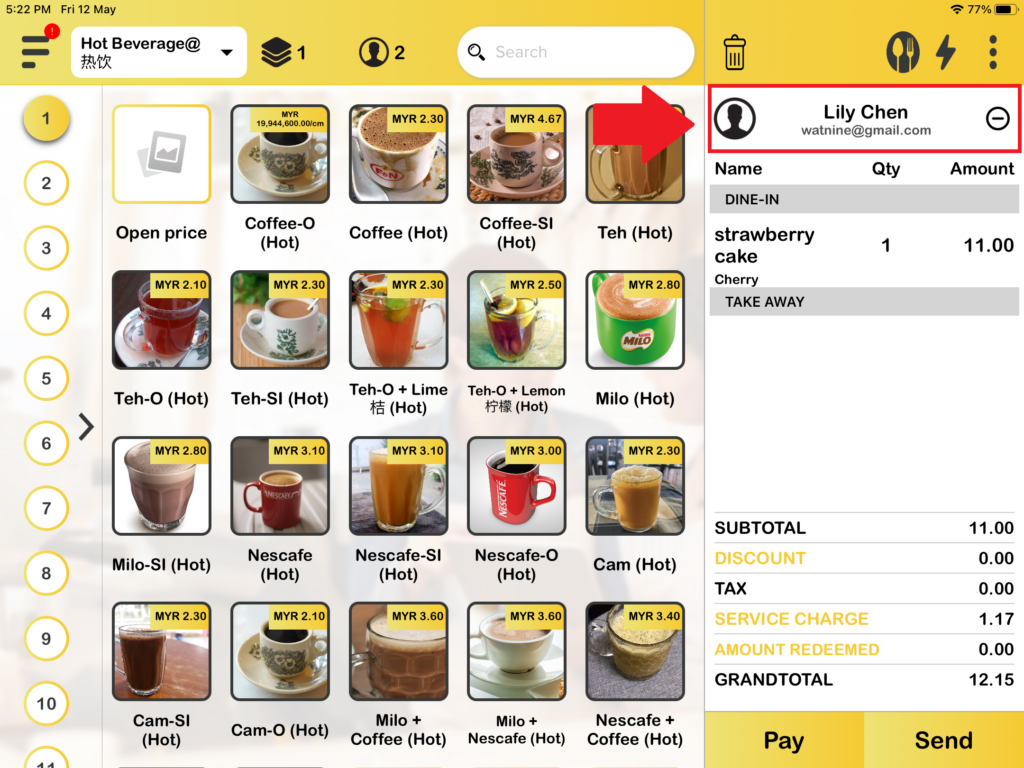
1. First, you need to press on the customer’s name.
2. When the customer details box shows, press “Edit“.
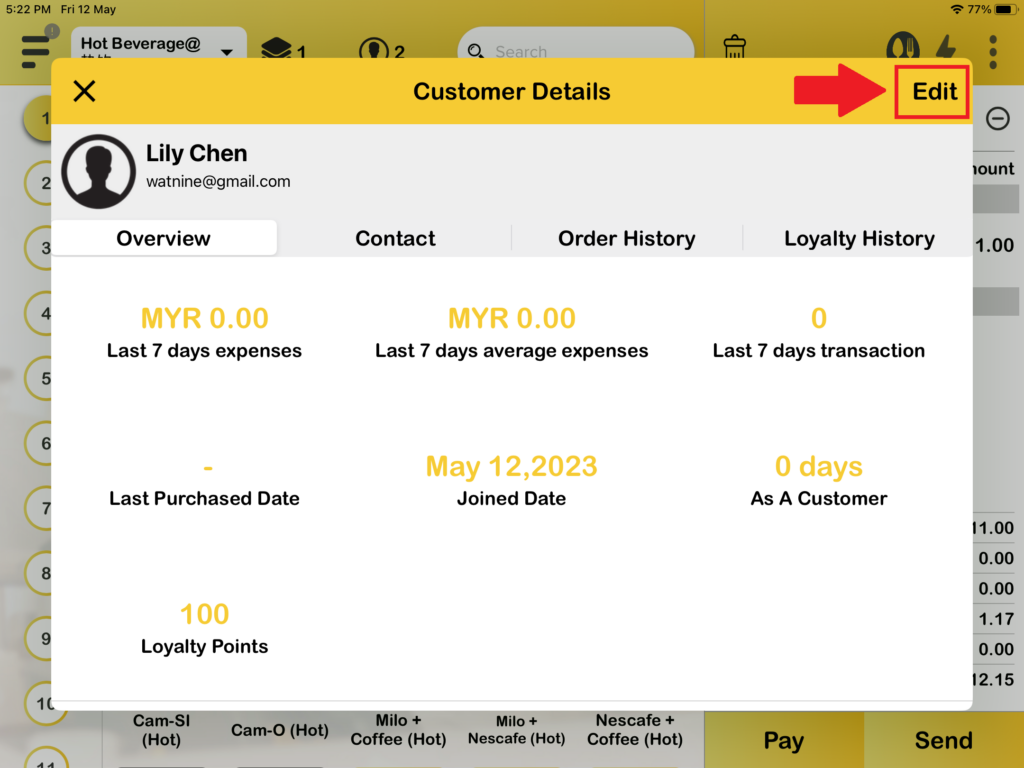
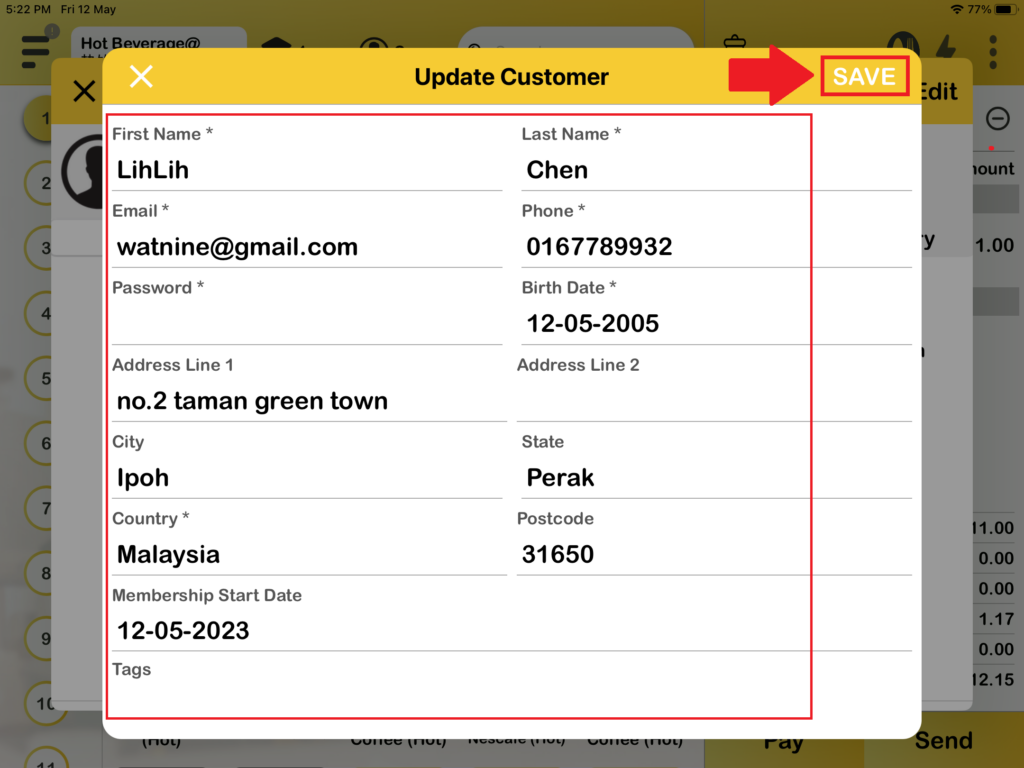
3. After pressing “Edit“, the update customer box shows. You can update customer data and lastly click “SAVE“.
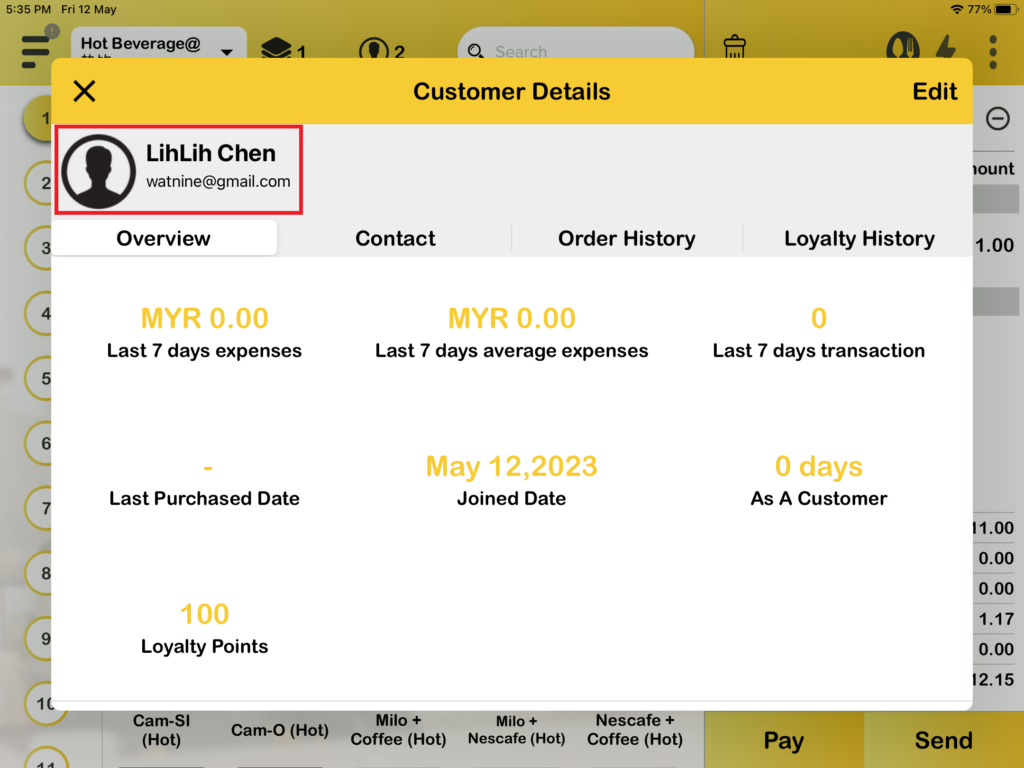
4. Customer data are updated.
How to remove customers?
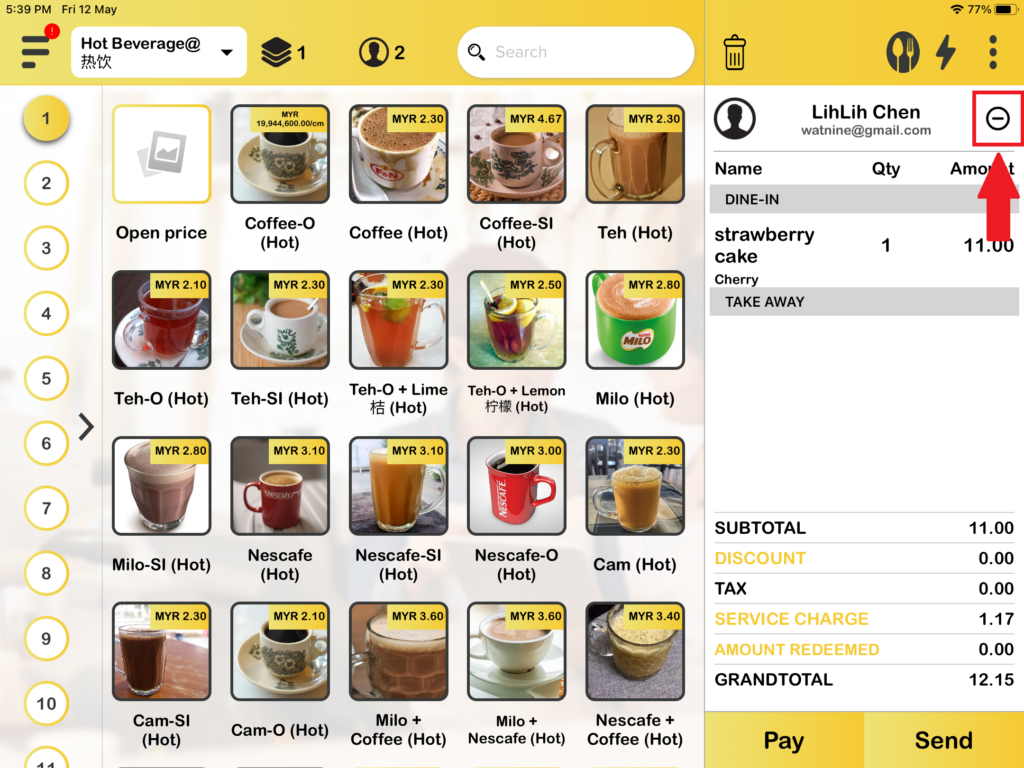
1. First, you need to press the minus icon “–” to remove the customer.
2. Then, press “Remove” to remove the customer.
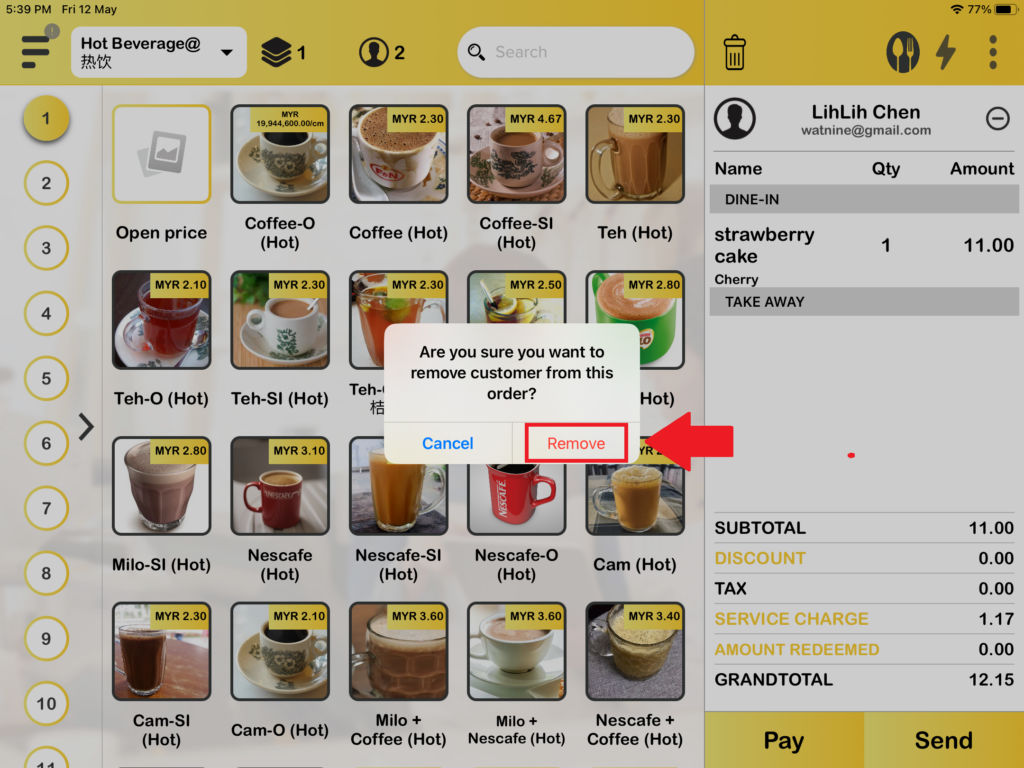
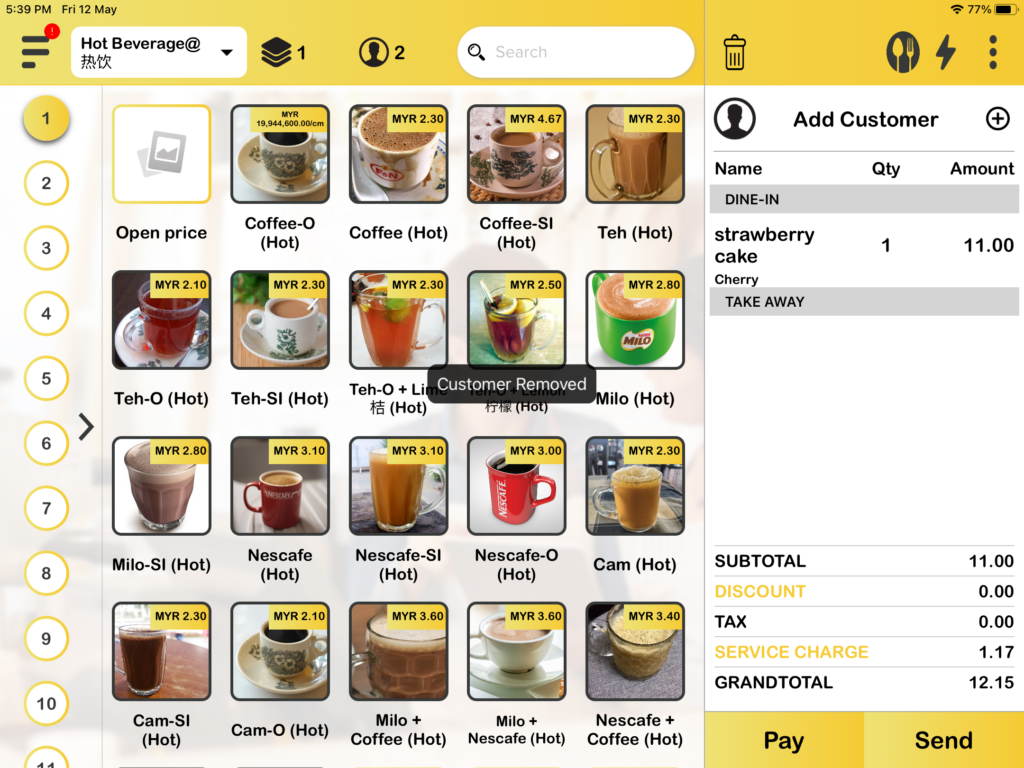
3. After pressing “Remove“, the customer is removed successfully.