How do you Open, view, or delete orders in the BIGPOS App in different business modes?
Introduction
Open/view/delete orders are the basic function to use in the POS system. Open orders which are prepared to add items to the cart. View orders which are view items in each table. Delete orders which are deleting orders customers change items that they not needed. This post will show you how to use open/view/delete orders in BIGPOS Pro and Lite.
How do Open Orders in Queue and Tag business modes?
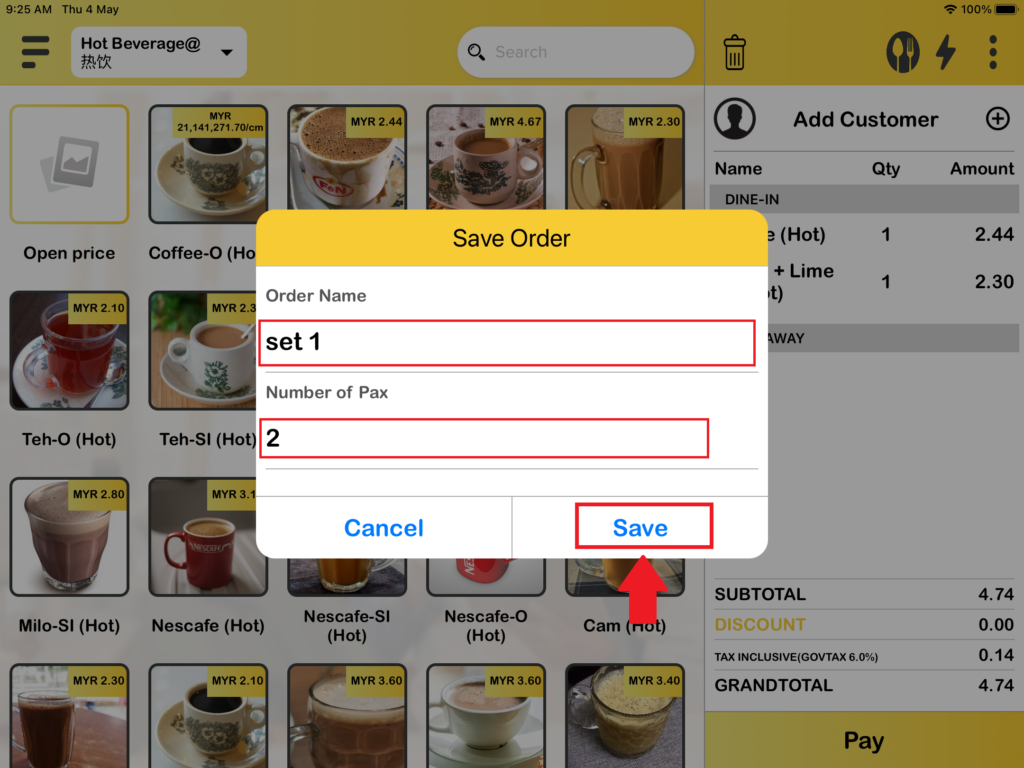
1. Firstly, the Open orders available for Queue and Tag business modes only. You need to “Save Order” before “Open Order“. When you are in Queue number or Tag number business mode you can see there is an “Save Order“, you need to add item into the cart to proceed “Save Order“.
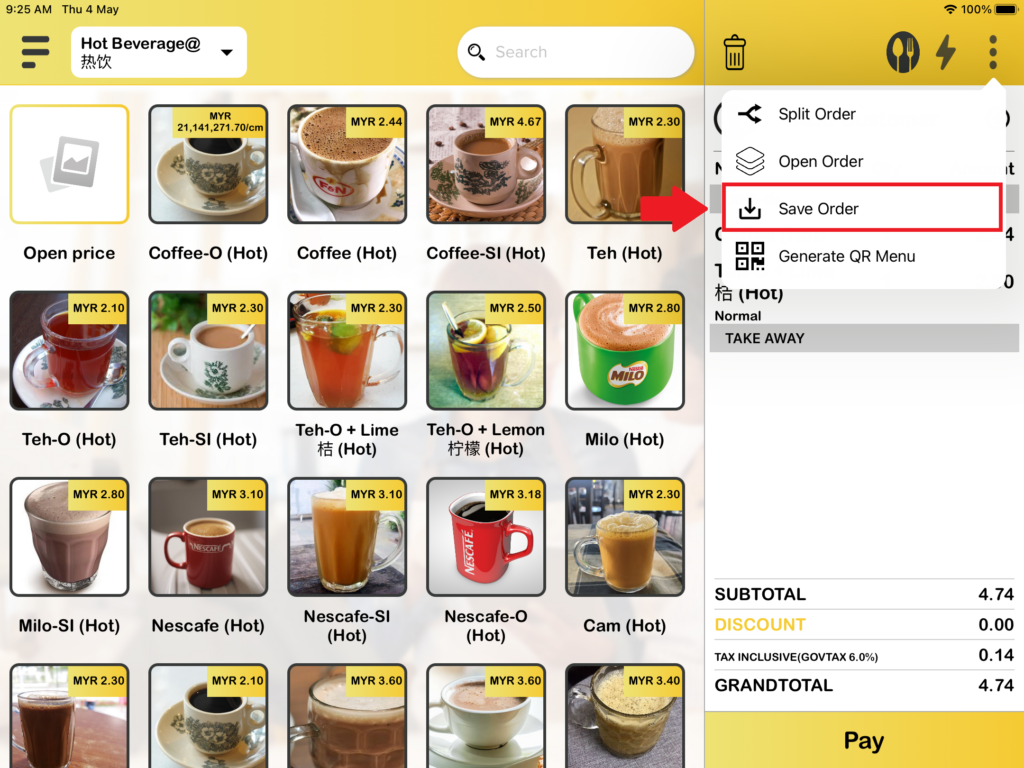
2. After pressing “Save Order“, there is a save order box pops out. You need to fill in the information for the order and press “Save“.
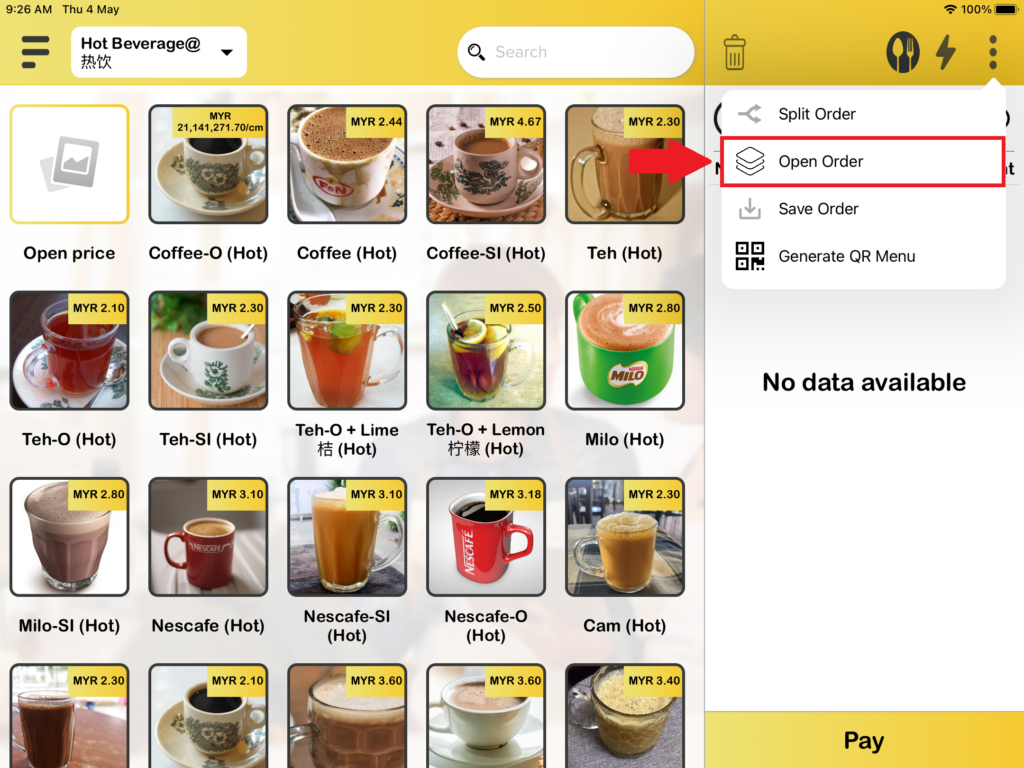
3. After that, your order is saved and now you need to press “Open Order“.
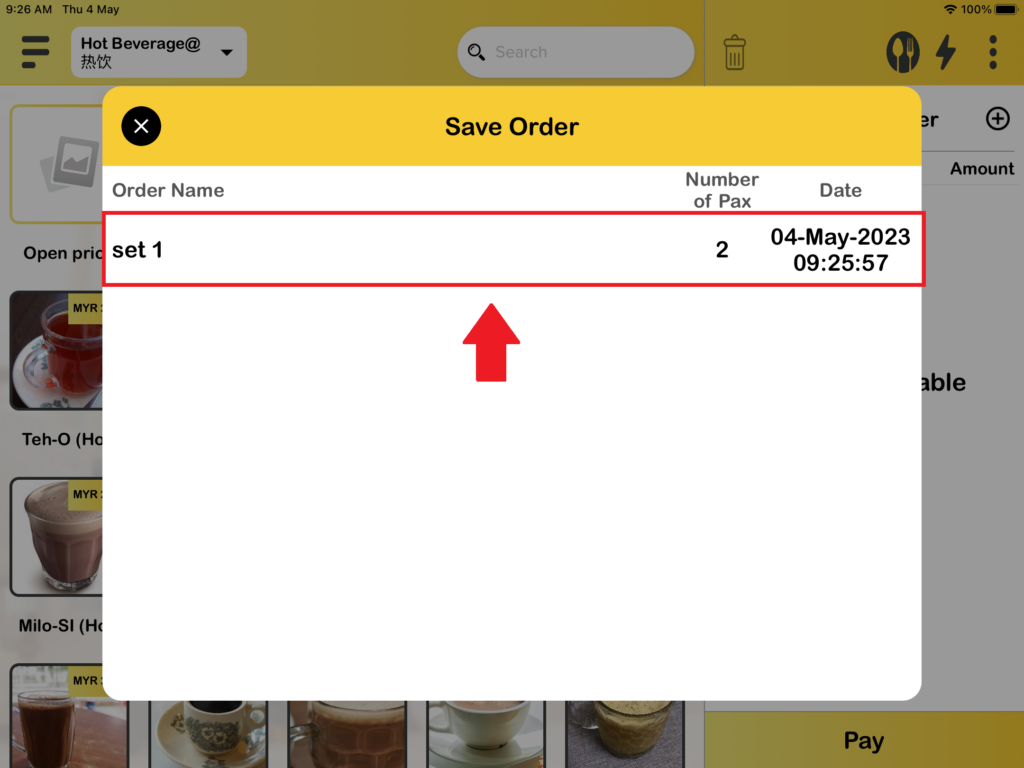
4. You will see the order that you had saved previously and press it to open the order.
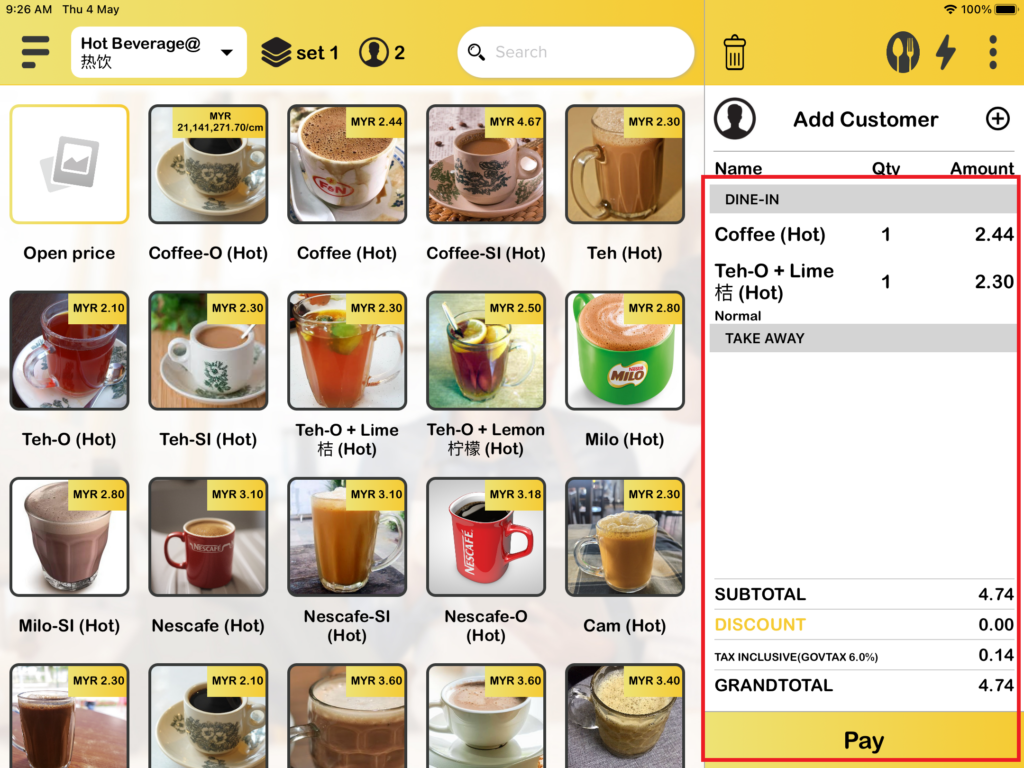
5. Lastly, your order will be shown, and you can proceed with payment.
How does creating a new order in Table business mode?
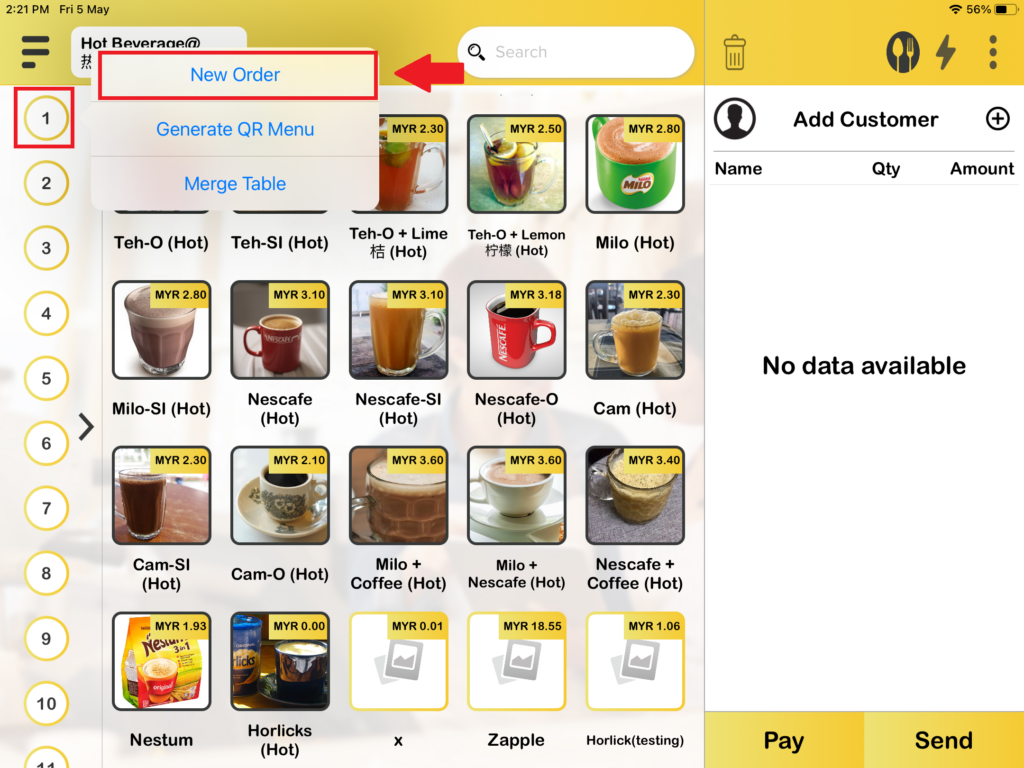
1. There are two ways to create a new order in table business mode. This is the first way to create a “New order” by pressing on which table you would like to open.
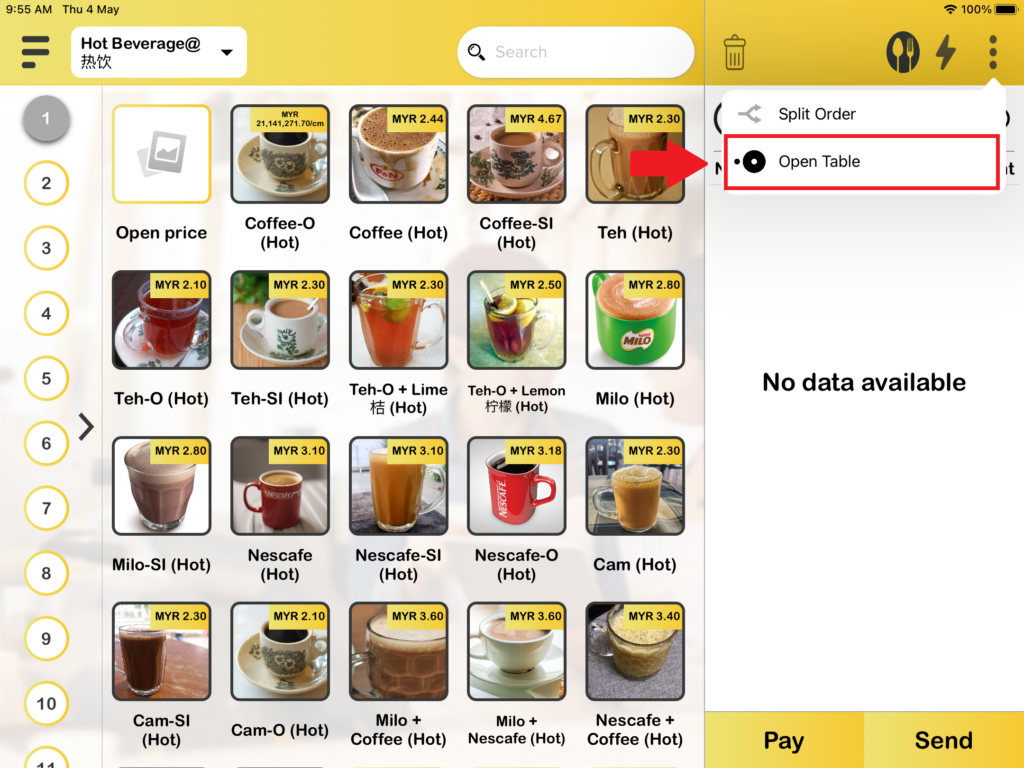
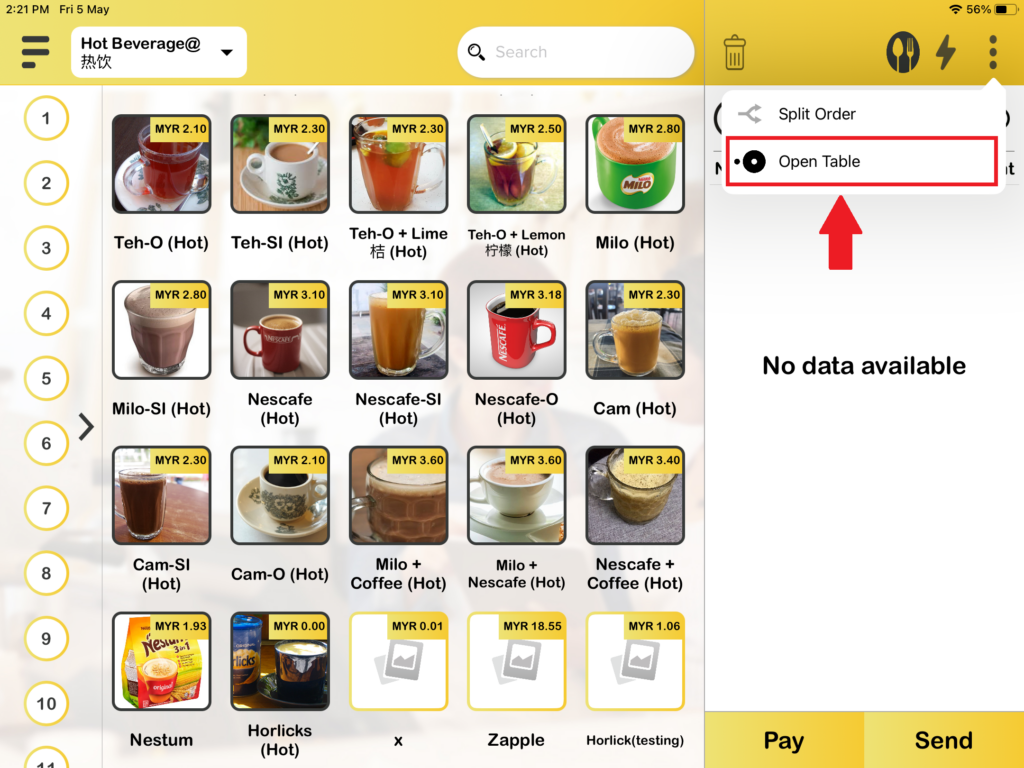
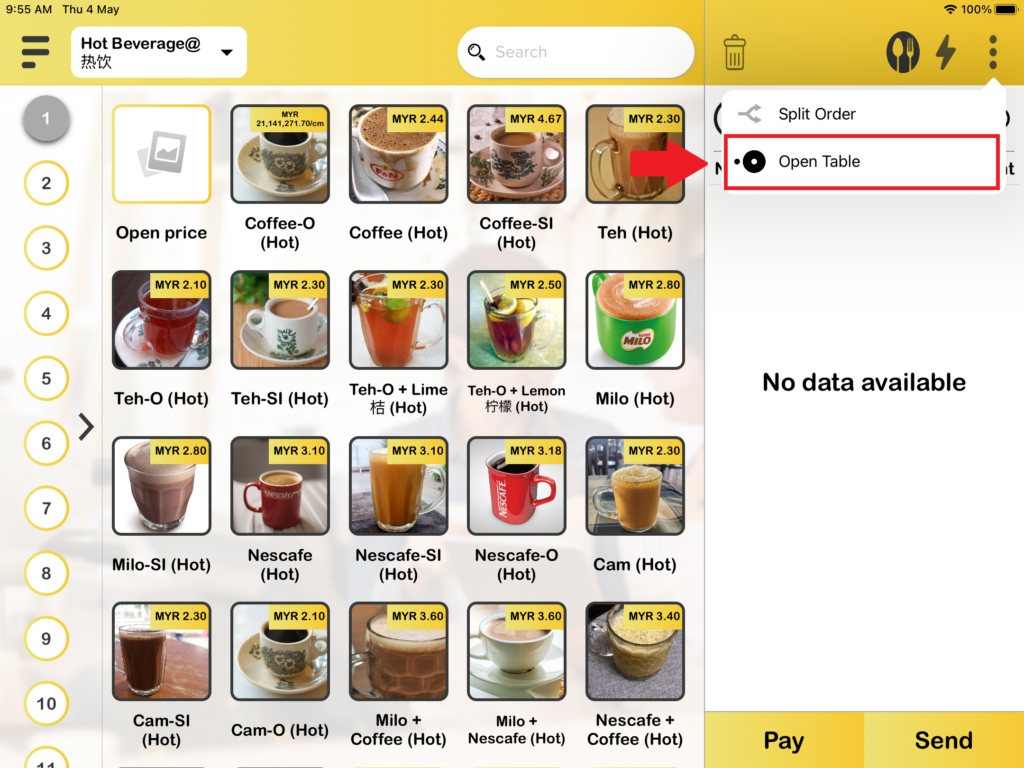
2. The second way to create order in table mode is you need to press on “Open table“.
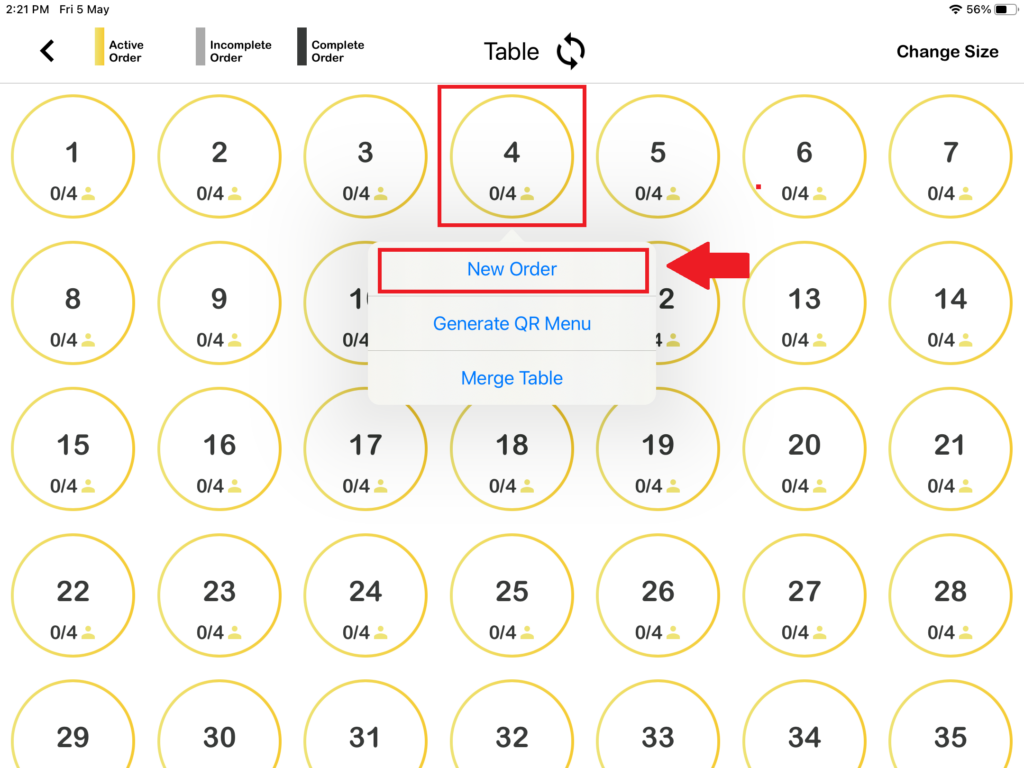
3. Then, you need to press on which table you would like to open, after pressing on the table you will see “New order“.
How do you View Orders in table business modes?
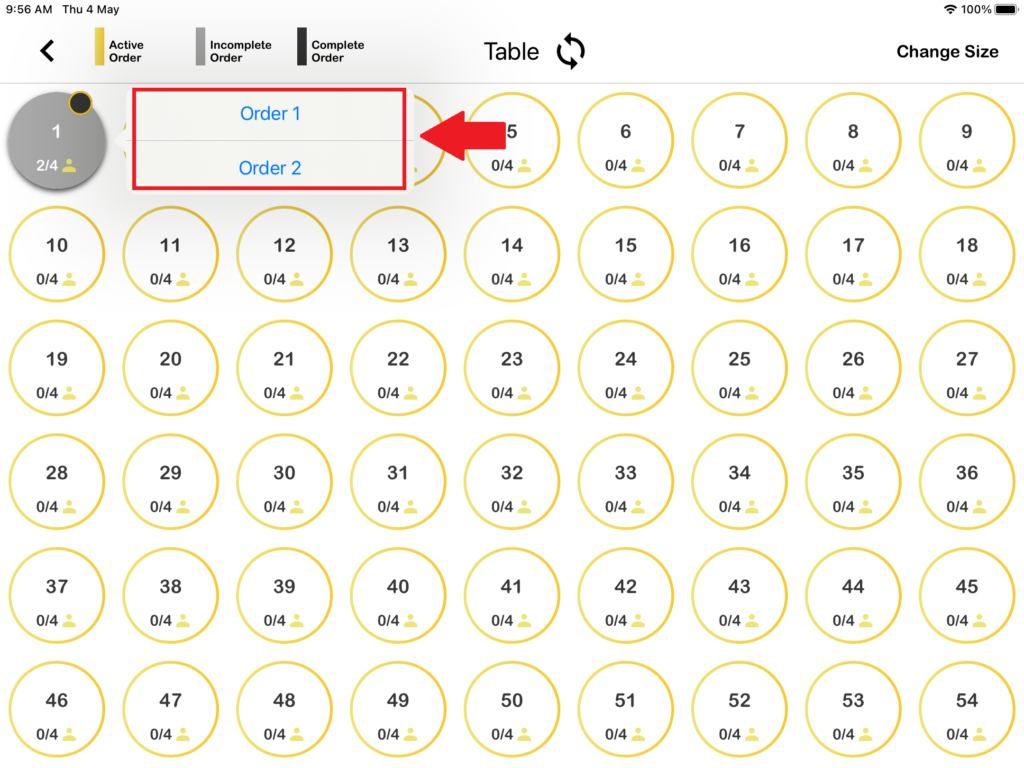
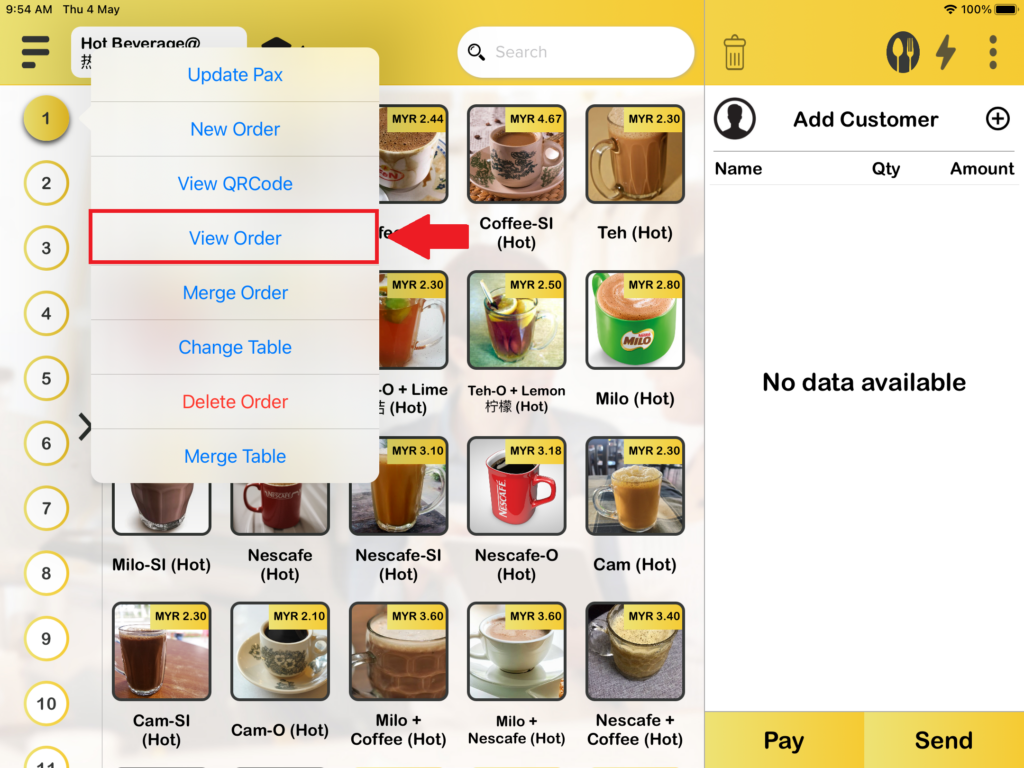
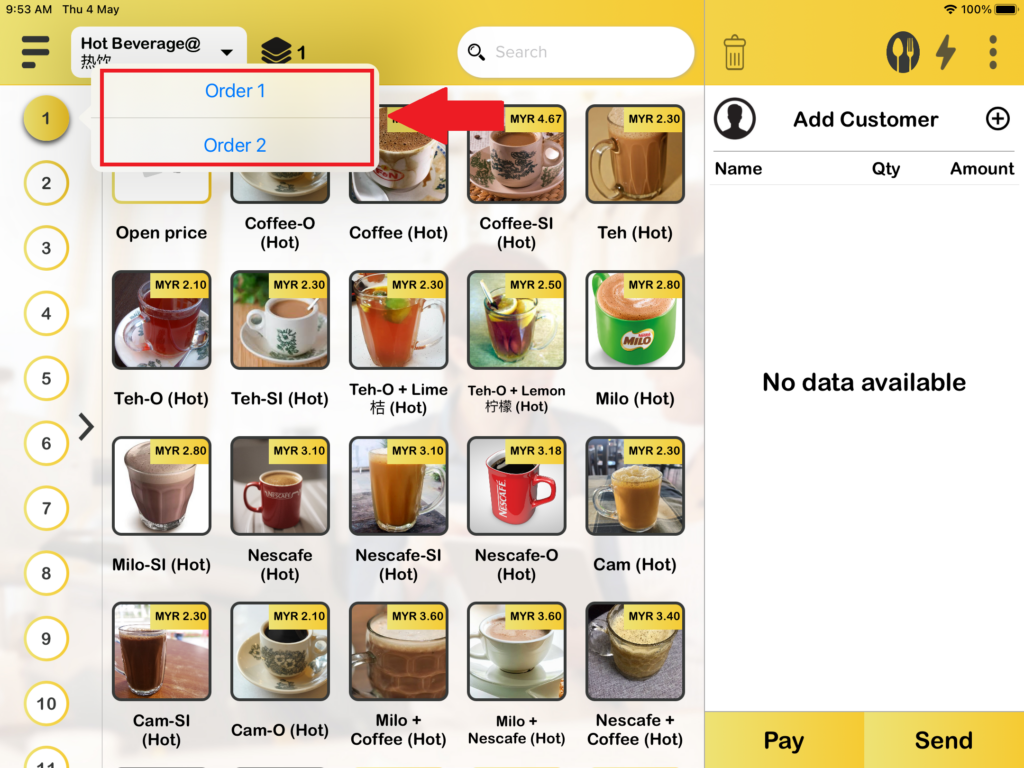
2. When you are in Table number business mode, you can check “View Order” in 2 ways. The first way to find “View Order” is by pressing the table icon on the order page. Press it and you will be able to check your orders.
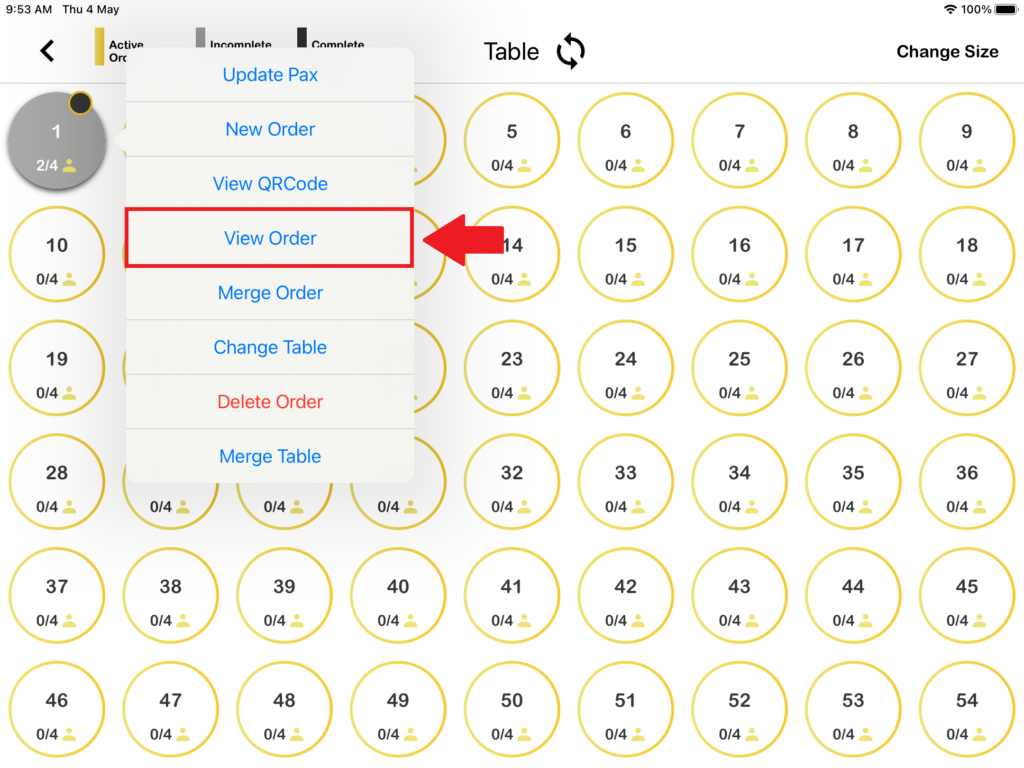
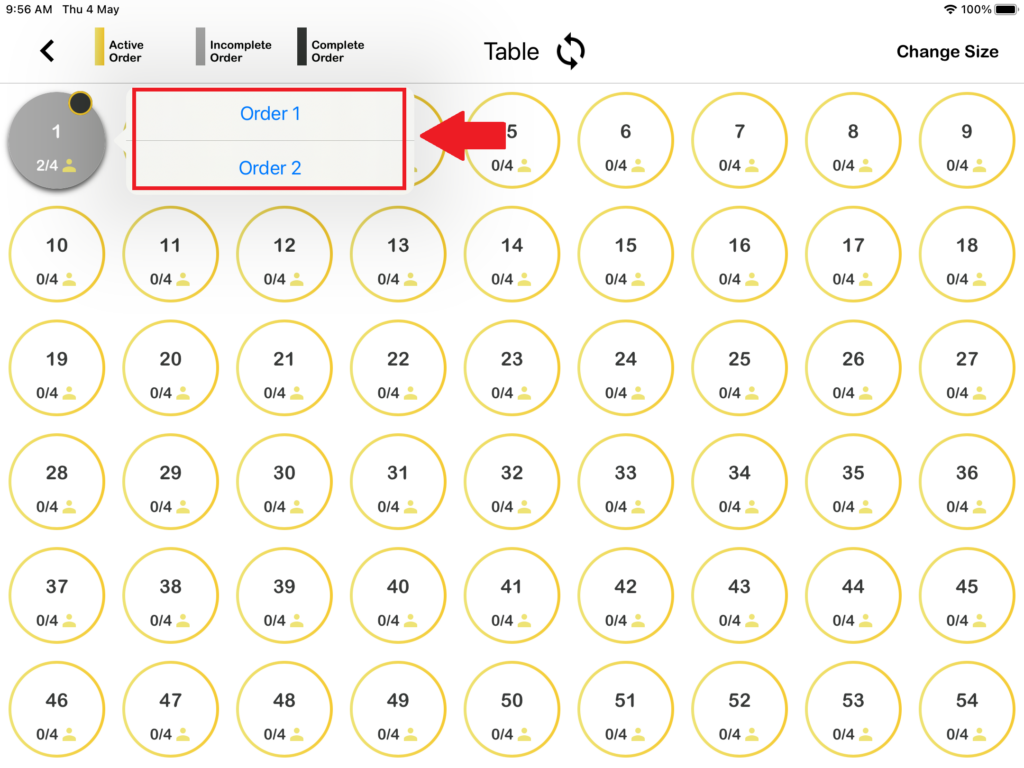
The second way you can find “View Order” on the Open Table page is by pressing the table icon. Press it and you will be able to check your orders.
How do you Delete Orders in table business modes?
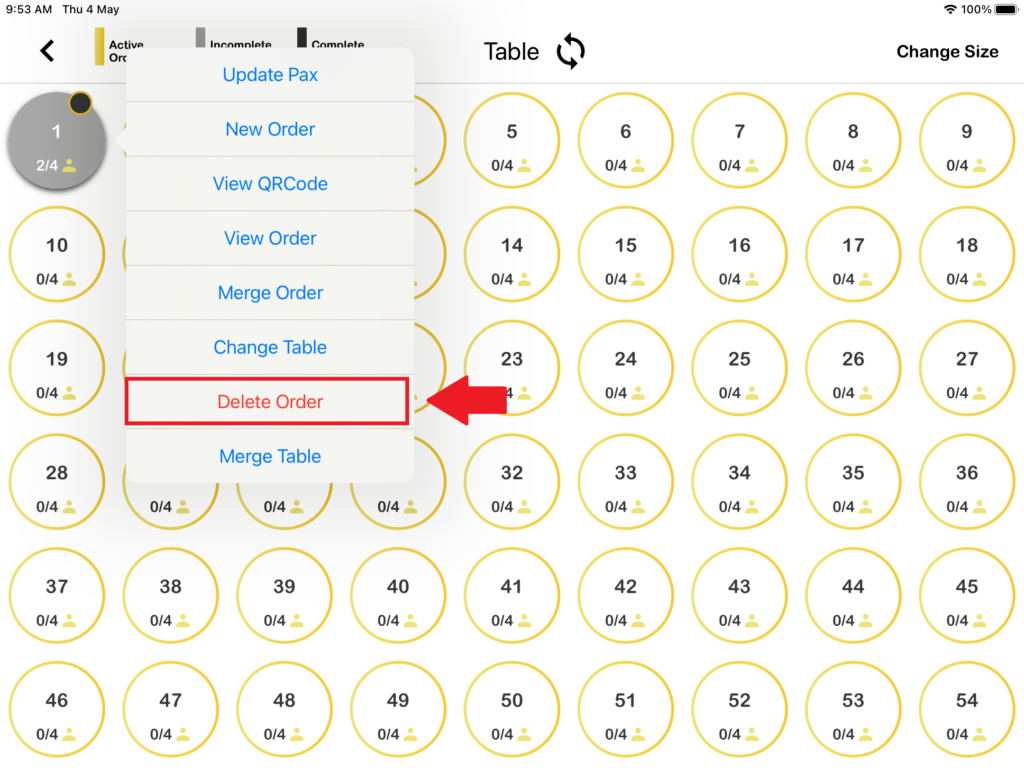
2. When you are in Table number business mode, you can perform “Delete Order” in 2 ways. The first way to find “Delete Order” is by pressing the table icon on the order page. Press it and you will be able to delete your orders.
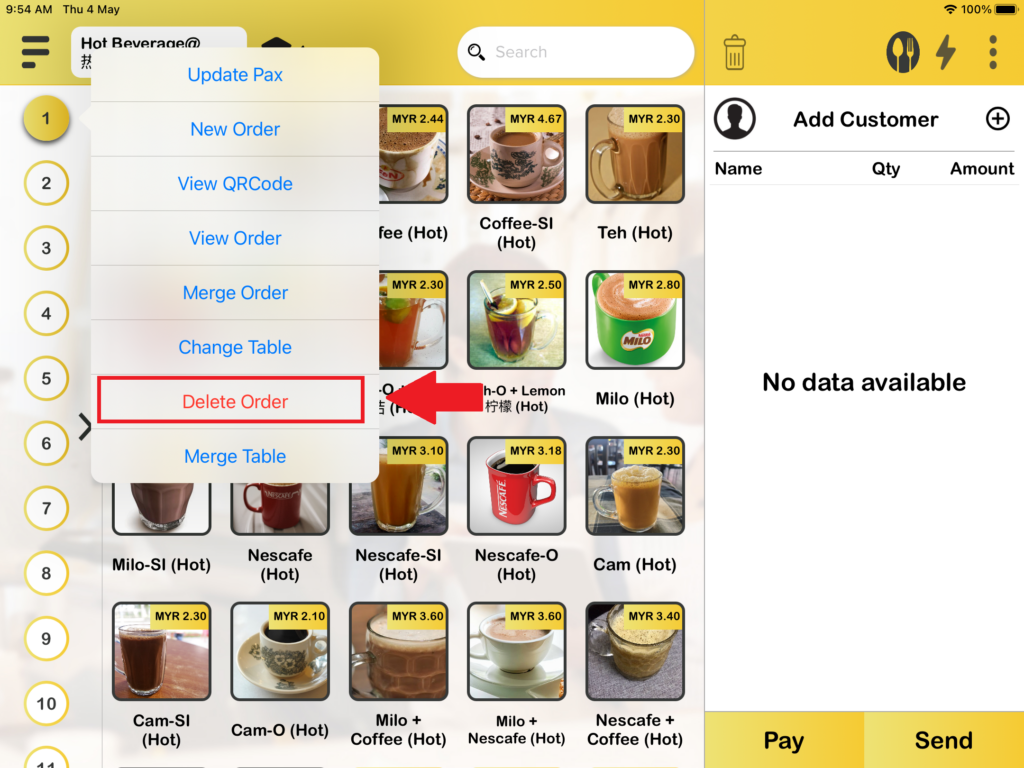
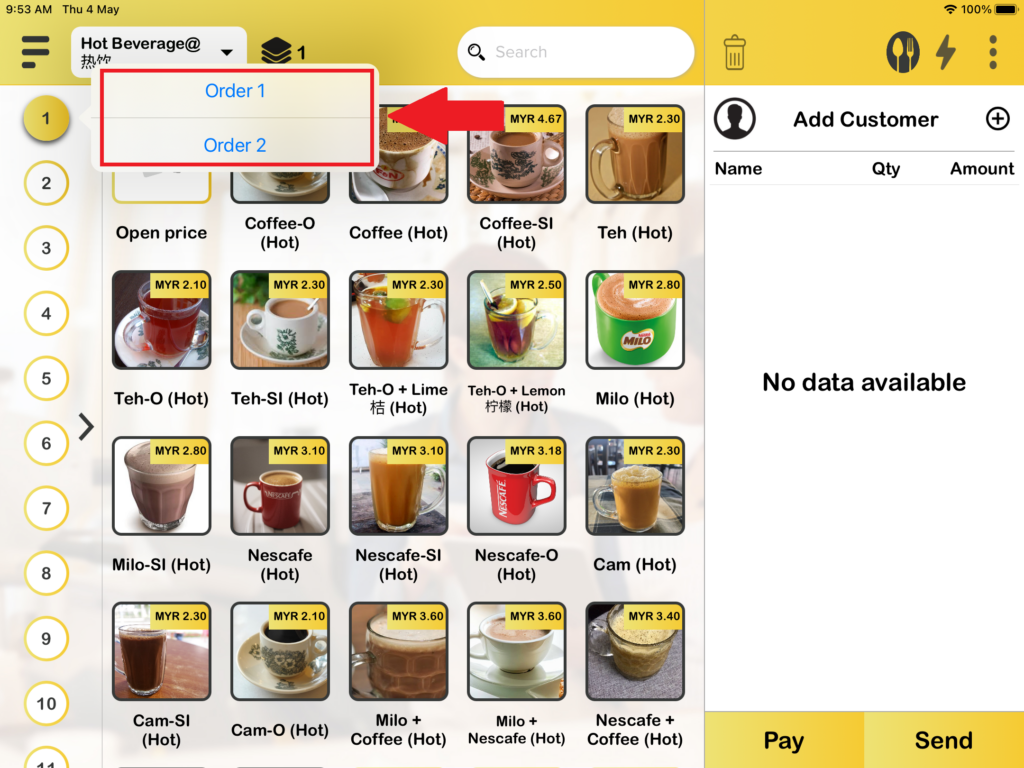
The second way you can find “Delete Order” on the Open Table page is by pressing the table icon. Press it and you will be able to delete your orders.