How Can We Help?
How do print kitchen orders, receipts and shift report function in BIGPOS Pro?
Introduction
This post will guide you on printing kitchen orders, receipts and shift report functions.
How do print kitchen orders, receipts and shift reports function?
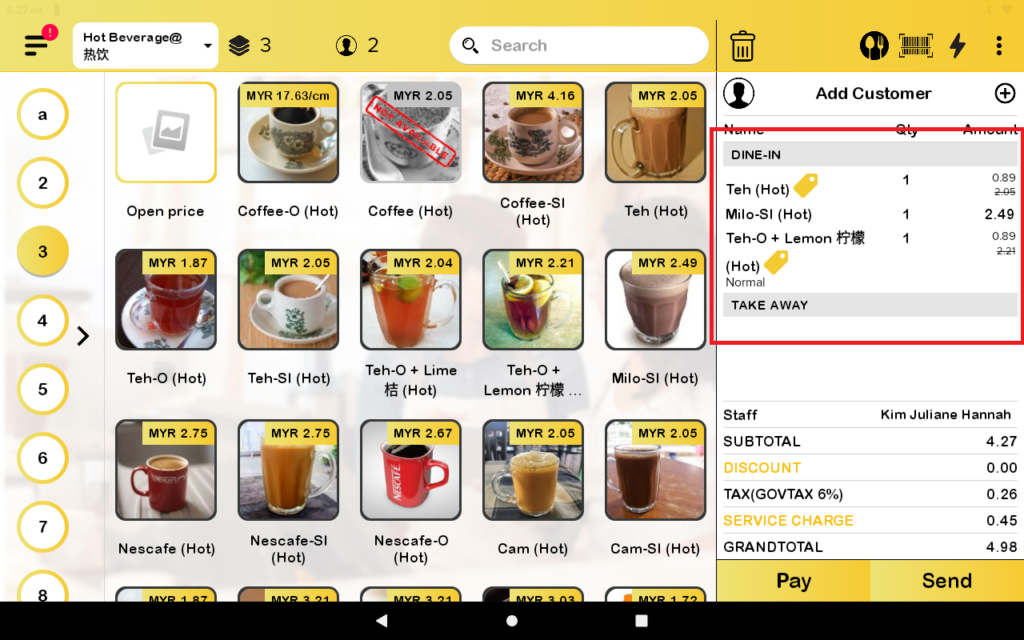
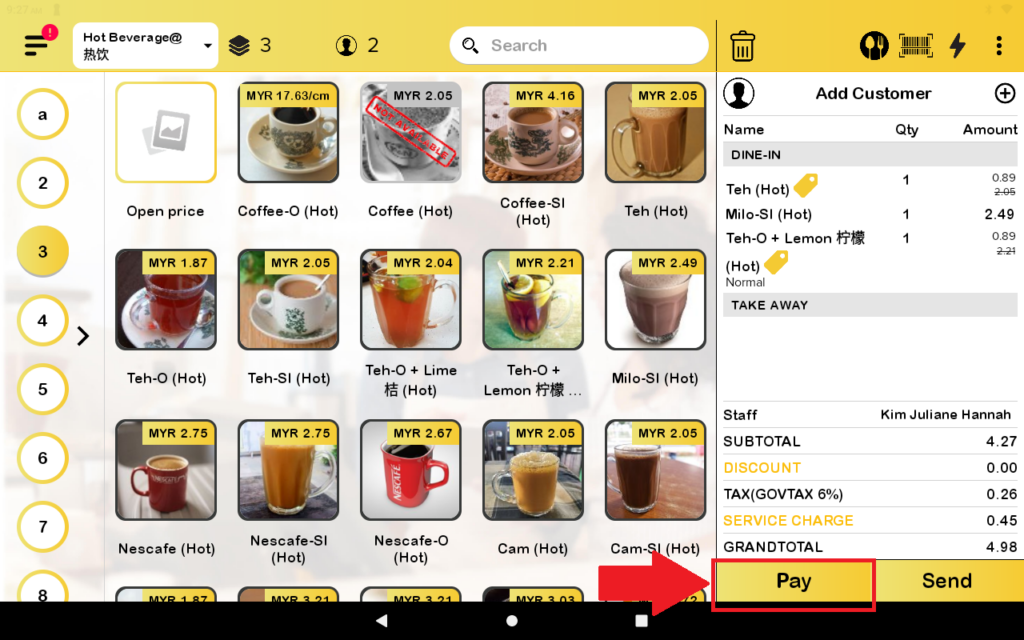
- First, for printing kitchen orders you need to have some orders in the cart.
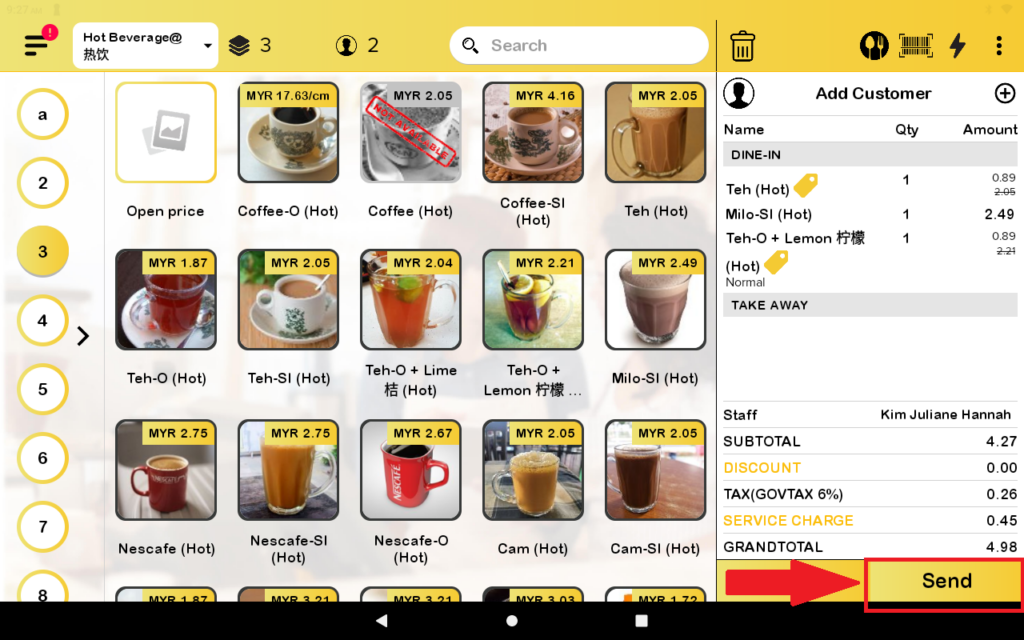
2. Then, you press the send button to print the kitchen order.
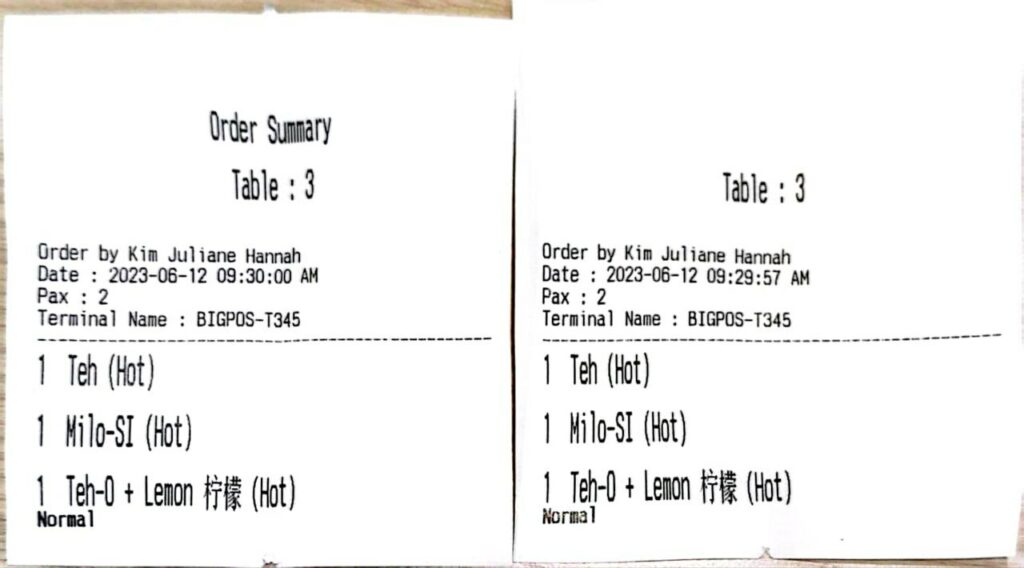
3. The kitchen orders will be printed out.
4. For printing receipts, you need to click on the pay button to go to the next page.
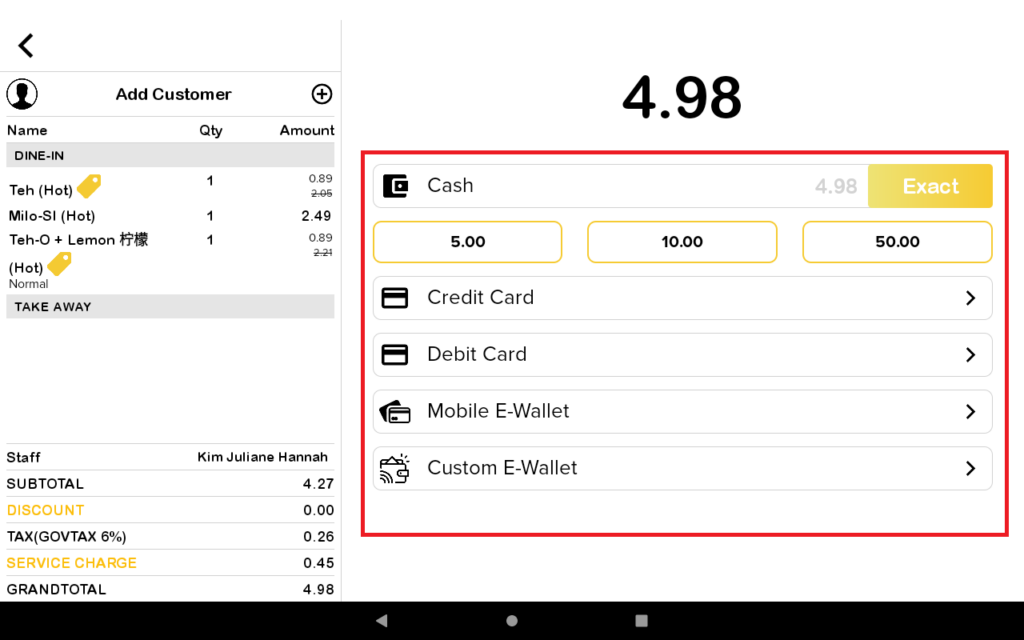
5. Then, you choose which payment to pay for the bill.
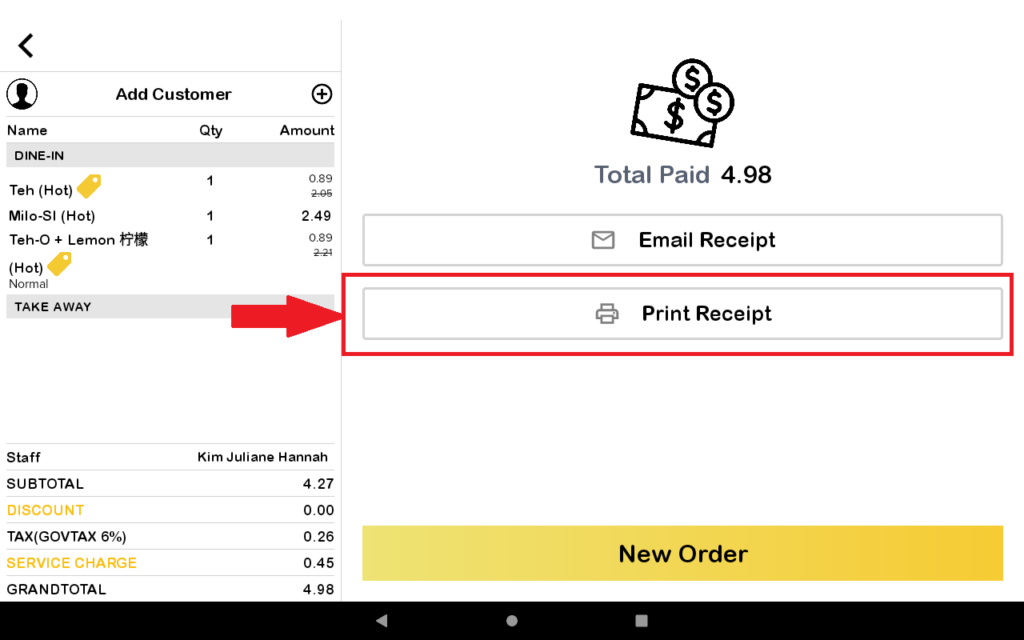
6. After that, you press the “Print Receipt” button to print the receipt.
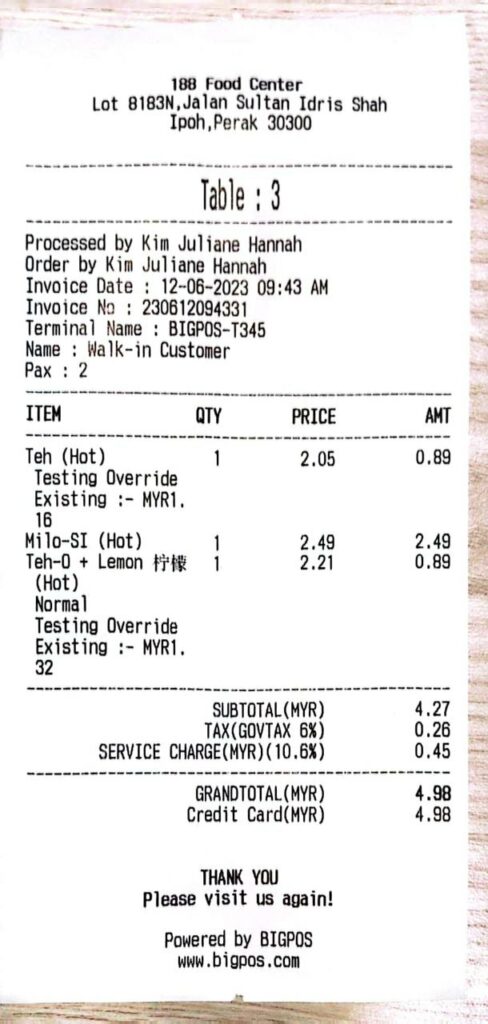
7. Receipt will be printed out.
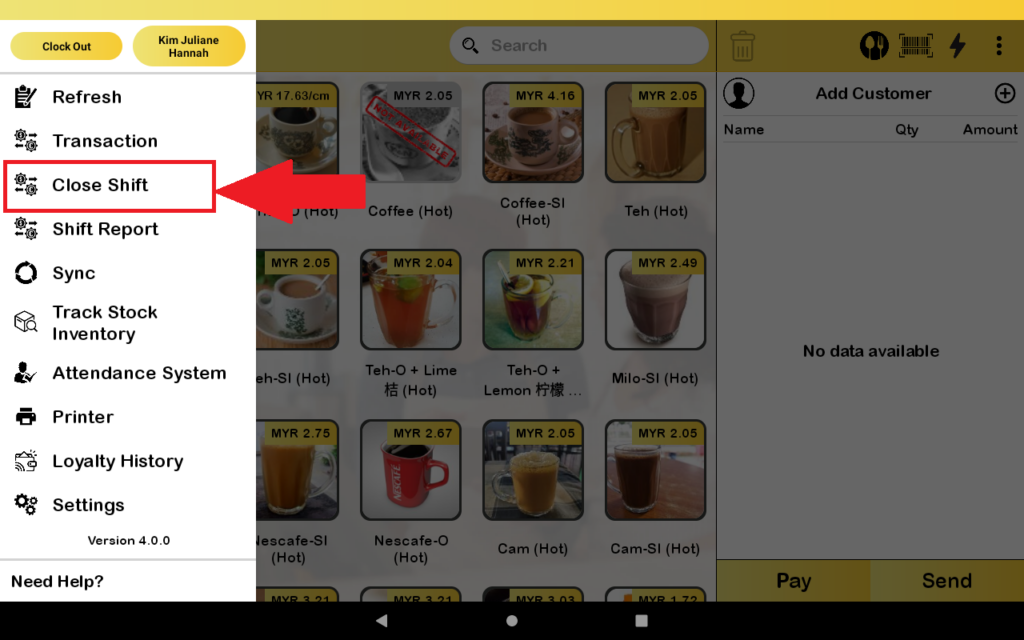
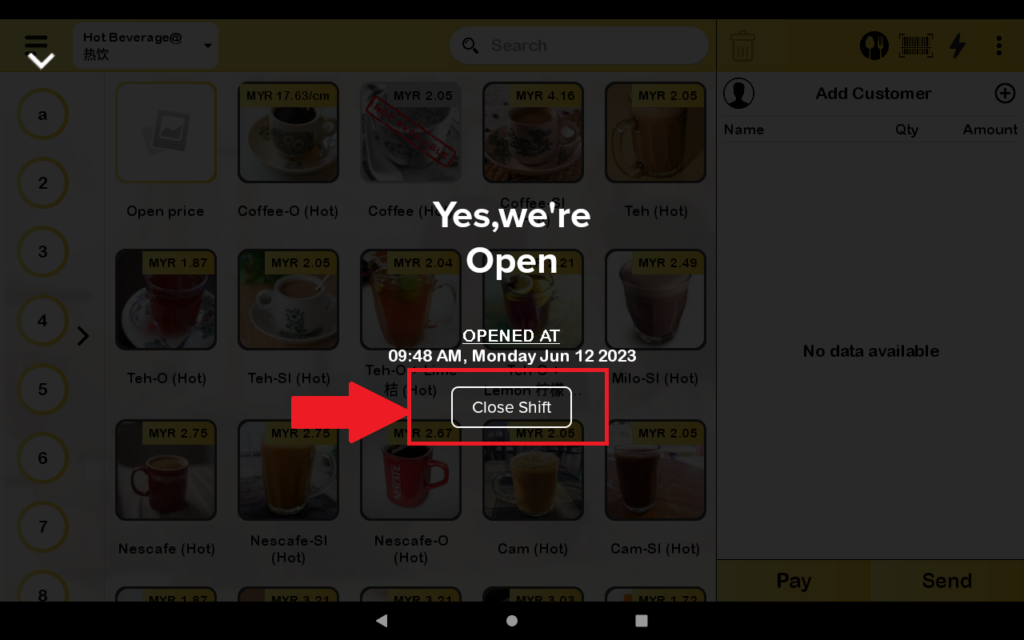
8. For printing the shift report, you need to close the shift first.
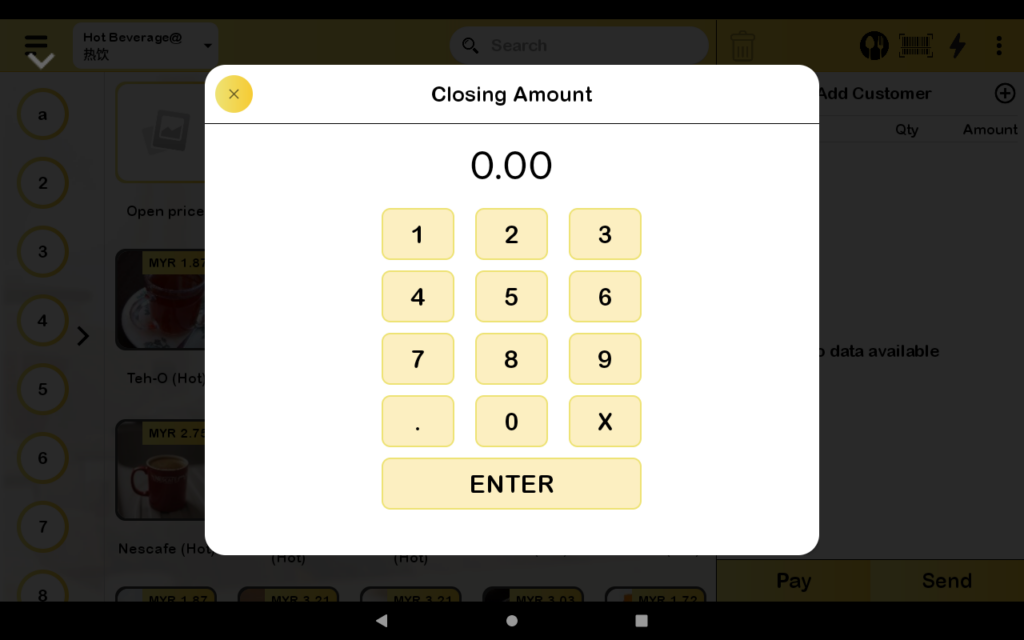
9. Then you enter the closing amount.
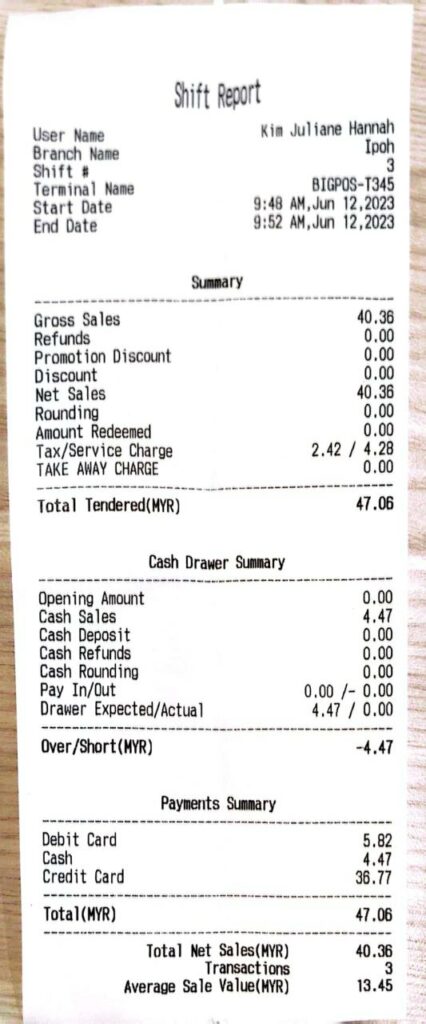
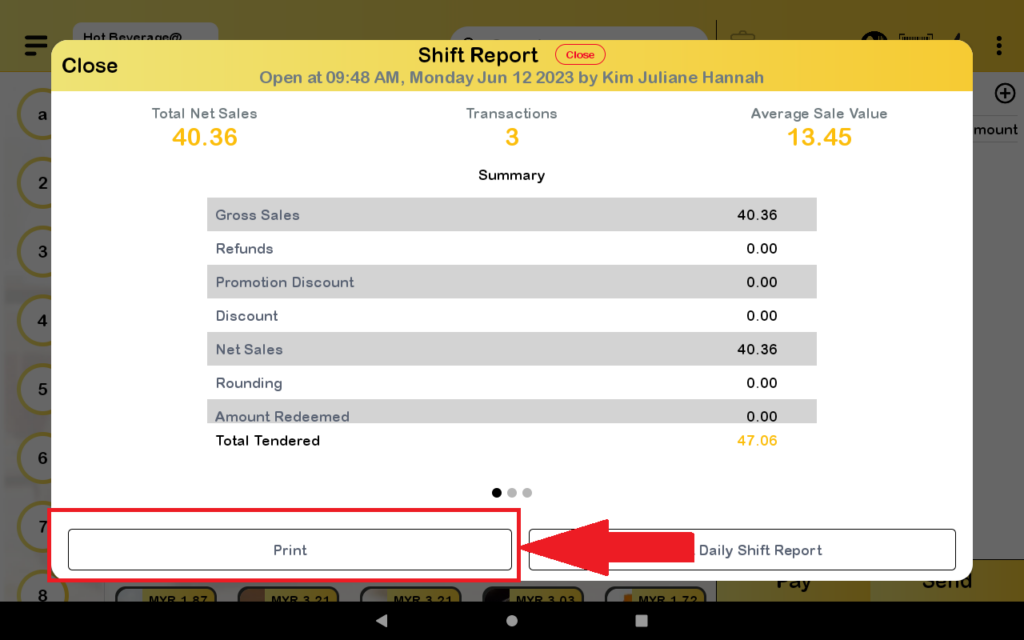
10. The shift report will pop up then you press the print button to print the shift report.
11. Shift report is printed out.