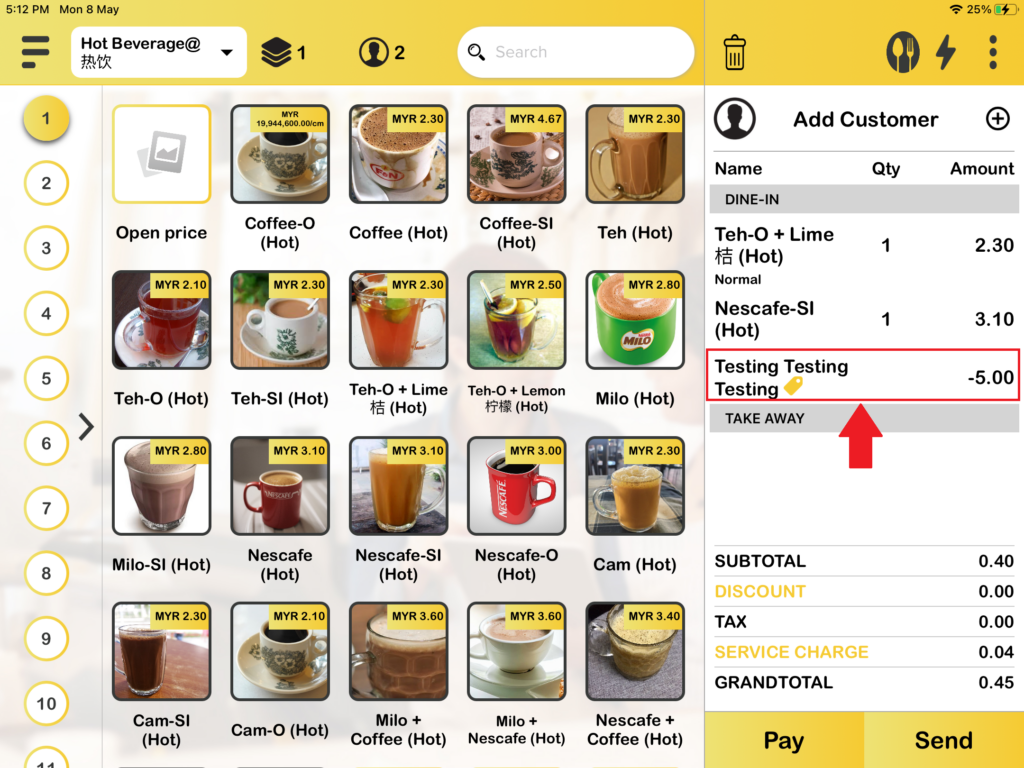
How Customized Promotion (Auto-apply Promotion) works in BIGPOS System?
Introduction
Customized promotion is when you set up a promotion at BIGPOS Web Admin and it will auto-apply in the BIGPOS app. There are types of promotions that you can set at BIGPOS Web Admin such as take percentage off, take amount off, override existing price, combo set/package/bundle, buy x get y.
How customized promotion (auto-apply for promotion) works in BIGPOS System?
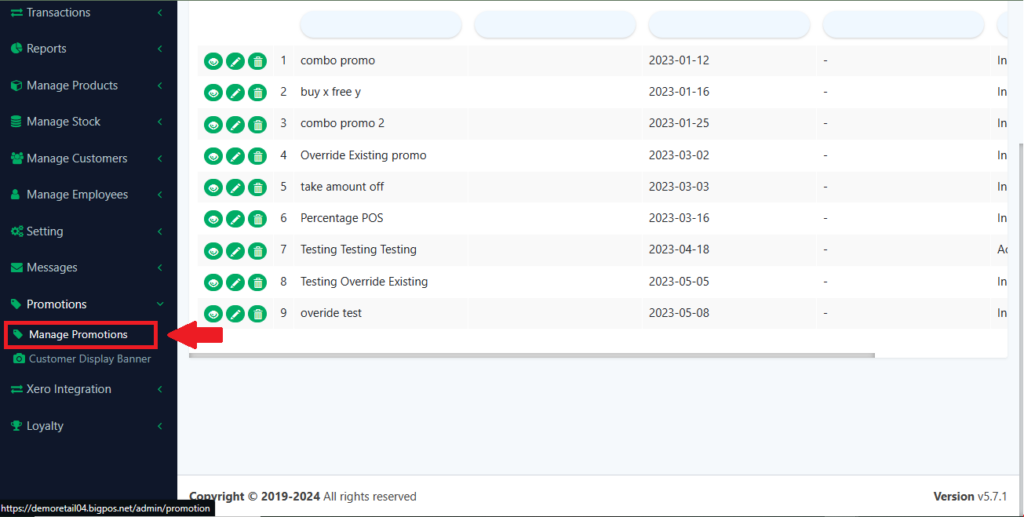
1. First, you need to go to the BIGPOS web admin site and click on “Manage promotion“.
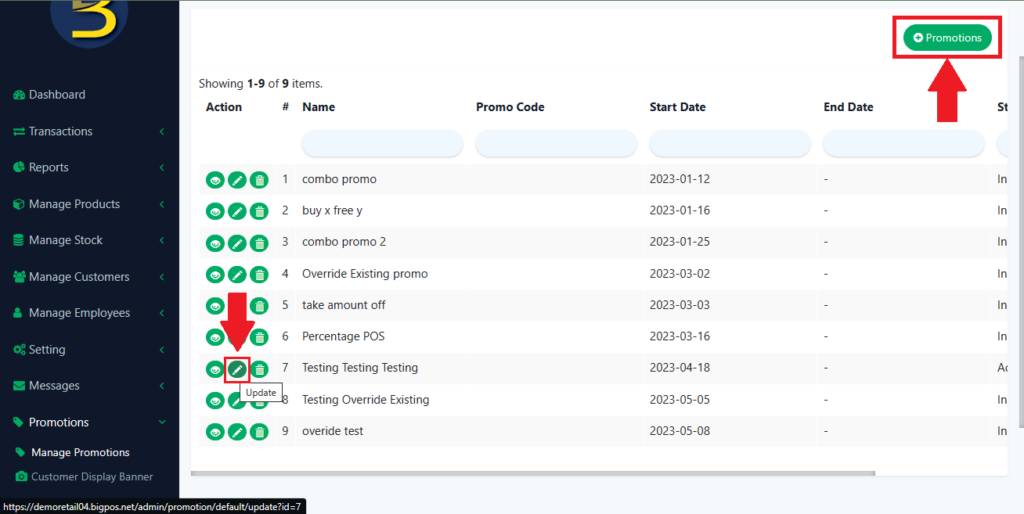
2. Then, you need to create or update your promotion.
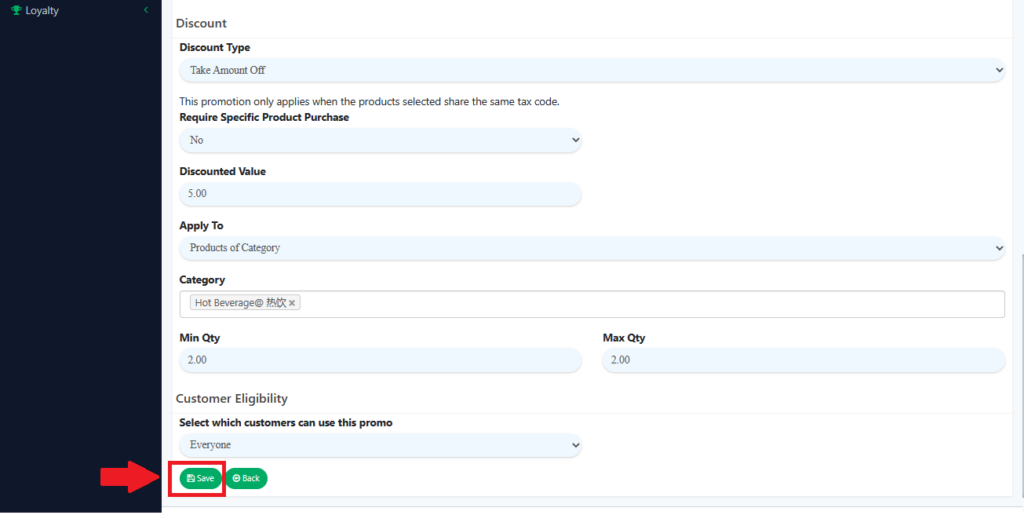
3. And now, you need to fill in the data to set up the promotion.
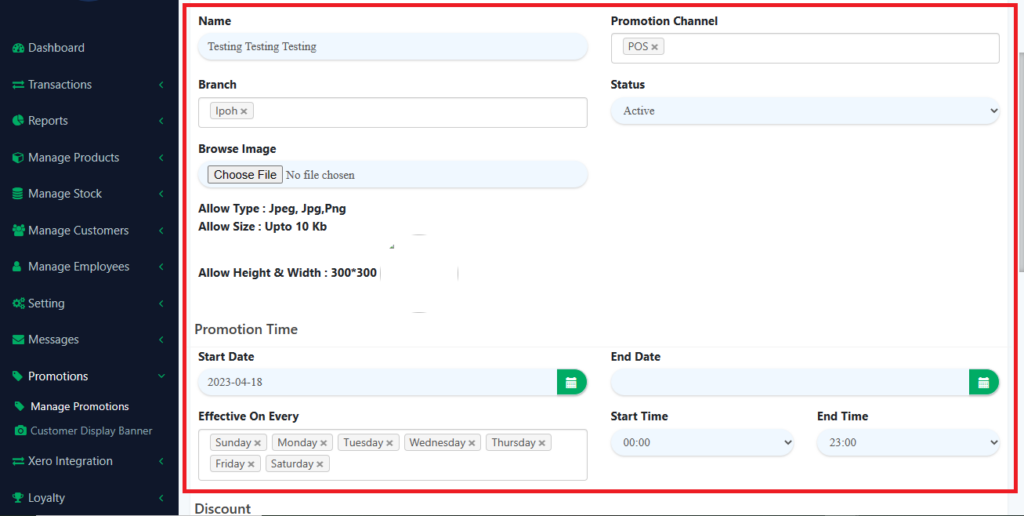
4. After filling in all the data, click “Save” and you had done the setting for the promotion setup.
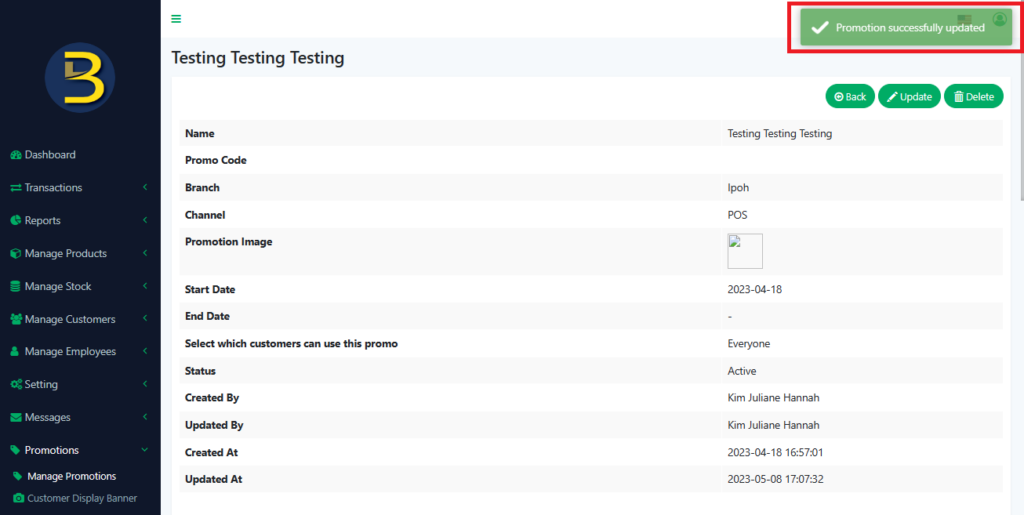
5. After setting up the promotion, you can open your BIGPOS Pro, Lite, or Waiter app. Make sure “Sync” your apps first to apply changes in Bigpos apps. Add the item to the cart that you set in the Web Admin promotion, and the promotion will auto-apply to the cart.