How Can We Help?
Hourly Sales Report – Main Page
Introduction
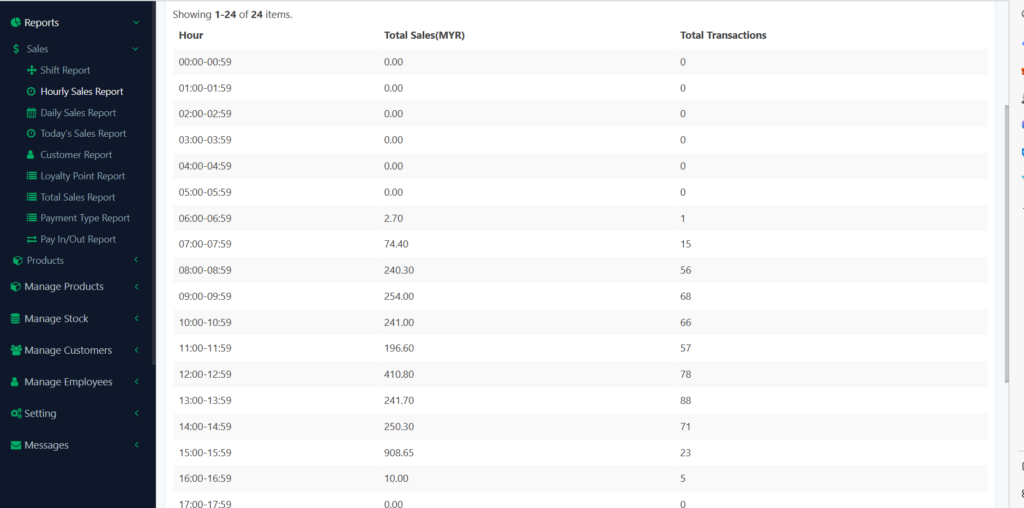
Hourly Sales Report provides you the details of hourly sales including the transactions amount and sales of every hour and also the total sales of the days you filtered. You will see an overview chart of hourly sales too.
How to check hourly sales?
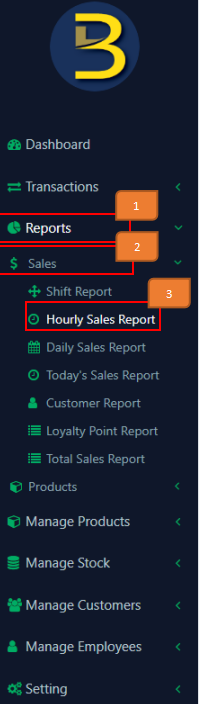
- Click on ‘Reports’ On the left panel menu.
- Click on ‘Sales’.
- Click on ‘Hourly Sales Report’.

4. Select branch name.
5. Select date range that you wish to view for.
6. Click ‘Go’ 
7. The Hourly Sales Report data will show.
How to export records?
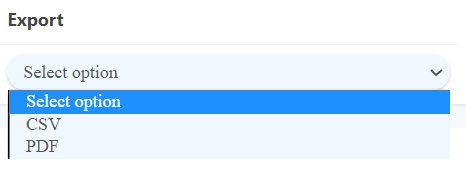
Select the branch and the date range, then select the format that you want to export.